What is the seller listing intake form template?
A listing appointment goes much better when the agent walks in already knowing the basics: who owns the property, how many bedrooms and bathrooms it has, what's been improved and what's wrong with it, why the owner is selling and how quickly. This template gathers that in advance, so the visit can focus on pricing and marketing rather than a list of questions.
It starts with ownership — sole, joint, company, trust or estate — and asks for the other owners or signatories when the seller isn't the only one. The property page covers type, tenure, rooms, size, age, parking, features, recent improvements and known issues. The final page covers timing, who currently lives there, price expectations, any mortgage, whether the seller is buying at the same time, viewing availability and existing documents.
Each response arrives in FileIt as a PDF with uploads attached, filed where the agent can open it on the way to the appointment.
- Best for
- Estate agents, realtors and property sellers preparing to list
- Filled in by
- The property owner or someone authorised to act for them
- Time to complete
- About 8 minutes
- Includes
- Ownership, property features, improvements, known issues, plans, price, uploads
Who uses a seller listing intake form?
- An estate agent sending new seller leads a form to complete before the valuation visit
- A realtor gathering property facts to draft listing copy
- A small agency standardising seller onboarding across its branches
- A probate specialist collecting details for an estate sale
- A for-sale-by-owner seller organising their own facts before choosing an agent
- An agent preparing a comparable market analysis who needs size, age and improvements first
Questions on this seller listing intake form
30 questions over 3 pages · includes file upload, conditional questions, multiple pages, consent checkbox.
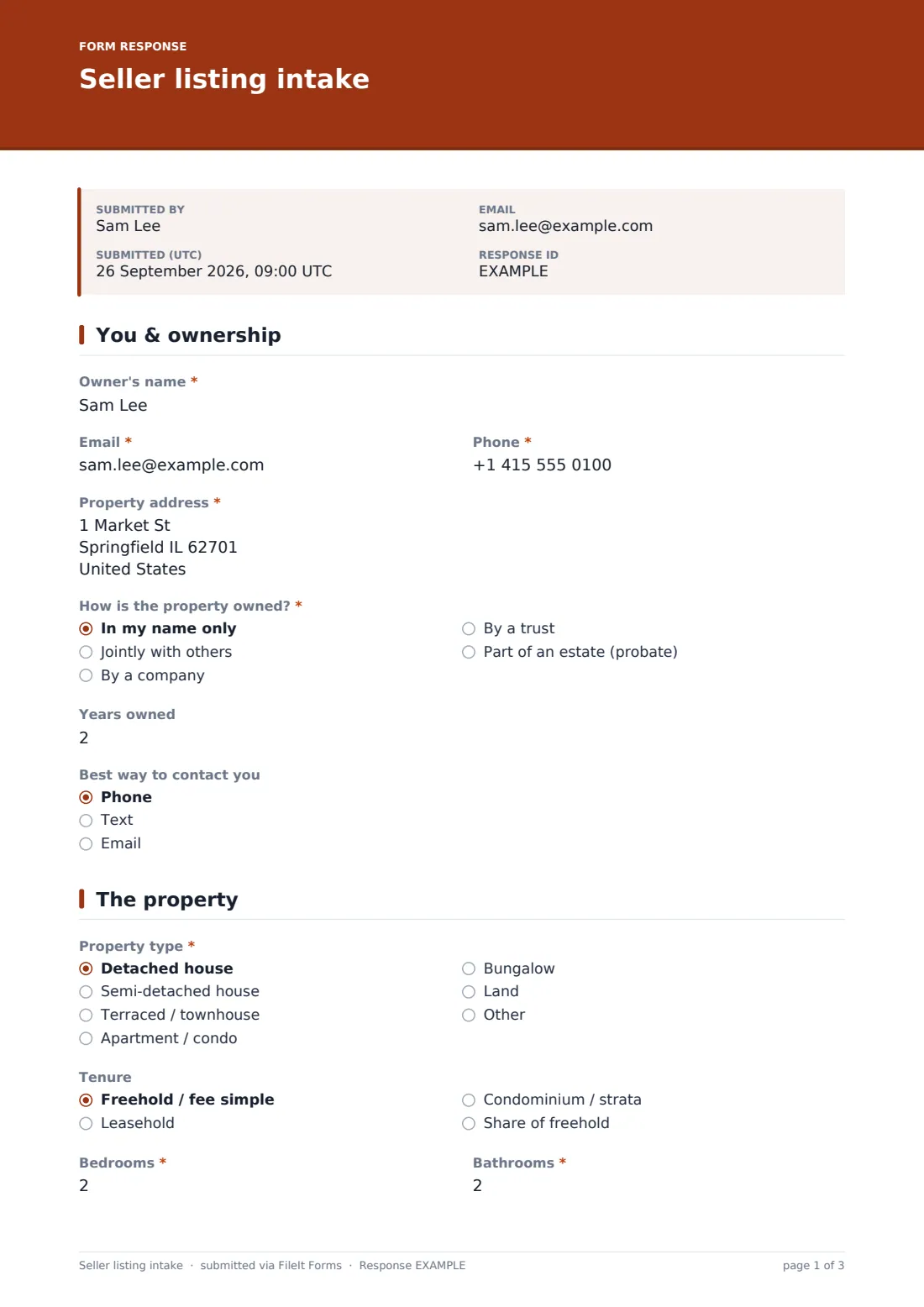
1 You & ownership
- Owner's name*
- Email*
- Phone*
- Property address*
- How is the property owned?* In my name only · Jointly with others · By a company · By a trust · Part of an estate (probate)
- Names of the other owners or who can sign* asked only when it applies
- Have all owners agreed to sell? asked only when it applies
- Years owned
- Best way to contact you Phone · Text · Email
2 The property
- Property type* Detached house · Semi-detached house · Terraced / townhouse · Apartment / condo · Bungalow · Land · Other
- Tenure Freehold / fee simple · Leasehold · Condominium / strata · Share of freehold
- Bedrooms*
- Bathrooms*
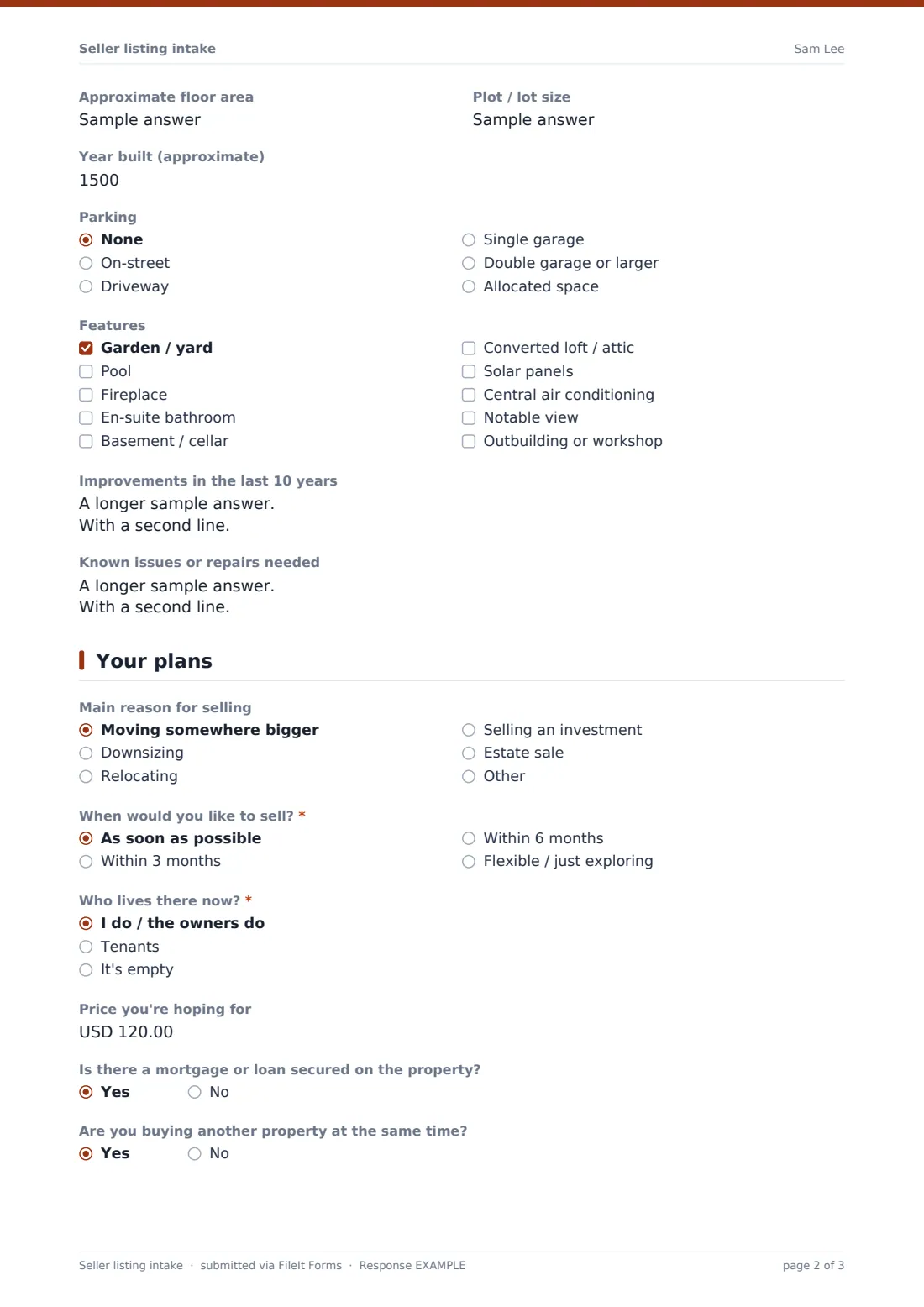
- Approximate floor area
- Plot / lot size
- Year built (approximate)
- Parking None · On-street · Driveway · Single garage · Double garage or larger · Allocated space
- Features Garden / yard · Pool · Fireplace · En-suite bathroom · Basement / cellar · Converted loft / attic · Solar panels · Central air conditioning · Notable view · Outbuilding or workshop
- Improvements in the last 10 years
- Known issues or repairs needed
3 Your plans
- Main reason for selling Moving somewhere bigger · Downsizing · Relocating · Selling an investment · Estate sale · Other
- When would you like to sell?* As soon as possible · Within 3 months · Within 6 months · Flexible / just exploring
- Who lives there now?* I do / the owners do · Tenants · It's empty
- When does the current tenancy end? asked only when it applies
- Price you're hoping for
- Is there a mortgage or loan secured on the property?
- Are you buying another property at the same time?
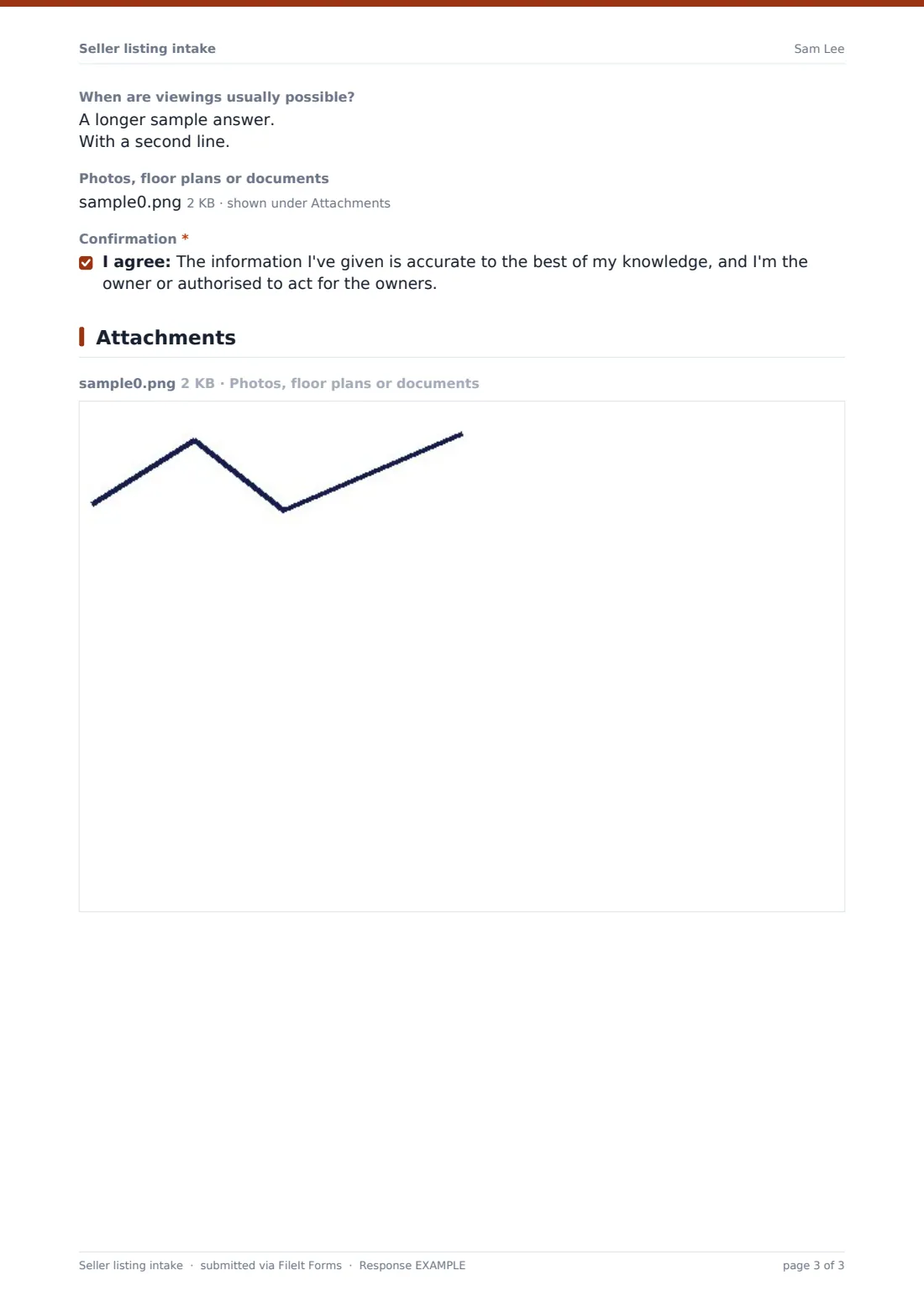
- When are viewings usually possible?
- Photos, floor plans or documents
- Confirmation*
The seller listing intake form, page by page
1 You & ownership
The owner's name, email and phone, the Property address, How is the property owned? — and, for anything other than sole ownership, the other owners' names and whether they've all agreed to sell. Then Years owned and the best way to get in touch.
2 The property
Property type, Tenure, Bedrooms, Bathrooms, floor area, plot size, Year built, Parking and a Features checklist. Two open questions ask about Improvements in the last 10 years and Known issues or repairs needed.
3 Your plans
Main reason for selling, When would you like to sell?, Who lives there now? (tenanted properties ask when the tenancy ends), the Price you're hoping for, any mortgage, whether the seller is also buying, when viewings are possible, uploads of photos, floor plans or documents, and a confirmation that the information is accurate and the respondent can act for the owners.
Make the template yours
- Change the currency and the area units to match your market
- Replace the tenure options with the ones used where you work
- Add questions for your market's disclosure topics, such as flood history or HOA fees
- Route responses to a 'New instructions' folder and notify the listing agent
- Add your agency's privacy notice as a paragraph before the confirmation
- Remove the price question if you'd rather discuss it only in person
Tips for a better seller listing intake form
- Send the form as soon as the appointment is booked, so you have time to research comparables
- Read the known issues before the visit so you can talk honestly about how they affect price
- Check ownership early — joint owners, trusts and estates can all slow a sale down
- Ask for documents like certificates and plans now rather than after an offer is accepted
- Treat the seller's price as their expectation, not your valuation
Every response becomes a PDF in your vault
When the seller submits, FileIt creates a PDF of the intake — ownership, property details, features, issues, plans and uploads — and files it in the folder you've chosen. You get an email notification and the seller can receive a copy.
Agents usually use the PDF to prepare for the valuation visit and to draft the listing. FileIt doesn't publish listings or connect to property portals, so the PDF is your working record.
- Start from this template. It opens in the FileIt Forms designer — change any question, add pages, set the rules for when questions appear.
- Share it. Turn on a public link, or send it to people by email, each with their own link. They don’t need a FileIt account.
- Get the answers as PDFs. Each response is saved as a PDF in the vault folder you choose, with uploaded files attached — and listed in a Responses table you can export to CSV.
Seller listing intake form: frequently asked questions
Is this seller intake form free?
Yes. It's a starter template in FileIt's Forms app on every plan, and every question can be edited.
Does the seller need a FileIt account?
No. They fill it in from a public link or an emailed request.
Is this a legal property disclosure form?
No. It's an intake questionnaire for the agent. Any formal disclosure required where you work must be completed separately.
Can sellers upload photos and floor plans?
Yes, up to 10 files including photos, PDFs and Word documents.
What if the property is owned by more than one person?
Choosing anything other than sole ownership asks for the other owners and whether they've all agreed to sell.
Can I change the currency?
Yes — the price question's currency can be changed in the designer.