What is the pre-listing prep checklist form template?
The weeks before a home hits the market are a long list of small jobs: a dripping tap, a cluttered worktop, a carpet clean, a photographer to book, a missing building certificate. When those jobs live in texts and memory, the photos get taken before the garden is tidied and the listing date slips without anyone noticing why.
This pre-listing prep checklist puts it all in one shared form. Agent and seller set the target listing and photo dates and the price guide, then mark repairs, decluttering and cleaning tasks in simple grids as done, booked, to do or not needed. Staging, focus rooms and the marketing package (photos, floor plan, virtual tour, video, drone, twilight) follow, then documents gathered and still missing, viewing and key arrangements, and a final call on whether the home is ready to go live.
Each completed checklist is saved as a PDF in your FileIt vault, so the agency has a record of what was agreed and the seller has a copy of the plan.
- Best for
- Real estate agents, estate agents, home stagers and owners selling privately
- Filled in by
- The agent, the seller, or both together at the prep visit
- Time to complete
- About 15 minutes at a walk-through
- Includes
- Target and photo dates, price guide, repair, declutter and cleaning grids, staging, marketing package, documents and uploads, viewings, keys, go-live decision, sign-off
Who uses a pre-listing prep checklist form?
- An agent running the prep walk-through after a valuation
- A seller tracking jobs before the photographer's visit
- A stager agreeing focus rooms with the agent
- An agency standardising prep across its branches
- A landlord preparing a tenanted property for sale
- A private seller organising their own listing
Questions on this pre-listing prep checklist form
29 questions over 4 pages · includes signature, file upload, conditional questions, multiple pages, ratings.
1 Property & timeline
- Agent*
- Seller*
- Property address*
- Property type* Detached house · Semi-detached or duplex · Townhouse · Apartment or condo · Bungalow · Land · Other
- Occupied while listed?* Seller living there · Tenanted · Vacant
- Target listing date*
- Photography date
- Agreed price guide
2 Repairs & declutter
- Repairs and maintenance* Done · Booked · To do · Not needed
- Repair notes, contractors and costs
- Seller's prep budget
- Decluttering* Done · Booked · To do · Not needed
- Self-storage or removal booked for excess items?
3 Staging, cleaning & photos
- Staging* Professional stager · Light styling by the agent · Seller to stage using our guide · No staging
- Stager and date asked only when it applies
- Rooms to focus on Entrance · Living room · Kitchen · Main bedroom · Bathrooms · Garden or balcony · Home office
- Cleaning* Done · Booked · To do · Not needed
- Marketing to book* Professional photos · Floor plan · Virtual tour · Video · Drone photos · Twilight photos
- Photo-day instructions for the seller
4 Documents & go-live
- Documents gathered Title deeds or deed · Energy or efficiency certificate · Building approvals and completion certificates · Guarantees and warranties · Recent utility bills · Service charge or HOA documents · Survey or inspection reports · Seller property questionnaire
- Documents still to find
- Upload documents
- Viewing arrangements* Agent accompanies all viewings · Seller shows the home · Mixed
- Keys held by the agent?
- Alarm or access instructions
- Ready to list?* Yes, go live on the target date · Not yet, move the listing date
- New listing date asked only when it applies
- What still needs doing asked only when it applies
- Seller sign-off
The pre-listing prep checklist form, page by page
1 Property & timeline
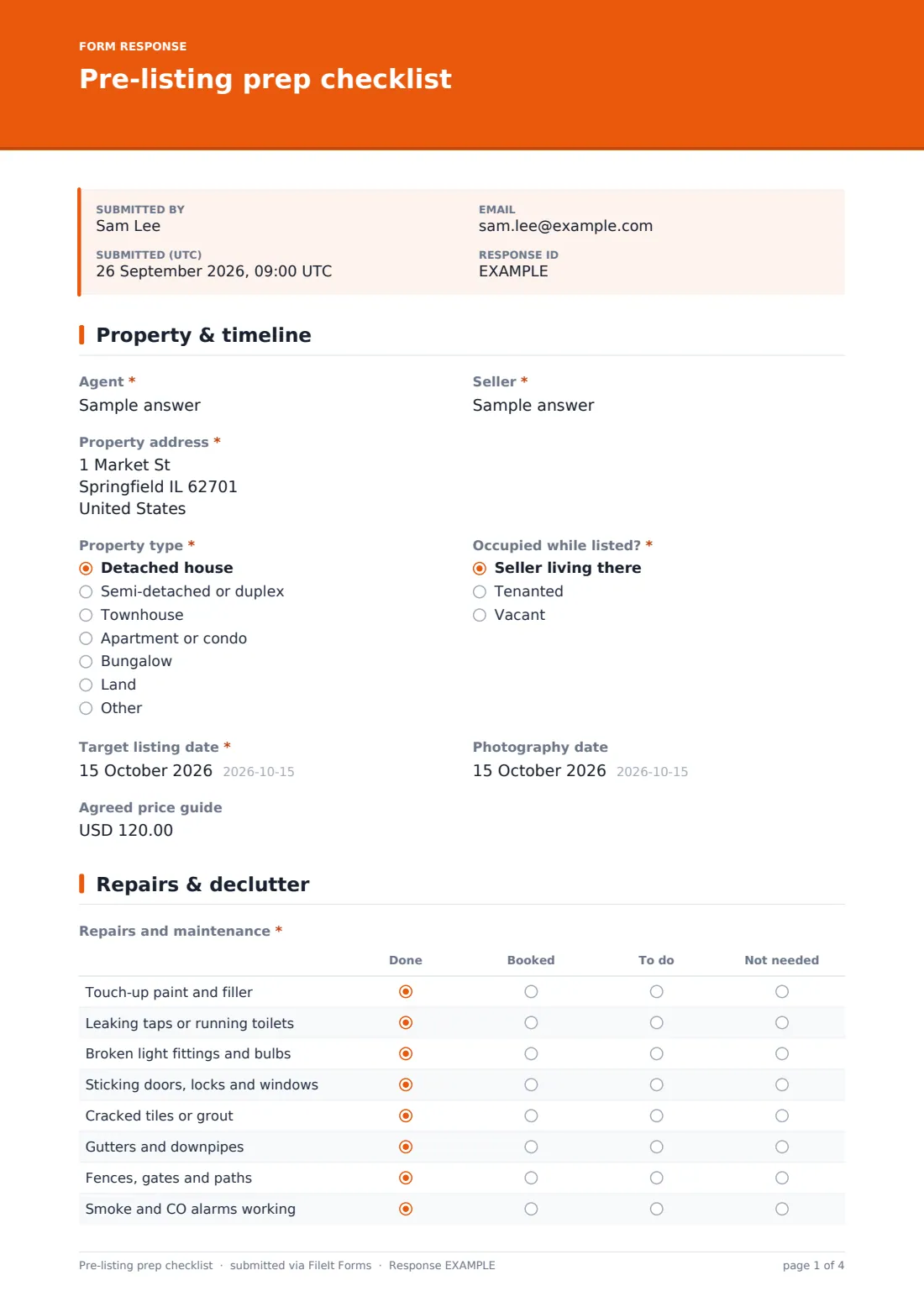
The agent and seller are named, with the property address and type, whether it will be occupied by the seller, tenanted or vacant, the target listing date, photography date and the agreed price guide. A tenanted home shows a reminder to check the tenant's notice requirements.
2 Repairs & declutter
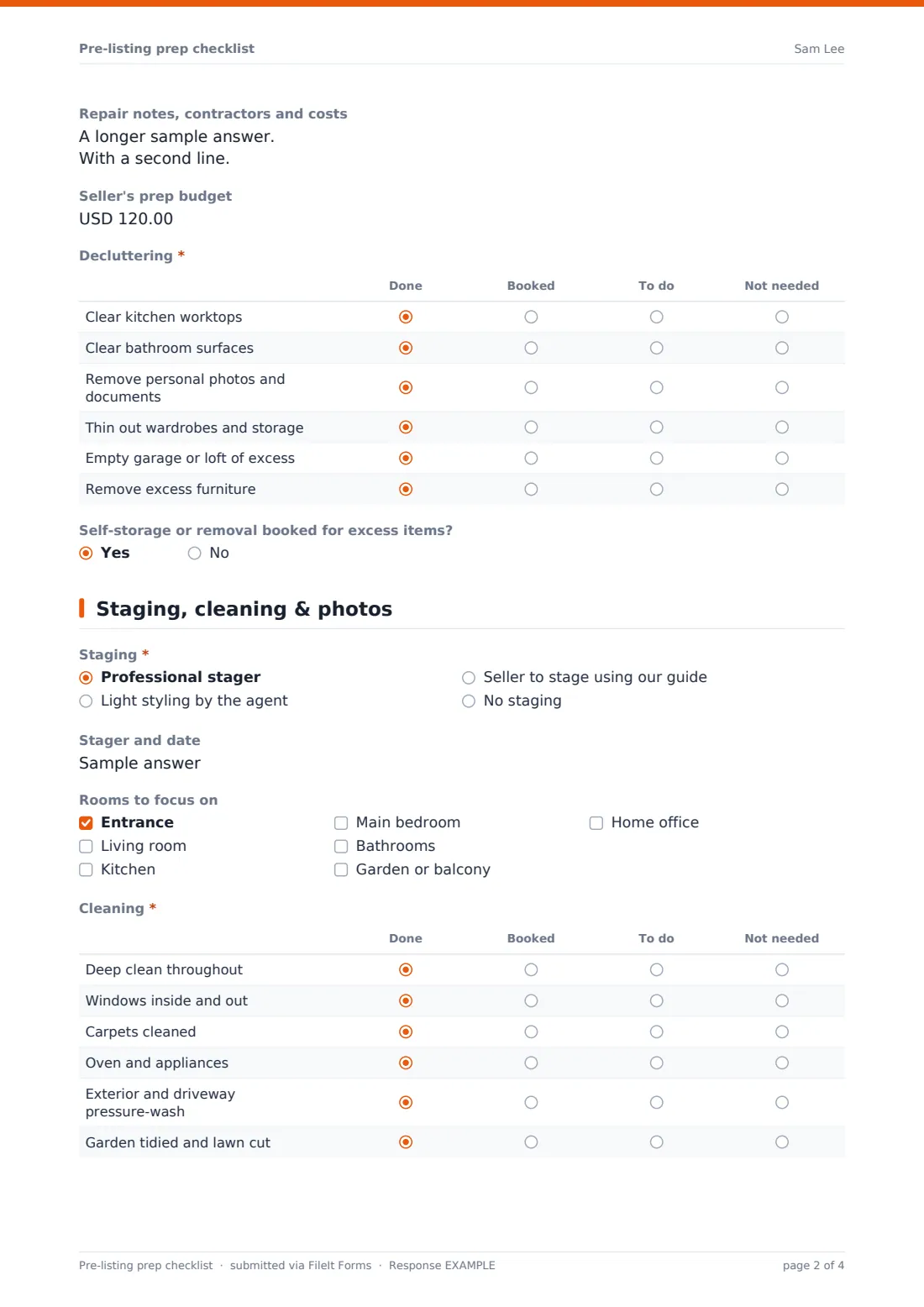
A repairs grid lists eight common jobs, from touch-up paint and dripping taps to gutters, fences and working alarms, each marked done, booked, to do or not needed. Repair notes and a prep budget follow. A second grid covers decluttering worktops, bathrooms, personal photos, wardrobes, garage or loft and furniture, plus whether storage or removal is booked.
3 Staging, cleaning & photos
The form records the staging approach and a stager's name and date if one is used, and which rooms to focus on. A cleaning grid covers a deep clean, windows, carpets, appliances, exterior and garden. The marketing package is ticked, and the agent can leave photo-day instructions for the seller.
4 Documents & go-live
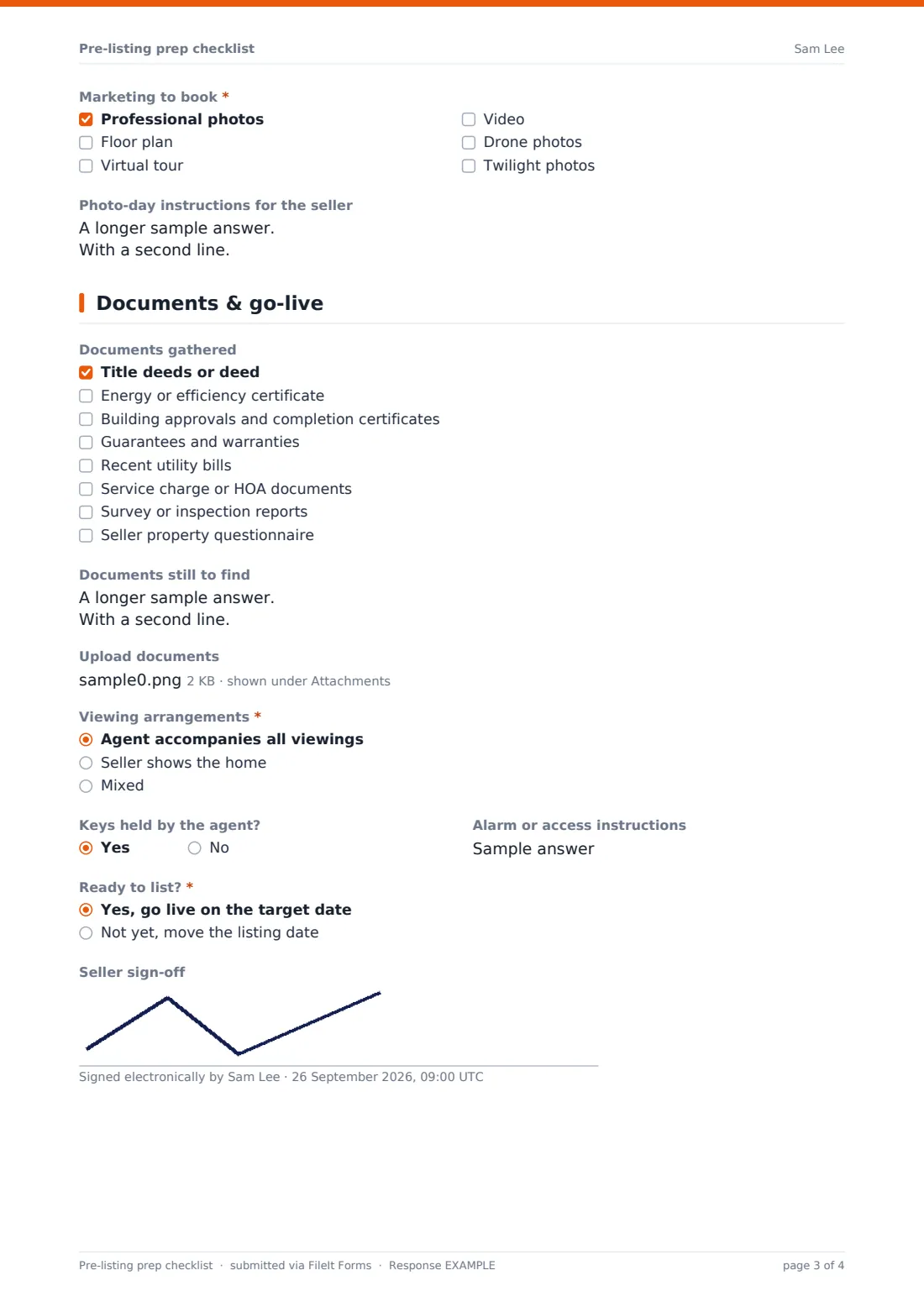
A checklist records the documents gathered, from the deed and energy certificate to approvals, guarantees, HOA papers and the seller questionnaire, with a box for anything missing and an upload. Viewing arrangements, whether the agent holds keys and access instructions follow. Finally, the agent marks the home ready to go live or picks a new date and lists the blockers, and the seller can sign off.
Make the template yours
- Add or remove rows in the repair, declutter and cleaning grids to match your prep standard
- Change the documents list to what your market requires before listing
- Add your preferred photographers or stagers as dropdown options
- Remove the price guide if you don't want it on the seller's copy
- Point the form at the property's vault folder so each visit's checklist is filed together
Tips for a better pre-listing prep checklist form
- Fill it in together at the walk-through so the seller agrees each task
- Book photography only once cleaning and garden tasks are marked done or booked
- Never type alarm codes into the form; share them separately
- Use the missing-documents box to start the conveyancing paperwork early
- Compare the final checklist with the listing photos before going live
Every response becomes a PDF in your vault
Each checklist is saved as a PDF in the vault folder you choose, with any uploaded documents attached. The agent is notified and the seller can receive a copy.
Use the Responses table to see which listings are ready and which have slipped, or export to CSV for your weekly pipeline meeting.
- Start from this template. It opens in the FileIt Forms designer — change any question, add pages, set the rules for when questions appear.
- Share it. Turn on a public link, or send it to people by email, each with their own link. They don’t need a FileIt account.
- Get the answers as PDFs. Each response is saved as a PDF in the vault folder you choose, with uploaded files attached — and listed in a Responses table you can export to CSV.
Pre-listing prep checklist form: frequently asked questions
Is this pre-listing checklist template free?
Yes. It's included in the FileIt Forms app on every account.
Who should fill it in?
Usually the agent completes it with the seller at the prep visit. Either can fill it in from the link.
Can we save progress and update it later?
Each submission is a snapshot. Submit again at the next visit and compare the PDFs, or send a fresh personal link.
Should alarm codes go in the form?
No. The help text asks people to share codes separately.
Do sellers need a FileIt account?
No. They can open and complete the form from the link.
Can we add our own branding?
You can change the accent colour and cover text, and edit every question.