What is the self-storage rental application form template?
A self-storage rental application gathers the renter's details, the unit they want, how long they need it, what they'll store and who else may access it — so move-in day is a quick key handover rather than twenty minutes of paperwork at the counter.
The form helps customers pick the right unit with plain-language size guidance, and if they're unsure it asks what they need to store instead. Business renters are asked for the business name; anyone storing a car, boat or trailer is asked for the vehicle details and documents. A required declaration covers prohibited items such as hazardous materials, perishables and living in the unit.
Each application is saved in your FileIt vault as a signed PDF. It isn't the rental agreement — the confirmation tells customers you'll send that to sign once the unit is confirmed.
- Best for
- Self-storage facilities, container storage and business storage providers
- Filled in by
- New customers, online or at the counter
- Time to complete
- About 5 minutes
- Includes
- Unit size guide, contents declaration, vehicle documents, protection cover choice, alternate contact, signature
Who uses a self-storage rental application form?
- A family storing furniture between selling one home and buying the next
- A student storing a room's worth of belongings over the summer
- A small online shop renting a unit for stock
- Someone storing a car, motorbike or boat for the season
- A business archiving documents offsite
- A facility taking applications online so move-in day is faster
Questions on this self-storage rental application form
30 questions over 4 pages · includes signature, file upload, conditional questions, multiple pages, consent checkbox.
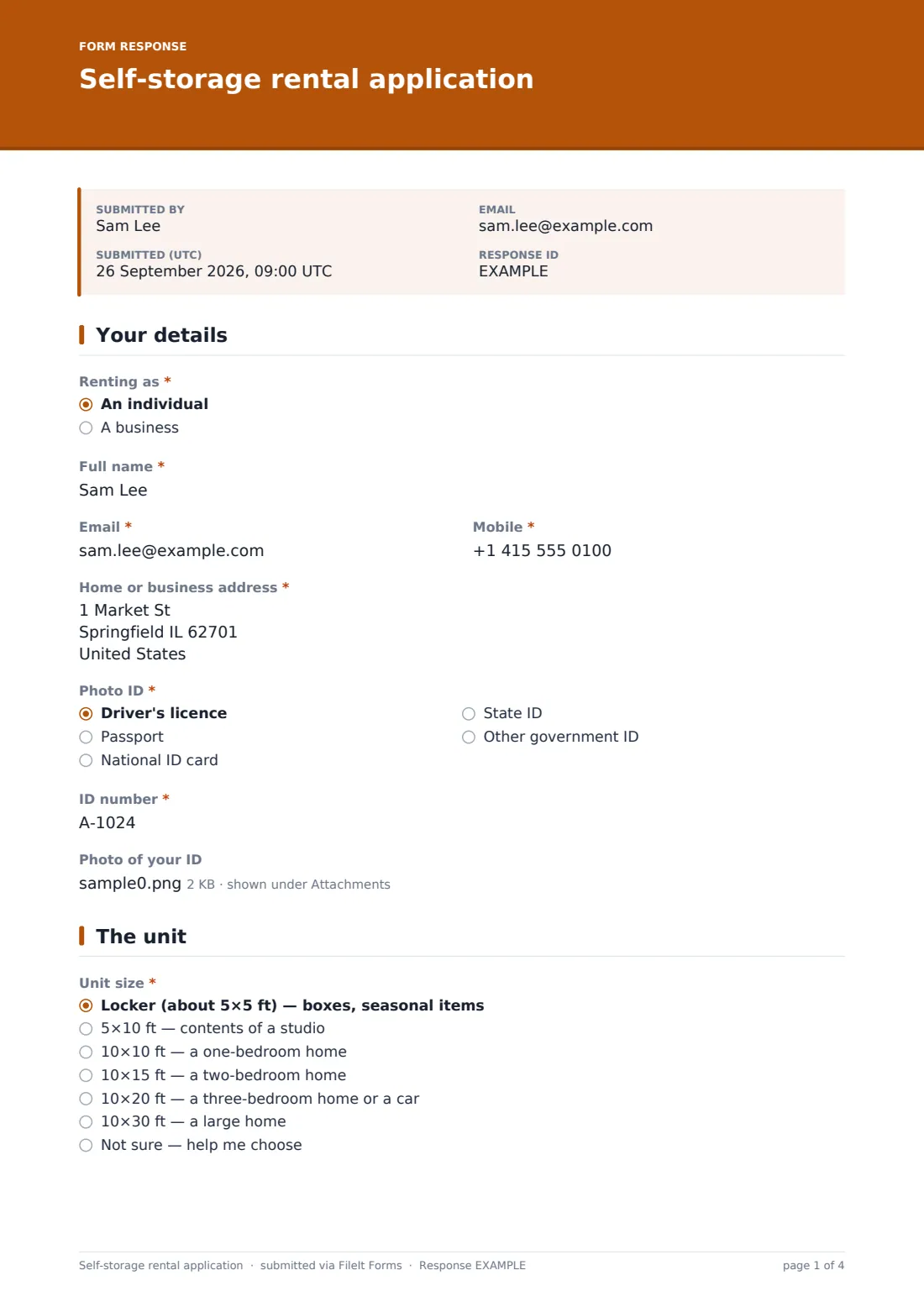
1 Your details
- Renting as* An individual · A business
- Business name* asked only when it applies
- Full name*
- Email*
- Mobile*
- Home or business address*
- Photo ID* Driver's licence · Passport · National ID card · State ID · Other government ID
- ID number*
- Photo of your ID
2 The unit
- Unit size* Locker (about 5×5 ft) — boxes, seasonal items · 5×10 ft — contents of a studio · 10×10 ft — a one-bedroom home · 10×15 ft — a two-bedroom home · 10×20 ft — a three-bedroom home or a car · 10×30 ft — a large home · Not sure — help me choose
- What do you need to store?* asked only when it applies
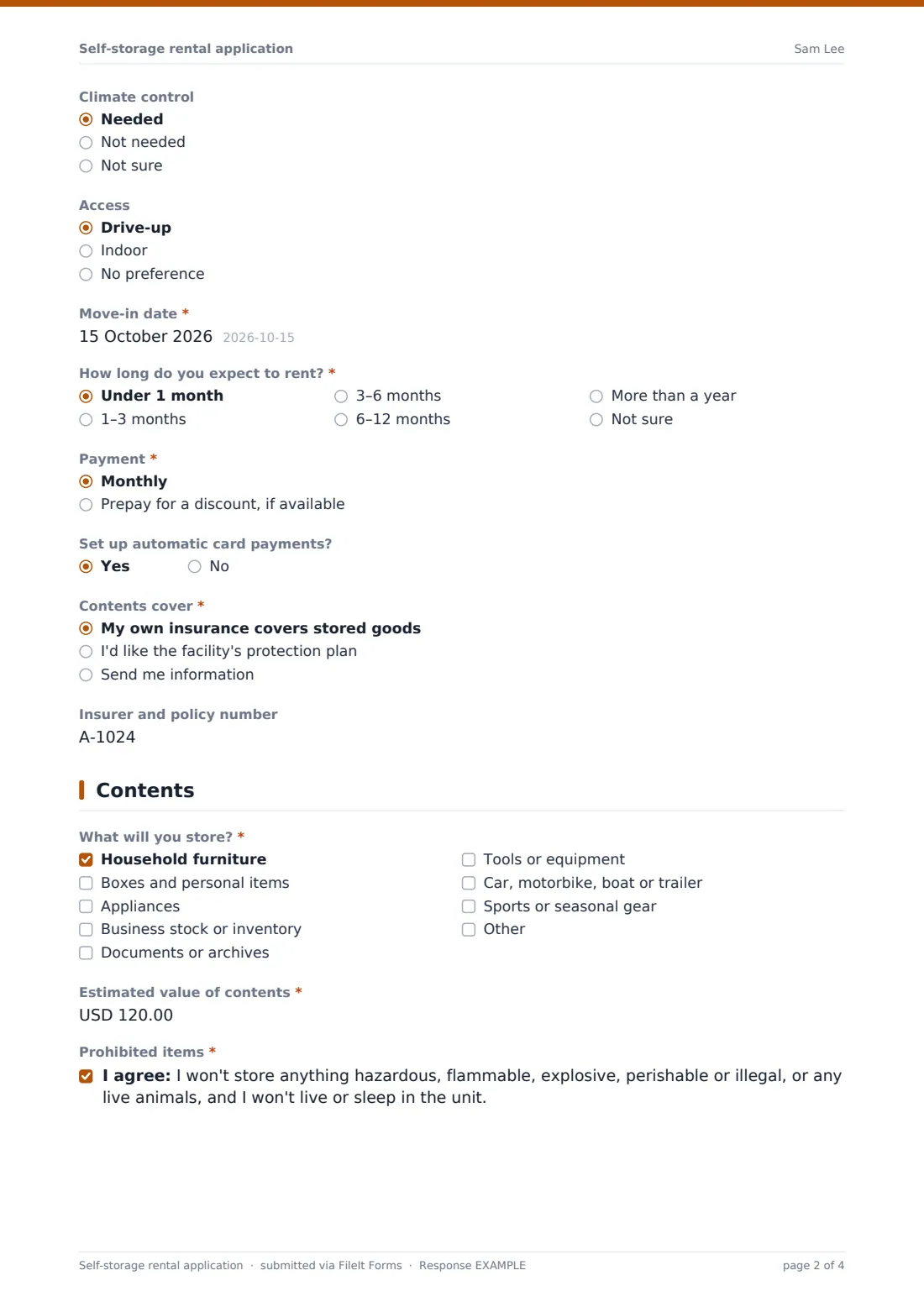
- Climate control Needed · Not needed · Not sure
- Access Drive-up · Indoor · No preference
- Move-in date*
- How long do you expect to rent?* Under 1 month · 1–3 months · 3–6 months · 6–12 months · More than a year · Not sure
- Payment* Monthly · Prepay for a discount, if available
- Set up automatic card payments?
- Contents cover* My own insurance covers stored goods · I'd like the facility's protection plan · Send me information
- Insurer and policy number asked only when it applies
3 Contents
- What will you store?* Household furniture · Boxes and personal items · Appliances · Business stock or inventory · Documents or archives · Tools or equipment · Car, motorbike, boat or trailer · Sports or seasonal gear
- Vehicle make, model and registration* asked only when it applies
- Vehicle registration and insurance asked only when it applies
- Estimated value of contents*
- Prohibited items*
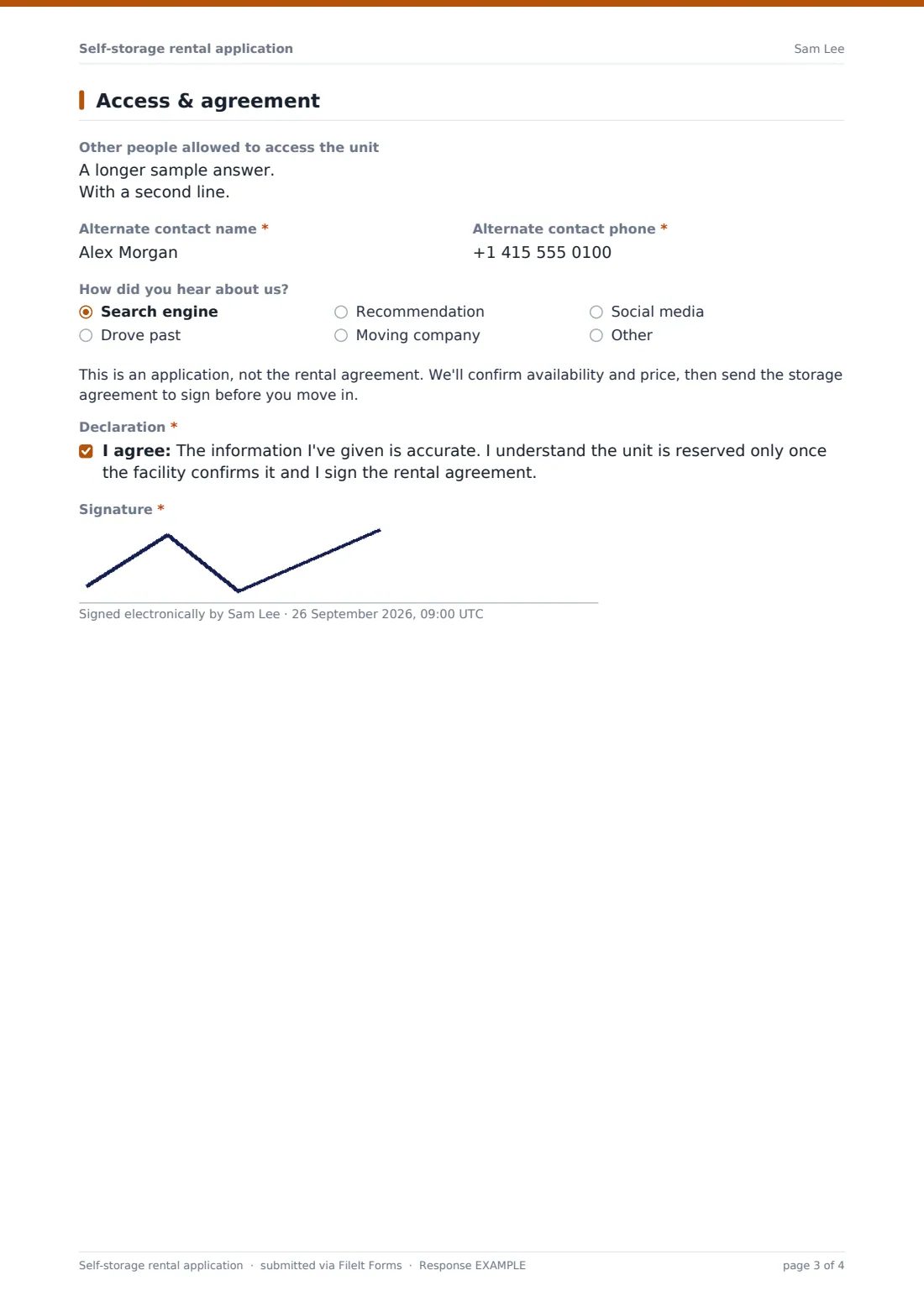
4 Access & agreement
- Other people allowed to access the unit
- Alternate contact name*
- Alternate contact phone*
- How did you hear about us? Search engine · Drove past · Recommendation · Moving company · Social media · Other
- Declaration*
- Signature*
The self-storage rental application form, page by page
1 Your details
Individual or business (with a business name), full name, email, mobile and address, then photo ID type and number, with an optional upload of the ID itself.
2 The unit
Unit size options run from a locker to 10×30 ft, each with a plain description of what fits. Choosing Not sure asks what they need to store. Climate control, drive-up or indoor access, move-in date and expected duration follow, then monthly or prepaid payment, automatic card payments and contents cover — their own insurance (with insurer and policy number), the facility's protection plan, or more information.
3 Contents
A checklist of what will be stored, from furniture and boxes to business stock, documents, tools and vehicles. Ticking a vehicle asks for the make, model and registration and its documents. An estimated value of contents is required, as is the prohibited-items declaration.
4 Access & agreement
Other people allowed to access the unit, a required alternate contact, and how the customer heard about you. A note makes clear this is an application and the storage agreement follows; the renter confirms and signs.
Make the template yours
- Replace the unit sizes with your facility's actual units and prices
- Edit the prohibited-items statement to match your storage agreement
- Remove the vehicle questions if you don't offer vehicle storage
- Change the currency on the contents value
- Set notification emails so each application reaches the site manager
- Limit responses when your units are nearly full
Tips for a better self-storage rental application form
- Give size examples customers recognise — 'a one-bedroom home' is easier than square feet
- Confirm availability and price quickly; storage is often booked close to the move date
- Check the ID in person at move-in against the details on the application
- Remind renters that authorised users need their own access codes
- Make sure customers understand whether their own insurance covers goods in storage
- Send the rental agreement as a separate signed document before handing over access
Every response becomes a PDF in your vault
When a customer submits the application, FileIt saves it as a signed PDF, including any uploaded ID and vehicle documents, in the vault folder you chose and notifies the form owner. The customer receives their own copy if emailed copies are on.
Staff can review applications in the Responses table by move-in date or unit size, then contact the customer to confirm the unit and price and send the rental agreement. The form doesn't reserve a unit or take payment.
- Start from this template. It opens in the FileIt Forms designer — change any question, add pages, set the rules for when questions appear.
- Share it. Turn on a public link, or send it to people by email, each with their own link. They don’t need a FileIt account.
- Get the answers as PDFs. Each response is saved as a PDF in the vault folder you choose, with uploaded files attached — and listed in a Responses table you can export to CSV.
Self-storage rental application form: frequently asked questions
Is this self-storage application template free?
Yes. It's part of the Forms app on every FileIt account, including the free plan.
Is this the storage rental agreement?
No. It's an application. Send your own storage agreement for signature before move-in.
Can it take payment or a deposit?
No. The form records the payment preference; take payment through your usual system.
Can customers upload their ID?
Yes, optionally. They can upload up to two images or PDFs, or bring the ID on move-in day.
Can I show my own unit sizes and prices?
Yes. Edit the Unit size options in the designer to match your facility.
Does the customer need a FileIt account?
No. They fill it in from the link you share, with no account needed.