What is the locker rental agreement form template?
Long-term lockers are popular with regular members, but they bring questions: who has which locker, when the term ends, who has a key, and what staff can do with a locker that's never emptied. A signed agreement answers them before they come up.
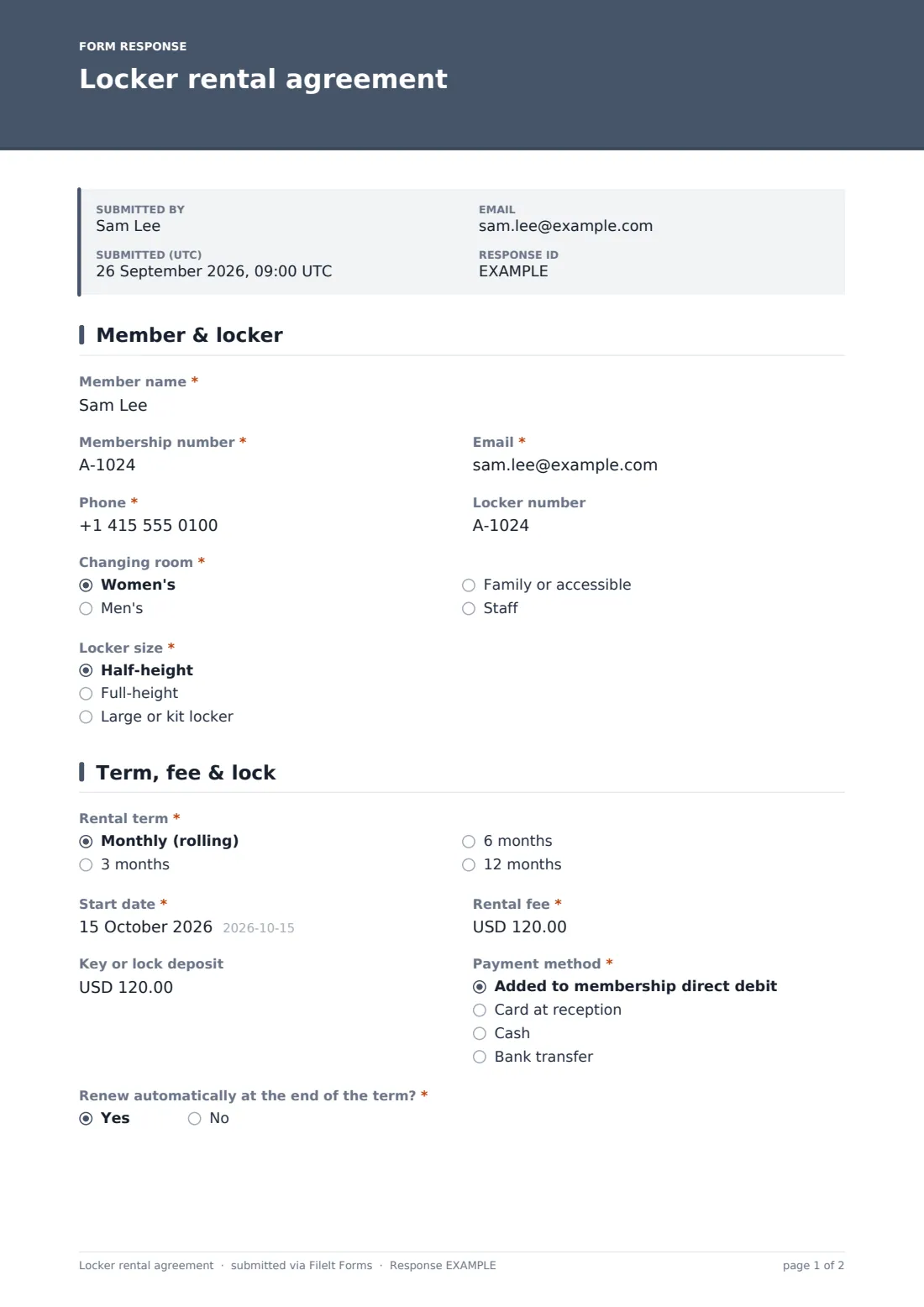
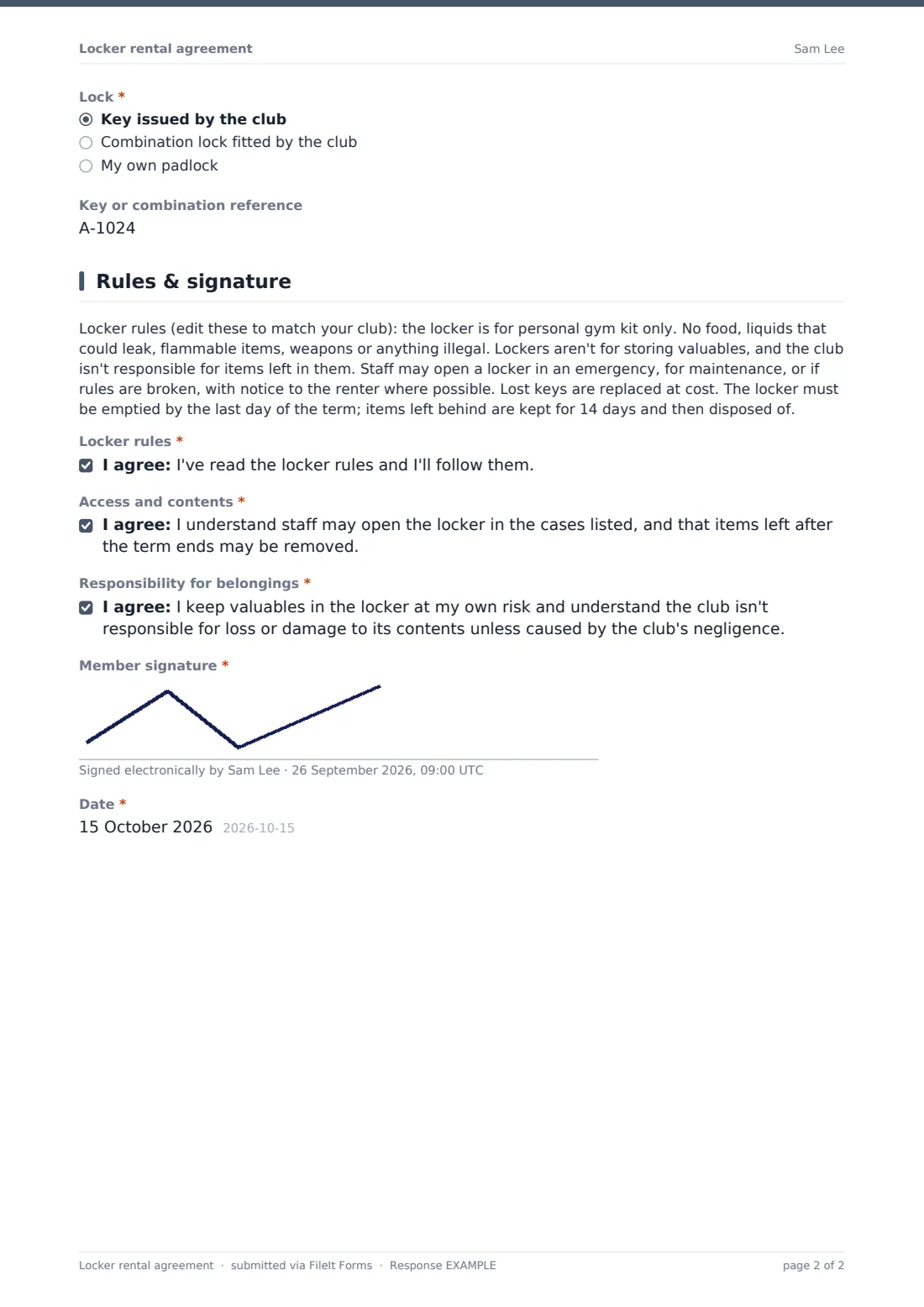
This template records the member, locker number, changing room and size, then the rental term, start date, fee, key deposit, payment method, automatic renewal and lock type. The last page sets out locker rules as editable text, followed by three acknowledgements covering the rules, staff access and responsibility for belongings, the member's signature and the date.
Each agreement is saved as a PDF in your FileIt vault, so reception can check who rents which locker and when the term ends.
- Best for
- Gyms, swimming pools, golf and tennis clubs, climbing walls, coworking spaces
- Filled in by
- The member renting the locker
- Time to complete
- About 3 minutes
- Includes
- Term and fee, key deposit, editable rules, three acknowledgements, signature
Who uses a locker rental agreement form?
- A gym rents half-height lockers on a monthly rolling term
- A golf club renews annual locker rentals
- A swimming club rents kit lockers to squad families
- A climbing wall issues combination locks to regulars
- Reception checks who rents a locker before cutting a lock
- A club keeps a list of locker terms ending this month
Questions on this locker rental agreement form
20 questions over 3 pages · includes signature, conditional questions, multiple pages, consent checkbox.
1 Member & locker
- Member name*
- Membership number*
- Email*
- Phone*
- Locker number
- Changing room* Women's · Men's · Family or accessible · Staff
- Locker size* Half-height · Full-height · Large or kit locker
2 Term, fee & lock
- Rental term* Monthly (rolling) · 3 months · 6 months · 12 months
- Start date*
- Rental fee*
- Key or lock deposit
- Payment method* Added to membership direct debit · Card at reception · Cash · Bank transfer
- Renew automatically at the end of the term?*
- Lock* Key issued by the club · Combination lock fitted by the club · My own padlock
- Key or combination reference asked only when it applies
3 Rules & signature
- Locker rules*
- Access and contents*
- Responsibility for belongings*
- Member signature*
- Date*
The locker rental agreement form, page by page
1 Member & locker
Member name, membership number, email and phone, an optional locker number (blank means you'll assign one), changing room and locker size.
2 Term, fee & lock
Rental term from monthly to 12 months, start date, the fee for the term, an optional key or lock deposit, payment method and automatic renewal. Then the lock type: a club key or combination asks for a reference for staff to fill in.
3 Rules & signature
A paragraph of locker rules to replace with your own, covering permitted items, staff access, lost keys and items left after the term. The member agrees to the rules, access and belongings statements, signs and dates the agreement.
Make the template yours
- Replace the rules paragraph with your club's own terms
- Change the currency on the fee and deposit
- Edit the sizes and changing rooms to match your building
- Set a fee per term in the help text so members know the price
- Remove the deposit if you don't charge one
- Have your own adviser check the responsibility wording
Tips for a better locker rental agreement form
- Give notice before opening a locker wherever you can
- Track term end dates from the Responses table
- Record key numbers on the agreement when you hand them over
- Keep a spare key log separate from the agreements
- Remind renters a week before their term ends
Every response becomes a PDF in your vault
Each signed agreement is saved as a PDF in your vault, and reception is emailed. The member receives a copy.
The Responses table lists every locker, size, term and start date, and you can export a CSV for renewals.
- Start from this template. It opens in the FileIt Forms designer — change any question, add pages, set the rules for when questions appear.
- Share it. Turn on a public link, or send it to people by email, each with their own link. They don’t need a FileIt account.
- Get the answers as PDFs. Each response is saved as a PDF in the vault folder you choose, with uploaded files attached — and listed in a Responses table you can export to CSV.
Locker rental agreement form: frequently asked questions
Is this locker rental agreement template free?
Yes. It's one of the Forms app's starter templates, available on every FileIt account, including the free plan.
Can I edit the locker rules?
Yes. The rules are a paragraph you can replace with your club's own wording.
Does the form take payment?
No. It records the fee and payment method. Payment happens through your usual system.
Can members use their own padlock?
Yes. 'My own padlock' is one of the lock options.
Is the responsibility wording legally sufficient?
FileIt doesn't give legal advice. Review it with your own adviser for your country.
Do members need a FileIt account?
No. They sign from a link or on a tablet at reception.