What is the security patrol report form template?
A patrol report is a security company's evidence of service and a client's record of what happened on their site overnight. It needs times, places and facts, written consistently by every officer on every shift.
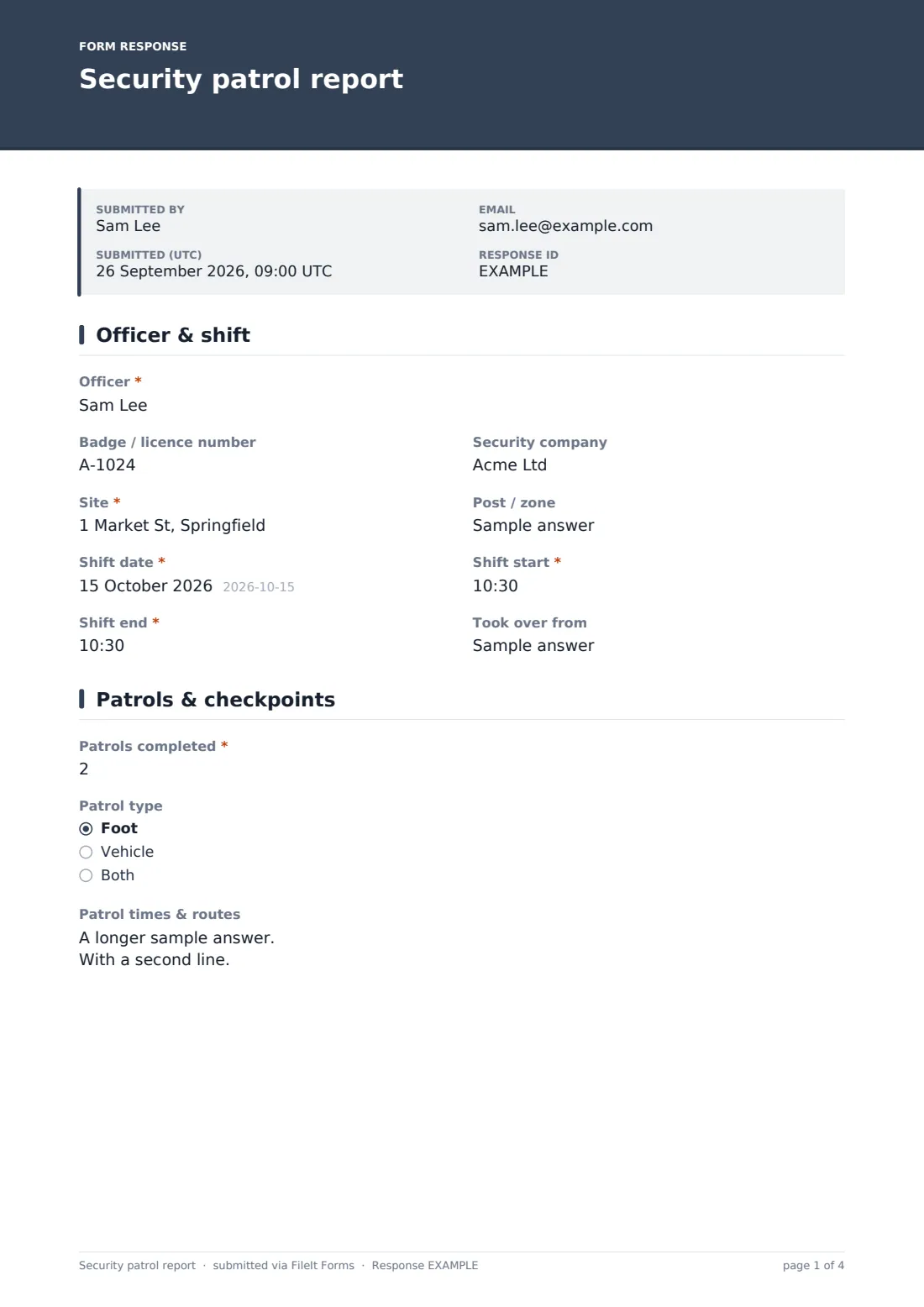
This template records the officer and shift, patrols with a checkpoint grid, insecure doors, faults and visitors, then observations and incidents. Incident details only open when there was an incident, with a structured type, time, location and a factual account, plus police or emergency service references. The handover page records keys and equipment and notes for the next officer.
Each shift report becomes a PDF in your FileIt vault with incident photos attached, ready to send to the client.
- Best for
- Security companies, in-house security teams, and site managers
- Filled in by
- Security officers at the end of each shift
- Time to complete
- About 5–10 minutes
- Includes
- Checkpoint grid, incident follow-ups, photos, key handover, declaration
Who uses a security patrol report form?
- A guard on a construction site logs night patrols and insecure fencing
- A mobile patrol officer records checks across several client sites
- A shopping centre's in-house team reports an incident to management
- A concierge logs visitors, contractors and deliveries
- A client audits the security contractor's patrol frequency
- A supervisor reviews handovers between day and night shifts
Questions on this security patrol report form
32 questions over 4 pages · includes signature, file upload, conditional questions, multiple pages, consent checkbox, ratings.
1 Officer & shift
- Officer*
- Badge / licence number
- Security company
- Site*
- Post / zone
- Shift date*
- Shift start*
- Shift end*
- Took over from
2 Patrols & checkpoints
- Patrols completed*
- Patrol type Foot · Vehicle · Both
- Patrol times & routes
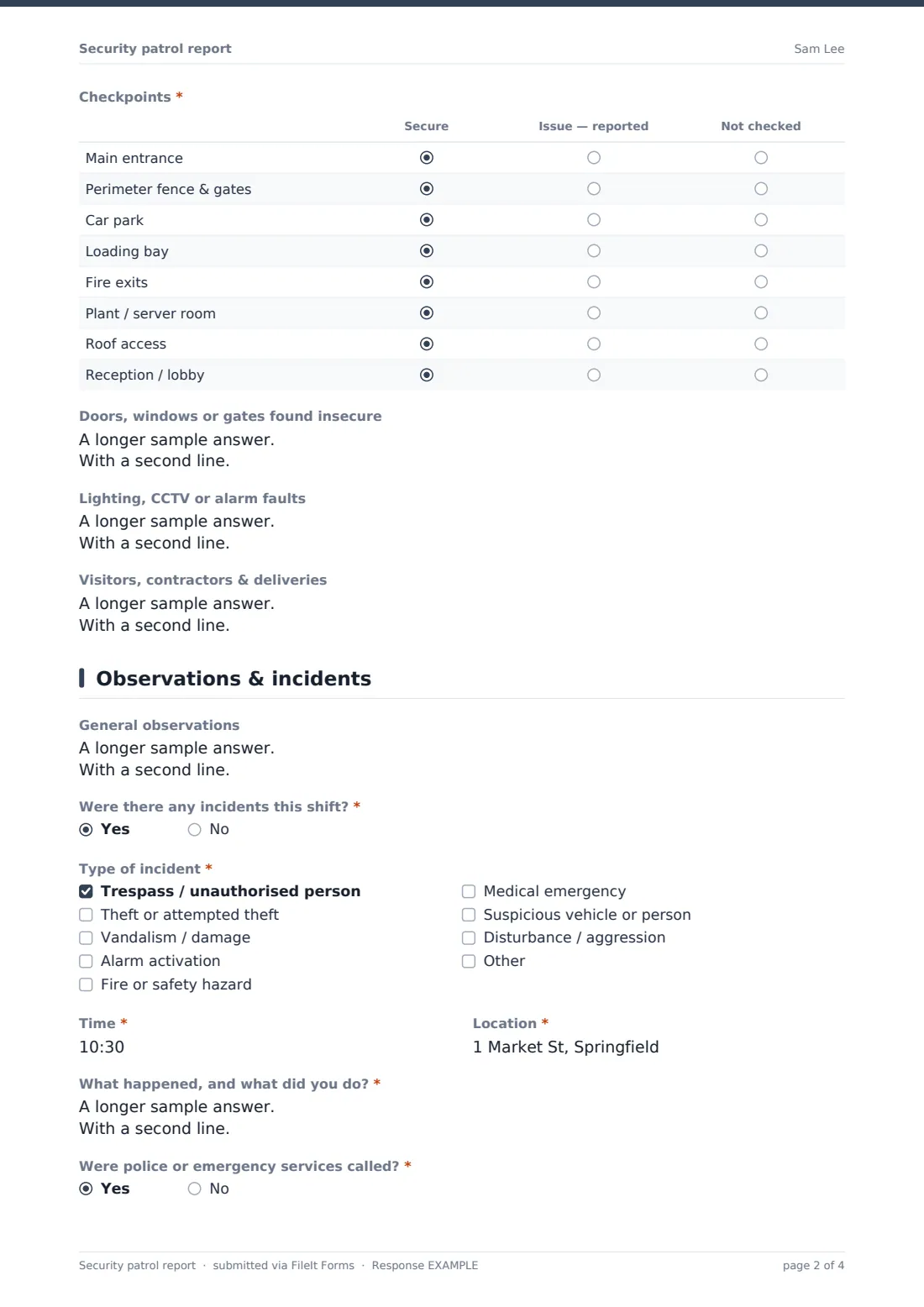
- Checkpoints* Secure · Issue — reported · Not checked
- Doors, windows or gates found insecure
- Lighting, CCTV or alarm faults
- Visitors, contractors & deliveries
3 Observations & incidents
- General observations
- Were there any incidents this shift?*
- Type of incident* asked only when it applies Trespass / unauthorised person · Theft or attempted theft · Vandalism / damage · Alarm activation · Fire or safety hazard · Medical emergency · Suspicious vehicle or person · Disturbance / aggression
- Time* asked only when it applies
- Location* asked only when it applies
- What happened, and what did you do?* asked only when it applies
- Were police or emergency services called?* asked only when it applies
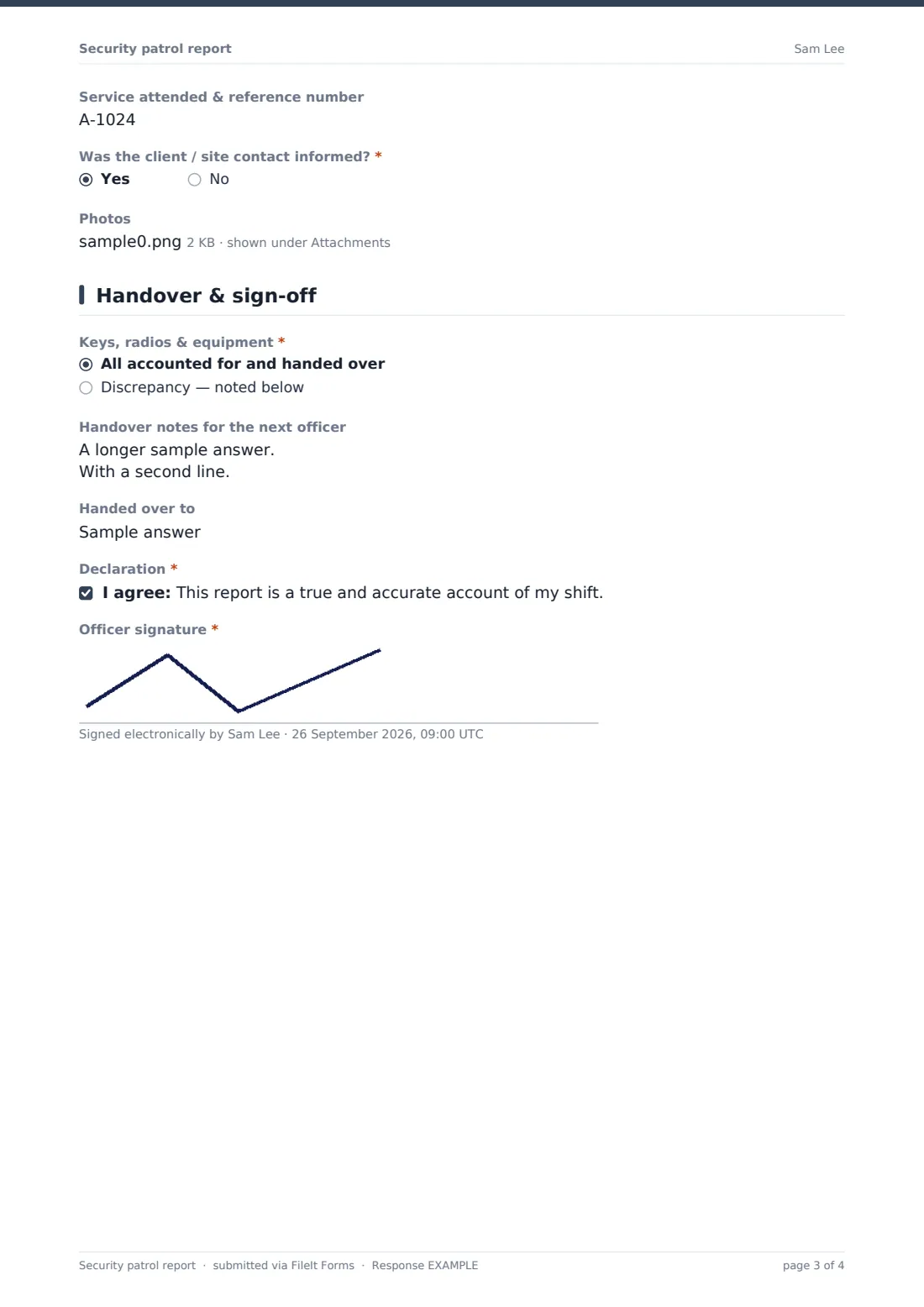
- Service attended & reference number asked only when it applies
- Was the client / site contact informed?* asked only when it applies
- Photos asked only when it applies
4 Handover & sign-off
- Keys, radios & equipment* All accounted for and handed over · Discrepancy — noted below
- What is missing or wrong?* asked only when it applies
- Handover notes for the next officer
- Handed over to
- Declaration*
- Officer signature*
The security patrol report form, page by page
1 Officer & shift
The officer, badge or licence number, company, site, post or zone, shift date, and start and end times come first, with who the officer took over from.
2 Patrols & checkpoints
The number of patrols is required, with patrol type and patrol times and routes, one per line. A required grid records eight checkpoints — main entrance, perimeter, car park, loading bay, fire exits, plant or server room, roof access and reception — as secure, issue reported, or not checked.
Fields follow for doors, windows or gates found insecure, lighting, CCTV or alarm faults, and visitors, contractors and deliveries.
3 Observations & incidents
General observations are optional. A required question asks whether there were incidents; if so, the incident type, time, location and a factual account of what happened and what the officer did are required. The officer records whether police or emergency services were called (with the service and reference), whether the client was informed, and can attach photos.
4 Handover & sign-off
Keys, radios and equipment are either all accounted for or a discrepancy that must be described. Handover notes, the officer handed over to, a declaration that the report is accurate, and the officer's signature complete the report.
Make the template yours
- Replace the checkpoint rows with the actual checkpoints on each site
- Duplicate the form for each client site with its own checkpoint list
- Add the client's contact to notifications so they receive reports automatically
- File reports by site and month
- Add incident types that are common on your sites
- Add a supervisor sign-off for serious incidents
Tips for a better security patrol report form
- Write incident accounts in the order things happened, with times
- Describe people and vehicles — clothing, height, plates — not assumptions
- Record what you did, not just what you saw
- Note police or incident reference numbers every time
- Photograph damage or insecure points before securing them
- Hand over in person as well as in writing
Every response becomes a PDF in your vault
Each shift report is filed as a PDF in your FileIt vault with photos attached. The client and supervisors can be notified as soon as the officer submits.
Security companies often filter the Responses table for incidents to review with clients, and export reports to CSV to show patrol frequency per site.
- Start from this template. It opens in the FileIt Forms designer — change any question, add pages, set the rules for when questions appear.
- Share it. Turn on a public link, or send it to people by email, each with their own link. They don’t need a FileIt account.
- Get the answers as PDFs. Each response is saved as a PDF in the vault folder you choose, with uploaded files attached — and listed in a Responses table you can export to CSV.
Security patrol report form: frequently asked questions
Is this security patrol report template free?
Yes. It's included with the Forms app on every FileIt account, including the free plan, and you can edit any question to fit the way you work.
Do officers need a FileIt account?
No. Share the form link and officers submit from a phone or tablet.
Can I set different checkpoints for each site?
Yes. Duplicate the form for each site and edit the checkpoint rows to match.
How are incidents recorded?
Answering yes to incidents opens the type, time, location, a factual account, police or emergency references, whether the client was told, and photos.
Can the client receive reports directly?
Yes. Add the client's email to the form's notification settings.
Does it replace a formal incident report?
It records the incident as part of the shift. For serious incidents, follow your company's full incident reporting process as well.