What is the school tour request form template?
A family's first visit is often the moment they decide whether your school is the right place for their child. Requests that arrive by phone or a two-line email usually leave out what admissions staff need to know — which year group, when the child would start, whether the family wants a group open morning or a private tour, and what they care about most. This template gathers all of that in one short form, so you can match each family to the right kind of visit and the right member of staff.
Parents give their contact details, their child's first name and date of birth, the year group or grade they would join, and when they hope to start. The visit page offers four kinds of visit — an open morning or evening, a private tour, a virtual tour by video call, or a meeting with the head — along with two preferred dates, the times that suit, how many adults are coming and whether the child will come too. Families can flag access or mobility needs and a preferred language.
The last page asks what they most want to see or hear about, from curriculum and learning support to clubs, food and fees, and leaves room for their own questions. Every request lands in your FileIt vault as a PDF and in the Responses table, so the admissions team can plan the week's visits from one list.
- Best for
- Schools, nurseries, preschools and independent schools
- Filled in by
- A prospective parent or guardian
- Time to complete
- About 3 minutes
- Includes
- Year group and start date, visit type, two preferred dates, access needs, topics of interest
Who uses a school tour request form?
- A family relocating to the area books a private tour in the middle of term
- A nursery collects requests for its monthly open morning
- Parents living abroad ask for a virtual tour by video call
- A secondary school lets families book visits during the autumn admissions round
- A parent of a child with additional needs asks to meet the learning support lead
- An independent school gauges interest in bursaries before its tours
Questions on this school tour request form
29 questions over 3 pages · includes conditional questions, multiple pages, consent checkbox.
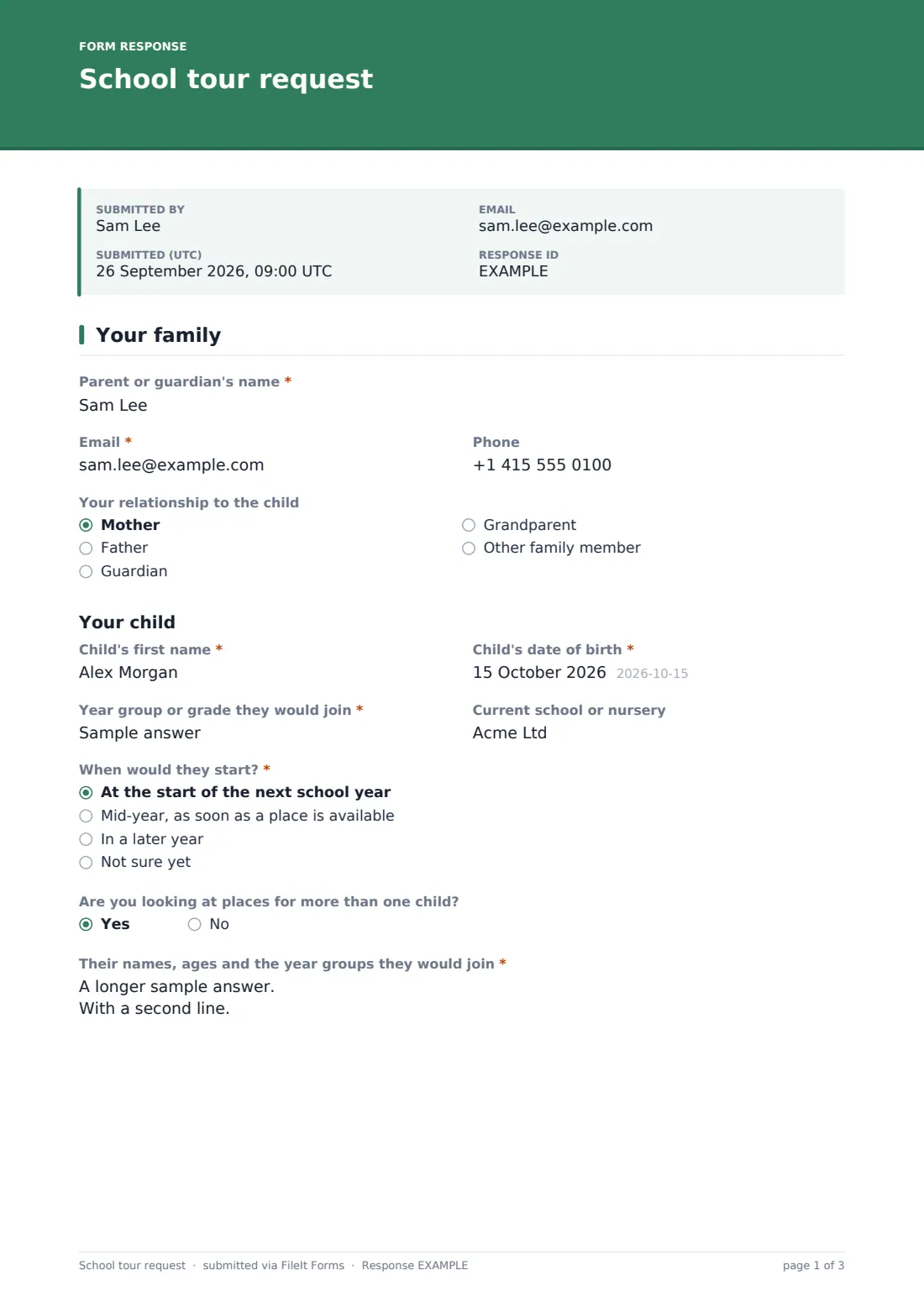
1 Your family
- Parent or guardian's name*
- Email*
- Phone
- Your relationship to the child Mother · Father · Guardian · Grandparent · Other family member
- Child's first name*
- Child's date of birth*
- Year group or grade they would join*
- Current school or nursery
- When would they start?* At the start of the next school year · Mid-year, as soon as a place is available · In a later year · Not sure yet
- Preferred start date asked only when it applies
- Are you looking at places for more than one child?
- Their names, ages and the year groups they would join* asked only when it applies
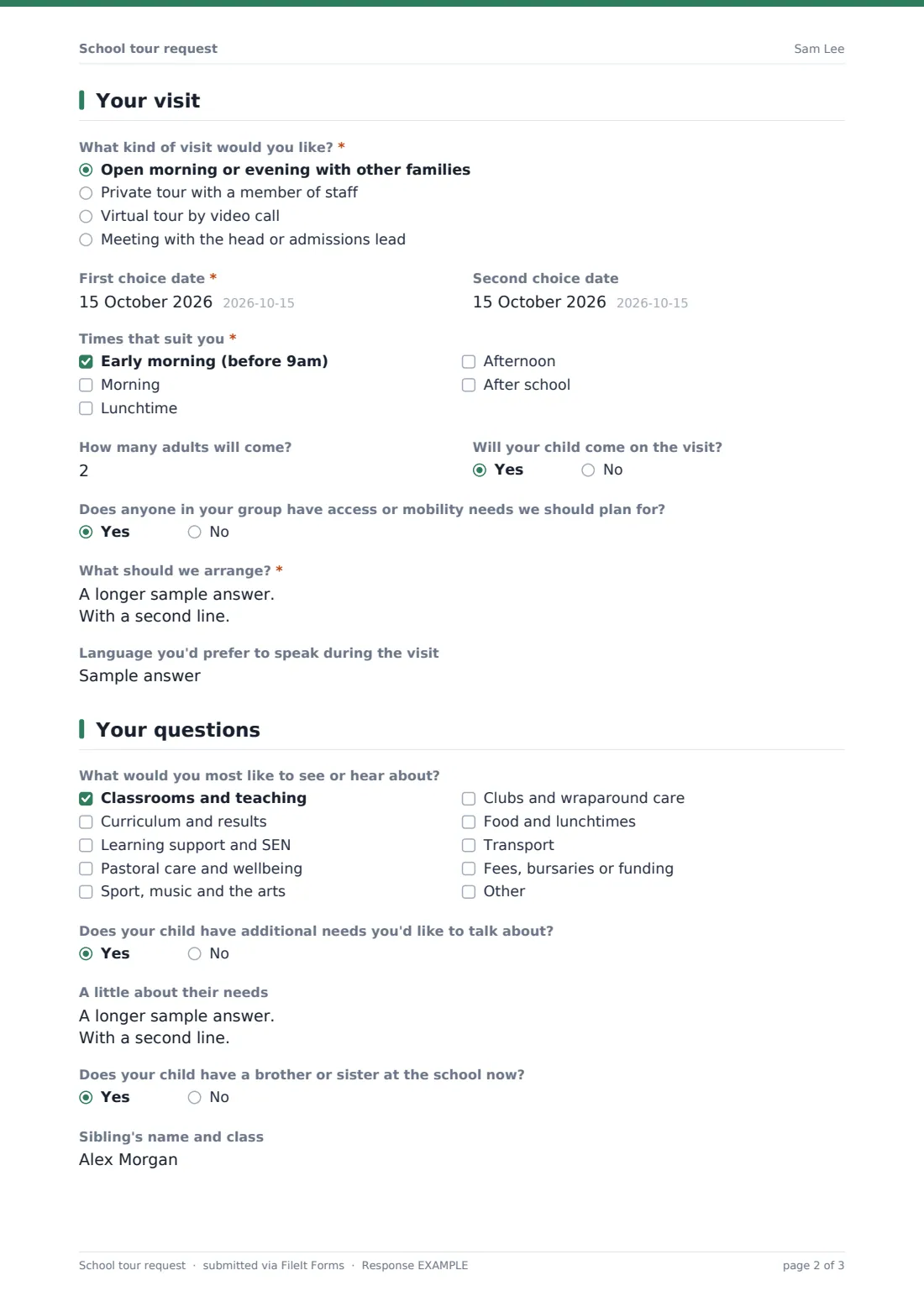
2 Your visit
- What kind of visit would you like?* Open morning or evening with other families · Private tour with a member of staff · Virtual tour by video call · Meeting with the head or admissions lead
- First choice date*
- Second choice date
- Times that suit you* Early morning (before 9am) · Morning · Lunchtime · Afternoon · After school
- How many adults will come? asked only when it applies
- Will your child come on the visit?
- Does anyone in your group have access or mobility needs we should plan for? asked only when it applies
- What should we arrange?* asked only when it applies
- Language you'd prefer to speak during the visit
3 Your questions
- What would you most like to see or hear about? Classrooms and teaching · Curriculum and results · Learning support and SEN · Pastoral care and wellbeing · Sport, music and the arts · Clubs and wraparound care · Food and lunchtimes · Transport · Fees, bursaries or funding
- Does your child have additional needs you'd like to talk about?
- A little about their needs asked only when it applies
- Does your child have a brother or sister at the school now?
- Sibling's name and class asked only when it applies
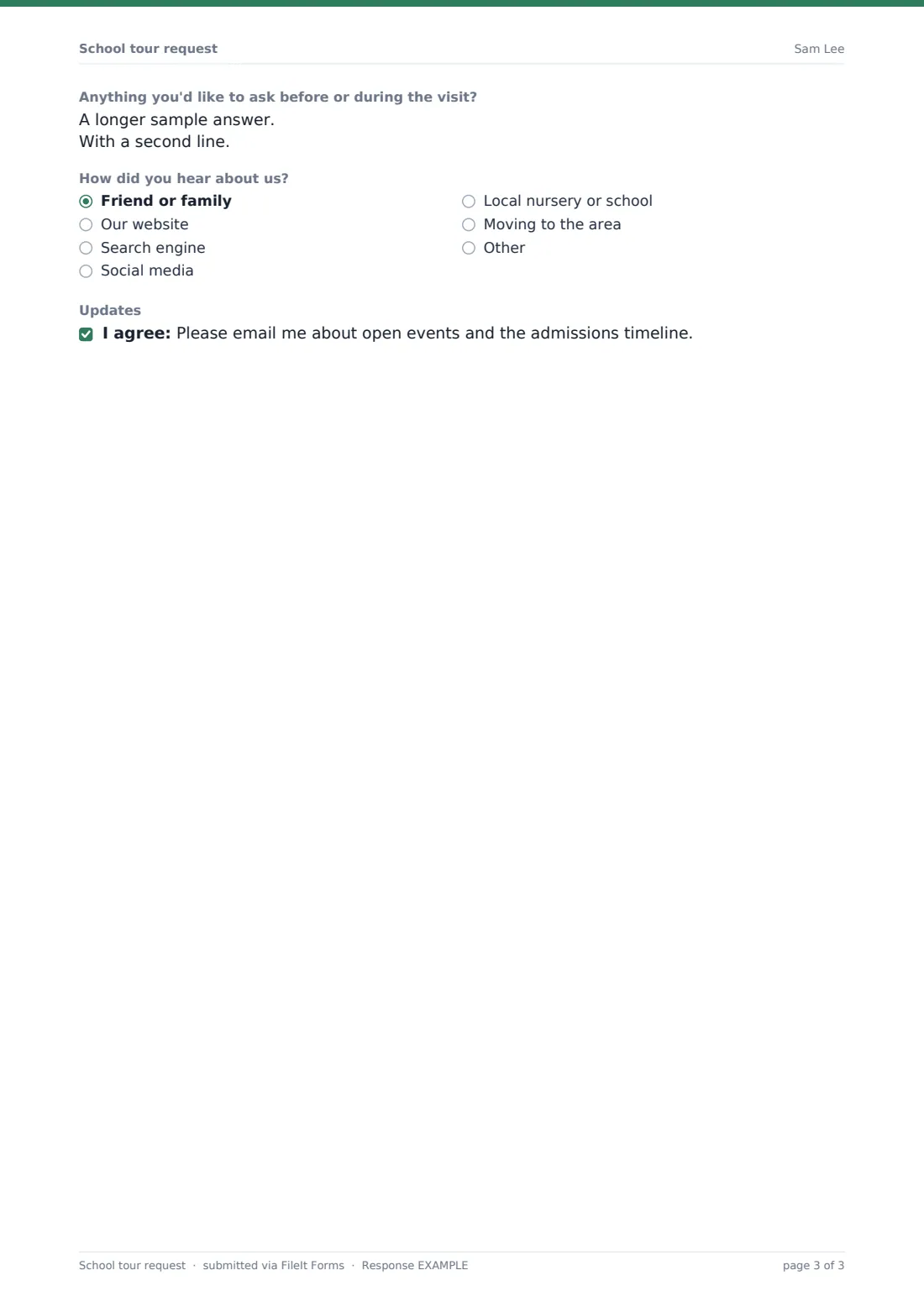
- Anything you'd like to ask before or during the visit?
- How did you hear about us? Friend or family · Our website · Search engine · Social media · Local nursery or school · Moving to the area · Other
- Updates
The school tour request form, page by page
1 Your family
Parent or guardian's name, email and phone, and their relationship to the child. Then the child's first name, date of birth and the "Year group or grade they would join" (all required), their current school or nursery, and "When would they start?" — choosing mid-year asks for a preferred start date. Answering yes to "Are you looking at places for more than one child?" asks for the other children's names, ages and year groups.
2 Your visit
A required choice of visit: open morning or evening, private tour, virtual tour or a meeting with the head or admissions lead. A required first choice date and an optional second, the times that suit, and whether the child will come too. For in-person visits the form also asks how many adults will come and whether anyone has access or mobility needs — a yes asks "What should we arrange?". There's an optional preferred language.
3 Your questions
A checklist of what the family most wants to see or hear about — classrooms, curriculum, learning support, pastoral care, sport and the arts, clubs and wraparound care, food, transport and fees — with an "Other" choice. Optional questions about additional needs and siblings already at the school, a free-text box for questions, how they heard about you, and an optional consent to receive emails about open events.
Make the template yours
- Replace the visit types with the ones you actually offer, or remove the virtual tour
- Add your open-event dates as a paragraph on the visit page so families can pick one
- Swap the year-group text box for a dropdown of your own year groups or classes
- Set a close date in Settings when the admissions round ends
- File requests in an admissions folder for the current intake year
- Add the admissions team's addresses to the notification list in Settings
Tips for a better school tour request form
- Reply with the date, time, parking and where to report — it saves a round of phone calls
- Use the topics families tick to decide who joins the tour, such as the learning support lead
- Group families with similar interests into the same open morning
- Search the Responses table by year group to see demand for each intake
- Follow up after the visit with your application or enrolment form
Every response becomes a PDF in your vault
Each request is saved as a PDF in the vault folder you choose, your team gets an email, and the family receives a copy of their answers. The confirmation tells them you'll be in touch with a date and time.
From the Responses table you can search by child, year group or date, open any request, and export everything to CSV to build a visit timetable. When a family is ready to apply, send them your enrolment form by email from the Share tab.
- Start from this template. It opens in the FileIt Forms designer — change any question, add pages, set the rules for when questions appear.
- Share it. Turn on a public link, or send it to people by email, each with their own link. They don’t need a FileIt account.
- Get the answers as PDFs. Each response is saved as a PDF in the vault folder you choose, with uploaded files attached — and listed in a Responses table you can export to CSV.
School tour request form: frequently asked questions
Is this school tour request template free?
Yes. It's one of the starter templates in the Forms app on every FileIt account, and you can edit every question.
Does the form book a slot automatically?
No. Families give their preferred dates and times, and your team confirms the visit by email. That keeps you in control of staff availability.
Can families ask about more than one child?
Yes. Answering yes to "Are you looking at places for more than one child?" shows a box for the other children's names, ages and year groups.
Can I offer only virtual tours?
Yes. Edit "What kind of visit would you like?" and keep only the options you run. The in-person questions are already hidden when a family picks a virtual tour.
Will I be told when a request comes in?
Yes, if notifications are on in Settings. You can also add other staff email addresses to receive each request.
Do parents need a FileIt account?
No. They fill in the form from a public link on your website or one you email to them.