What is the course selection form form template?
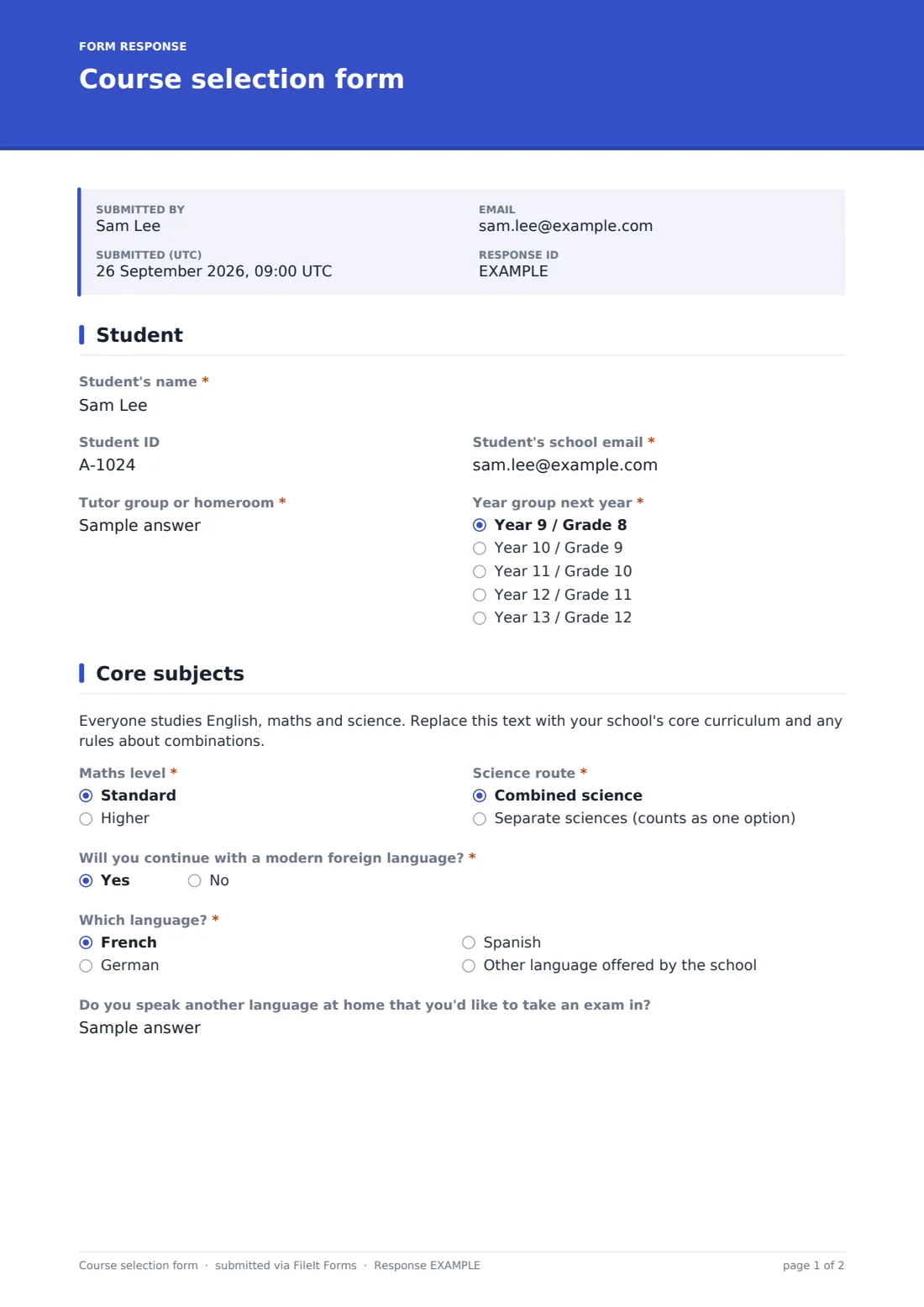
Every spring, schools gather hundreds of subject choices on paper slips that come back crumpled, half-filled or unsigned, and someone has to type them into a spreadsheet before the timetable can be built. This template collects the same choices online in a consistent order: the student's details, their core routes, three ranked options and a reserve, a few sentences on why they chose them, and a parent's signature.
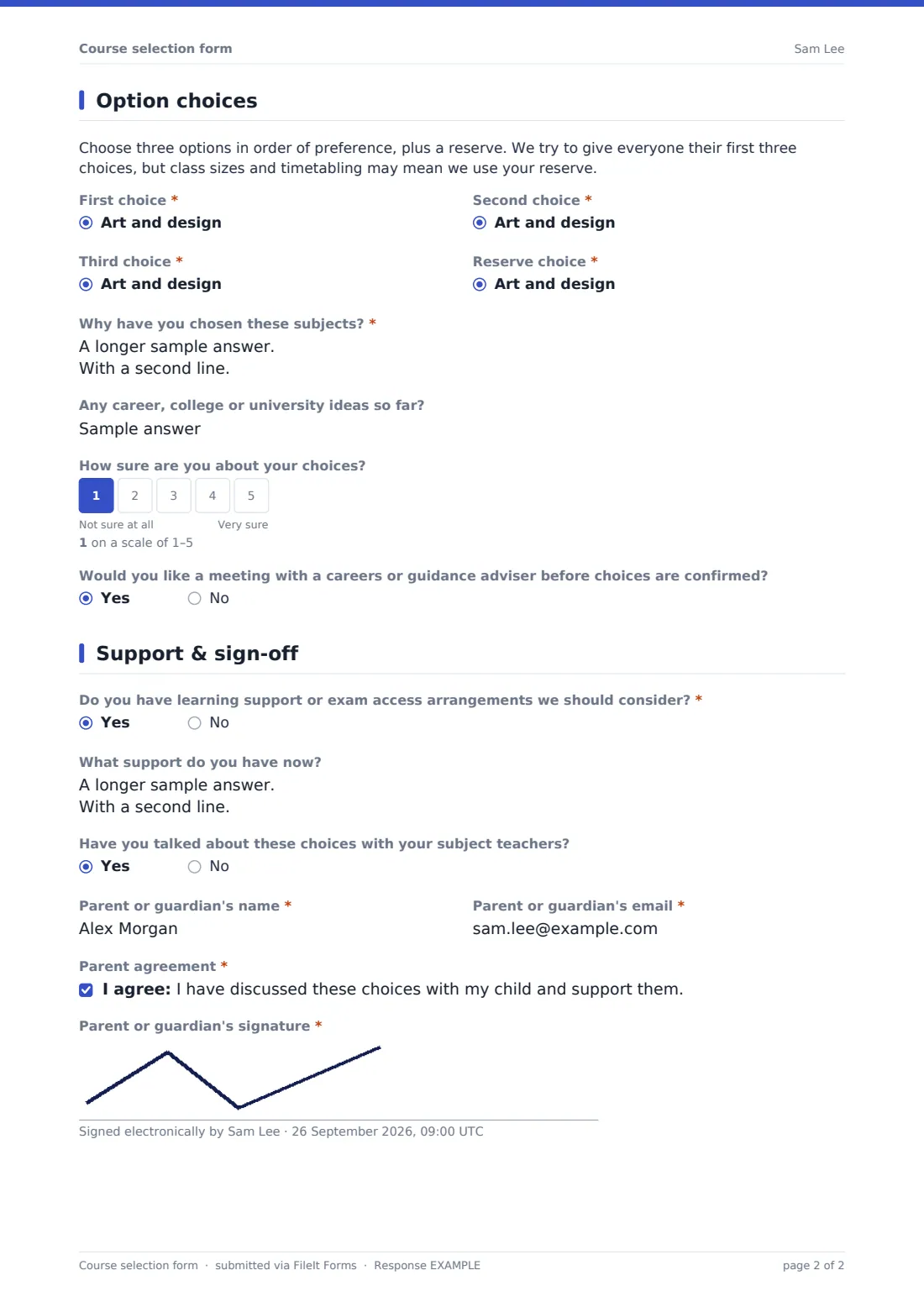
The core page covers the maths level and science route, whether the student will continue with a modern foreign language and which one, and an optional question about a home language they might sit an exam in. The options page has four dropdowns from the same subject list — first, second and third choices and a reserve — followed by "Why have you chosen these subjects?", any career or university ideas and a 1–5 scale for how sure they feel. Students who aren't sure are offered a meeting with a careers or guidance adviser.
The final page asks about learning support or exam access arrangements, whether they've talked to their subject teachers, and a parent or guardian's name, email, agreement and signature. Each set of choices is saved as a PDF in your FileIt vault, and the Responses table exports to CSV for timetabling.
- Best for
- Secondary schools, high schools and sixth forms
- Filled in by
- A student, signed by a parent or guardian
- Time to complete
- About 8 minutes
- Includes
- Core routes, three ranked options and a reserve, confidence scale, support needs, parent signature
Who uses a course selection form form?
- Year 9 students choose their exam options after an options evening
- A high school collects elective choices for the next grade
- A sixth form gathers subject preferences from incoming students
- A small school compares demand for each subject before deciding which classes to run
- Heads of year find students who are unsure and book them guidance meetings
Questions on this course selection form form
25 questions over 4 pages · includes signature, conditional questions, multiple pages, consent checkbox, ratings.
1 Student
- Student's name*
- Student ID
- Student's school email*
- Tutor group or homeroom*
- Year group next year* Year 9 / Grade 8 · Year 10 / Grade 9 · Year 11 / Grade 10 · Year 12 / Grade 11 · Year 13 / Grade 12
2 Core subjects
- Maths level* Standard · Higher
- Science route* Combined science · Separate sciences (counts as one option)
- Will you continue with a modern foreign language?*
- Which language?* asked only when it applies French · German · Spanish · Other language offered by the school
- Do you speak another language at home that you'd like to take an exam in?
3 Option choices
- First choice* Art and design · Business studies · Computer science · Design and technology · Drama · Economics · Food and nutrition · French · Geography · German · History · Media studies
- Second choice* Art and design · Business studies · Computer science · Design and technology · Drama · Economics · Food and nutrition · French · Geography · German · History · Media studies
- Third choice* Art and design · Business studies · Computer science · Design and technology · Drama · Economics · Food and nutrition · French · Geography · German · History · Media studies
- Reserve choice* Art and design · Business studies · Computer science · Design and technology · Drama · Economics · Food and nutrition · French · Geography · German · History · Media studies
- Why have you chosen these subjects?*
- Any career, college or university ideas so far?
- How sure are you about your choices?
- Would you like a meeting with a careers or guidance adviser before choices are confirmed? asked only when it applies
4 Support & sign-off
- Do you have learning support or exam access arrangements we should consider?*
- What support do you have now? asked only when it applies
- Have you talked about these choices with your subject teachers?
- Parent or guardian's name*
- Parent or guardian's email*
- Parent agreement*
- Parent or guardian's signature*
The course selection form form, page by page
1 Student
The student's name, an optional student ID, their school email, tutor group or homeroom, and the year group they'll be in next year.
2 Core subjects
A placeholder paragraph for your core curriculum, then required choices for maths level (standard or higher) and science route (combined or separate), and "Will you continue with a modern foreign language?" — a yes asks which one. An optional question asks about a language spoken at home the student would like to take an exam in.
3 Option choices
A note explaining how choices are allocated, then required dropdowns for first, second and third choices and a reserve, each from the same list of eighteen subjects. "Why have you chosen these subjects?" is required; career ideas are optional. A 1–5 scale asks "How sure are you about your choices?" — a score under 4 offers a meeting with a careers or guidance adviser.
4 Support & sign-off
A required question on learning support or exam access arrangements (a yes asks what support the student has now), whether they've talked to subject teachers, and the parent or guardian's name and email, agreement and signature.
Make the template yours
- Replace the eighteen subjects with your own options list, or split it into option blocks
- Change the year groups to match your school's naming
- Edit the core paragraph to explain your compulsory subjects and combination rules
- Set a close date in Settings for the options deadline
- Send the form to each student by email so you can see who hasn't replied
- File choices in a folder per year group
Tips for a better course selection form form
- Send the form straight after your options evening while the conversations are fresh
- Use emailed requests rather than a public link so you can remind students who haven't submitted
- Export to CSV and count first choices to see which classes are over-subscribed
- Check the confidence answers and book guidance meetings for students who aren't sure
- Confirm final subjects in writing before the end of term
Every response becomes a PDF in your vault
Each submission is saved as a signed PDF in the vault folder you choose and your team is emailed. The student receives a copy at their school email, and the confirmation tells them when to expect their final subjects. One response per browser is set by default to avoid duplicates.
In the Responses table you can search by name, tutor group or subject and export everything to CSV for the timetabler. Requests sent by email show who has submitted and who still needs a reminder.
- Start from this template. It opens in the FileIt Forms designer — change any question, add pages, set the rules for when questions appear.
- Share it. Turn on a public link, or send it to people by email, each with their own link. They don’t need a FileIt account.
- Get the answers as PDFs. Each response is saved as a PDF in the vault folder you choose, with uploaded files attached — and listed in a Responses table you can export to CSV.
Course selection form form: frequently asked questions
Is this course selection template free?
Yes. It's one of the starter templates in the Forms app on every FileIt account, and the subject list and every question can be edited.
Can students pick the same subject twice?
The four choices are separate dropdowns from the same list, so check for repeats when you review responses — or split the subjects into option blocks so each dropdown has its own list.
Does the form decide which subjects a student gets?
No. It records preferences in order. Your school allocates places and confirms them.
Can parents sign on their own device?
The form is filled in from one link, so the student can hand their phone or laptop to a parent to sign, or the parent can complete the last page at home.
Can I track who hasn't replied?
Yes. Send the form by email from the Share tab and each request shows whether it was viewed or submitted, with a Remind button.
Do students need a FileIt account?
No. They fill in the form from the link you share.