What is the exam access arrangements request form template?
Students who need extra time, a reader or a separate room for exams usually have to apply ahead of time and back up the request with evidence. Requests that arrive without the right details or documents slow everything down for the exams team.
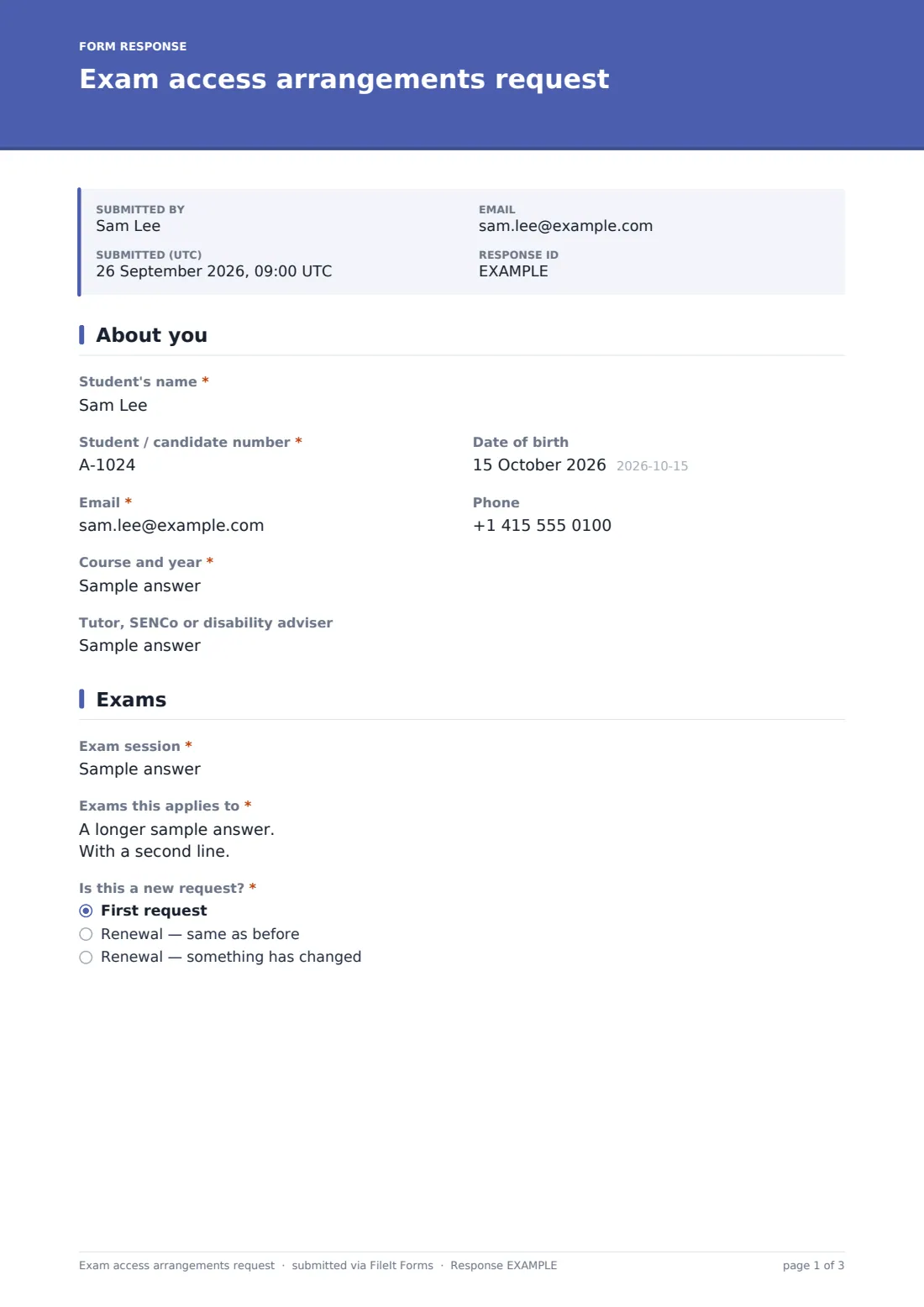
This template asks for the student's details, the exam session and papers, whether it's a new or renewed request, the arrangements needed and how much extra time, how the student's condition affects them in exams, whether this is their normal way of working, the nature of the need, and evidence uploads.
Each request becomes a signed PDF in your vault with the evidence attached, ready for the exams or accessibility team to review.
- Best for
- Schools, colleges, universities and exam centers
- Filled in by
- Students, or a tutor or parent helping them
- Time to complete
- About 10 minutes, plus time to gather evidence
- Includes
- An arrangements checklist, extra-time options, evidence uploads, two consents and a signature
Who uses a exam access arrangements request form?
- Students with a specific learning difference requesting extra time
- Requests for a reader, scribe or word processor
- Temporary arrangements after an injury or illness
- Renewals for students who had arrangements last year
- University disability services collecting requests for end-of-semester exams
- Separate rooms or rest breaks for students with anxiety or medical conditions
Questions on this exam access arrangements request form
23 questions over 4 pages · includes signature, file upload, conditional questions, multiple pages, consent checkbox.
1 About you
- Student's name*
- Student / candidate number*
- Date of birth
- Email*
- Phone
- Course and year*
- Tutor, SENCo or disability adviser
2 Exams
- Exam session*
- Exams this applies to*
- Is this a new request?* First request · Renewal — same as before · Renewal — something has changed
- What arrangements have you had before?* asked only when it applies
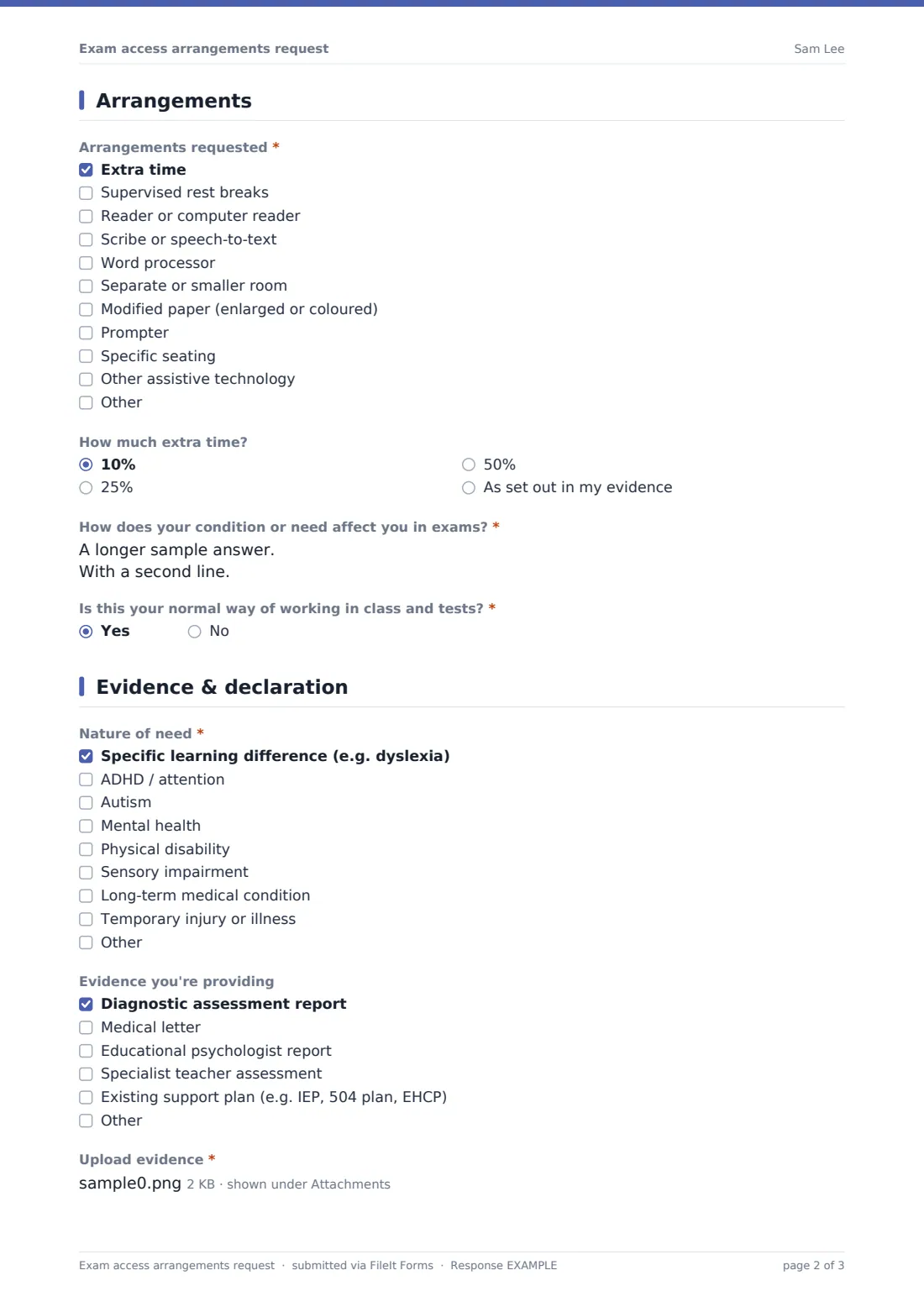
3 Arrangements
- Arrangements requested* Extra time · Supervised rest breaks · Reader or computer reader · Scribe or speech-to-text · Word processor · Separate or smaller room · Modified paper (enlarged or coloured) · Prompter · Specific seating · Other assistive technology
- How much extra time? asked only when it applies 10% · 25% · 50% · As set out in my evidence
- How does your condition or need affect you in exams?*
- Is this your normal way of working in class and tests?*
- Please explain* asked only when it applies
4 Evidence & declaration
- Nature of need* Specific learning difference (e.g. dyslexia) · ADHD / attention · Autism · Mental health · Physical disability · Sensory impairment · Long-term medical condition · Temporary injury or illness
- Evidence you're providing Diagnostic assessment report · Medical letter · Educational psychologist report · Specialist teacher assessment · Existing support plan (e.g. IEP, 504 plan, EHCP)
- Upload evidence*
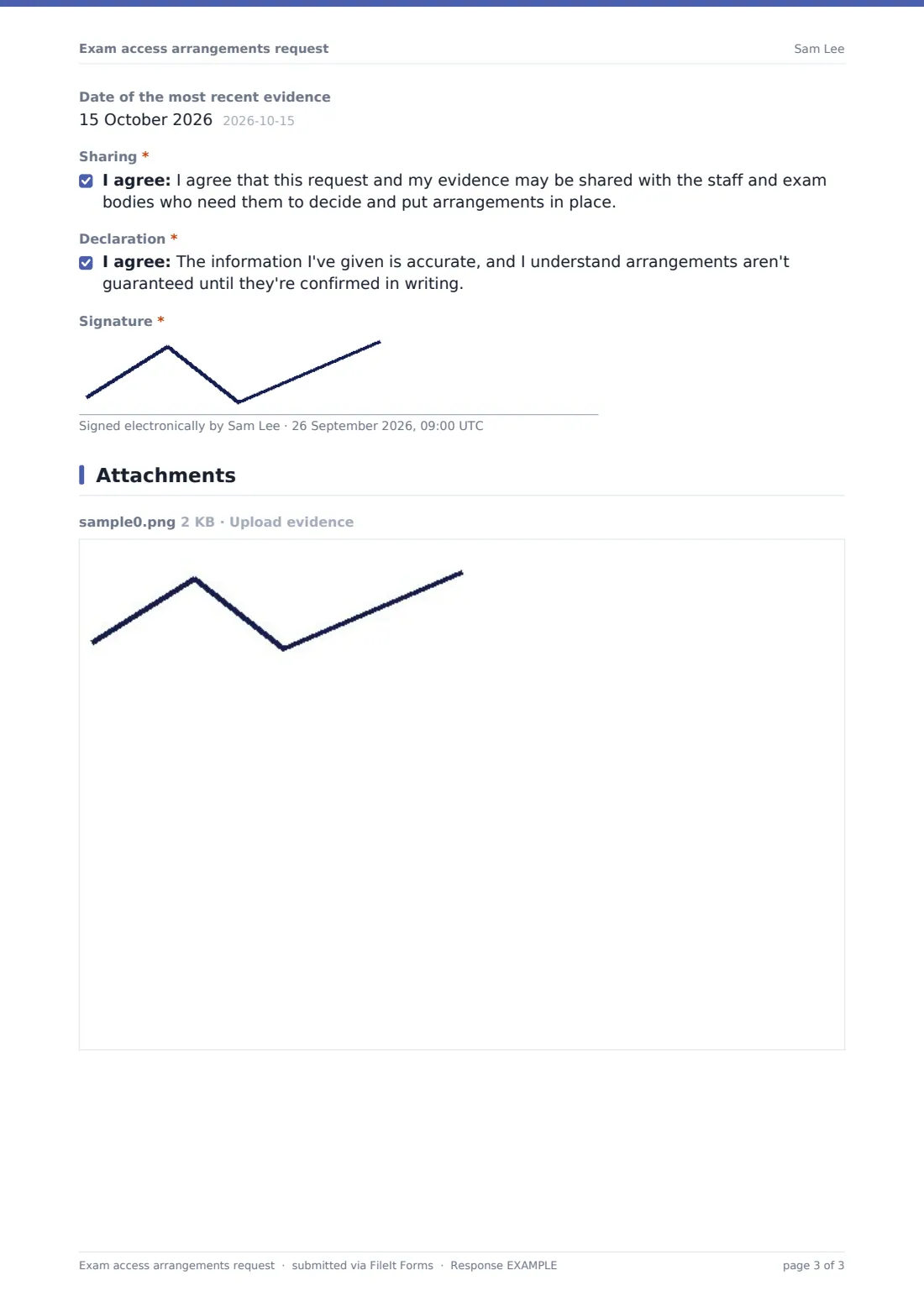
- Date of the most recent evidence
- Sharing*
- Declaration*
- Signature*
The exam access arrangements request form, page by page
1 About you
The student gives their name, student or candidate number, email and course and year, plus optional date of birth, phone and tutor, SENCo or disability adviser.
2 Exams
Required: the exam session and which exams the request applies to. The student says whether this is a first request or a renewal; renewals ask what arrangements they've had before.
3 Arrangements
A required checklist covers extra time, rest breaks, a reader or computer reader, a scribe or speech-to-text, a word processor, a separate room, a modified paper, a prompter, specific seating and other assistive technology. Ticking extra time asks how much — 10%, 25%, 50% or as set out in the evidence. The student then explains how their condition or need affects them in exams, and says whether this is their normal way of working, with an explanation required if it isn't.
4 Evidence & declaration
A required checklist records the nature of the need, and another the evidence provided, such as a diagnostic assessment report, medical letter or an existing support plan. Evidence upload is required (up to five files), with the date of the most recent evidence. Two consents cover sharing the request with the staff and exam bodies who need it and confirming the information is accurate and that arrangements aren't guaranteed until confirmed in writing. The student signs.
Make the template yours
- Rename arrangements to match your exam board's or institution's terms
- Add a section for a specialist assessor's comments
- Set a close date for each exam session's deadline
- File requests in a folder per exam session
- Add the exams officer or disability team to notifications
- Adjust the extra-time percentages to what your rules allow
Tips for a better exam access arrangements request form
- Open requests early — evidence often takes time to gather
- Check the arrangement reflects how the student normally works
- Ask for renewals each year, even when nothing has changed
- Confirm agreed arrangements to the student in writing
- Keep evidence secure and share it only with the people deciding
- Remember temporary arrangements for injuries close to exam time
Every response becomes a PDF in your vault
When a student submits, FileIt saves the signed request as a PDF with the evidence attached and files it in your chosen vault folder. The exams team is notified, and the student can receive a PDF copy.
Exams teams usually work through the Responses table by exam session, confirm arrangements in writing, and use the CSV export to plan rooms, invigilators and readers or scribes.
- Start from this template. It opens in the FileIt Forms designer — change any question, add pages, set the rules for when questions appear.
- Share it. Turn on a public link, or send it to people by email, each with their own link. They don’t need a FileIt account.
- Get the answers as PDFs. Each response is saved as a PDF in the vault folder you choose, with uploaded files attached — and listed in a Responses table you can export to CSV.
Exam access arrangements request form: frequently asked questions
Is this exam access arrangements template free?
Yes. It's included with the Forms app on every FileIt account, including the free plan.
Does submitting the form guarantee arrangements?
No. The institution decides under its own rules, and the student confirms they understand arrangements aren't guaranteed until confirmed in writing.
What evidence can students upload?
Up to five PDFs, images or Word documents, such as a diagnostic report, medical letter or existing support plan.
Can it handle temporary injuries?
Yes. 'Temporary injury or illness' is one of the needs, and students can explain if the arrangement isn't their usual way of working.
Who can see the evidence?
Requests are filed in your FileIt vault. Only the people you give access to that folder can see them.
Do students need a FileIt account?
No. They submit from a link without an account.