What is the school transport request form template?
Planning bus routes starts with good information: where each child lives, whether they're picked up somewhere else, which days and journeys they need, and whether they need any help on board. Paper forms often arrive missing one of those details, which means another round of phone calls.
This form asks for everything a transport office needs: the child's details, home address and any different morning pickup or afternoon drop-off address, the journeys and days needed, the start date, any assistance needs, whether the child may walk home from the stop, and emergency contacts. It closes with the parent's agreement to the bus rules and a signature.
Each application becomes a signed PDF in your vault, so the transport team has a complete record to plan routes from.
- Best for
- Schools, school districts, academy trusts and private school transport services
- Filled in by
- Parents or guardians applying for their child
- Time to complete
- About 5–7 minutes
- Includes
- Alternative pickup and drop-off addresses, conditional questions and signature capture
Who uses a school transport request form?
- Annual applications for school bus places before the new school year
- Mid-year requests when a family moves house
- Temporary transport while a family is between homes or after an injury
- Families with shared care who need a different pickup or drop-off address
- Recording assistance needs such as wheelchair access or a harness
- Private schools running their own minibus routes
Questions on this school transport request form
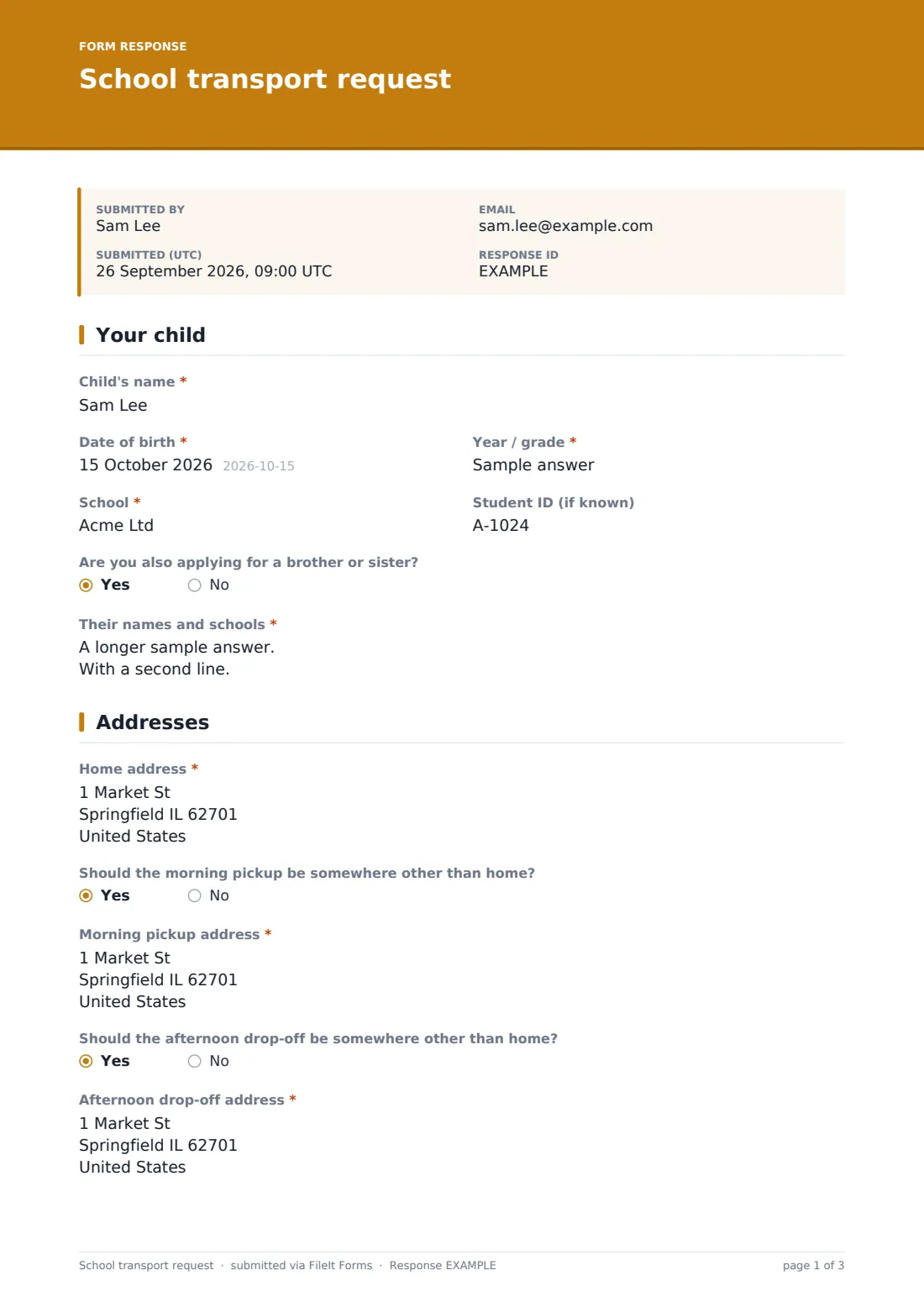
31 questions over 5 pages · includes signature, conditional questions, multiple pages, consent checkbox.
1 Your child
- Child's name*
- Date of birth*
- Year / grade*
- School*
- Student ID (if known)
- Are you also applying for a brother or sister?
- Their names and schools* asked only when it applies
2 Addresses
- Home address*
- Should the morning pickup be somewhere other than home?
- Morning pickup address* asked only when it applies
- Should the afternoon drop-off be somewhere other than home?
- Afternoon drop-off address* asked only when it applies
- Preferred bus stop (if you know it)
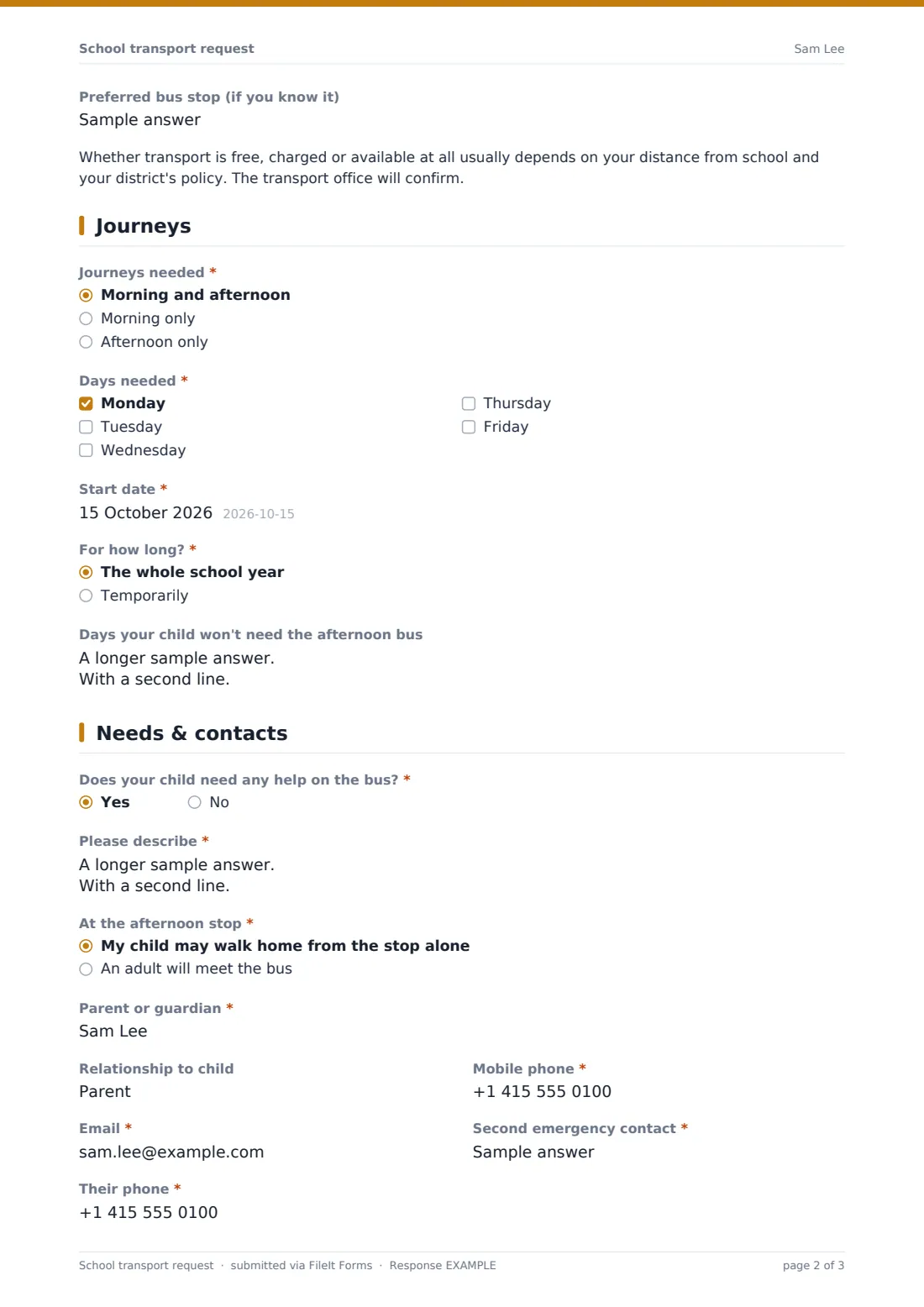
3 Journeys
- Journeys needed* Morning and afternoon · Morning only · Afternoon only
- Days needed* Monday · Tuesday · Wednesday · Thursday · Friday
- Start date*
- For how long?* The whole school year · Temporarily
- Until* asked only when it applies
- Days your child won't need the afternoon bus
4 Needs & contacts
- Does your child need any help on the bus?*
- Please describe* asked only when it applies
- At the afternoon stop* My child may walk home from the stop alone · An adult will meet the bus
- Parent or guardian*
- Relationship to child
- Mobile phone*
- Email*
- Second emergency contact*
- Their phone*
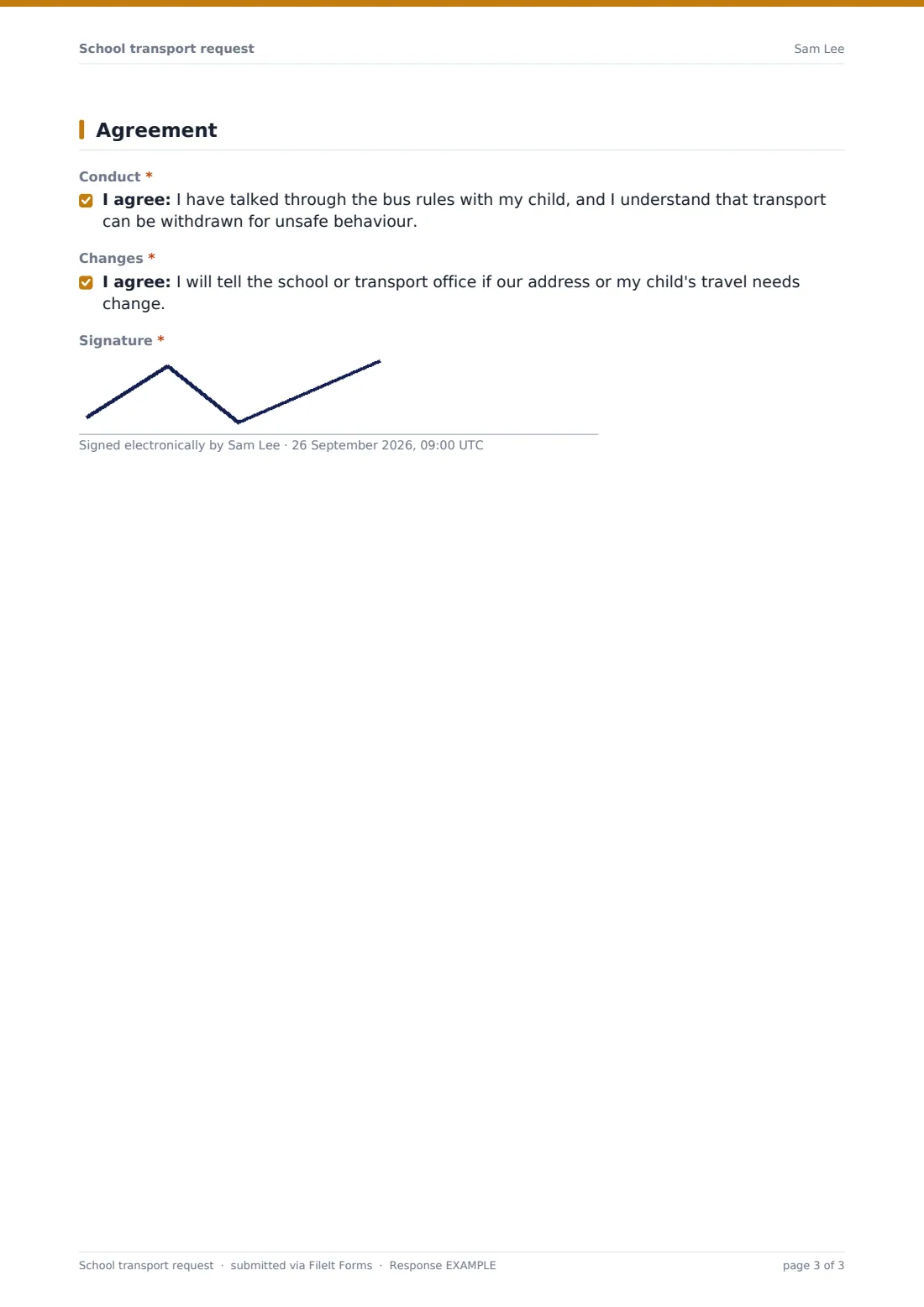
5 Agreement
- Conduct*
- Changes*
- Signature*
The school transport request form, page by page
1 Your child
Parents enter the child's name, date of birth, year or grade, school and student ID if known. A yes/no question asks whether they're also applying for a brother or sister, which opens a box for their names and schools.
2 Addresses
The home address is required. Two yes/no questions ask whether the morning pickup or afternoon drop-off should be somewhere other than home — for example a childminder or grandparent — and open an address field for each when answered yes. An optional preferred stop can be added, and a short note explains that eligibility and charges depend on distance and your district's policy, confirmed by the transport office.
3 Journeys
Parents choose morning and afternoon, morning only or afternoon only; tick the weekdays needed; and give a start date. They then say whether transport is for the whole school year or temporary — temporary opens an end date. An optional box lists days the child won't need the afternoon bus because of clubs or collection.
4 Needs & contacts
A required yes/no asks whether the child needs help on the bus — wheelchair access, a car seat or harness, a passenger assistant or a medical condition the driver should know about — with a required description if yes. Parents choose whether the child may walk home from the afternoon stop alone or will be met by an adult, then give their name, relationship, phone, email and a second emergency contact.
5 Agreement
Two consent statements confirm the parent has talked through the bus rules with their child (and understands transport can be withdrawn for unsafe behaviour) and will report changes of address or needs. The parent signs on screen.
Make the template yours
- Replace the eligibility note with your district's actual transport policy wording
- Add a dropdown of your published routes or stops
- Set a closing date for applications ahead of route planning
- Add a fee acknowledgement if you charge for transport
- File applications in a folder per school or route
- Add Saturday if you run weekend transport for boarding or activities
Tips for a better school transport request form
- Ask families to apply well before term so routes can be planned
- Check alternative pickup addresses — they're a common reason for route changes later
- Share assistance needs with the driver and any passenger assistant before the first journey
- Confirm the walk-home arrangement with parents of younger children
- Ask families to reapply or update details each year
- Keep the bus rules linked from the form so parents can read what they're agreeing to
Every response becomes a PDF in your vault
When a parent submits, FileIt saves the signed application as a PDF and files it in your chosen vault folder. The transport office gets a notification, and the parent can receive their own PDF copy by email.
Transport teams usually export the Responses table to CSV to plan routes by address, journey and day, then confirm the route, stop and times to each family using the details on the form.
- Start from this template. It opens in the FileIt Forms designer — change any question, add pages, set the rules for when questions appear.
- Share it. Turn on a public link, or send it to people by email, each with their own link. They don’t need a FileIt account.
- Get the answers as PDFs. Each response is saved as a PDF in the vault folder you choose, with uploaded files attached — and listed in a Responses table you can export to CSV.
School transport request form: frequently asked questions
Is this school transport request template free?
Yes. It's included with the Forms app on every FileIt account, including the free plan.
Do parents need an account to apply?
No. Parents fill in the form from a public link or an emailed request without creating an account.
Can parents give a different pickup or drop-off address?
Yes. Separate yes/no questions open a morning pickup address and an afternoon drop-off address when they differ from home.
Does the form decide whether a child is eligible?
No. It collects the information your transport office needs. Eligibility and any charges depend on your own policy, and the form says so.
Can I export applications for route planning?
Yes. Every response is listed in the Responses table and can be exported to CSV.
Can I stop taking applications after a deadline?
Yes. Set a close date in the form's settings and it will stop accepting responses automatically.