What is the parent satisfaction survey form template?
Parents see a school or childcare provider from a different angle: what their child says at home, how quickly a message gets answered, how drop-off works. A parent survey gathers those views in one place, so leaders can act on patterns rather than the loudest voices.
This template works for nurseries, daycare, schools and after-school programs. It covers learning and care, communication, and safety and wellbeing in three agreement grids, with a 'Don't know' option for things parents can't see. Parents whose child has additional needs rate how well they're supported.
It's anonymous by default. A parent with a specific concern can choose to leave their name and contact details, and is pointed to the designated safeguarding lead if a child may be at risk. Every response is saved as a PDF in your FileIt vault.
- Best for
- Schools, preschools, nurseries, daycare centres and after-school programs
- Filled in by
- Parents and carers, anonymously by default
- Time to complete
- About 5 minutes
- Includes
- Three agreement grids, additional needs support rating, contact preferences and a concern route
Who uses a parent satisfaction survey form?
- An annual parent survey ahead of school improvement planning
- A childcare setting preparing for an inspection or accreditation visit
- Checking how a new communication app or newsletter is landing
- Gathering feedback after changes to drop-off or pick-up
- Checking support for children with additional needs
- An after-school or holiday program's end-of-term review
Questions on this parent satisfaction survey form
18 questions over 5 pages · includes conditional questions, multiple pages, ratings.
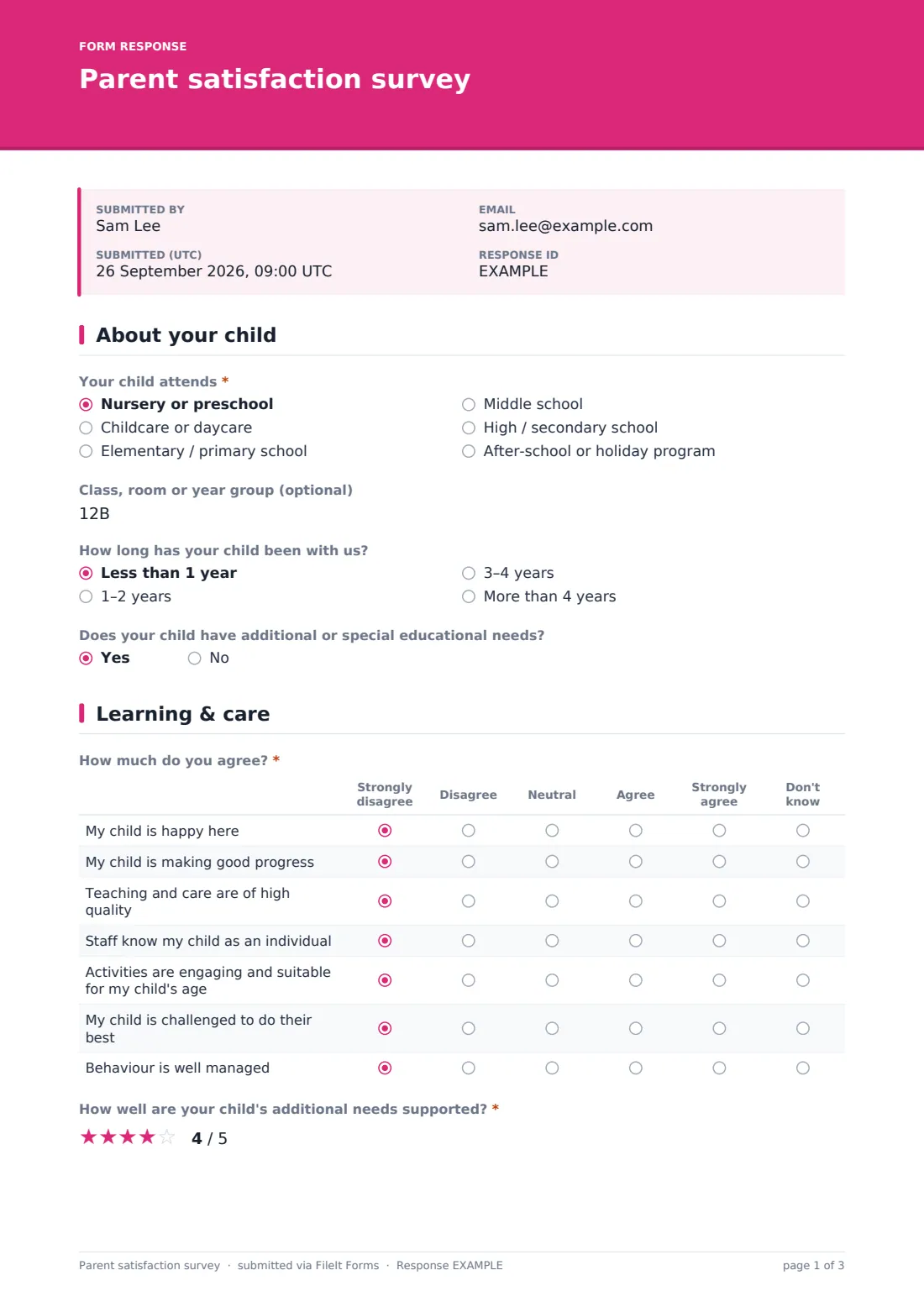
1 About your child
- Your child attends* Nursery or preschool · Childcare or daycare · Elementary / primary school · Middle school · High / secondary school · After-school or holiday program
- Class, room or year group (optional)
- How long has your child been with us? Less than 1 year · 1–2 years · 3–4 years · More than 4 years
- Does your child have additional or special educational needs?
2 Learning & care
- How much do you agree?* Strongly disagree · Disagree · Neutral · Agree · Strongly agree · Don't know
- How well are your child's additional needs supported?* asked only when it applies
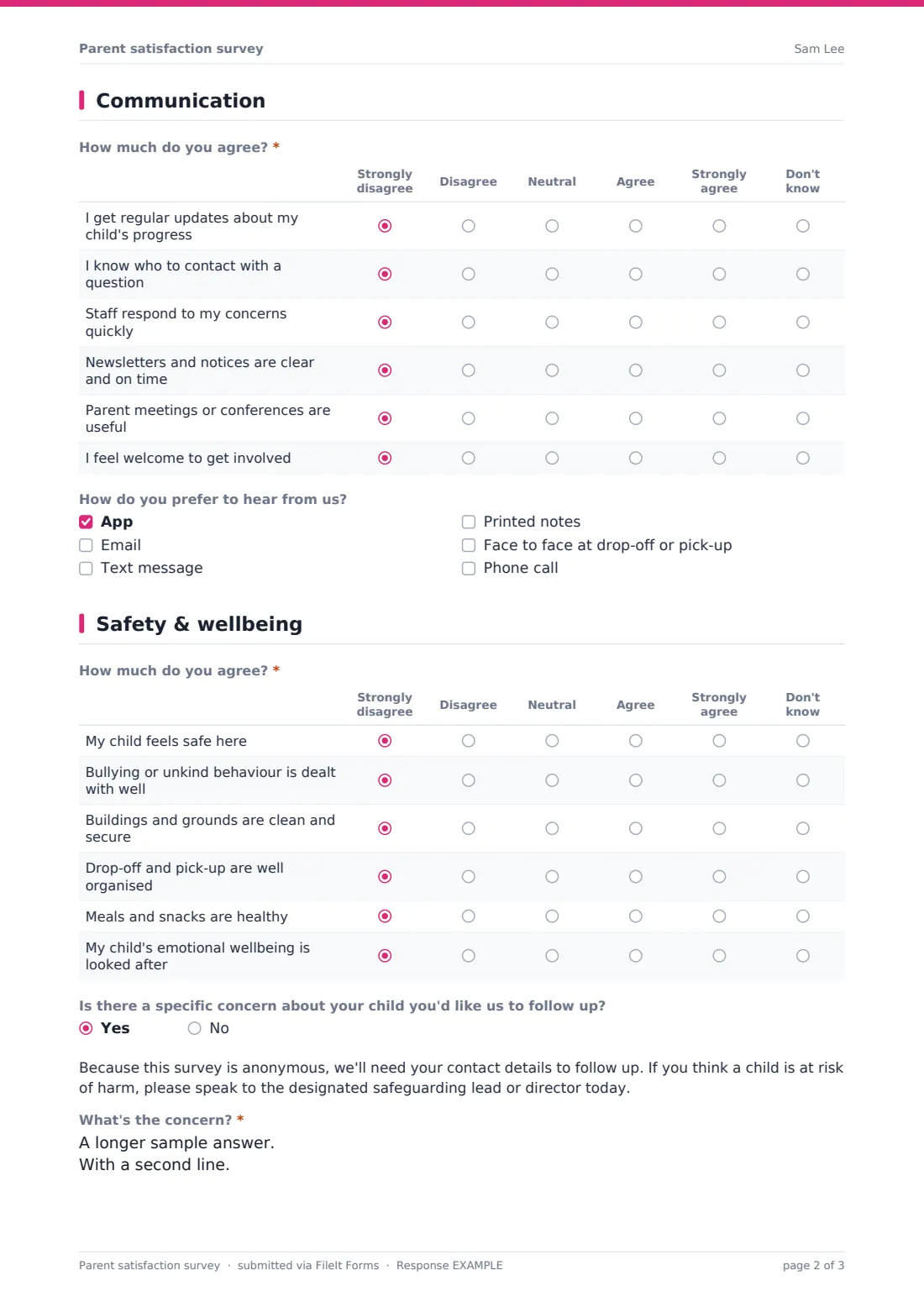
3 Communication
- How much do you agree?* Strongly disagree · Disagree · Neutral · Agree · Strongly agree · Don't know
- How do you prefer to hear from us? App · Email · Text message · Printed notes · Face to face at drop-off or pick-up · Phone call
4 Safety & wellbeing
- How much do you agree?* Strongly disagree · Disagree · Neutral · Agree · Strongly agree · Don't know
- Is there a specific concern about your child you'd like us to follow up?
- What's the concern?* asked only when it applies
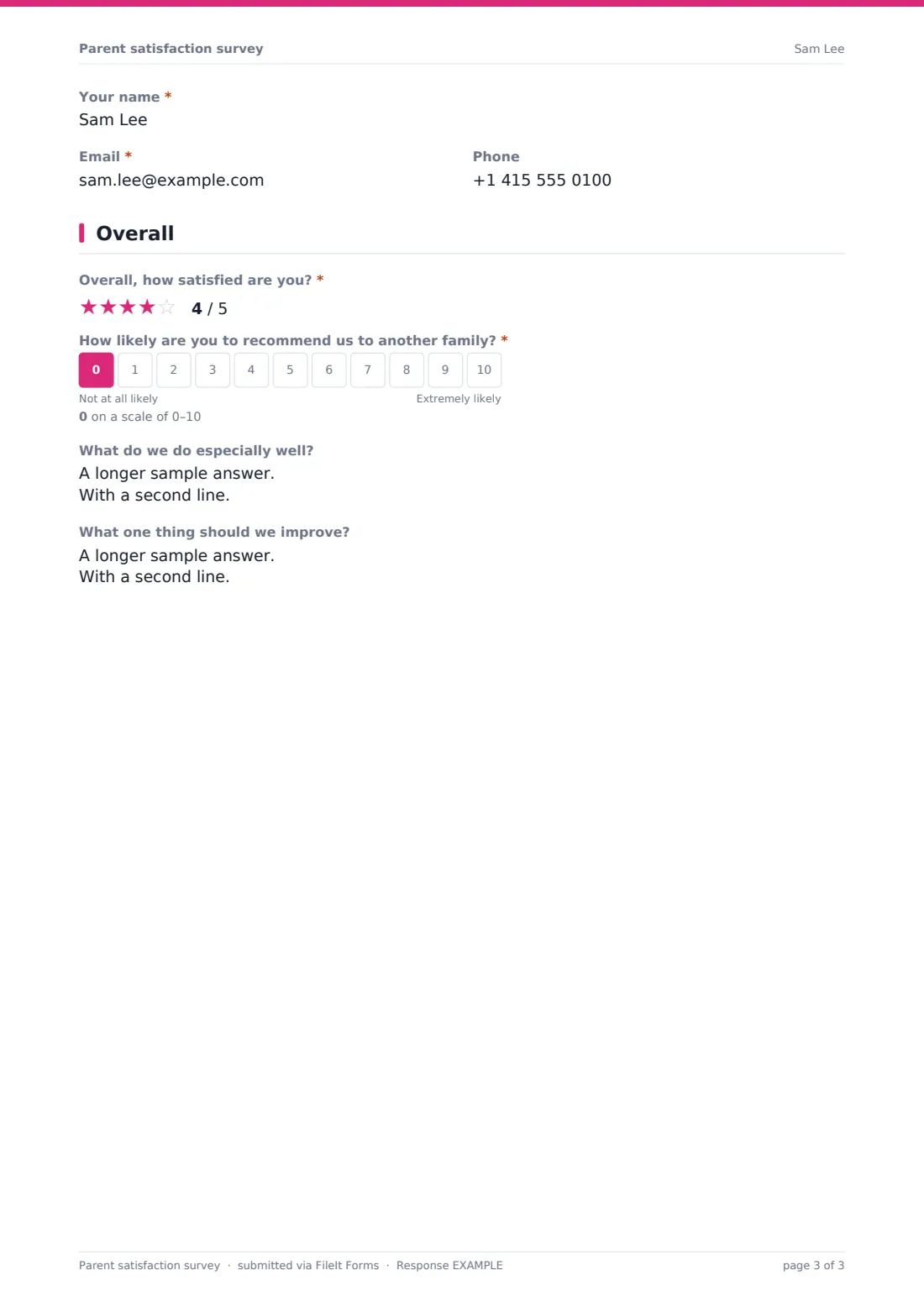
- Your name* asked only when it applies
- Email* asked only when it applies
- Phone asked only when it applies
5 Overall
- Overall, how satisfied are you?*
- How likely are you to recommend us to another family?*
- What do we do especially well?
- What one thing should we improve?
The parent satisfaction survey form, page by page
1 About your child
The type of setting, optional class or year group, how long the child has attended, and whether the child has additional or special educational needs (optional).
2 Learning & care
Seven statements from Strongly disagree to Strongly agree, or Don't know: the child is happy, making progress, getting high-quality teaching and care, known as an individual, engaged by activities, challenged, and behaviour is well managed. If the child has additional needs, parents rate how well they're supported.
3 Communication
Six statements on progress updates, knowing who to contact, quick responses, clear notices, useful parent meetings and feeling welcome to get involved. Parents choose how they prefer to hear from you — app, email, text, printed notes, face to face or phone.
4 Safety & wellbeing
Six statements on the child feeling safe, handling of bullying, clean and secure premises, organised drop-off and pick-up, healthy meals and emotional wellbeing. A yes/no lets a parent raise a specific concern — they're shown safeguarding guidance and asked for a description, name, email and phone.
5 Overall
A required star rating, a 0–10 likelihood to recommend you to another family, and open questions on strengths and the one thing to improve.
Make the template yours
- Change the setting options to just your provision
- Replace 'designated safeguarding lead' with your own role title
- Add a class dropdown for easier grouping
- Add statements about homework, uniforms or specific programs
- Translate the form for families who speak other languages
- Set a close date for each survey window
Tips for a better parent satisfaction survey form
- Send it through your usual parent channel and remind once
- Act quickly on any concern where contact details were left
- Share a 'you said, we did' summary with families
- Look at 'Don't know' answers — they often point to communication gaps
- Don't publish results for very small classes
- Run it at the same point each year to compare
Every response becomes a PDF in your vault
Each response is saved as a PDF titled with the date in the vault folder you choose, and you're notified by email.
In the Responses table you can filter by setting or group and export to CSV to summarise results for staff and governors.
- Start from this template. It opens in the FileIt Forms designer — change any question, add pages, set the rules for when questions appear.
- Share it. Turn on a public link, or send it to people by email, each with their own link. They don’t need a FileIt account.
- Get the answers as PDFs. Each response is saved as a PDF in the vault folder you choose, with uploaded files attached — and listed in a Responses table you can export to CSV.
Parent satisfaction survey form: frequently asked questions
Is this parent satisfaction survey free?
Yes. It's a starter template in the FileIt Forms app, and every question can be edited.
Is it anonymous?
Yes, unless a parent chooses to raise a specific concern and leaves contact details.
Can parents with more than one child respond?
Yes. The form allows more than one response, so parents can answer per child if their experiences differ.
Is this a safeguarding reporting tool?
No. It points parents to your designated safeguarding lead for anything where a child may be at risk.
Does it work for childcare as well as schools?
Yes. The first question covers nurseries, daycare, schools and after-school programs.
Do parents need an account?
No. They open the link on any device.