What is the production downtime log form template?
You can't reduce downtime you haven't measured. Stoppages written on a whiteboard, or remembered at the end of a shift, lose the details that matter: exactly when the line stopped, why, how much output was lost, and what got it running again.
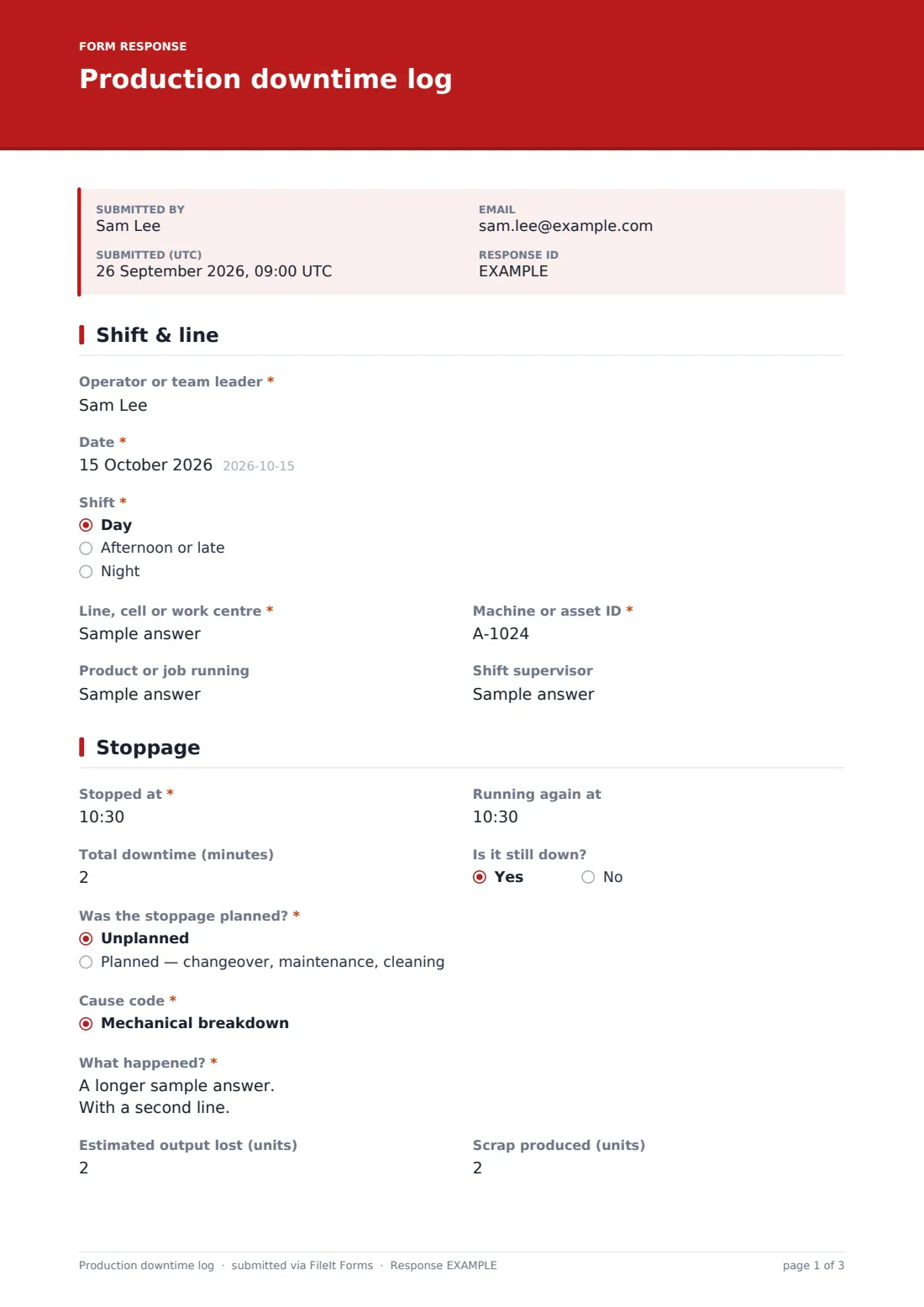
This template lets operators log each stoppage from the shop floor: the shift, line, machine and product, the stop and restart times, whether it was planned, a cause code from a standard list, what happened, units lost and scrap, and a safety check. The second part records the fix, who attended, the work order, parts used, whether the root cause is known and any follow-up.
Each stoppage is saved as a PDF in your FileIt vault, and the responses export to CSV, so you can total downtime by cause, line or shift and focus improvement work where it will make the most difference.
- Best for
- Manufacturing, packaging, food production and processing plants
- Filled in by
- Machine operators, team leaders or shift supervisors
- Time to complete
- About 2–4 minutes per stoppage
- Includes
- 14 cause codes, planned vs. unplanned, still-down path, safety prompt, output lost and scrap, photos
Who uses a production downtime log form?
- A packaging line logging every stoppage over five minutes
- A plant starting to measure downtime before investing in monitoring systems
- A team leader handing over open breakdowns at shift change
- Maintenance reviewing repeat faults on a particular machine
- Tracking changeover times as part of a setup reduction project
- Collecting data for OEE or availability calculations in a spreadsheet
Questions on this production downtime log form
27 questions over 3 pages · includes file upload, conditional questions, multiple pages.
1 Shift & line
- Operator or team leader*
- Date*
- Shift* Day · Afternoon or late · Night
- Line, cell or work centre*
- Machine or asset ID*
- Product or job running
- Shift supervisor
2 Stoppage
- Stopped at*
- Running again at
- Total downtime (minutes)
- Is it still down?
- Was the stoppage planned?* Unplanned · Planned — changeover, maintenance, cleaning
- Cause code* Mechanical breakdown · Electrical fault · Controls, PLC or software · Tooling or die change · Changeover or setup · Material shortage or wrong material · Quality problem · No operator available · Utilities — air, power, water, steam · Waiting for maintenance · Planned maintenance · Cleaning or sanitation
- Other cause* asked only when it applies
- What happened?*
- Estimated output lost (units)
- Scrap produced (units)
- Was anyone hurt, or put at risk?*
3 Fix & follow-up
- What was done to get it running?* asked only when it applies
- Current status and next steps* asked only when it applies
- Fixed or attended by
- Maintenance work order number
- Parts used
- Is the root cause known? Yes · Suspected · No — needs investigation
- Has this stoppage happened before?
- Follow-up needed
- Photos
The production downtime log form, page by page
1 Shift & line
The operator or team leader records the date, shift (day, afternoon or late, night), line or work centre, machine or asset ID, the product or job running, and the shift supervisor.
2 Stoppage
The stop time is required and the restart time is optional, so a stoppage can be logged while the line is still down. Total downtime in minutes and a still-down question sit alongside.
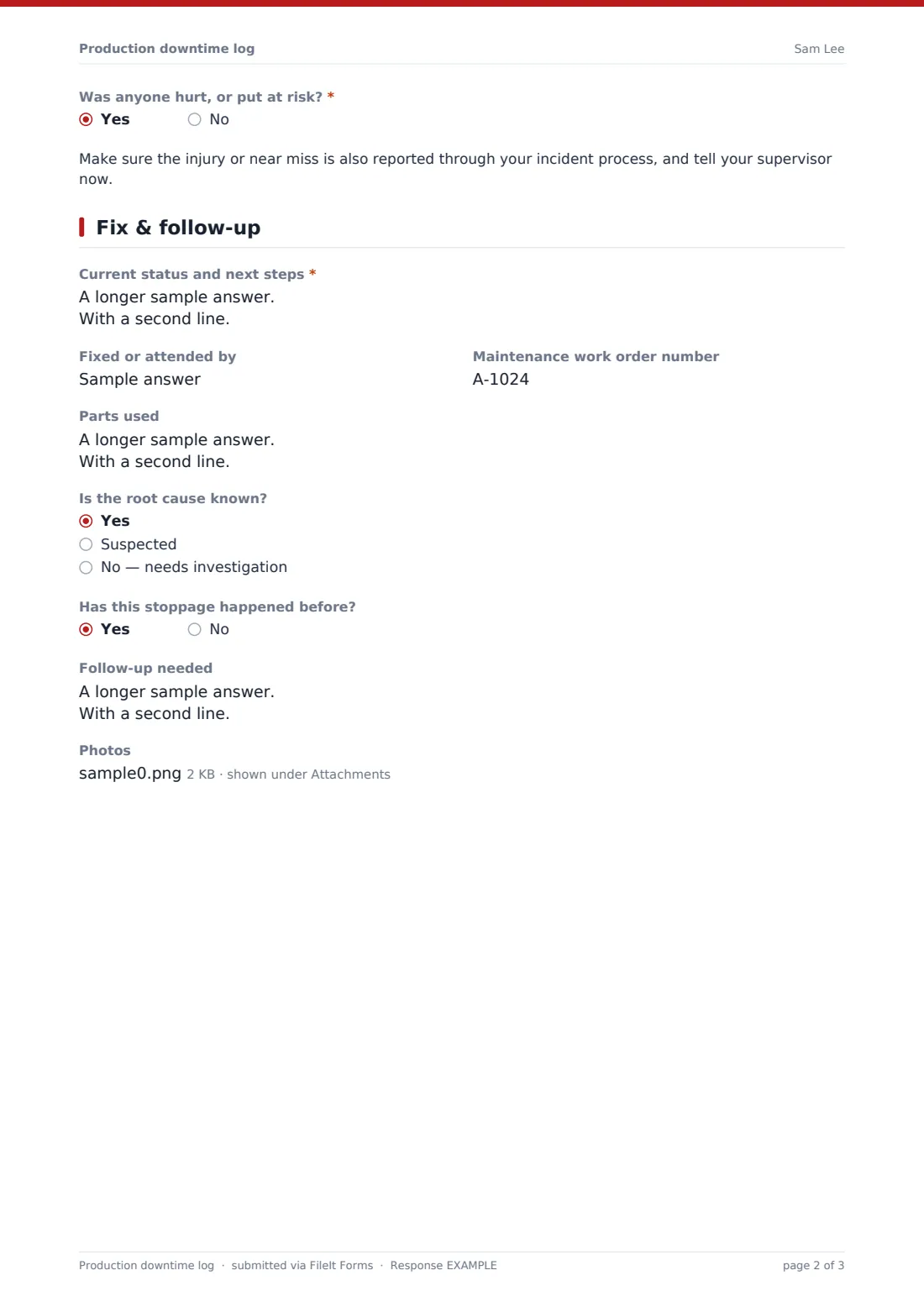
The operator says whether the stoppage was planned, then picks a cause code: mechanical, electrical, controls or software, tooling, changeover, material, quality, no operator, utilities, waiting for maintenance, planned maintenance, cleaning, upstream or downstream blockage, or other (which asks for detail). A required What happened? box, estimated output lost and scrap follow. A required safety question shows a reminder to report injuries and near misses separately if anyone was hurt or put at risk.
3 Fix & follow-up
If the line is running again, the form asks what was done to fix it. If it's still down, it asks for the current status and next steps instead. Who attended, the maintenance work order number and parts used are recorded next, then whether the root cause is known or suspected, whether it has happened before, what follow-up is needed, and photos.
Make the template yours
- Replace the cause codes with the codes your plant already uses
- Turn the line and machine fields into dropdowns of your assets
- Add a minimum-duration note to the cover text, such as "log any stop over 5 minutes"
- Add maintenance to the notification emails so breakdowns reach them straight away
- Add a question for the cost of lost production if you track it
- Remove the scrap question if it's recorded elsewhere
Tips for a better production downtime log form
- Log stoppages as they happen, not at the end of the shift
- Use the same cause codes every time — free text is hard to analyse
- Agree a minimum stoppage length worth logging so small stops aren't ignored or overwhelming
- Review the top causes each week and pick one to fix permanently
- Link repeat breakdowns to a maintenance work order or a CAPA
- Photograph failed parts before they're thrown away
Every response becomes a PDF in your vault
Each stoppage is saved as a PDF in your chosen vault folder and emailed to the form owner, so supervisors and maintenance know about it straight away.
The Responses table lets you filter stoppages by line, shift, cause or date and export them to CSV to total downtime and build Pareto charts in a spreadsheet. FileIt doesn't calculate OEE for you — the export gives you the raw data to do it.
- Start from this template. It opens in the FileIt Forms designer — change any question, add pages, set the rules for when questions appear.
- Share it. Turn on a public link, or send it to people by email, each with their own link. They don’t need a FileIt account.
- Get the answers as PDFs. Each response is saved as a PDF in the vault folder you choose, with uploaded files attached — and listed in a Responses table you can export to CSV.
Production downtime log form: frequently asked questions
Is this downtime log template free?
Yes. It's included in the FileIt Forms app on every account, including the free plan.
Can operators log a stoppage while the line is still down?
Yes. Only the stop time is required. Saying it's still down asks for the current status and next steps instead of the fix.
Does the form calculate downtime automatically?
No. Operators enter total minutes. You can check or recalculate from the start and end times after exporting to CSV.
Can we use our own cause codes?
Yes. Edit the cause code dropdown in the designer to match your plant's list.
Does it connect to our machines or MES?
No. It's a manual log that operators fill in on a phone, tablet or shop-floor PC.
Do operators need a FileIt account?
No. They can use the form's link, for example from a QR code on each machine.
What happens if someone was hurt?
Answering yes to the safety question shows a reminder to report it through your incident process as well. The downtime log doesn't replace an incident report.
Can we analyse downtime by cause?
Yes. Export the Responses table to CSV and total the minutes by cause, line, machine or shift.