What is the preventive maintenance checklist form template?
Preventive maintenance only prevents anything if it's actually done, done the same way every time, and written down. A tick on a paper sheet taped to the machine doesn't tell you whether the belt was adjusted or replaced, what the pressure read, or when the next service is due.
This template records a PM visit in full: the asset and its maintenance interval, a lockout confirmation, twelve standard tasks marked done, adjusted, needs follow-up or not applicable, key readings, parts replaced with cost, follow-up work with a priority, the equipment's status on hand-back and the next due date, with the technician's signature.
Each record is saved as a PDF in your FileIt vault, building a maintenance history for every asset that's easy to find when a machine fails or an auditor asks when it was last serviced.
- Best for
- Maintenance teams in manufacturing, facilities, workshops and plant rooms
- Filled in by
- The maintenance technician or engineer
- Time to complete
- About 5–10 minutes to record, after the work
- Includes
- Lockout check, 12-task grid, readings, parts and cost, follow-up priority, status, next due date, signature
Who uses a preventive maintenance checklist form?
- A factory maintenance team recording monthly PMs on production machinery
- A facilities team servicing compressors, pumps and air handling units
- A small workshop without a CMMS keeping a maintenance history
- Contractors recording service visits for a client's equipment
- Recording maintenance evidence for insurers or auditors
- Building a parts usage history to plan spares
Questions on this preventive maintenance checklist form
30 questions over 4 pages · includes signature, file upload, conditional questions, multiple pages, ratings.
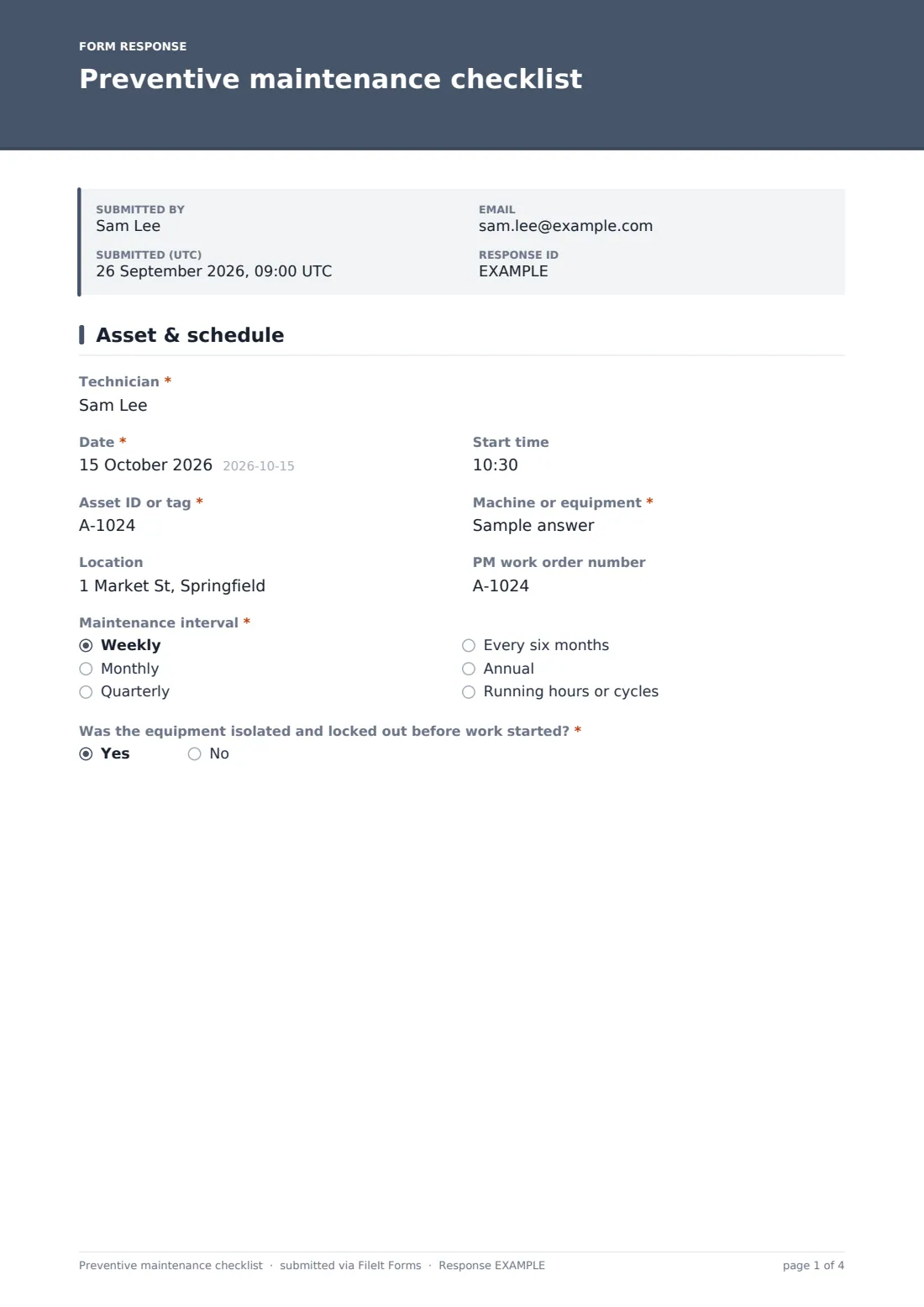
1 Asset & schedule
- Technician*
- Date*
- Start time
- Asset ID or tag*
- Machine or equipment*
- Location
- PM work order number
- Maintenance interval* Weekly · Monthly · Quarterly · Every six months · Annual · Running hours or cycles
- Was the equipment isolated and locked out before work started?*
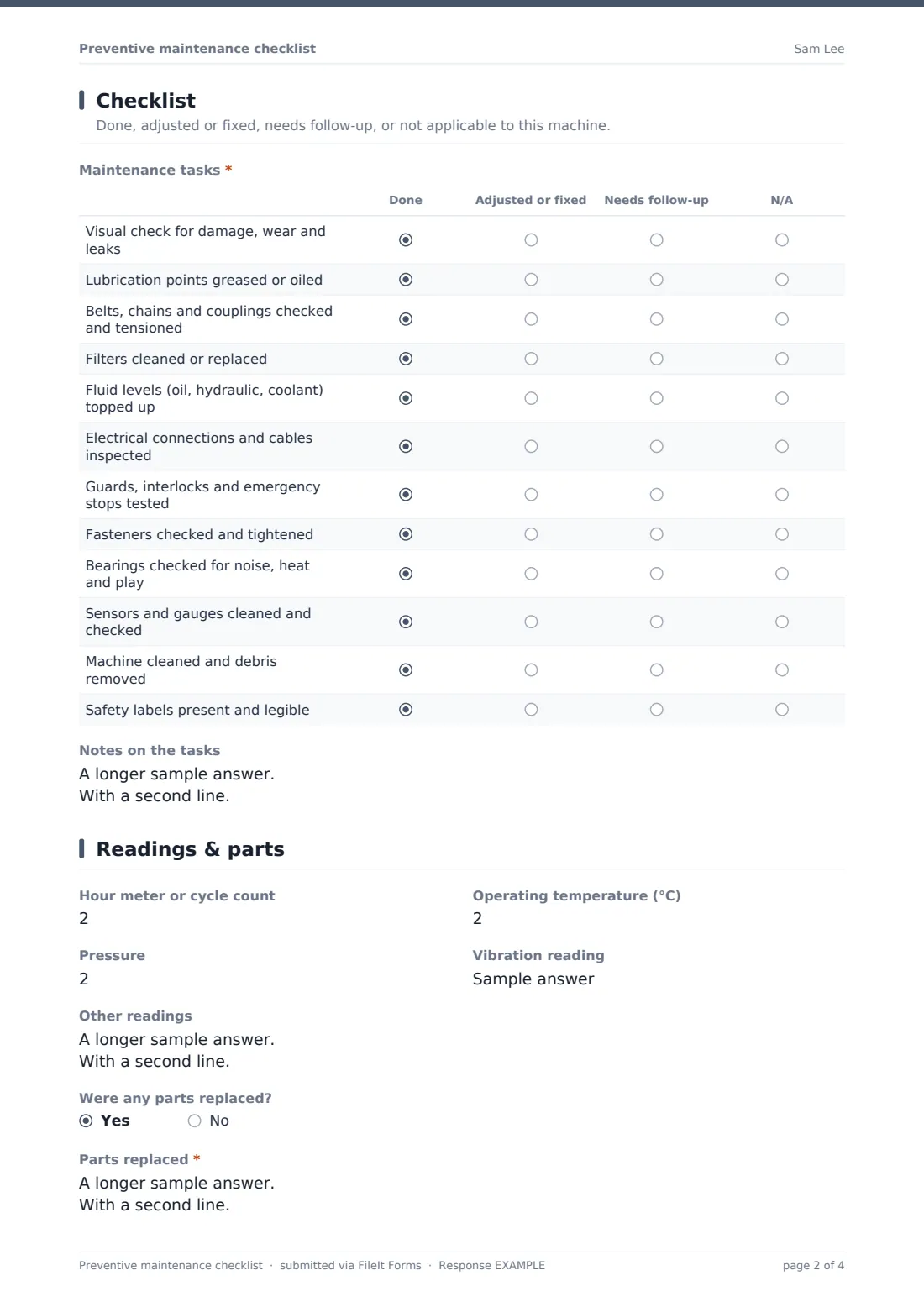
2 Checklist
- Maintenance tasks* Done · Adjusted or fixed · Needs follow-up · N/A
- Notes on the tasks
3 Readings & parts
- Hour meter or cycle count
- Operating temperature (°C)
- Pressure
- Vibration reading
- Other readings
- Were any parts replaced?
- Parts replaced* asked only when it applies
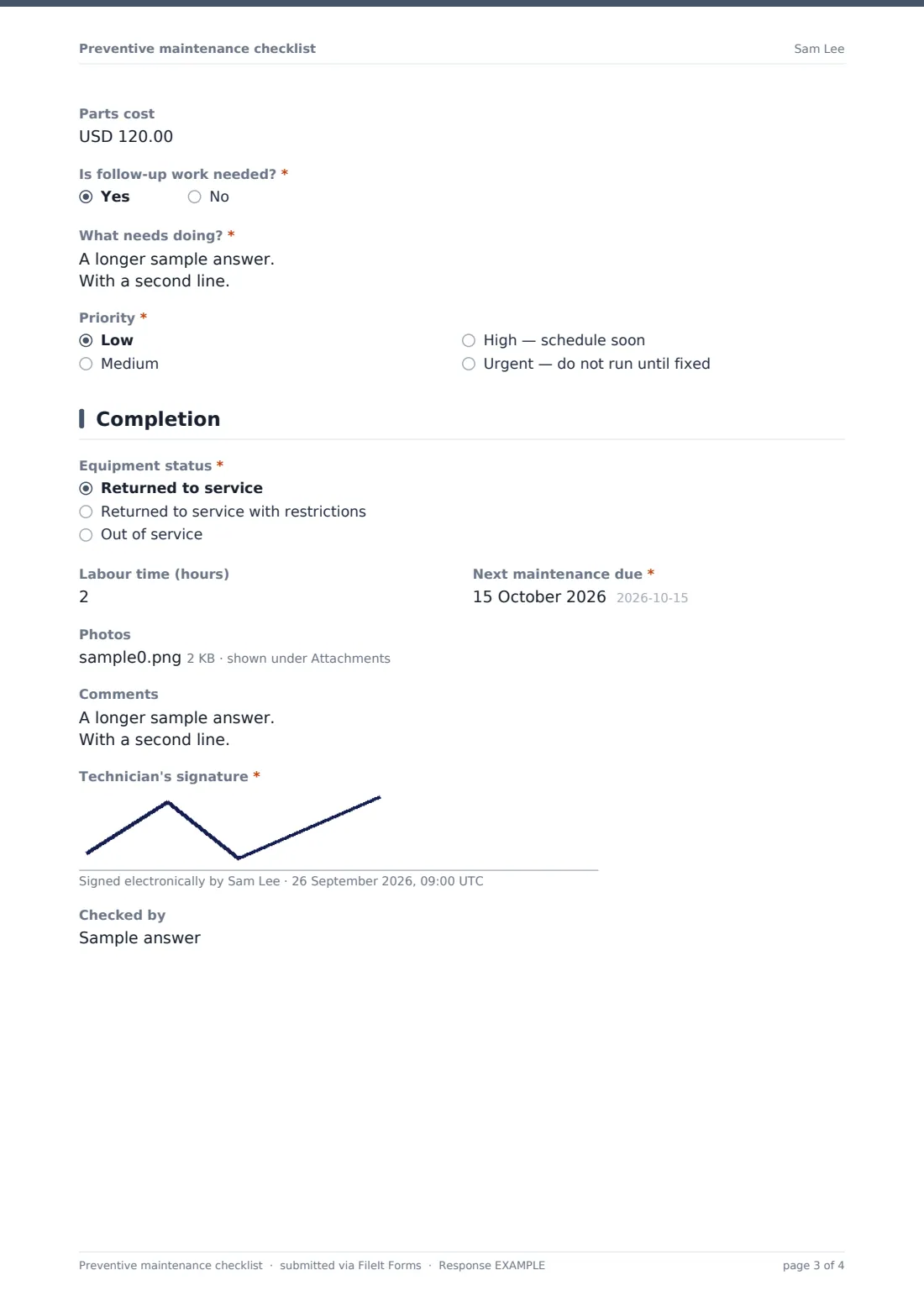
- Parts cost asked only when it applies
- Is follow-up work needed?*
- What needs doing?* asked only when it applies
- Priority* asked only when it applies Low · Medium · High — schedule soon · Urgent — do not run until fixed
4 Completion
- Equipment status* Returned to service · Returned to service with restrictions · Out of service
- What are the restrictions?* asked only when it applies
- Labour time (hours)
- Next maintenance due*
- Photos
- Comments
- Technician's signature*
- Checked by
The preventive maintenance checklist form, page by page
1 Asset & schedule
The technician records the date and start time, asset ID, machine name, location, PM work order number and the maintenance interval — weekly, monthly, quarterly, six-monthly, annual, or running hours. A required question confirms the equipment was isolated and locked out; answering no shows a stop notice pointing back to the lockout / tagout procedure.
2 Checklist
Twelve common tasks are marked done, adjusted or fixed, needs follow-up, or not applicable: visual check, lubrication, belts and chains, filters, fluid levels, electrical connections, guards and emergency stops, fasteners, bearings, sensors and gauges, cleaning, and safety labels. A notes box records what was found and done.
3 Readings & parts
Optional readings cover the hour meter or cycle count, operating temperature, pressure and vibration, with space for others. Replacing parts asks for a parts list and cost. A required question asks whether follow-up work is needed; if so, the technician describes it and sets a priority, from low to urgent — do not run until fixed.
4 Completion
The equipment's status is required: returned to service, returned with restrictions (which asks what they are), or out of service. Labour time, a required next due date, photos, comments and the technician's signature complete the record, with an optional name for whoever checked it.
Make the template yours
- Replace the twelve tasks with the manufacturer's service schedule for a specific machine
- Make copies of the form for each type of equipment, each with its own checklist
- Change the readings to the units and measurements your equipment actually uses
- Change the currency on the parts cost field
- Add your maintenance planner to the notification emails
- Add a sign-off signature for the supervisor if your procedure needs one
Tips for a better preventive maintenance checklist form
- Always isolate and lock out before starting, and record it
- Write readings down every time — trends often warn of a failure before it happens
- Mark a task as needing follow-up rather than leaving it blank
- Set the next due date before leaving the machine
- Photograph worn parts next to their replacements
- Review follow-up items weekly so they don't pile up
Every response becomes a PDF in your vault
Each PM is saved as a signed PDF in your chosen vault folder, with photos attached, and the form owner is emailed — useful for making sure urgent follow-up work gets seen.
Use the Responses table to see maintenance by asset and date, and export to CSV to check which PMs are due or overdue and total parts costs. FileIt doesn't schedule the next PM for you — the next due date is recorded for your planner or CMMS.
- Start from this template. It opens in the FileIt Forms designer — change any question, add pages, set the rules for when questions appear.
- Share it. Turn on a public link, or send it to people by email, each with their own link. They don’t need a FileIt account.
- Get the answers as PDFs. Each response is saved as a PDF in the vault folder you choose, with uploaded files attached — and listed in a Responses table you can export to CSV.
Preventive maintenance checklist form: frequently asked questions
Is this preventive maintenance checklist template free?
Yes. It's included in the FileIt Forms app on every account, including the free plan.
Can we use our own task list?
Yes. Edit the rows of the task grid to match your equipment or the manufacturer's service schedule.
Does the form schedule the next maintenance?
No. It records the next due date. Scheduling and reminders are handled by your planner or maintenance system.
What if the technician didn't lock out the machine?
Answering no shows a stop notice asking them to follow the lockout / tagout procedure first. The answer is kept in the record.
Can we record parts and costs?
Yes. Saying parts were replaced asks for a parts list and an optional cost.
Do technicians need a FileIt account?
No. They can use the link on a phone or tablet at the machine — a QR code on each asset works well.
Can contractors use it for service visits?
Yes. Send them a personal link and their records are filed in your vault.
Is this a replacement for a CMMS?
It's a structured maintenance record, not a full maintenance management system. It works well for smaller teams or alongside a CMMS as a signed field record.