What is the partner agency referral form template?
Good referrals between agencies save clients from telling their story again and again. But a referral that arrives as a rushed phone call or a two-line email often misses the essentials: whether the client actually agreed, whether it's safe to leave a voicemail, how urgent it is, or what risks a visiting worker should know about.
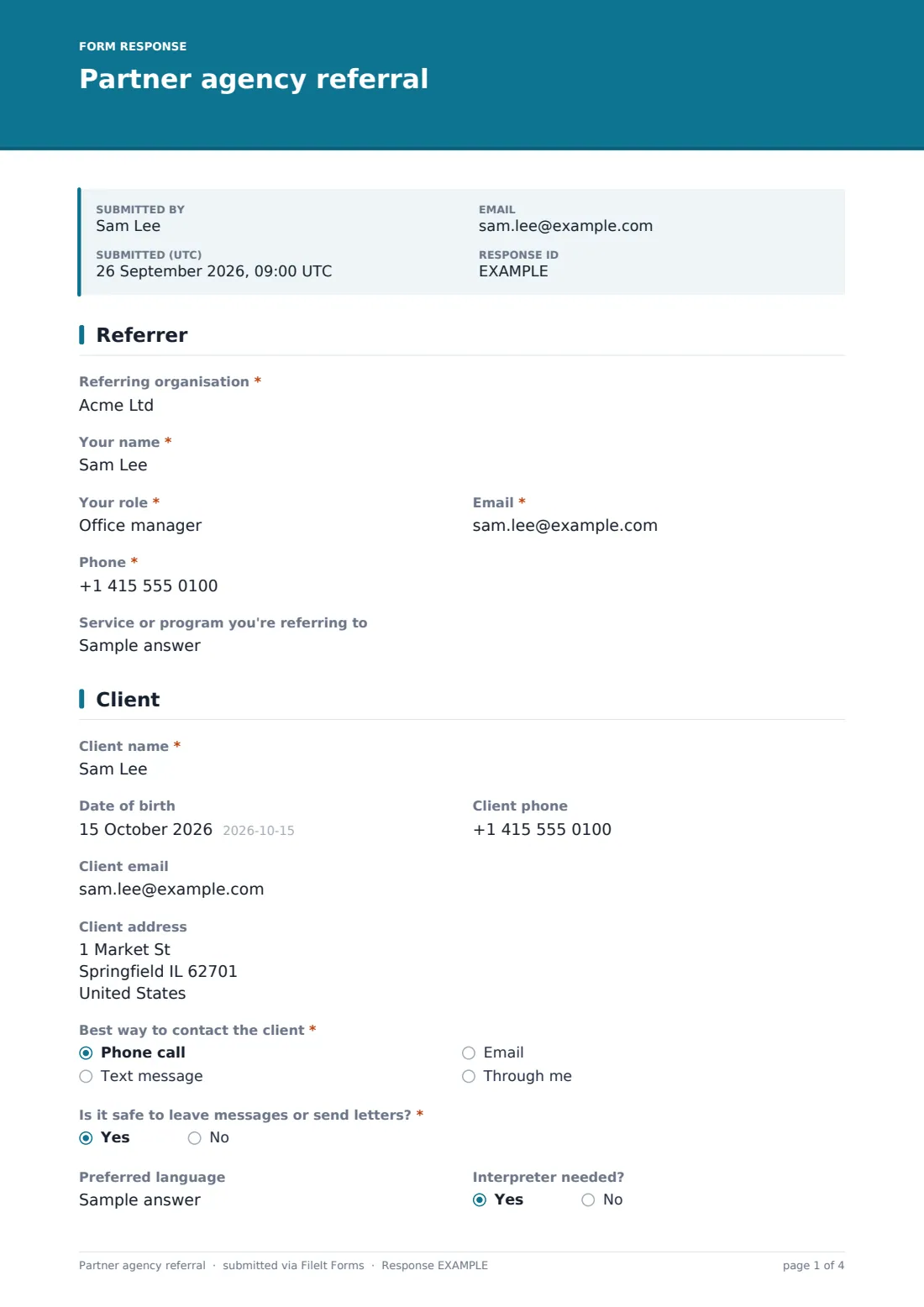
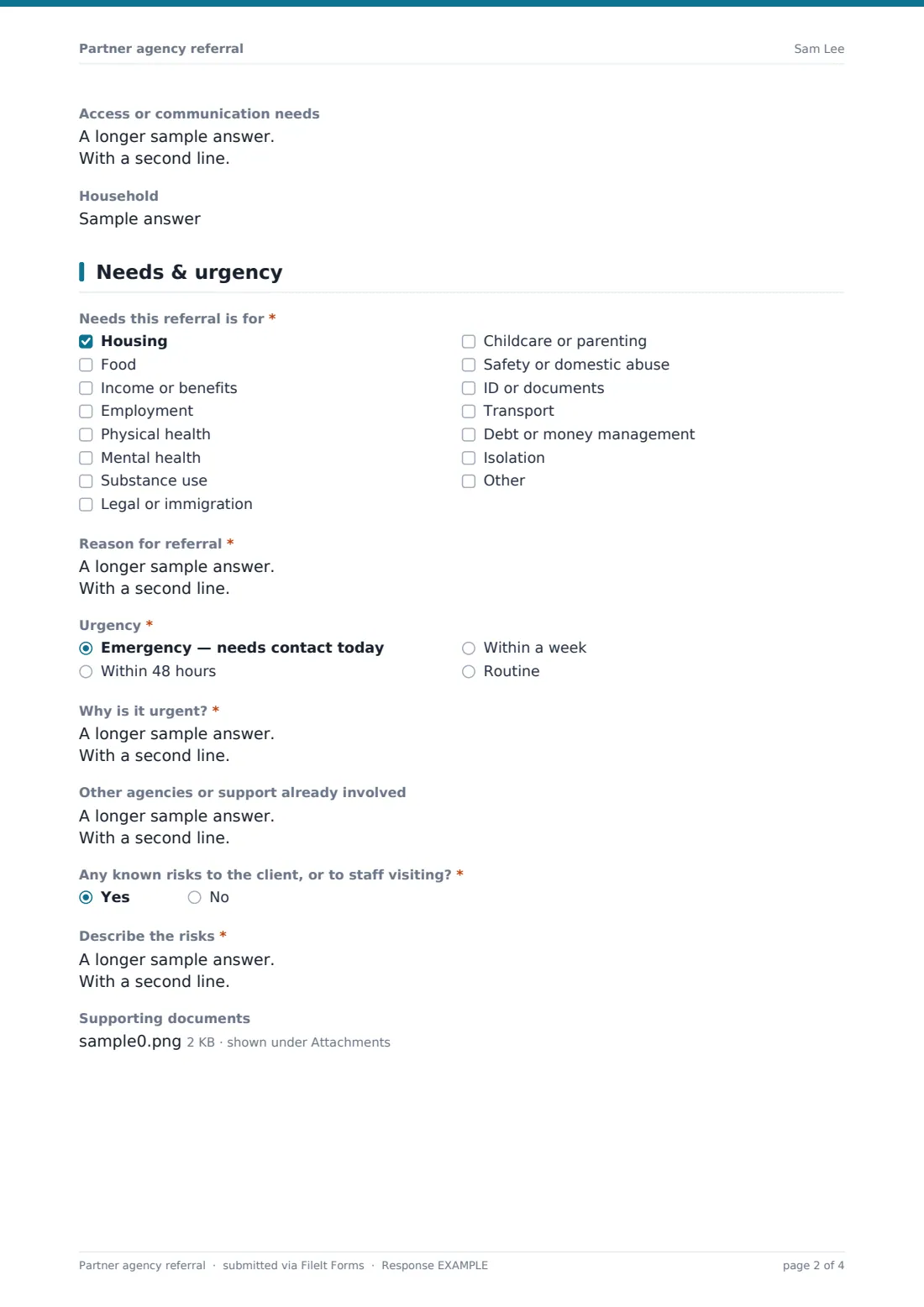
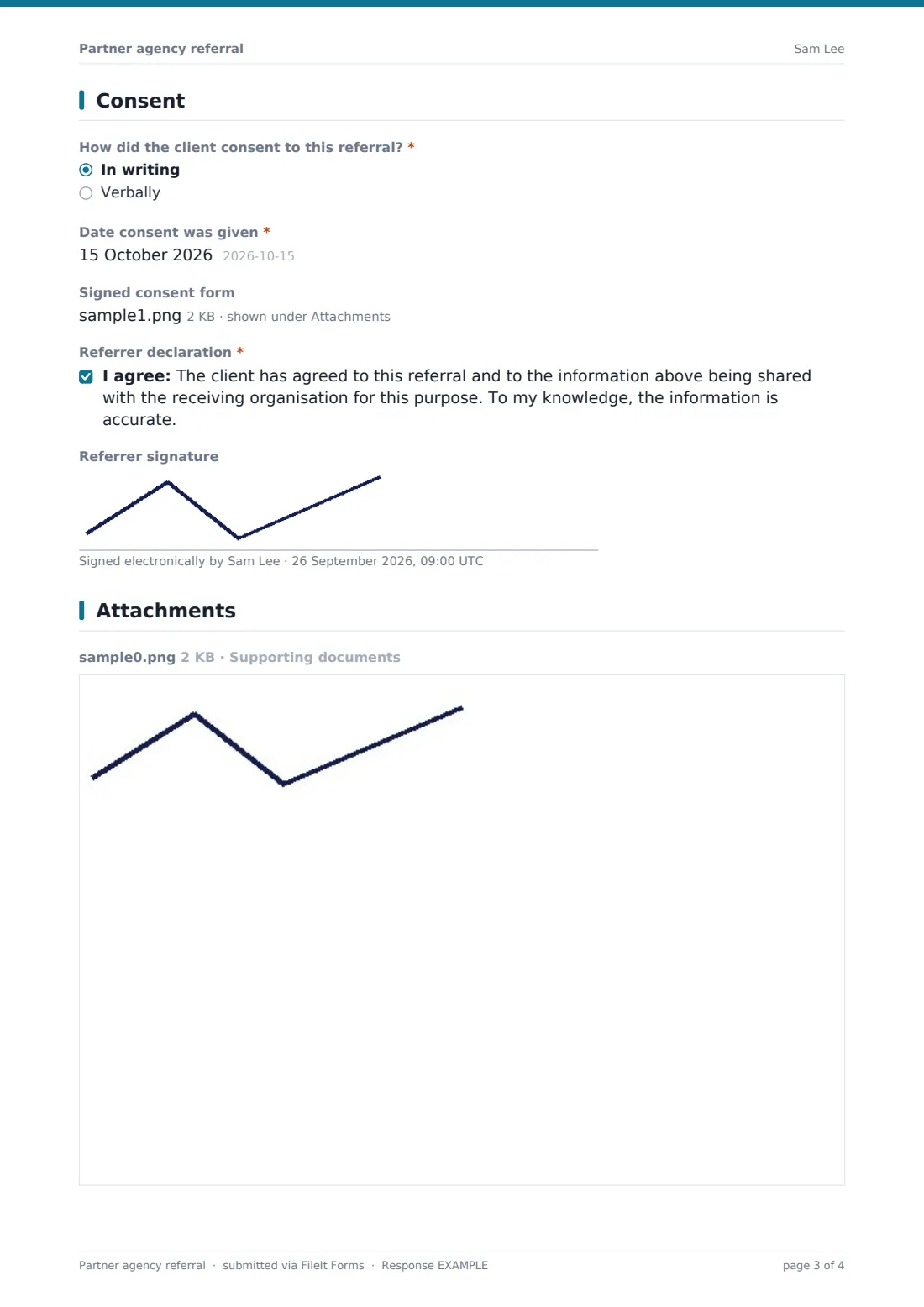
This partner agency referral form asks for all of it. The referrer's details come first, then the client's contact details with their preferred way of being contacted and whether messages are safe. The needs checklist and reason for referral explain what's wanted; urgency runs from 'contact today' to routine, and an emergency asks why. Known risks, other agencies involved and supporting documents follow, and the last page records how and when the client consented.
Each referral is saved as a PDF in the receiving organisation's FileIt vault the moment it's submitted, so an intake worker can pick it up straight away.
- Best for
- Charities, shelters, food banks, advice services and faith groups receiving referrals from partners
- Filled in by
- A caseworker or professional at the referring organisation
- Time to complete
- About 8–10 minutes
- Includes
- Safe-contact check, needs checklist, urgency, risk information, documents and recorded consent
Who uses a partner agency referral form?
- A food bank accepting referrals from schools, GPs and social workers
- A shelter taking referrals from outreach teams and hospitals
- A church welfare team passing a family on to a specialist debt adviser
- A domestic abuse service receiving referrals with safe-contact instructions
- A coalition of local agencies using one shared referral form
Questions on this partner agency referral form
30 questions over 4 pages · includes signature, file upload, conditional questions, multiple pages, consent checkbox.
1 Referrer
- Referring organisation*
- Your name*
- Your role*
- Email*
- Phone*
- Service or program you're referring to
2 Client
- Client name*
- Date of birth
- Client phone
- Client email
- Client address
- Best way to contact the client* Phone call · Text message · Email · Through me
- Is it safe to leave messages or send letters?*
- Preferred language
- Interpreter needed?
- Access or communication needs
- Household
3 Needs & urgency
- Needs this referral is for* Housing · Food · Income or benefits · Employment · Physical health · Mental health · Substance use · Legal or immigration · Childcare or parenting · Safety or domestic abuse · ID or documents · Transport
- Reason for referral*
- Urgency* Emergency — needs contact today · Within 48 hours · Within a week · Routine
- Why is it urgent?* asked only when it applies
- Other agencies or support already involved
- Any known risks to the client, or to staff visiting?*
- Describe the risks* asked only when it applies
- Supporting documents
4 Consent
- How did the client consent to this referral?* In writing · Verbally
- Date consent was given*
- Signed consent form asked only when it applies
- Referrer declaration*
- Referrer signature
The partner agency referral form, page by page
1 Referrer
The referring organisation, the referrer's name, role, email and phone, and optionally which of your services the referral is for.
2 Client
The client's name is required; date of birth, phone, email and address are optional so a referral can still be made for someone with no fixed address. The best way to contact them — phone, text, email or through the referrer — and whether it's safe to leave messages are both required. Language, interpreter needs, access needs and household make-up follow.
3 Needs & urgency
A needs checklist (housing, food, income, employment, health, mental health, substance use, legal, childcare, safety, documents, transport, debt, isolation and Other) and a required reason for referral. Urgency runs from emergency — contact today — to routine; an emergency asks why. The referrer lists other agencies involved, says whether there are known risks to the client or visiting staff (yes asks for detail), and can attach up to five supporting documents.
4 Consent
How the client consented — in writing or verbally — and when. A written consent reveals an upload for the signed form. The referrer confirms the client agreed to the referral and information sharing, and can sign.
Make the template yours
- Replace the service field with a dropdown of your programs
- Add your eligibility criteria as a paragraph on the first page so partners don't refer people you can't help
- Add your intake team to NotifyEmails so urgent referrals are seen the same day
- Remove the date of birth or address fields if you don't need them — collect only what you use
- Edit the declaration to match your data-sharing agreement with partners
Tips for a better partner agency referral form
- Share the link only with partner agencies — you don't want the public using it by mistake
- Respect the safe-contact answer every time; for some clients a voicemail can put them at risk
- Acknowledge each referral to the referrer so they know it's been picked up
- Review 'contact today' referrals first thing and last thing each day
- Agree with partners what counts as each urgency level
Every response becomes a PDF in your vault
Every referral arrives as a PDF in the vault folder you choose, with an email notification to you and any intake addresses you've added. The referrer gets their own copy if you leave that setting on — useful for their case file.
In the Responses table, filter by urgency or need to triage the day's referrals, and export to CSV to report how many referrals came from each partner.
- Start from this template. It opens in the FileIt Forms designer — change any question, add pages, set the rules for when questions appear.
- Share it. Turn on a public link, or send it to people by email, each with their own link. They don’t need a FileIt account.
- Get the answers as PDFs. Each response is saved as a PDF in the vault folder you choose, with uploaded files attached — and listed in a Responses table you can export to CSV.
Partner agency referral form: frequently asked questions
Is this agency referral form template free?
Yes. It's one of the ready-made templates in the Forms app on every FileIt account, including the free plan. Use it as it is or change any question in the designer.
Do referrers need a FileIt account?
No. Partner agencies use the link you give them — no sign-up needed.
How is client consent recorded?
The last page records whether consent was written or verbal and the date, with an optional upload of the signed consent form, and the referrer confirms the client agreed.
Can we be alerted to urgent referrals?
Every submission sends an email notification. Add your intake team's addresses in Settings so emergency referrals are seen quickly.
What if the client has no address or phone?
Only the client's name and contact preference are required, and 'Through me' lets the referrer be the point of contact.
Can I edit the needs list?
Yes. Every question and option can be changed in the designer.