What is the matching gift request form template?
Many employers match the charitable gifts their employees make, and some also give a grant for the hours employees volunteer. Running a matching program needs a simple, consistent request: who gave, to which charity, how much and when, with a receipt as proof — and the employee's confirmation that the gift was personal and didn't buy them anything.
This matching gift request covers donations of cash, payroll giving, shares and volunteer hours. The amount question switches to hours and a period for volunteer time. Employees upload the charity's receipt, give the charity's registration or tax ID and address, and say whether they received anything in return. Two statements — a certification and acknowledgement of your matching policy — and a signature complete it.
Each request is saved as a PDF with the receipt in your FileIt vault, ready for whoever approves and pays matches.
- Best for
- Employers, HR teams and corporate foundations running matching gift or volunteer grant programs
- Filled in by
- Employees, retirees or board members
- Time to complete
- About 5 minutes
- Includes
- Gift type, receipt upload, charity details, benefit received, certification and signature
Who uses a matching gift request form?
- A company matching employee donations up to an annual limit
- A dollars-for-doers program paying a grant for employee volunteer hours
- A corporate foundation processing matches for retirees and board members
- A small business matching staff gifts to a disaster appeal
- A charity sharing the form with its supporters' employers as a model
Questions on this matching gift request form
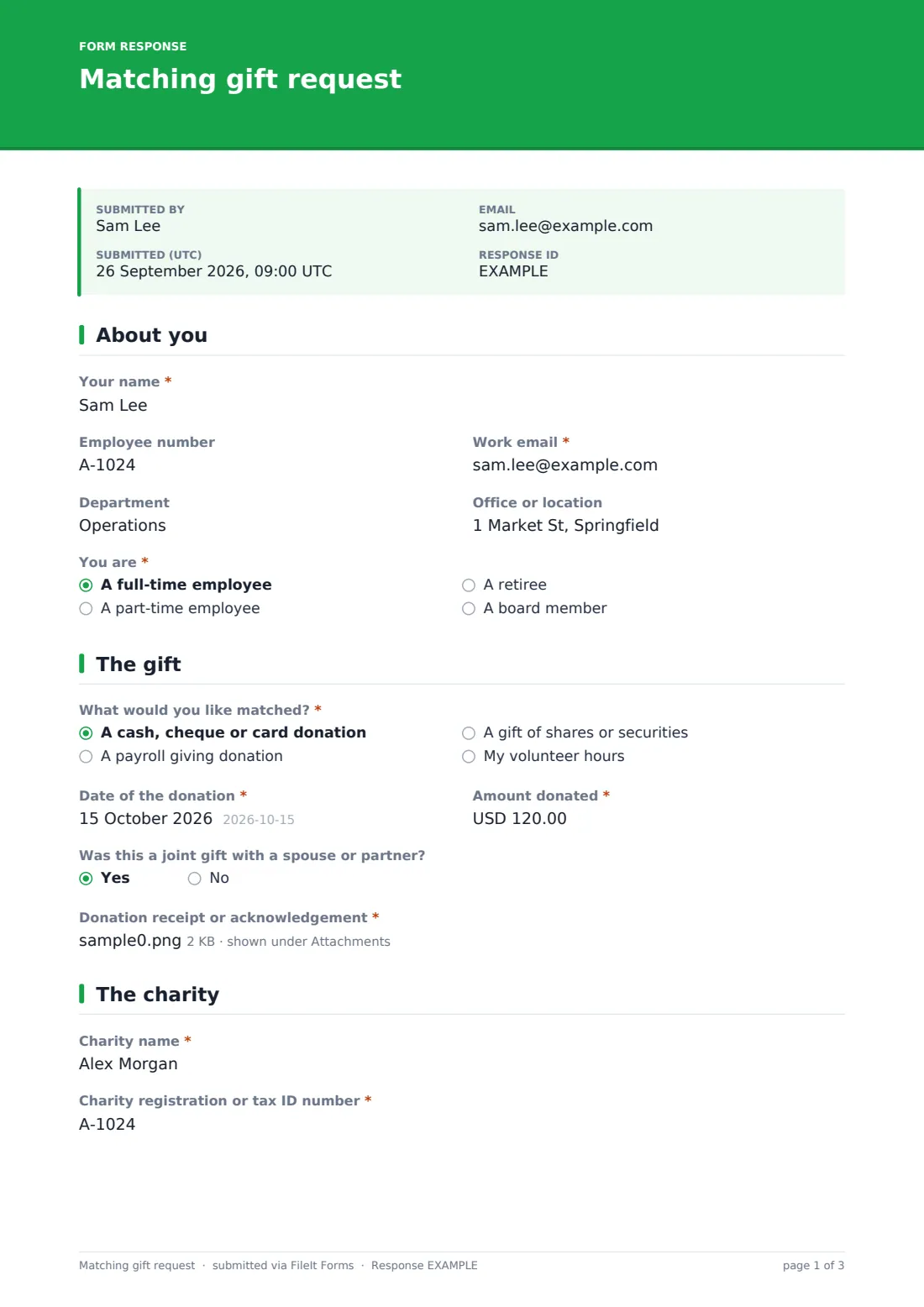
24 questions over 4 pages · includes signature, file upload, conditional questions, multiple pages, consent checkbox.
1 About you
- Your name*
- Employee number
- Work email*
- Department
- Office or location
- You are* A full-time employee · A part-time employee · A retiree · A board member
2 The gift
- What would you like matched?* A cash, cheque or card donation · A payroll giving donation · A gift of shares or securities · My volunteer hours
- Date of the donation*
- Amount donated* asked only when it applies
- Volunteer hours* asked only when it applies
- Period the hours cover* asked only when it applies
- Was this a joint gift with a spouse or partner?
- Donation receipt or acknowledgement*
3 The charity
- Charity name*
- Charity registration or tax ID number*
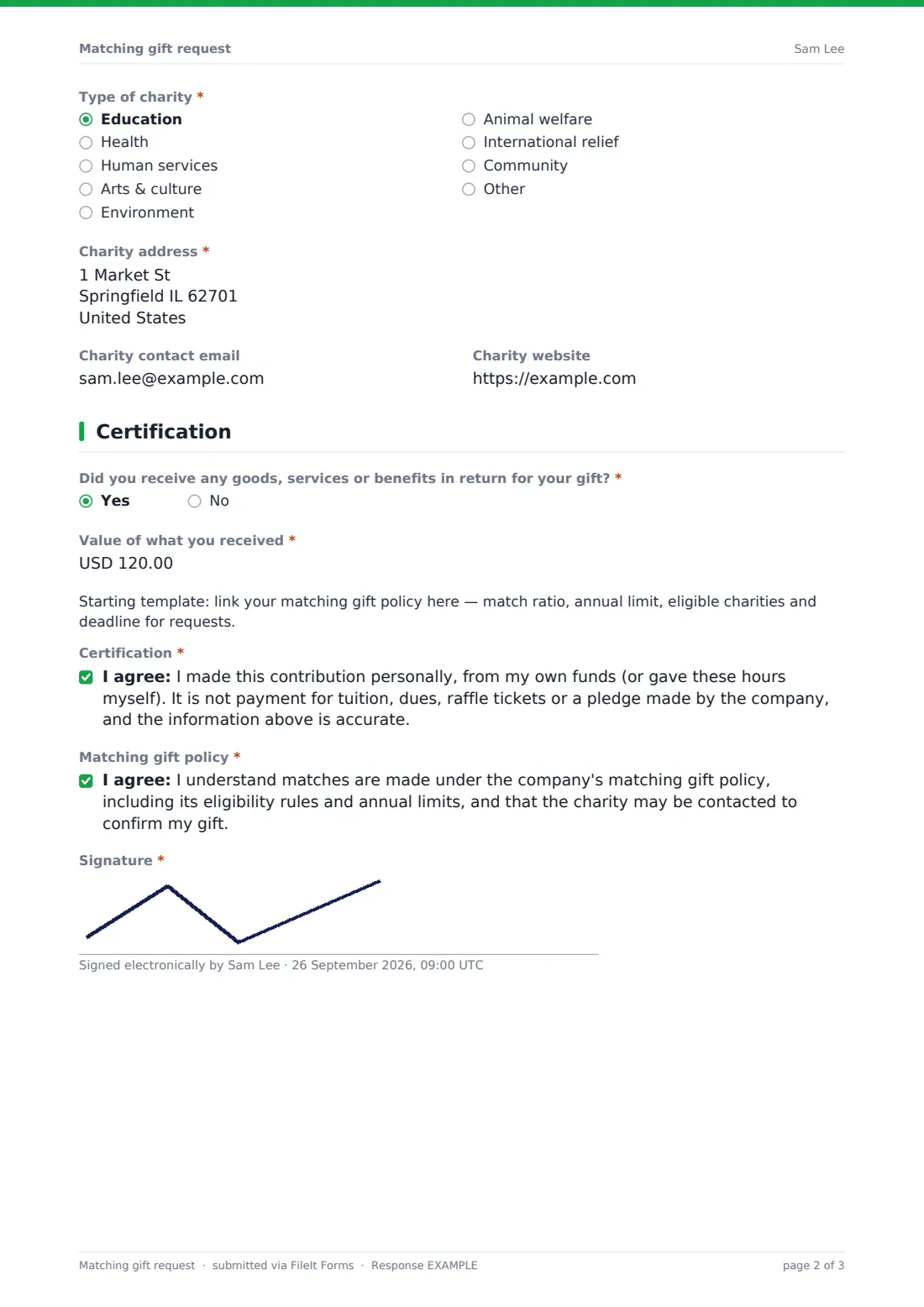
- Type of charity* Education · Health · Human services · Arts & culture · Environment · Animal welfare · International relief · Community · Other
- Charity address*
- Charity contact email
- Charity website
4 Certification
- Did you receive any goods, services or benefits in return for your gift?*
- Value of what you received* asked only when it applies
- Certification*
- Matching gift policy*
- Signature*
The matching gift request form, page by page
1 About you
Name and work email are required; employee number, department and office are optional. The employee says whether they're full-time, part-time, a retiree or a board member.
2 The gift
What would you like matched? — a cash, cheque or card donation, payroll giving, shares or securities, or volunteer hours. Donations ask for the amount; volunteer hours ask for the number of hours and the period they cover. The date, whether it was a joint gift, and a required upload of the receipt or hours confirmation follow.
3 The charity
Charity name, registration or tax ID number, type of charity, address, and optionally a contact email and website so you can confirm the gift.
4 Certification
A yes/no asks whether the employee received goods, services or benefits in return, with the value on yes. A placeholder paragraph is there for your policy details. The employee certifies the gift was personal and isn't payment for tuition, dues, tickets or a company pledge, acknowledges your matching policy, and signs.
Make the template yours
- Replace the template note with your match ratio, annual limit and request deadline
- Remove the volunteer hours option if you only match donations
- Change the currency on the amount and benefit fields
- Add your finance team to NotifyEmails so requests reach the approver
- Make Employee number required if your payroll or HR system needs it to process a match
Tips for a better matching gift request form
- Remind employees of the deadline for requests toward the end of each year
- Match only the part of a gift that exceeds any benefit received
- Keep a running total per employee to apply your annual limit
- Confirm large gifts with the charity before paying the match
- Tell employees when their match has been paid — it encourages them to give again
Every response becomes a PDF in your vault
Each request, with its receipt, is saved as a PDF in the vault folder you choose, and you're notified by email. The employee gets their own copy if the copy setting is on.
Filter the Responses table by charity, gift type or date, and export to CSV to total matches by employee against your annual limit or prepare the payment run.
- Start from this template. It opens in the FileIt Forms designer — change any question, add pages, set the rules for when questions appear.
- Share it. Turn on a public link, or send it to people by email, each with their own link. They don’t need a FileIt account.
- Get the answers as PDFs. Each response is saved as a PDF in the vault folder you choose, with uploaded files attached — and listed in a Responses table you can export to CSV.
Matching gift request form: frequently asked questions
Is this matching gift request template free?
Yes. It's one of the ready-made templates in the Forms app on every FileIt account, including the free plan. Use it as it is or change any question in the designer.
Can employees request a grant for volunteer hours?
Yes. Choosing 'My volunteer hours' swaps the amount for the number of hours and the period they cover.
Is a receipt required?
Yes. Employees must upload a receipt, acknowledgement or letter confirming hours — up to three files.
Where do I put our matching rules?
A placeholder paragraph on the last page is there for your match ratio, limits and deadline, and the policy statement can be edited.
Do employees need a FileIt account?
No. They use the link you share on your intranet or by email.
Can I check the gift with the charity?
The form asks for a charity contact email and website, and the employee agrees the charity may be contacted.