What is the luggage storage check-in form template?
Hotel luggage rooms fill up fast on a busy changeover day — guests who've checked out but fly at night, arrivals whose room isn't ready, a cousin collecting a suitcase on someone's behalf. A torn tag and a scribbled name don't help when someone comes back and the bag isn't where it should be. This luggage storage check-in form gives the front desk one clean record per guest.
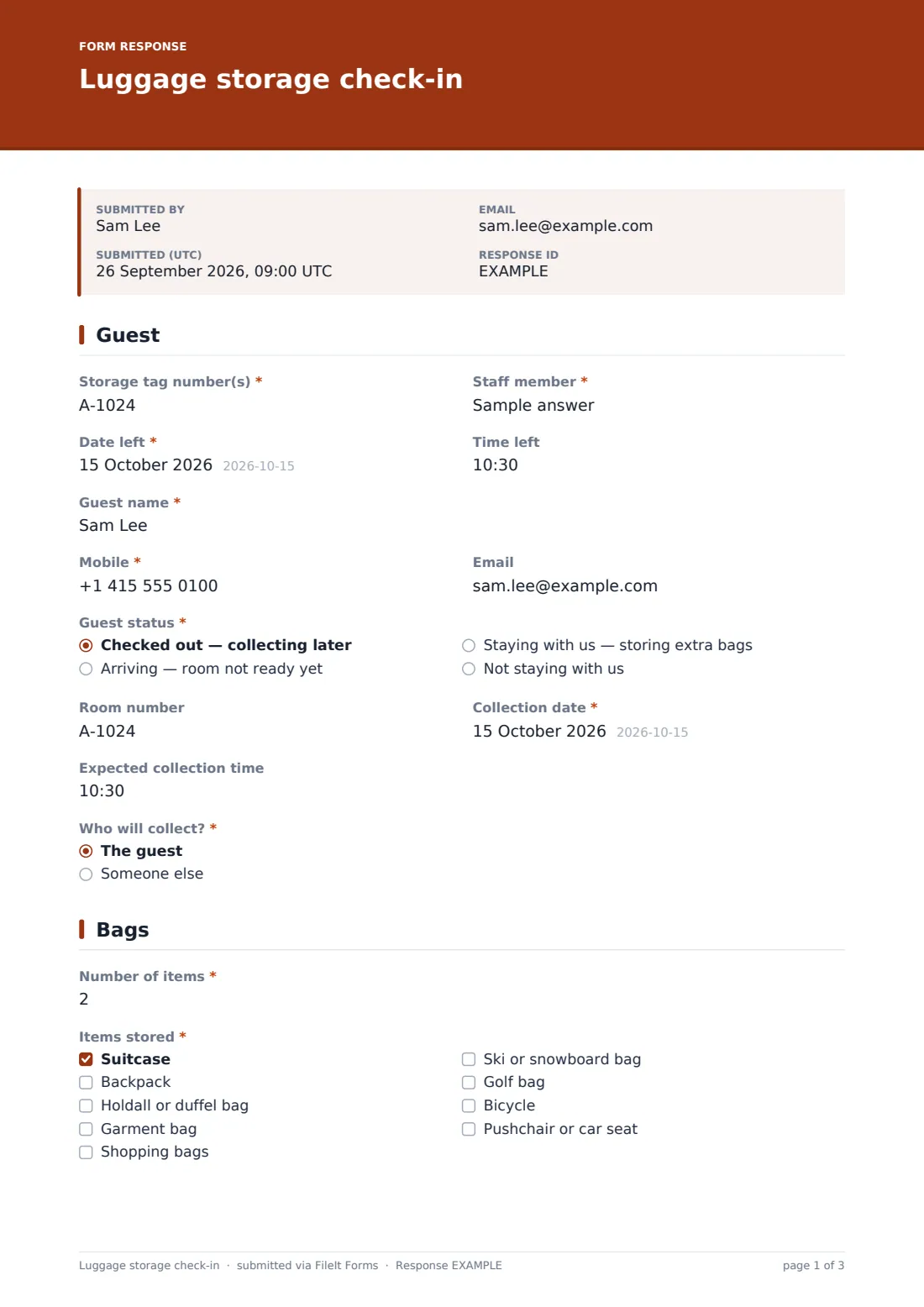
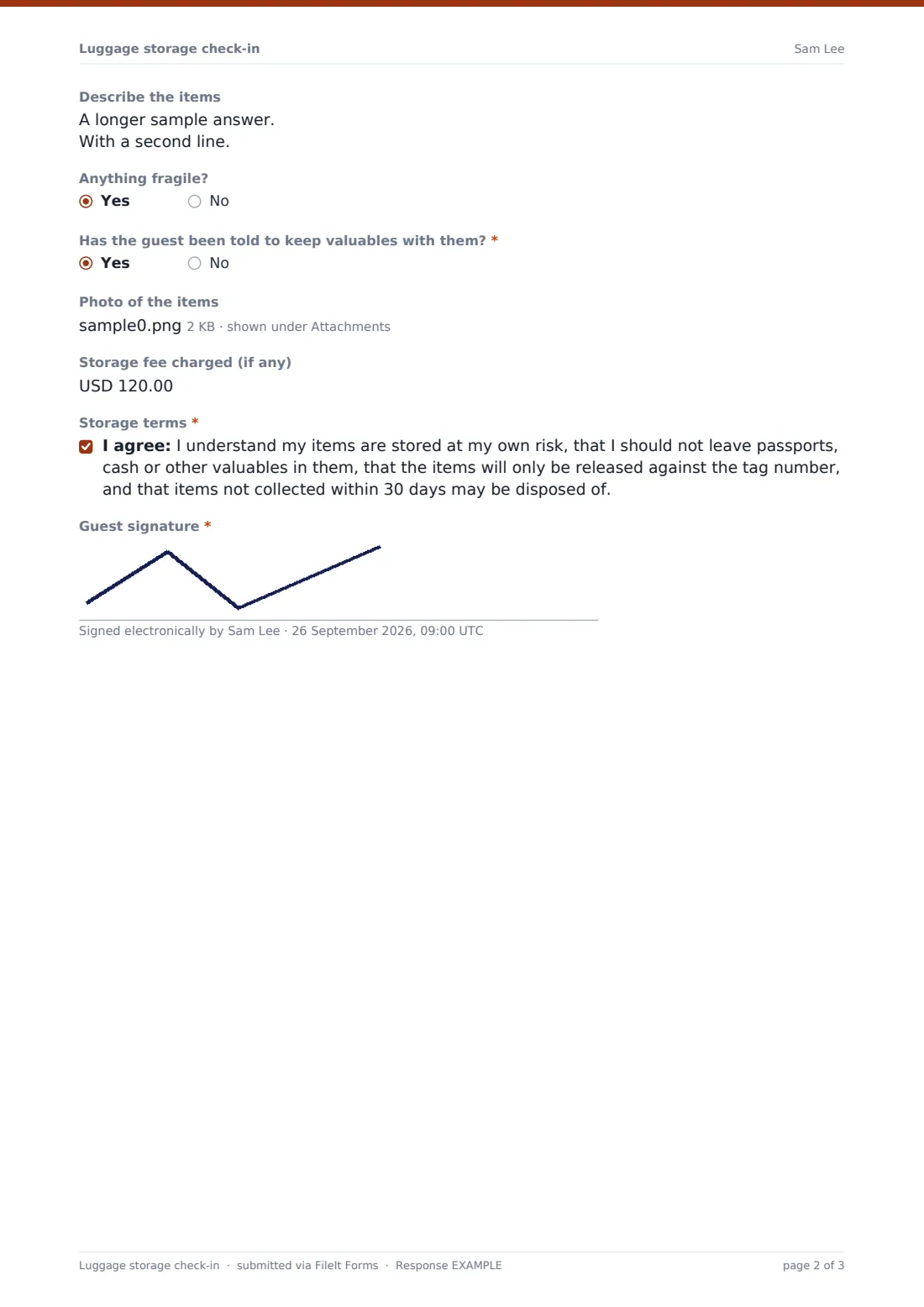
Staff record the tag numbers, who took the bags in and when, then the guest's details and status: checked out, arriving, in house or not staying at all. The collection date and time come next, along with who will collect. If it's someone else, the form asks for that person's name so the desk knows who to release the bags to. The second page lists the items, with a description and photos, and confirms the guest has been told to keep valuables with them.
The guest ticks the storage terms and signs on the staff member's screen. Each check-in is filed as a PDF in your FileIt vault, with the photos attached.
- Best for
- Hotels, hostels, B&Bs, tour offices and left-luggage desks
- Filled in by
- Front desk or concierge staff, with the guest signing
- Time to complete
- About 2 minutes
- Includes
- Tag numbers, collection details, third-party collection, item checklist, photos, terms and signature
Who uses a luggage storage check-in form?
- Holding bags for guests who check out in the morning and fly in the evening
- Storing luggage for early arrivals before their room is ready
- Releasing a suitcase to a named friend or driver collecting for the guest
- Keeping skis, bikes and golf bags for guests on a multi-stop trip
- Running a paid left-luggage service for non-residents
Questions on this luggage storage check-in form
22 questions over 2 pages · includes signature, file upload, conditional questions, multiple pages, consent checkbox.
1 Guest
- Storage tag number(s)*
- Staff member*
- Date left*
- Time left
- Guest name*
- Mobile*
- Guest status* Checked out — collecting later · Arriving — room not ready yet · Staying with us — storing extra bags · Not staying with us
- Room number asked only when it applies
- Collection date*
- Expected collection time
- Who will collect?* The guest · Someone else
- Name of the person collecting* asked only when it applies
2 Bags
- Number of items*
- Items stored* Suitcase · Backpack · Holdall or duffel bag · Garment bag · Shopping bags · Ski or snowboard bag · Golf bag · Bicycle · Pushchair or car seat
- Describe the items
- Anything fragile?
- Has the guest been told to keep valuables with them?*
- Photo of the items
- Storage fee charged (if any)
- Storage terms*
- Guest signature*
The luggage storage check-in form, page by page
1 Guest
Staff enter the "Storage tag number(s)", their own name, and the date and time the bags were left. The guest gives their name, mobile and optional email. "Guest status" covers checked out and collecting later, arriving before the room is ready, staying and storing extra bags, or not staying. Anyone other than a non-resident is asked for a room number. The page records the "Collection date" and "Expected collection time", then "Who will collect?". Choosing someone else asks for "Name of the person collecting".
2 Bags
Staff record the "Number of items" and tick "Items stored": suitcase, backpack, holdall, garment bag, shopping bags, ski or snowboard bag, golf bag, bicycle, or pushchair or car seat. A free-text box takes colour, brand, size and marks, and a yes/no flags fragile items.
The required question "Has the guest been told to keep valuables with them?" has help text listing passports, cash, jewellery, medicines and laptops. Up to four photos can be added, and any storage fee can be recorded. The guest ticks the storage terms — stored at their own risk, no valuables, released only against the tag number, and items left over 30 days may be disposed of — then signs.
Make the template yours
- Change the 30-day period in the terms to match your own policy
- Set the currency on the storage fee, or remove the field if storage is free
- Add your tag colours or shelf locations as a dropdown
- Make the photo required for high-value items such as bicycles
- Switch off the respondent copy if you don't usually take guests' emails
Tips for a better luggage storage check-in form
- Attach the claim tag to the bag before you fill in the form, so the number is correct
- Photograph bags together with their tags in the shot
- Check the collector's name against ID before releasing bags to someone else
- Review the Responses table weekly for bags past their collection date
- Keep the luggage room locked and the form link on the front desk tablet only
Every response becomes a PDF in your vault
Each check-in is filed as a PDF in your vault with the photos attached, and an email notice goes to the form owner. If the guest gave an email address, they receive a copy, which works as a digital receipt alongside the paper tag.
At collection, search the Responses table by tag number, name or room to pull up the record. Export to CSV to see what's still in storage and what's overdue.
- Start from this template. It opens in the FileIt Forms designer — change any question, add pages, set the rules for when questions appear.
- Share it. Turn on a public link, or send it to people by email, each with their own link. They don’t need a FileIt account.
- Get the answers as PDFs. Each response is saved as a PDF in the vault folder you choose, with uploaded files attached — and listed in a Responses table you can export to CSV.
Luggage storage check-in form: frequently asked questions
Is this luggage storage form free?
Yes. It's one of the ready-made templates in the Forms app on every FileIt account, including the free plan.
Do guests fill it in themselves?
The template is designed for staff to complete with the guest present, and the guest signs on the screen. You could share the link with guests instead, but staff should still check tag numbers.
Can the guest get a receipt?
Yes. If they give an email address, FileIt sends them a copy of the completed form, signature included.
Can I take a storage fee through the form?
No. You can record the fee charged, but payment is taken through your own till or room account.
What happens to the photos?
They're attached to the vault document created for that check-in, and they're also listed in the PDF and the response.
Can I record when the bags were collected?
The template records drop-off. Some hotels make a copy of it as a short collection form, with the tag number, who collected and a signature.