What is the room charge slip form template?
When a guest says "charge it to my room", the outlet needs a signed record of what was charged, to which room, and for how much. Paper slips get lost between the bar and the front office, and a missing signature makes a disputed charge hard to defend at check-out.
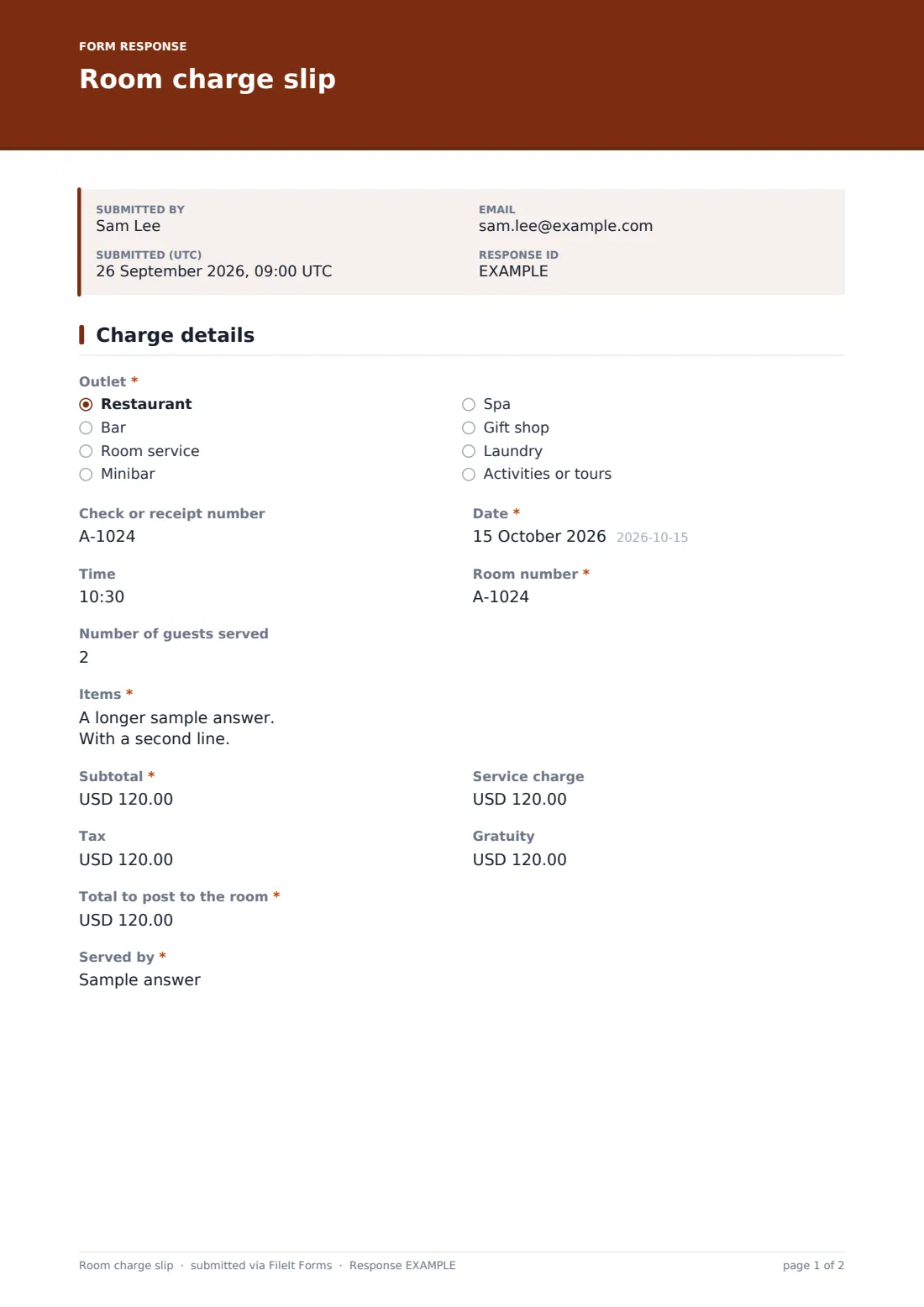
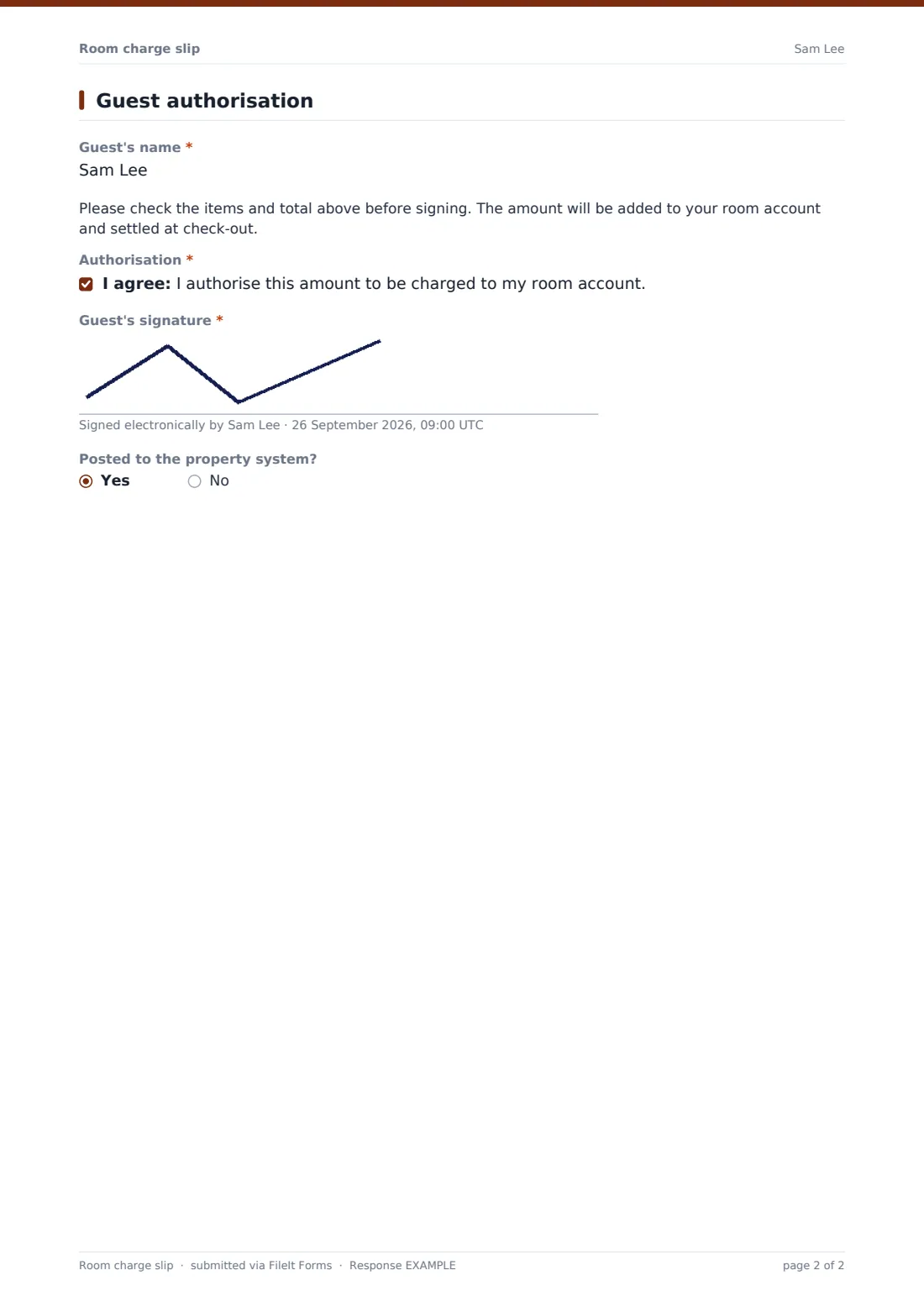
This room charge slip records the outlet, check number, date and time, room number and itemised charges, with subtotal, service charge, tax, gratuity and total. Restaurant charges also record the number of guests served. The guest confirms the charge and signs on screen, and staff can mark when the charge has been posted.
Each slip is saved as a PDF in your FileIt vault, giving front office and accounts a signed record to check against the guest's final bill.
- Best for
- Hotels and resorts with restaurants, bars, spas or shops
- Filled in by
- Outlet staff, with the guest's signature
- Time to complete
- About 1–2 minutes
- Includes
- Itemised charges, service charge, tax, gratuity, total, guest signature, posted flag
Who uses a room charge slip form?
- A hotel bar records drinks charged to a guest's room
- A spa posts a treatment to the room account
- Room service records a late-night order with a signature
- Housekeeping records minibar consumption at check-out
- A pool bar without a till link records charges on a tablet
- Accounts checks a disputed charge against the signed slip
Questions on this room charge slip form
17 questions over 2 pages · includes signature, conditional questions, multiple pages, consent checkbox.
1 Charge details
- Outlet* Restaurant · Bar · Room service · Minibar · Spa · Gift shop · Laundry · Activities or tours
- Check or receipt number
- Date*
- Time
- Room number*
- Number of guests served asked only when it applies
- Items*
- Subtotal*
- Service charge
- Tax
- Gratuity
- Total to post to the room*
- Served by*
2 Guest authorisation
- Guest's name*
- Authorisation*
- Guest's signature*
- Posted to the property system?
The room charge slip form, page by page
1 Charge details
Staff choose the outlet — restaurant, bar, room service, minibar, spa, shop, laundry, activities or another — and enter the check or receipt number, date, time and room number. Restaurant charges also record the number of guests served. Items are listed one per line with quantity and price, followed by the subtotal, service charge, tax, gratuity and the total to post, and the name of the staff member who served.
2 Guest authorisation
The guest gives their name as it appears on the room account and reads a short note asking them to check the items and total. They authorise the charge and sign. A final yes/no question lets staff record whether the charge has been posted to the property system.
Make the template yours
- Change the currency of the amount fields
- Replace the outlet list with your own outlets
- Remove the service charge or gratuity fields if you don't use them
- Add a folio or reservation number field
- Turn owner notifications on if accounts wants an email for each charge
- Save slips into a folder per outlet or per month
Tips for a better room charge slip form
- Always check the room number against the guest's name before posting
- Ask the guest to check the total before they sign
- Post charges to the property system straight away and tick Posted
- Keep signed slips until the guest's account is settled and any queries are closed
- Review unposted slips at the end of each shift
Every response becomes a PDF in your vault
Each signed slip is saved as a PDF in your vault. Notifications are off by default to avoid an email for every charge; turn them on in the settings if you want them.
The Responses table lists every slip with its room, outlet and total, and exports to CSV for reconciliation.
- Start from this template. It opens in the FileIt Forms designer — change any question, add pages, set the rules for when questions appear.
- Share it. Turn on a public link, or send it to people by email, each with their own link. They don’t need a FileIt account.
- Get the answers as PDFs. Each response is saved as a PDF in the vault folder you choose, with uploaded files attached — and listed in a Responses table you can export to CSV.
Room charge slip form: frequently asked questions
Is this room charge slip template free?
Yes. It's included in the Forms app on every FileIt account, including the free plan.
Does it post charges to our property management system?
No. It records the signed charge. Staff post it in your own system and can tick Posted.
Can guests sign on a tablet?
Yes. The signature field works with a finger or stylus.
Does the form calculate the total?
No. Staff enter the total. Check it against the itemised list before the guest signs.
Can we use a different currency?
Yes. Change the currency on the amount fields in the designer.
Can a guest get a copy?
Emailed copies are off in this template because the form doesn't ask for the guest's email. Add an email question and turn on copies if you want them.
Is card data collected?
No. The form doesn't collect payment card details.