What is the hazardous substance assessment form template?
A hazardous substance assessment — known in the UK as a COSHH assessment — looks at one chemical or product and how it's used, then records its hazards, how people could be exposed, the controls and PPE needed, and what to do in an emergency. This template takes the assessor through that in the same order the safety data sheet sets it out, and ends with a residual risk rating and a review date.
Many workplaces hold safety data sheets but no record of how each product is actually used on site. A form ties the SDS to a specific task and location, asks whether the substance could be eliminated or replaced, and makes the controls and PPE explicit so they can be shared with the people using it.
It runs on FileIt's Forms app, included on every FileIt account. Assessors attach the SDS and complete the assessment on any device, and each one becomes a PDF in your vault — a register of assessed substances.
- Best for
- Workshops, cleaning, manufacturing, labs, salons, construction and facilities teams
- Filled in by
- A supervisor or safety lead, using the product's SDS
- Time to complete
- About 15–20 minutes per substance
- Includes
- SDS upload, GHS pictograms, exposure routes, controls and PPE checklists, residual risk, signature
Who uses a hazardous substance assessment form?
- Assessing cleaning chemicals used by facilities staff
- Solvents, adhesives or paints used in a workshop
- Dusts from cutting, sanding or mixing
- Hair and beauty products used in a salon
- Laboratory reagents in a school or research setting
- Reviewing assessments when a supplier issues a new SDS
Questions on this hazardous substance assessment form
32 questions over 5 pages · includes signature, file upload, conditional questions, multiple pages, consent checkbox.
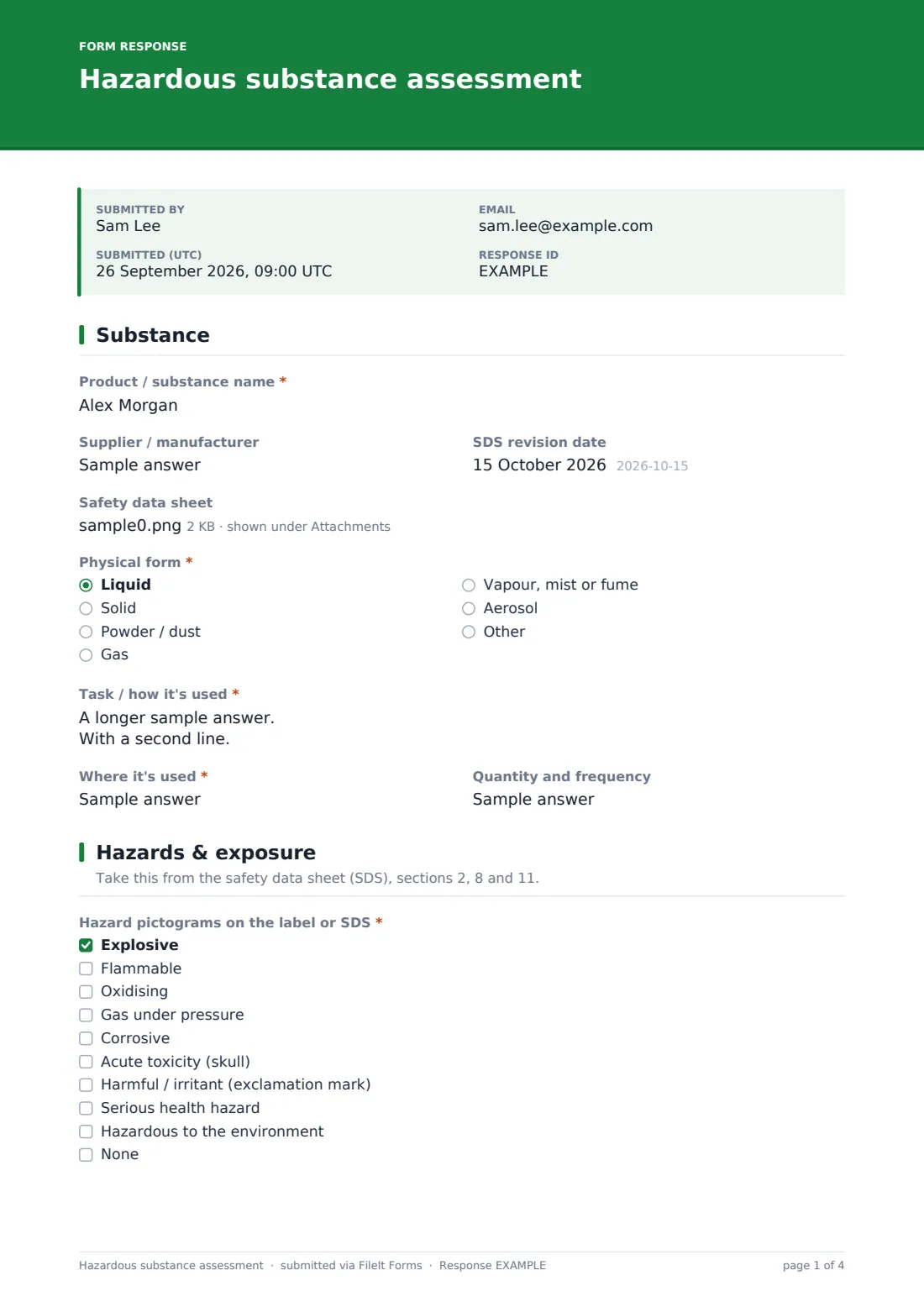
1 Substance
- Product / substance name*
- Supplier / manufacturer
- SDS revision date
- Safety data sheet
- Physical form* Liquid · Solid · Powder / dust · Gas · Vapour, mist or fume · Aerosol
- Task / how it's used*
- Where it's used*
- Quantity and frequency
2 Hazards & exposure
- Hazard pictograms on the label or SDS* Explosive · Flammable · Oxidising · Gas under pressure · Corrosive · Acute toxicity (skull) · Harmful / irritant (exclamation mark) · Serious health hazard · Hazardous to the environment · None
- Hazard statements (H-codes)
- Routes of exposure* Inhalation · Skin contact · Eye contact · Ingestion · Injection / puncture
- Workplace exposure limit(s)
- Who could be exposed?* Operators using it · Others working nearby · Cleaners / maintenance · Visitors or the public · Pregnant, young or vulnerable workers
- Likely exposure before controls* Low · Medium · High
3 Controls & PPE
- Could it be eliminated or replaced with something less hazardous?*
- What could replace it, and what happens next?* asked only when it applies
- Controls in place* Enclosure / closed system · Local exhaust ventilation · General ventilation · Smallest practical quantity · Safe work procedure · Training · Washing facilities / hygiene · Health surveillance
- PPE required* Chemical-resistant gloves · Goggles · Face shield · Respirator · Coveralls / apron · Chemical-resistant boots · None required
- PPE specification
4 Emergencies & storage
- Storage requirements*
- Incompatible materials
- Spill response*
- First aid measures*
- Fire-fighting measures
- Disposal
5 Assessment result
- Risk with controls in place* Low — acceptable · Medium — acceptable with close supervision · High — further controls needed before use
- Further controls needed* asked only when it applies
- Assessed by*
- Assessment date*
- Review by*
- Declaration*
- Assessor signature*
The hazardous substance assessment form, page by page
1 Substance
Product name, supplier, SDS revision date and the SDS itself are recorded, with the physical form, the task it's used for, where, and how much and how often.
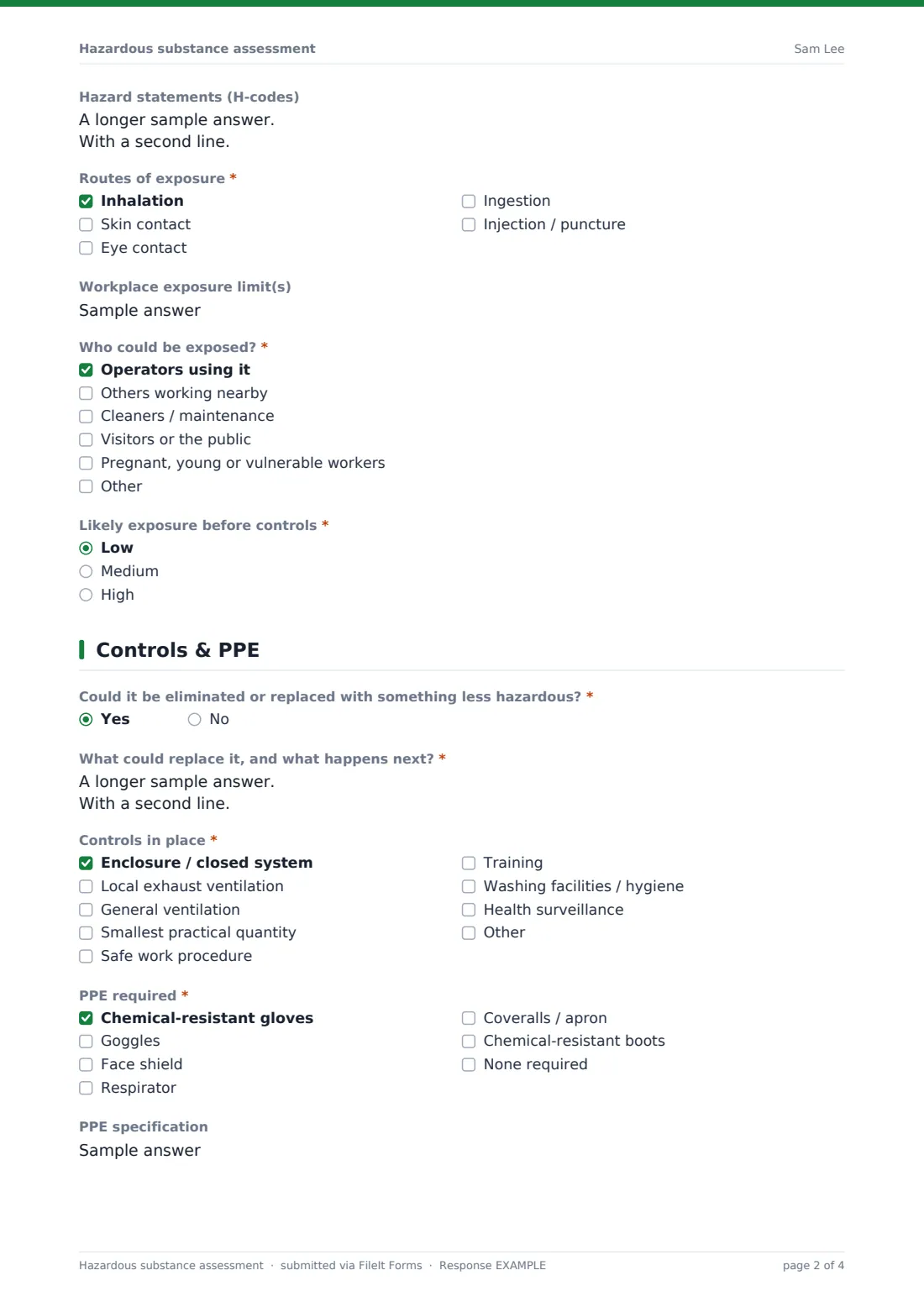
2 Hazards & exposure
The assessor ticks the hazard pictograms, adds the H-statements, and chooses the routes of exposure — inhalation, skin, eyes, ingestion or injection. Workplace exposure limits, who could be exposed and the likely exposure before controls complete the page.
3 Controls & PPE
The form asks whether the substance could be eliminated or replaced first — a yes asks what could replace it and what happens next. Controls — enclosure, local exhaust ventilation, general ventilation, reduced quantity, procedures, training, hygiene and health surveillance — are ticked, then PPE with a free-text specification for glove material or respirator filters.
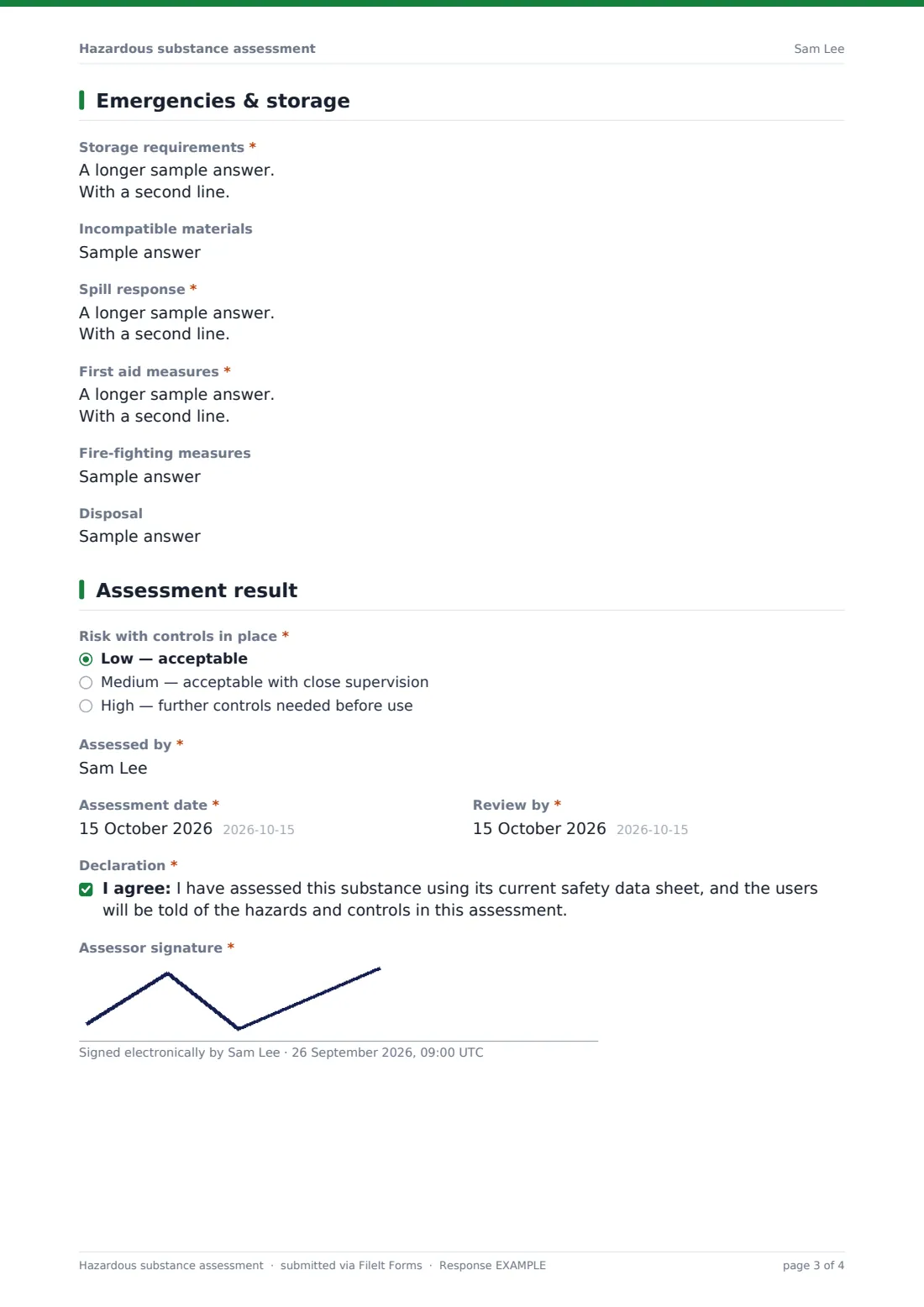
4 Emergencies & storage
Storage requirements, incompatible materials, spill response and first aid are required. Fire-fighting and disposal are optional.
5 Assessment result
The assessor rates risk with controls in place. High risk asks for the further controls needed. Name, assessment date, a review date, the declaration and a signature finish the record.
Make the template yours
- Add a dropdown of your sites or departments
- Add a question for health surveillance requirements, such as skin checks
- Add a field listing the people who have been briefed
- Set your default review interval in the review date help text
- File assessments into a folder per site or department as your substance register
- Send high-risk assessments to your safety manager's address
Tips for a better hazardous substance assessment form
- Always use the current SDS — suppliers update them
- Assess the task, not just the product — the same chemical can be low risk in one use and high in another
- Consider substitution before controls and PPE
- Be specific about PPE — "gloves" isn't enough, give the material
- Include dusts and fumes created by the work, not just bought products
- Review when the task, product or SDS changes
Every response becomes a PDF in your vault
Each assessment is saved as a PDF titled with the date, with the SDS attached, and filed in the vault folder you chose. You're notified and the assessor gets a copy.
The Responses table works as a substance register — filter by risk or review date and export to CSV.
- Start from this template. It opens in the FileIt Forms designer — change any question, add pages, set the rules for when questions appear.
- Share it. Turn on a public link, or send it to people by email, each with their own link. They don’t need a FileIt account.
- Get the answers as PDFs. Each response is saved as a PDF in the vault folder you choose, with uploaded files attached — and listed in a Responses table you can export to CSV.
Hazardous substance assessment form: frequently asked questions
Is this hazardous substance assessment template free?
Yes. It's included with the Forms app on every FileIt account, including the free plan.
Is this a COSHH assessment?
It follows the same structure as a COSHH assessment. FileIt doesn't give legal advice — check it meets the rules that apply to you.
Where do the answers come from?
Most come from the product's safety data sheet. The page descriptions point to the relevant SDS sections.
Can I attach the SDS?
Yes. One PDF or image of the SDS can be attached to each assessment.
Does the assessor need a FileIt account?
No. They fill it in from the link you share.
Will FileIt remind me when a review is due?
The form records the review date. You can see it in the Responses table; the form doesn't send its own review reminders.
Can I assess dust or fumes from a process?
Yes. Choose the relevant physical form and describe the task that creates them.