What is the manual handling assessment form template?
A manual handling assessment looks at a task that involves lifting, carrying, pushing or pulling and works out what makes it risky. This template uses the widely used TILE structure — Task, Individual, Load and Environment — with each factor rated low, medium or high, then records the overall risk, the controls to introduce and the expected risk afterwards.
Manual handling risks are often judged by weight alone, but twisting, reaching, repetition, poor grip and slippery floors matter just as much. A structured form makes the assessor look at each factor, and photos of the task help anyone reviewing it later see what was assessed.
It runs on FileIt's Forms app, included on every FileIt account. Supervisors or safety leads complete it while watching the task, and each assessment becomes a PDF in your vault.
- Best for
- Warehouses, retail, construction, care, hospitality and manufacturing
- Filled in by
- A supervisor, manager or safety lead, with the workers who do the task
- Time to complete
- About 15 minutes per task
- Includes
- Four factor matrices (TILE), control options, action plan, before and after risk, photos, signature
Who uses a manual handling assessment form?
- Unloading deliveries from vans or trailers
- Stocking shelves in a store or warehouse
- Carrying materials up stairs on a building site
- Pushing and pulling roll cages or trolleys
- Kitchen tasks like moving stock pots or crates
- Reviewing a task after someone reported back pain or strain
Questions on this manual handling assessment form
23 questions over 4 pages · includes signature, file upload, multiple pages, ratings.
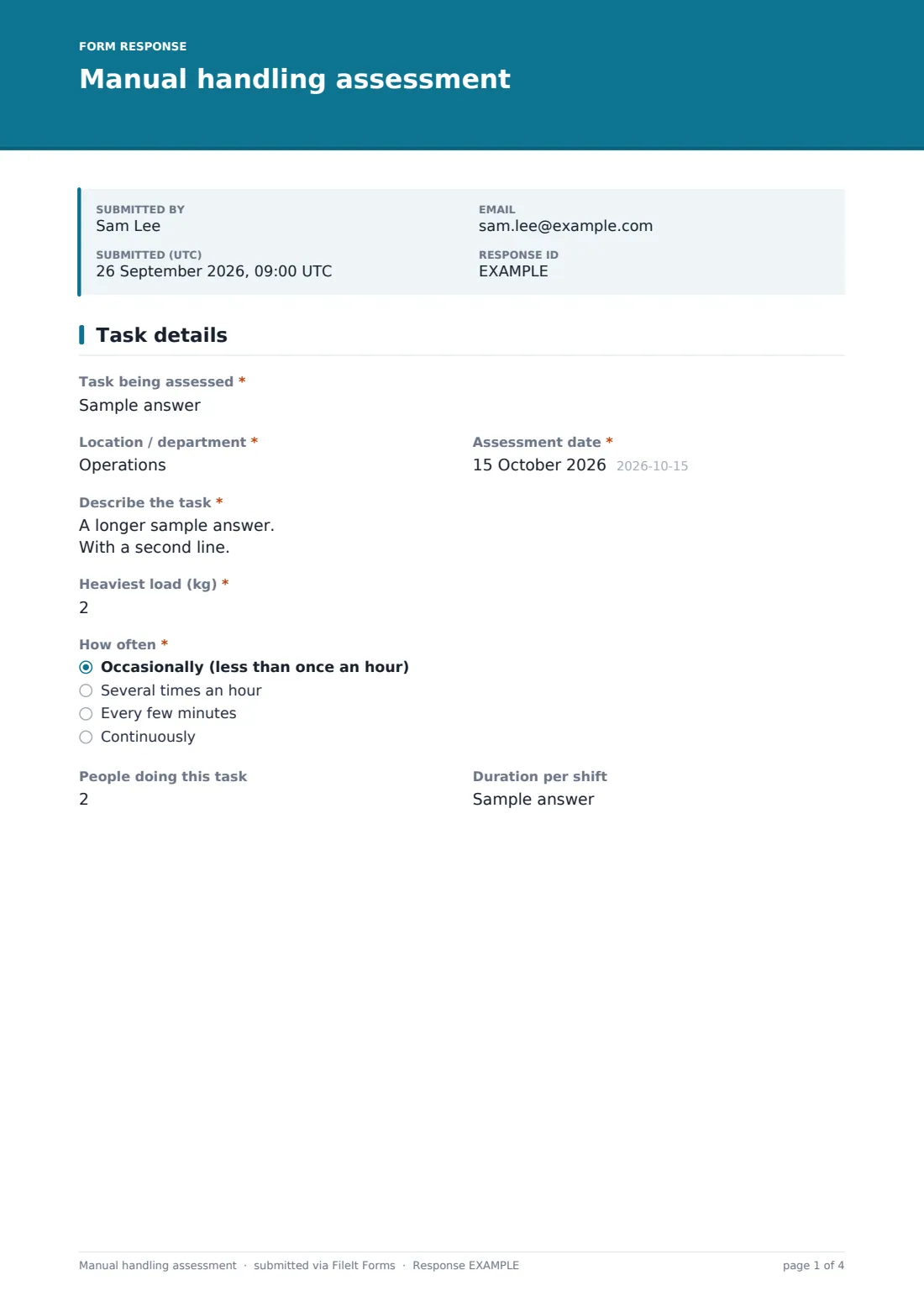
1 Task details
- Task being assessed*
- Location / department*
- Assessment date*
- Describe the task*
- Heaviest load (kg)*
- How often* Occasionally (less than once an hour) · Several times an hour · Every few minutes · Continuously
- People doing this task
- Duration per shift
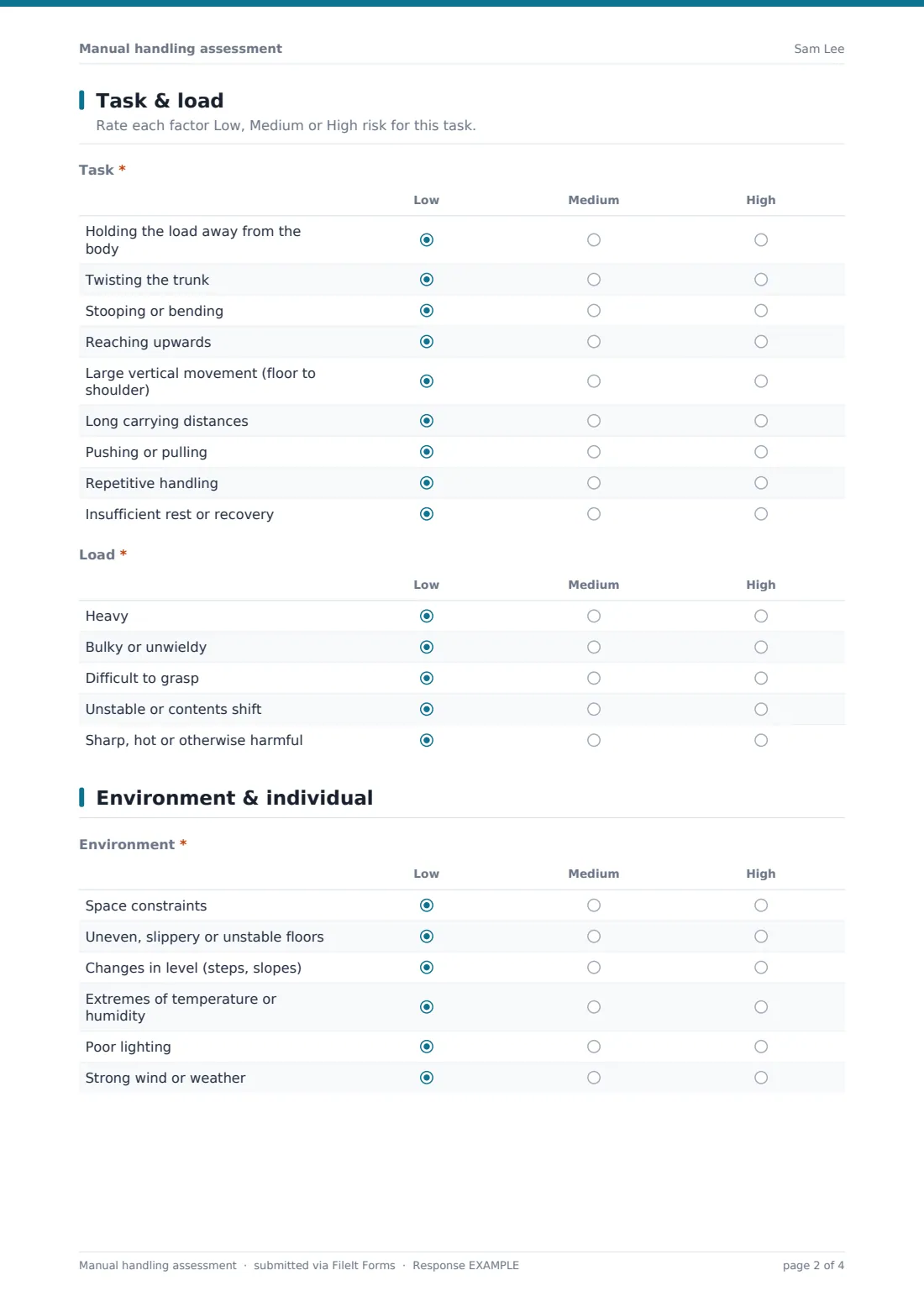
2 Task & load
- Task* Low · Medium · High
- Load* Low · Medium · High
3 Environment & individual
- Environment* Low · Medium · High
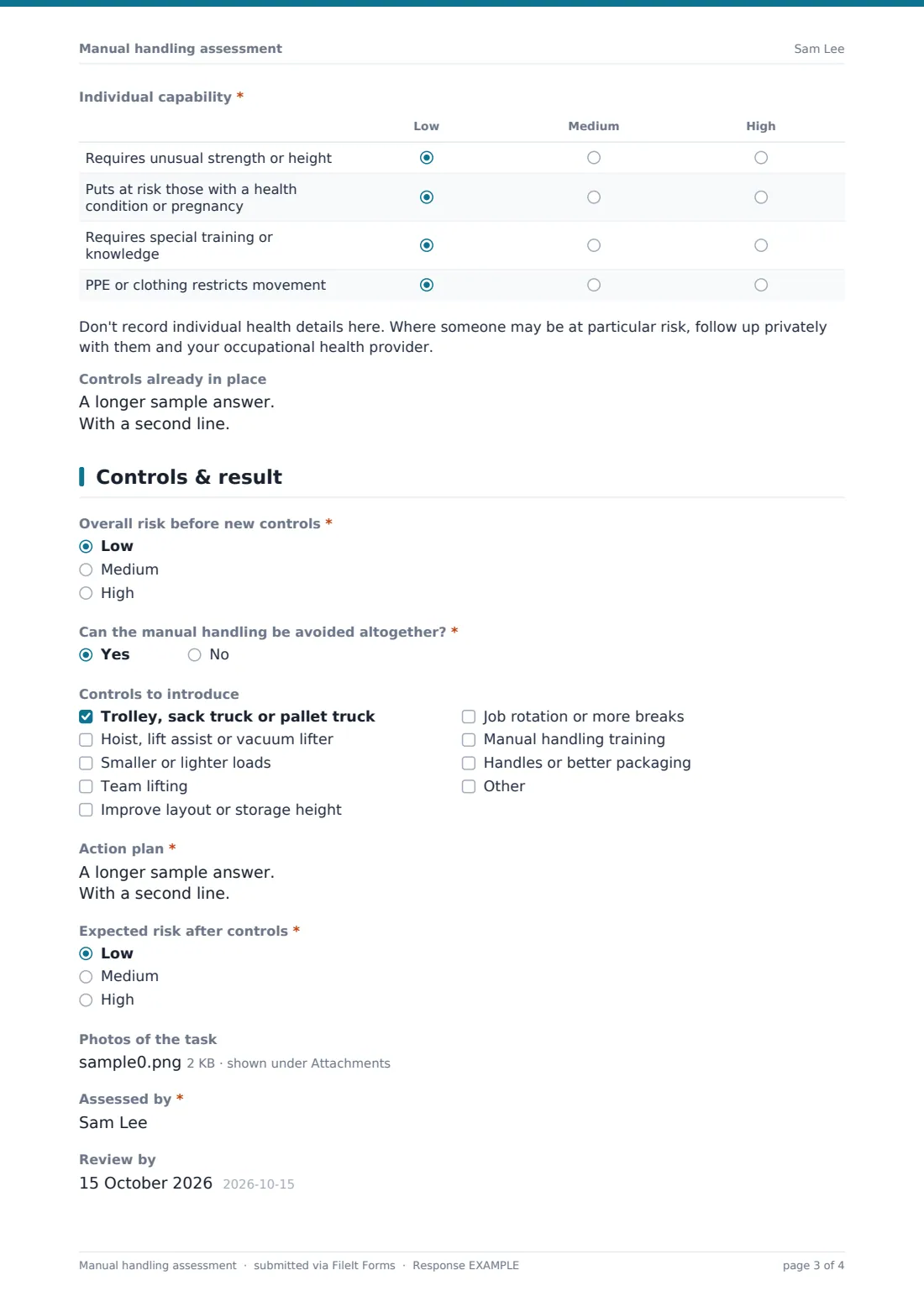
- Individual capability* Low · Medium · High
- Controls already in place
4 Controls & result
- Overall risk before new controls* Low · Medium · High
- Can the manual handling be avoided altogether?*
- Controls to introduce Trolley, sack truck or pallet truck · Hoist, lift assist or vacuum lifter · Smaller or lighter loads · Team lifting · Improve layout or storage height · Job rotation or more breaks · Manual handling training · Handles or better packaging
- Action plan*
- Expected risk after controls* Low · Medium · High
- Photos of the task
- Assessed by*
- Review by
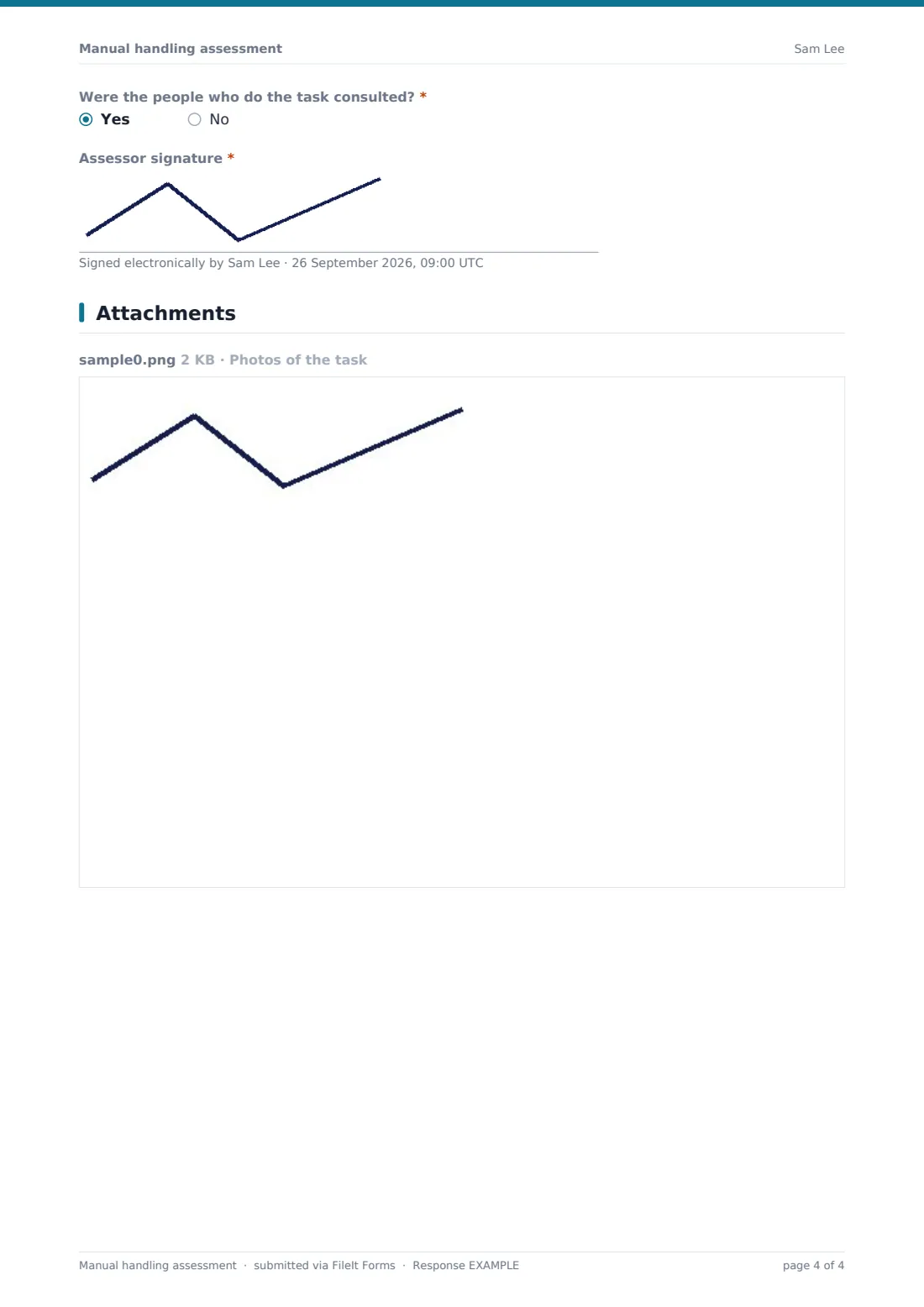
- Were the people who do the task consulted?*
- Assessor signature*
The manual handling assessment form, page by page
1 Task details
The task, location, date and a description of how the load is moved are recorded, with the heaviest load in kilograms, how often it's handled, the number of people who do it and how long per shift.
2 Task & load
Nine task factors — holding away from the body, twisting, stooping, reaching up, large vertical movements, carrying distance, pushing or pulling, repetition and rest — and five load factors — heavy, bulky, hard to grasp, unstable, harmful — are each rated low, medium or high.
3 Environment & individual
Six environment factors cover space, floors, changes in level, temperature, lighting and weather. Four individual factors cover unusual strength, people at particular risk, special training and restrictive PPE, with a note not to record individual health details. Existing controls are recorded.
4 Controls & result
The assessor rates overall risk before new controls and says whether the handling can be avoided altogether. Controls to introduce — handling aids, smaller loads, team lifting, layout, rotation, training, better packaging — are ticked, and an action plan lists owners and dates. Expected risk after controls, photos, the assessor, a review date, whether workers were consulted and a signature finish it.
Make the template yours
- Add weight guideline figures from the guidance you follow to the help text
- Replace low, medium and high with numeric scores if you use a scoring tool
- Add a dropdown of the tasks you assess regularly
- Add a signature from a worker representative
- File assessments into a folder per department
- Send high-risk assessments to your safety manager's address
Tips for a better manual handling assessment form
- Watch the task being done for real, not how it's described
- Ask the people who do it which part is hardest
- Look for ways to avoid the handling before adding training
- Remember pushing and pulling, not just lifting
- Take photos from the side to show posture and reach
- Keep individual health information out of the general assessment
Every response becomes a PDF in your vault
Each assessment is saved as a PDF titled with the date, with photos attached, and filed in the vault folder you chose. You're notified and the assessor gets a copy.
Use the Responses table to compare risk before and after controls across tasks and export to CSV for your safety committee.
- Start from this template. It opens in the FileIt Forms designer — change any question, add pages, set the rules for when questions appear.
- Share it. Turn on a public link, or send it to people by email, each with their own link. They don’t need a FileIt account.
- Get the answers as PDFs. Each response is saved as a PDF in the vault folder you choose, with uploaded files attached — and listed in a Responses table you can export to CSV.
Manual handling assessment form: frequently asked questions
Is this manual handling assessment template free?
Yes. It's included with the Forms app on every FileIt account, including the free plan.
What is TILE?
Task, Individual, Load and Environment — the four groups of factors this form rates.
Does it meet the Manual Handling Operations Regulations?
FileIt doesn't give legal advice. The form follows a common assessment structure — check it meets the rules that apply to you.
Does the form give a safe weight limit?
No. It records the heaviest load and rates the factors around it. Add your own guideline figures if you use them.
Does the assessor need a FileIt account?
No. They fill it in from the link you share.
Should I record individual workers' health conditions?
No. The form reminds assessors to follow up individual concerns privately.
Can I attach photos of the task?
Yes. Up to five images.