What is the event staff & steward sign-up form template?
Staffing an event means filling a rota with the right people in the right roles, and knowing who's qualified for what before they arrive on site. This sign-up form asks every applicant which roles they want, which shifts they can work across build, show and breakdown days, what experience and qualifications they have, their uniform size and how they'll complete the safety briefing.
Paid and volunteer staff see different questions. Paid applicants give a home address and confirm their right to work; volunteers can name the group they're volunteering with. Ticking a first aid certificate or a security licence opens the expiry date and licence number, so you can check cover before rostering.
Each sign-up is filed as a PDF in your FileIt vault with copies of certificates attached — a record of who you rostered, what they were qualified for and what they agreed to.
- Best for
- Festivals, sports events, fun runs, conferences and venues recruiting stewards and crew
- Filled in by
- Paid staff and volunteers
- Time to complete
- About 8 minutes
- Includes
- Role checklist, shift availability grid, qualification expiries, certificate upload, training choice, emergency contact, three consents
Who uses a event staff & steward sign-up form?
- A music festival recruiting stewards, car park marshals and site crew
- A marathon or fun run recruiting course marshals
- A stadium or arena building a casual steward pool
- A charity supplying volunteer stewards in return for a donation
- A conference recruiting ushers and information desk staff
- A county show needing build and breakdown crew
Questions on this event staff & steward sign-up form
31 questions over 4 pages · includes file upload, conditional questions, multiple pages, consent checkbox, ratings.
1 About you
- Your name*
- Email*
- Mobile*
- Date of birth*
- Paid or volunteer?* Paid · Volunteer · Either
- Home address asked only when it applies
- Do you have the right to work in this country?* asked only when it applies
- Volunteering with a group? asked only when it applies
2 Roles & shifts
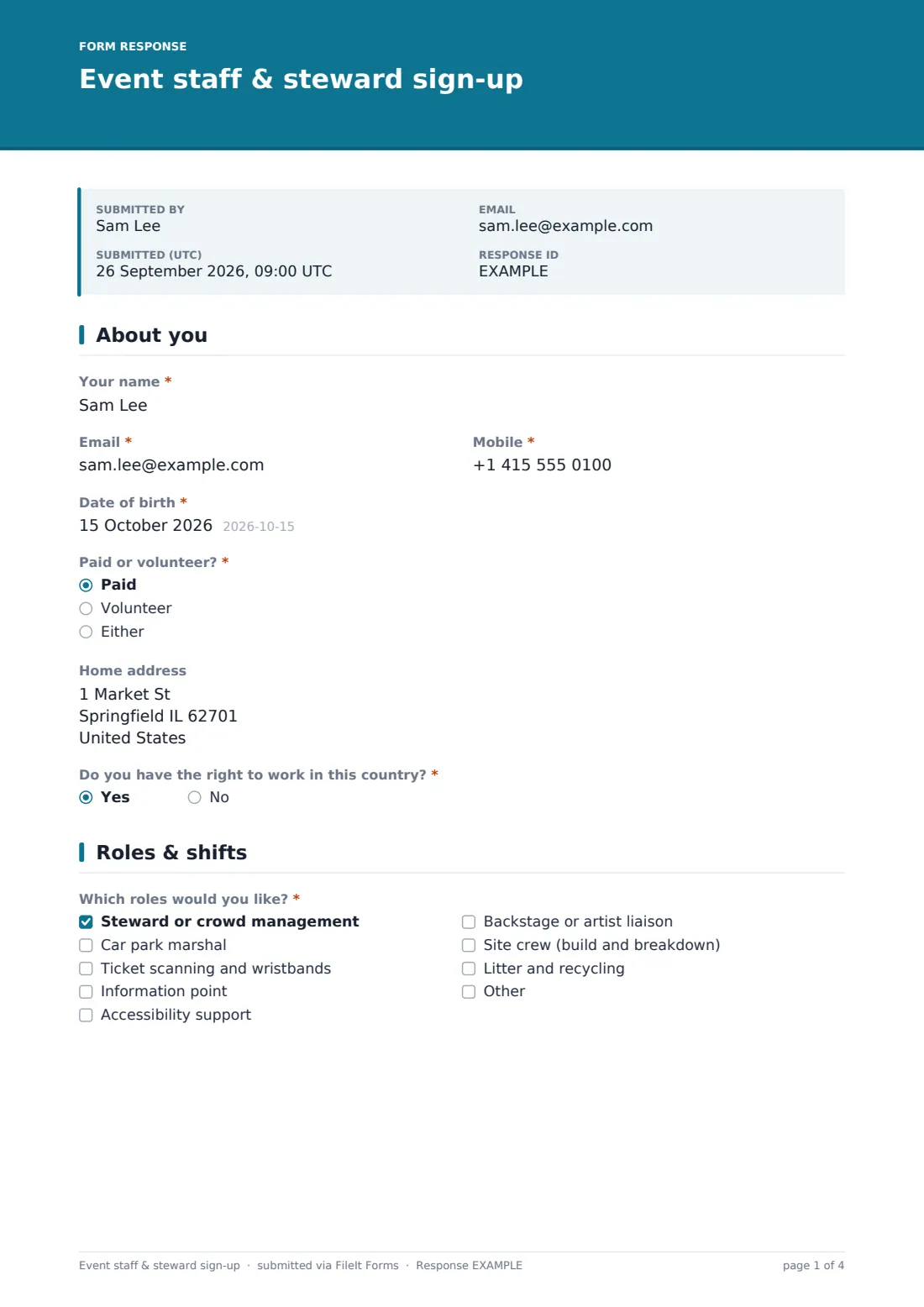
- Which roles would you like?* Steward or crowd management · Car park marshal · Ticket scanning and wristbands · Information point · Accessibility support · Backstage or artist liaison · Site crew (build and breakdown) · Litter and recycling
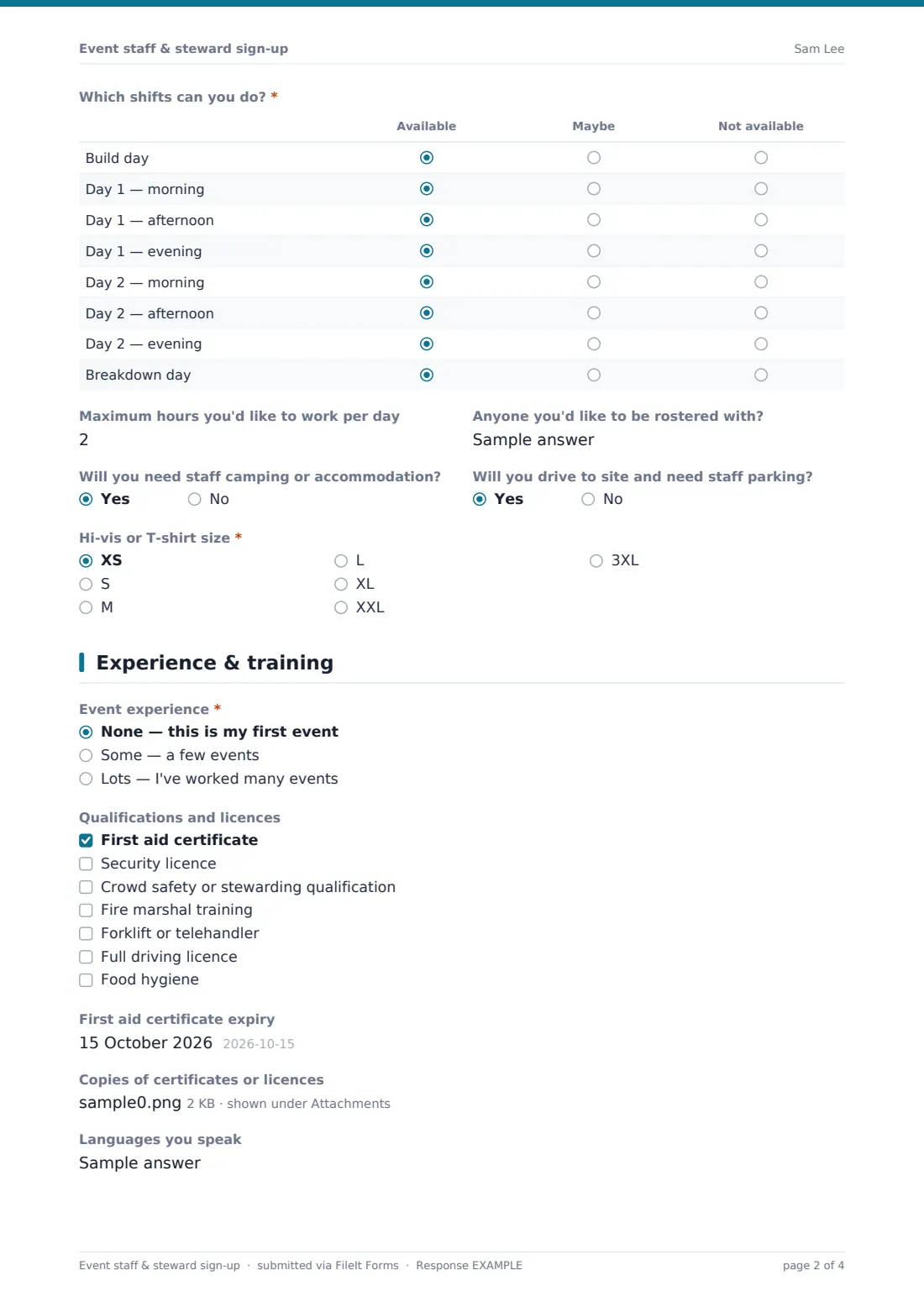
- Which shifts can you do?* Available · Maybe · Not available
- Maximum hours you'd like to work per day
- Anyone you'd like to be rostered with?
- Will you need staff camping or accommodation?
- Will you drive to site and need staff parking?
- Hi-vis or T-shirt size* XS · S · M · L · XL · XXL · 3XL
3 Experience & training
- Event experience* None — this is my first event · Some — a few events · Lots — I've worked many events
- Events you've worked at asked only when it applies
- Qualifications and licences First aid certificate · Security licence · Crowd safety or stewarding qualification · Fire marshal training · Forklift or telehandler · Full driving licence · Food hygiene
- First aid certificate expiry asked only when it applies
- Security licence number asked only when it applies
- Security licence expiry asked only when it applies
- Copies of certificates or licences
- Languages you speak
- Pre-event briefing and training* I'll attend the in-person briefing · I'll complete the online training · I can't do either before the event
4 Emergency contact & agreement
- Emergency contact name*
- Emergency contact phone*
- Medical conditions or access needs we should know about
- Dietary requirements for crew meals
- Staff code of conduct*
- Shifts*
- Your details*
The event staff & steward sign-up form, page by page
1 About you
Applicants give their name, email, mobile and date of birth and say whether they want paid work, to volunteer, or either. Paid applicants give a home address and confirm their right to work; volunteers can name a group they're volunteering with.
2 Roles & shifts
Applicants tick roles such as steward, car park marshal, ticket scanning, information point, accessibility support, artist liaison, site crew or litter and recycling. A shift grid covers build day, morning, afternoon and evening on two show days, and breakdown day, with available, maybe or not available for each. They add maximum hours per day, anyone they'd like to work with, camping and parking needs, and a uniform size.
3 Experience & training
Applicants describe their event experience; anyone with experience lists past events. A qualifications checklist covers first aid, security licence, crowd safety, fire marshal, forklift, driving licence and food hygiene. First aid opens an expiry date; a security licence opens its number and expiry. Certificates can be uploaded. Applicants choose an in-person briefing or online training, and anyone who can't do either sees a note explaining it's required.
4 Emergency contact & agreement
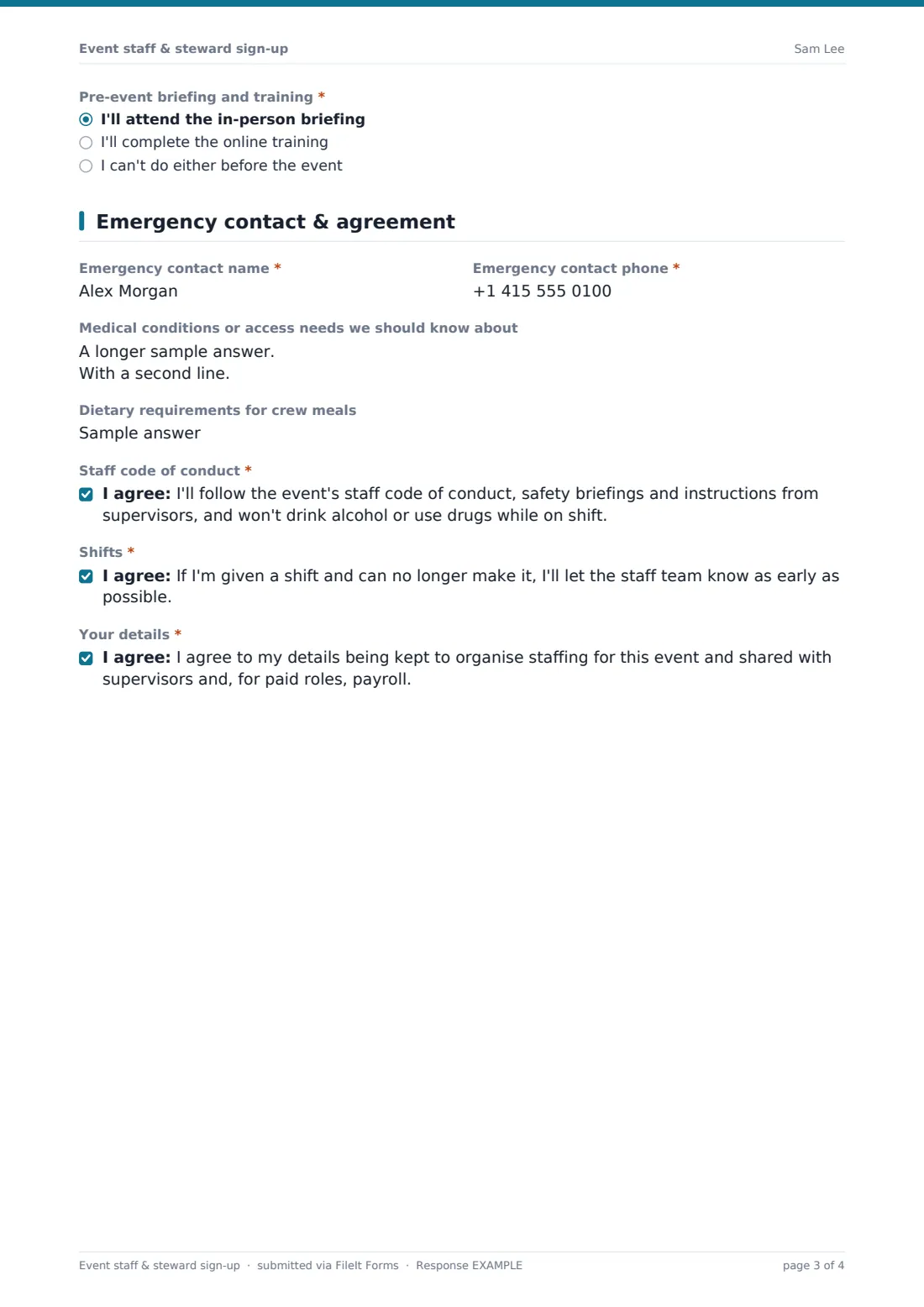
The last page takes an emergency contact, medical or access needs and dietary requirements for crew meals, followed by three required consents: the staff code of conduct, notifying the team if they can't make a shift, and how their details will be used.
Make the template yours
- Rename the shift grid rows to your event's actual days and shift times
- Remove the Paid and Either options if all your staff are volunteers, or Volunteer and Either for paid-only recruitment
- Edit the roles to match your site plan
- Link to your code of conduct and training in the cover text
- Set a maximum number of responses once your rota is full
Tips for a better event staff & steward sign-up form
- Check licence and first aid expiry dates against the event date, not today's date
- Roster people on shifts marked available first and use maybes to fill gaps
- Send the rota and briefing details in one email so nobody misses the training
- Pair first-time stewards with experienced ones on their first shift
- Keep the PDFs after the event — they're useful when you recruit for next year
Every response becomes a PDF in your vault
Each sign-up is saved as a PDF in your chosen vault folder with certificates attached, and you're notified by email. Applicants receive a copy if the respondent copy is on.
Filter the Responses table by role, paid or volunteer, or qualification, and export to CSV to build your rota, uniform order and crew catering numbers.
- Start from this template. It opens in the FileIt Forms designer — change any question, add pages, set the rules for when questions appear.
- Share it. Turn on a public link, or send it to people by email, each with their own link. They don’t need a FileIt account.
- Get the answers as PDFs. Each response is saved as a PDF in the vault folder you choose, with uploaded files attached — and listed in a Responses table you can export to CSV.
Event staff & steward sign-up form: frequently asked questions
Is this event staff sign-up template free?
Yes. It's included in the Forms app on every FileIt account, including the free plan.
Can I use it for volunteers only?
Yes. Remove the Paid and Either options from the first question and the address and right-to-work questions never appear; volunteers are asked instead whether they're coming with a group.
Can applicants upload their licences and certificates?
Yes. Up to five files can be uploaded, and they're attached to the sign-up PDF in your vault.
Does it build the rota for me?
No. The shift grid tells you who's available when, and you build the rota from the Responses table or a CSV export.
Do applicants need a FileIt account?
No. Anyone with the link can sign up without an account.