What is the change order form template?
Most disputes on a building or remodelling job start with a change that was agreed verbally on site and never written down. A change order fixes that: one document per change, describing the extra or removed work, the reason for it, the price and the effect on the programme, signed by the client before anyone picks up a tool.
This template walks the contractor through the change in four short pages. Cost lines only appear when the change actually has a cost, the schedule questions only open when the completion date moves, and the client's comments field appears when they approve with conditions or reject it. Both the client and the contractor sign on the last page, so the record carries both signatures.
Each submitted change order becomes a PDF in your FileIt vault, with any drawings, photos or supplier quotes attached to the same record. File them in the project's folder and you have a numbered, signed history of every variation when it's time to settle the final account.
- Best for
- Builders, remodelers, trade contractors and project managers
- Filled in by
- The contractor, with the client reviewing and signing
- Time to complete
- About 5–10 minutes per change
- Includes
- Cost breakdown, schedule impact, file attachments, two signatures
Who uses a change order form?
- A homeowner asks for an extra window halfway through a remodel and the contractor needs it priced and approved
- Rotten joists or hidden pipework are found once a floor is opened up
- A client swaps a specified tile or fixture for a different product
- An inspector requires extra work that wasn't in the original scope
- Part of the job is removed and the client should see the credit in writing
- A subcontractor prices a design change for the main contractor to approve
Questions on this change order form
39 questions over 4 pages · includes signature, file upload, conditional questions, multiple pages, consent checkbox.
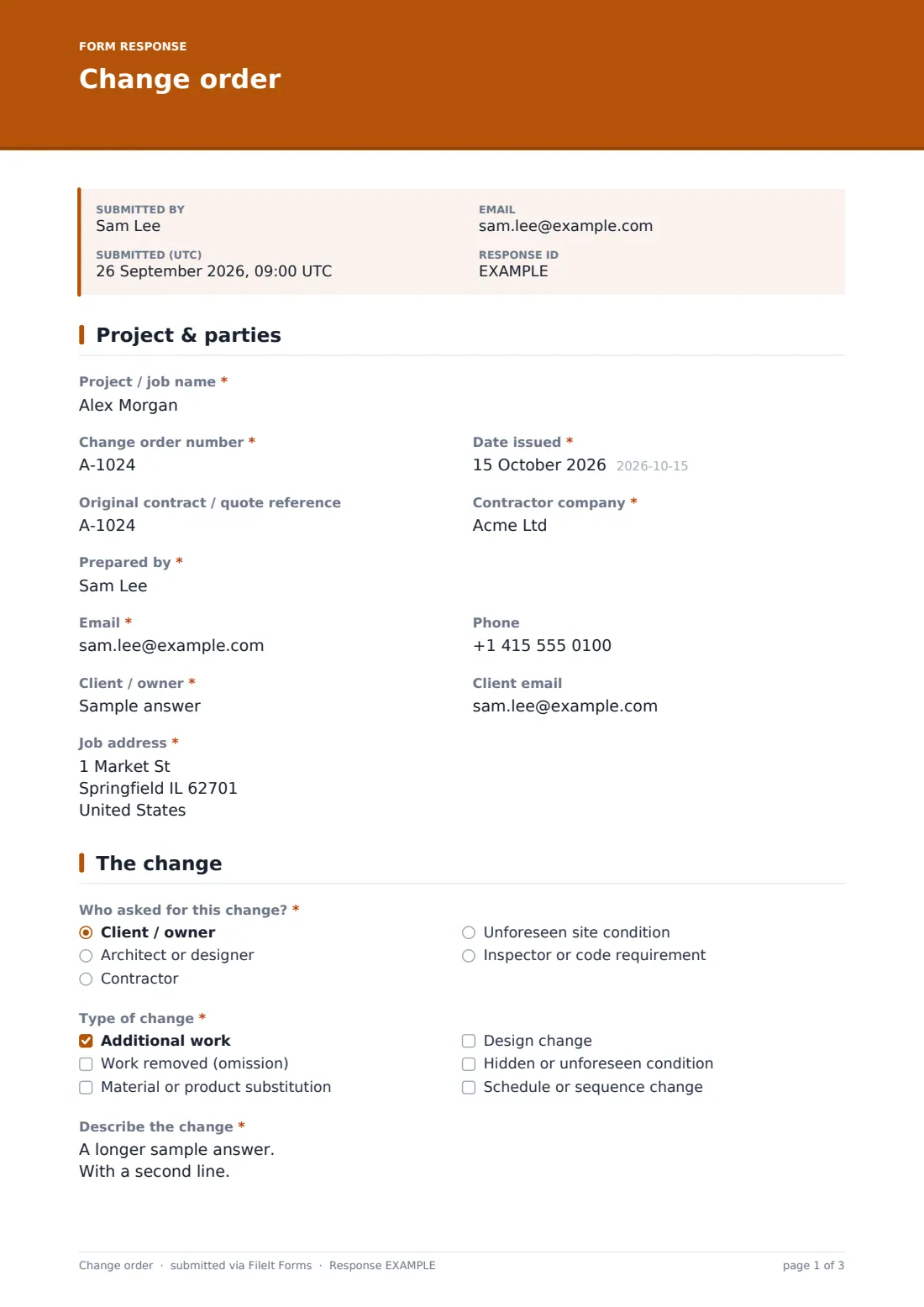
1 Project & parties
- Project / job name*
- Change order number*
- Date issued*
- Original contract / quote reference
- Contractor company*
- Prepared by*
- Email*
- Phone
- Client / owner*
- Client email
- Job address*
2 The change
- Who asked for this change?* Client / owner · Architect or designer · Contractor · Unforeseen site condition · Inspector or code requirement
- Type of change* Additional work · Work removed (omission) · Material or product substitution · Design change · Hidden or unforeseen condition · Schedule or sequence change
- Describe the change*
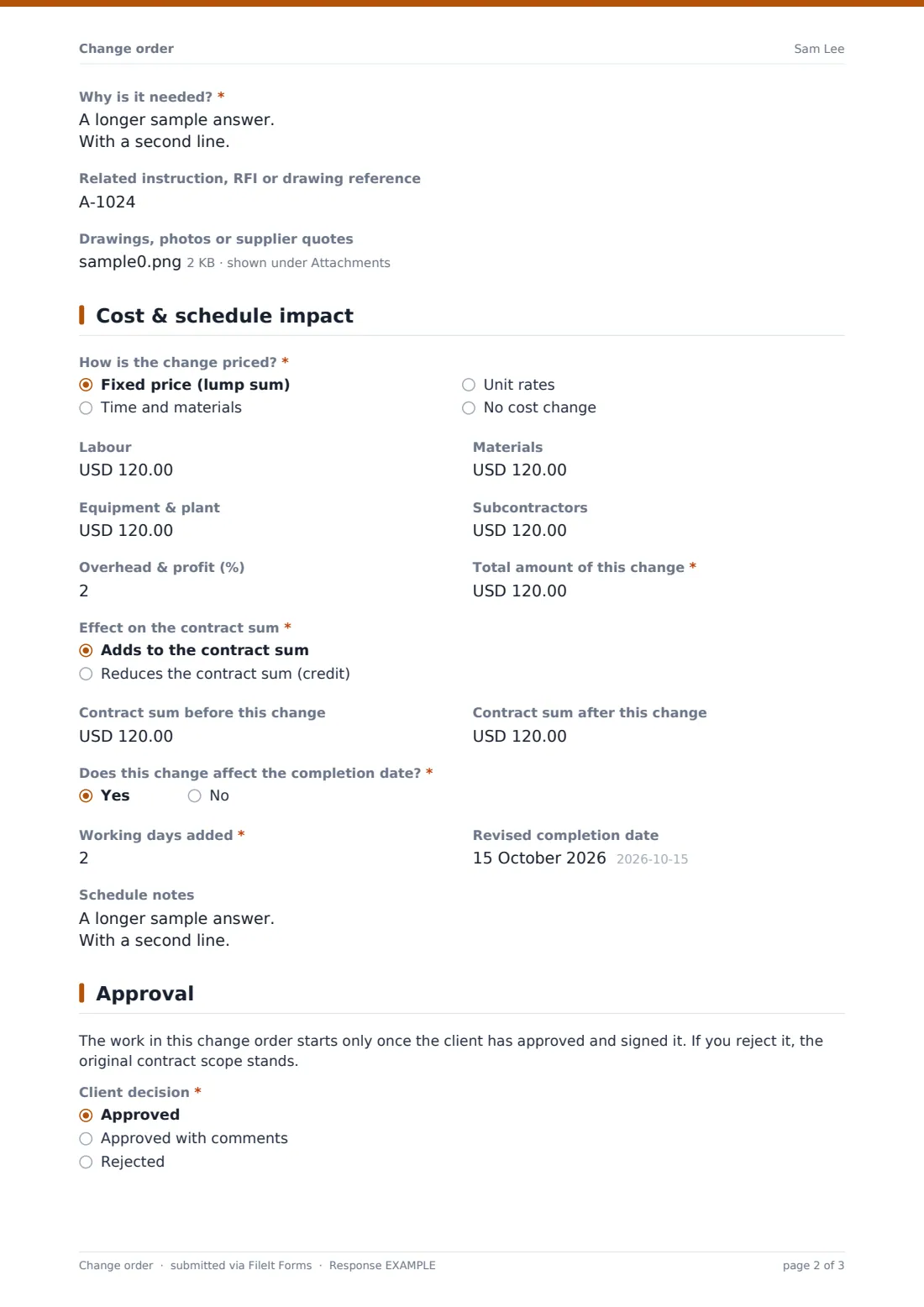
- Why is it needed?*
- Related instruction, RFI or drawing reference
- Drawings, photos or supplier quotes
3 Cost & schedule impact
- How is the change priced?* Fixed price (lump sum) · Time and materials · Unit rates · No cost change
- Labour asked only when it applies
- Materials asked only when it applies
- Equipment & plant asked only when it applies
- Subcontractors asked only when it applies
- Overhead & profit (%) asked only when it applies
- Total amount of this change* asked only when it applies
- Effect on the contract sum* asked only when it applies Adds to the contract sum · Reduces the contract sum (credit)
- Contract sum before this change
- Contract sum after this change
- Does this change affect the completion date?*
- Working days added* asked only when it applies
- Revised completion date asked only when it applies
- Schedule notes asked only when it applies
4 Approval
- Client decision* Approved · Approved with comments · Rejected
- Comments or conditions* asked only when it applies
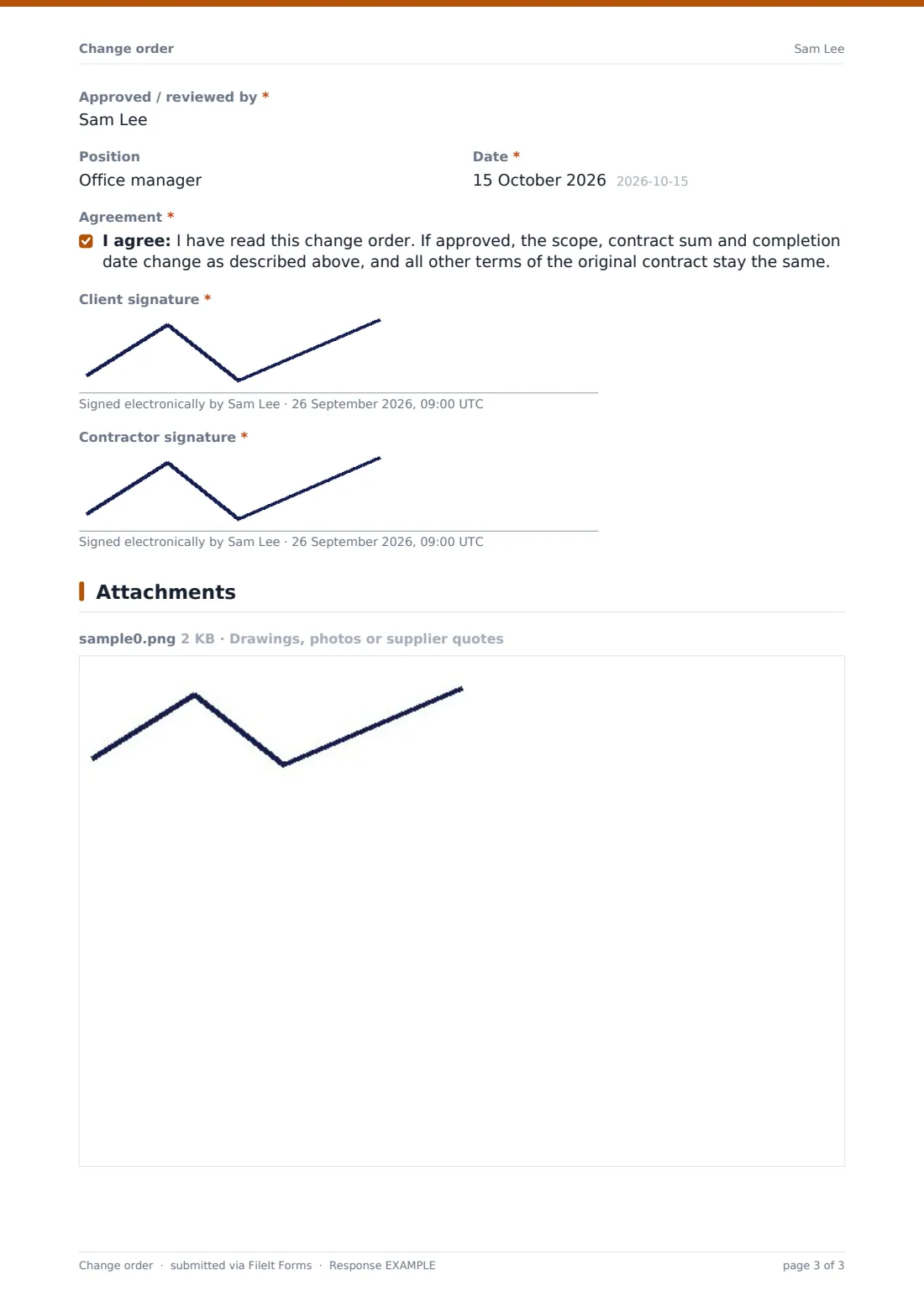
- Approved / reviewed by*
- Position
- Date*
- Agreement*
- Client signature*
- Contractor signature*
The change order form, page by page
1 Project & parties
The contractor records the project name, a change order number, the date issued and the original contract or quote reference, then their company, their own name, email and phone, and the client's name, email and the job address. Numbering each change (CO-001, CO-002…) makes the set easy to follow at the end of the job.
2 The change
A radio question records who asked for the change — the client, an architect or designer, the contractor, an unforeseen site condition, or an inspector or code requirement — and a checkboxes question classifies it as additional work, an omission, a substitution, a design change, a hidden condition or a schedule change.
Two required long-text fields describe the change and explain why it's needed. An optional reference links it to an instruction, RFI or drawing, and up to five drawings, photos or supplier quotes can be uploaded.
3 Cost & schedule impact
The contractor chooses how the change is priced: fixed price, time and materials, unit rates, or no cost change. Unless it's no cost, fields open for labour, materials, equipment, subcontractors and an overhead-and-profit percentage, then a required total and whether it adds to or reduces the contract sum. Optional fields show the contract sum before and after.
A yes/no question asks whether the completion date moves. Answering yes asks for the working days added (required), the revised completion date and any schedule notes.
4 Approval
A short note explains that work starts only once the change is signed. The client's decision is approved, approved with comments, or rejected; anything other than a straight approval requires comments or conditions. The approver's name, position and the date follow, then an agreement statement confirming that the scope, sum and date change as described while the rest of the contract stays the same. The client and the contractor both sign.
Make the template yours
- Change the currency on the cost fields to match your contracts
- Rename the cost lines to match how you break down prices, or remove the ones you never use
- Edit the agreement statement to reference your own contract terms
- Give each project its own copy of the form (e.g. "Change order — Smith kitchen") so the PDF titles show which job every change belongs to
- File responses into a folder per project so every change for a job sits together
- Add the client's email to that project's notification list so they receive each signed change order automatically
Tips for a better change order form
- Raise the change order before the extra work starts, not after the invoice goes out
- Describe the change in terms someone who wasn't on site would understand — quantities, locations and materials
- Attach the supplier quote or a marked-up drawing whenever the price depends on it
- Always answer the schedule question, even when the date doesn't move, so there's no argument later
- Keep a running contract sum on each change so the client can see the cumulative effect
- Use "no cost change" for swaps that cost nothing, so the paper trail is still complete
Every response becomes a PDF in your vault
When the form is submitted, FileIt turns it into a PDF with both signatures and files it in your vault, with any uploaded drawings or quotes attached. If notifications are on, you get an email, and a copy can go to the person who filled it in.
Most contractors file each change in the project's folder, check the Responses table to see which changes are approved or rejected, and export the list to CSV when reconciling the final account.
- Start from this template. It opens in the FileIt Forms designer — change any question, add pages, set the rules for when questions appear.
- Share it. Turn on a public link, or send it to people by email, each with their own link. They don’t need a FileIt account.
- Get the answers as PDFs. Each response is saved as a PDF in the vault folder you choose, with uploaded files attached — and listed in a Responses table you can export to CSV.
Change order form: frequently asked questions
Is this change order form template free?
Yes. It's included with the Forms app on every FileIt account, including the free plan, and you can edit any question to fit the way you work.
Does the client need a FileIt account to sign?
No. Share the form link or hand over your phone or tablet on site; the client reviews the change and signs without creating an account.
Can I record a credit for work that's been removed?
Yes. Pick "Work removed (omission)" as the type of change, enter the total, and choose "Reduces the contract sum (credit)".
What if the change doesn't cost anything?
Choose "No cost change" as the pricing basis and the cost lines are hidden, but you still get a signed record of the change.
Can I attach drawings or quotes?
Yes. Up to five files — PDFs, images, spreadsheets or Word documents — can be attached, and they're filed with the change order.
What happens if the client rejects the change?
They choose "Rejected" and must add a comment. The rejected change order is still filed, so you have a record that it was offered.
Can I use this as a variation order?
Yes. The form works the same way whatever you call it — rename the form and the labels to match your contracts.