What is the event accessibility requirements form template?
"Any accessibility needs?" in a registration form usually gets a blank or a one-word answer — not because people have nothing to say, but because a free-text box doesn't prompt them. This template breaks access needs into practical areas: getting there and moving around, hearing, vision, sensory needs, language, and whether someone is bringing a personal assistant or companion.
Follow-up questions only appear where they're needed. Wheelchair users are asked whether they need a wheelchair space and can transfer to a seat; requesting a sign language interpreter asks which sign language; bringing a companion asks for their name and whether they need a ticket. Asking about emergency evacuation assistance up front lets you agree a personal plan before the day.
Each response is filed as its own PDF in your FileIt vault rather than as a column in a shared spreadsheet, and the closing consent tells attendees exactly how the information will be used.
- Best for
- Conference, venue, festival and community event organisers
- Filled in by
- Attendees, or someone on their behalf
- Time to complete
- About 5 minutes
- Includes
- Mobility, hearing, vision and sensory checklists, interpreter and companion follow-ups, evacuation assistance, consent
Who uses a event accessibility requirements form?
- A conference sending an access form to every registered delegate
- A theatre or venue taking access bookings for a specific performance
- A festival arranging accessible viewing platforms and parking
- A company making reasonable adjustments for an all-staff event
- A council consultation meeting that needs interpreters and captions
- A university open day planning support for visiting students
Questions on this event accessibility requirements form
25 questions over 4 pages · includes conditional questions, multiple pages, consent checkbox.
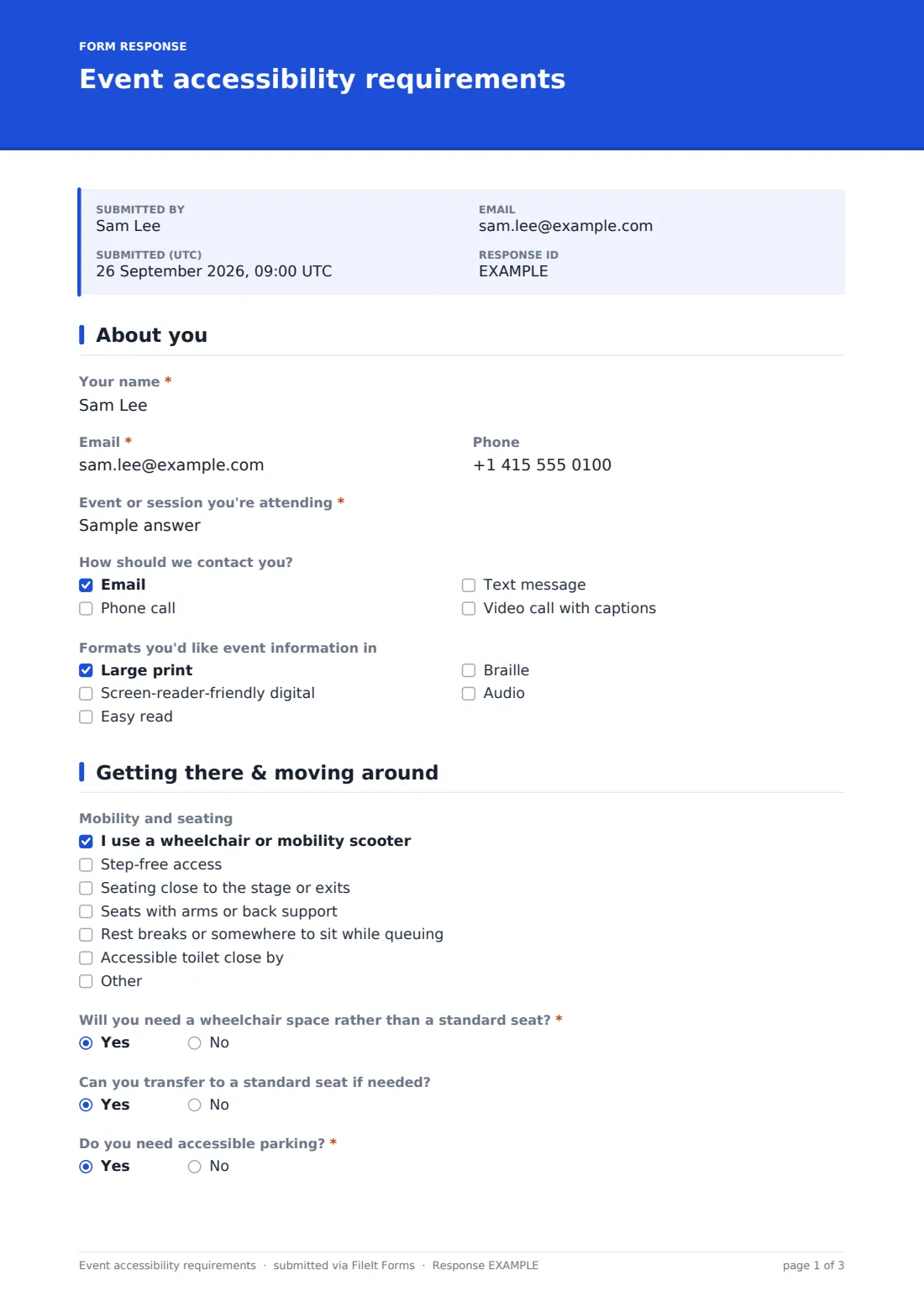
1 About you
- Your name*
- Email*
- Phone
- Event or session you're attending*
- How should we contact you? Email · Phone call · Text message · Video call with captions
- Formats you'd like event information in Large print · Screen-reader-friendly digital · Easy read · Braille · Audio
2 Getting there & moving around
- Mobility and seating I use a wheelchair or mobility scooter · Step-free access · Seating close to the stage or exits · Seats with arms or back support · Rest breaks or somewhere to sit while queuing · Accessible toilet close by
- Will you need a wheelchair space rather than a standard seat?* asked only when it applies
- Can you transfer to a standard seat if needed? asked only when it applies
- Do you need accessible parking?*
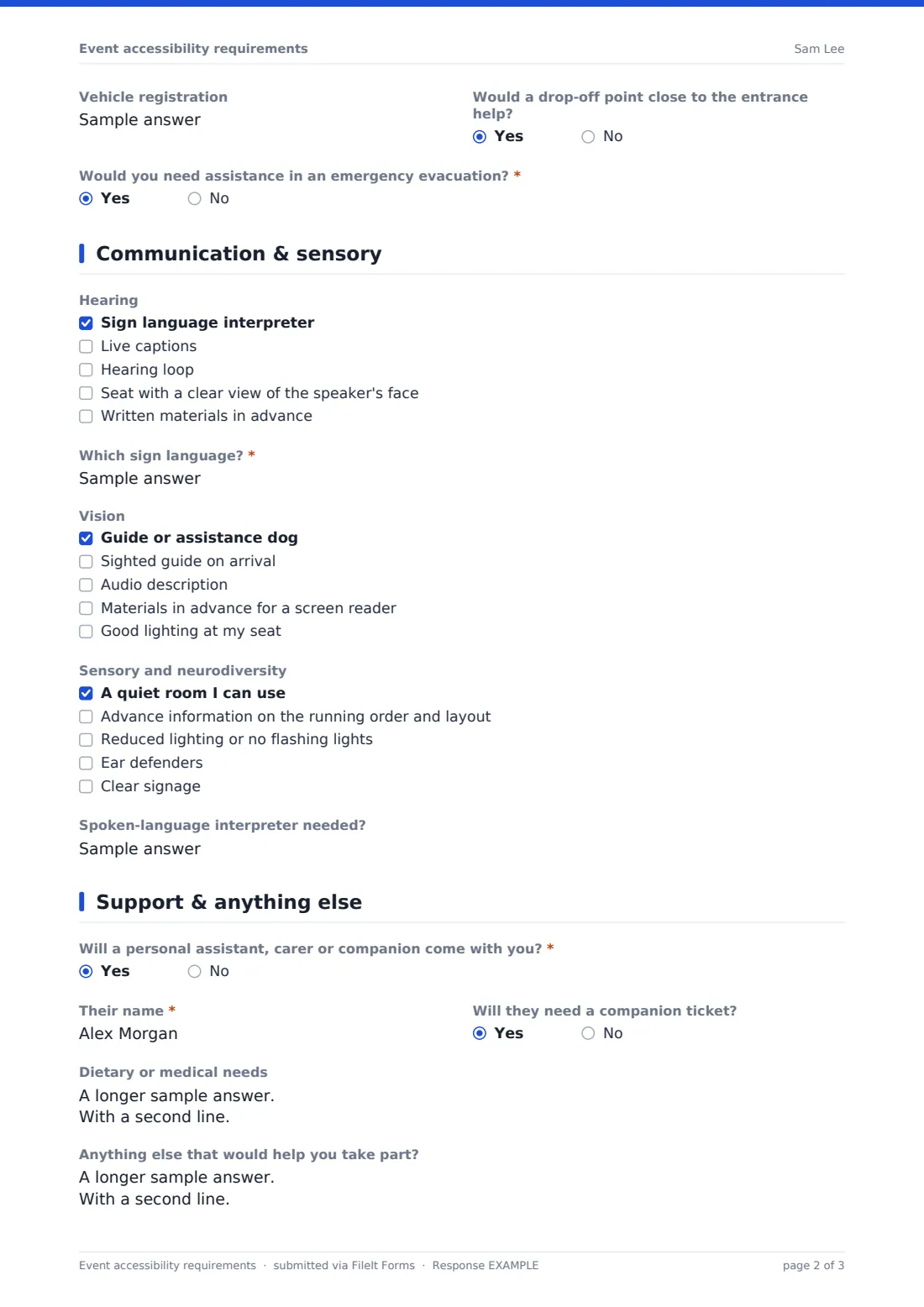
- Vehicle registration asked only when it applies
- Would a drop-off point close to the entrance help?
- Would you need assistance in an emergency evacuation?*
3 Communication & sensory
- Hearing Sign language interpreter · Live captions · Hearing loop · Seat with a clear view of the speaker's face · Written materials in advance
- Which sign language?* asked only when it applies
- Vision Guide or assistance dog · Sighted guide on arrival · Audio description · Materials in advance for a screen reader · Good lighting at my seat
- Sensory and neurodiversity A quiet room I can use · Advance information on the running order and layout · Reduced lighting or no flashing lights · Ear defenders · Clear signage
- Spoken-language interpreter needed?
4 Support & anything else
- Will a personal assistant, carer or companion come with you?*
- Their name* asked only when it applies
- Will they need a companion ticket? asked only when it applies
- Dietary or medical needs
- Anything else that would help you take part?
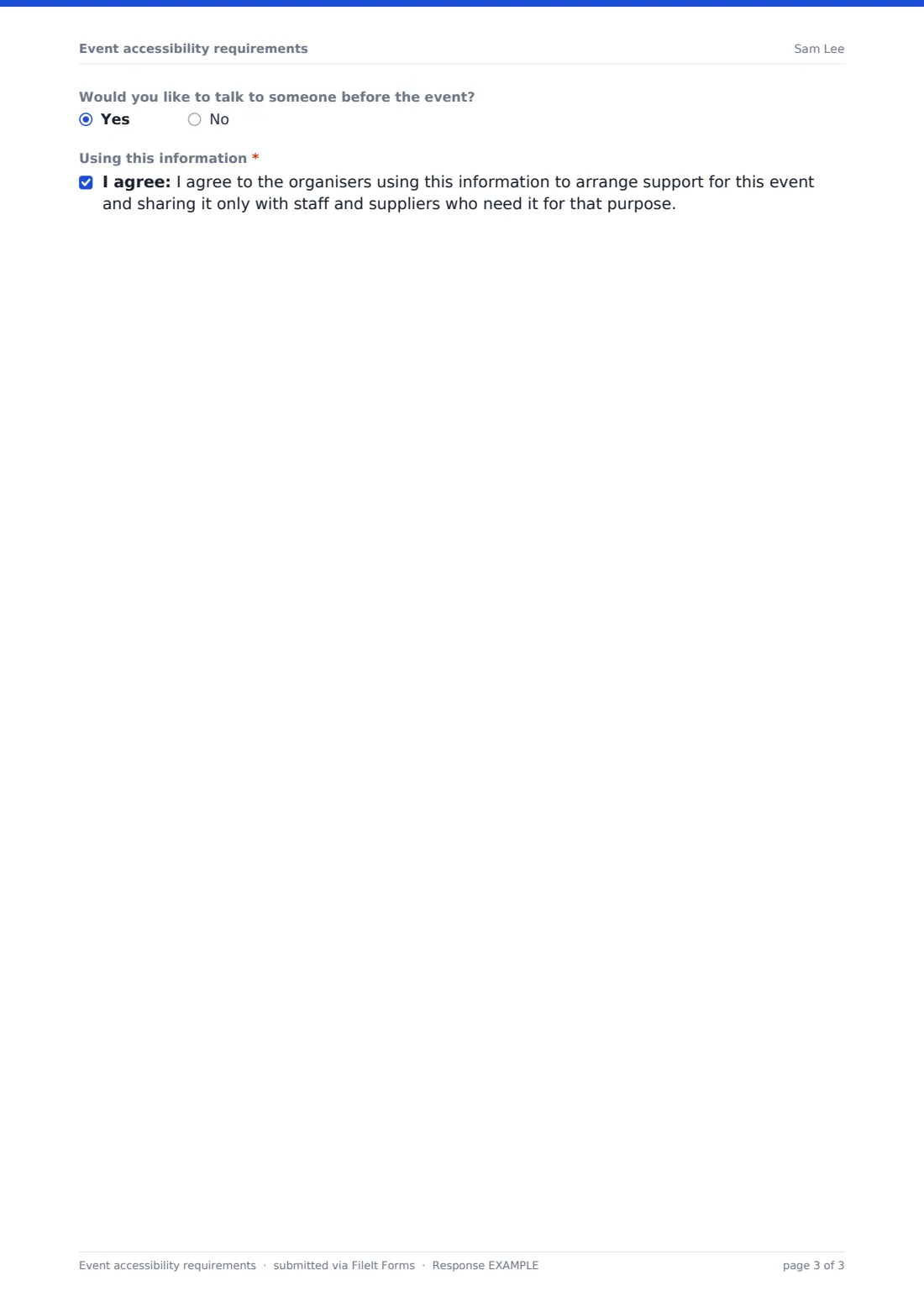
- Would you like to talk to someone before the event?
- Using this information*
The event accessibility requirements form, page by page
1 About you
Attendees give their name, email, phone and the event or session they're attending. They choose how they'd like to be contacted — email, phone, text or a captioned video call — and any formats they'd like event information in, such as large print, easy read, Braille or audio.
2 Getting there & moving around
A mobility and seating checklist covers wheelchair or scooter use, step-free access, seating position, supportive seats, rest breaks and accessible toilets. Ticking wheelchair use opens a required question about a wheelchair space and whether they can transfer to a standard seat. The page also asks about accessible parking (with vehicle registration), a drop-off point and whether they'd need help in an emergency evacuation.
3 Communication & sensory
Checklists cover hearing (interpreter, live captions, hearing loop, clear view of the speaker, written materials), vision (assistance dog, sighted guide, audio description, screen-reader materials, lighting) and sensory needs such as a quiet room, advance information, reduced lighting and clear signage. Requesting a sign language interpreter asks which sign language, and there's a box for a spoken-language interpreter.
4 Support & anything else
Attendees say whether a personal assistant, carer or companion is coming; if so, the form asks for their name and whether they need a companion ticket. Free-text boxes cover dietary or medical needs and anything else, attendees can ask to talk to someone first, and a required consent explains how the information will be used.
Make the template yours
- Put the event name in the form title and remove the event question if the form is for a single event
- Remove options your venue genuinely can't provide, and say what you can offer instead in a paragraph
- Add a date for the event so you know how much notice you have
- Send it automatically as a follow-up to registration with a link in the confirmation message
- Add the access coordinator's email to the notification list
- File responses in a restricted folder rather than alongside general registrations
Tips for a better event accessibility requirements form
- Send the form early — interpreters and captioners often need several weeks' notice
- Contact people who ask for emergency evacuation assistance before the event to agree a plan in person
- Only share the answers with the people arranging each piece of support
- Offer companion tickets clearly; people often won't ask
- After the event, ask how the arrangements worked — the next event will be better for it
Every response becomes a PDF in your vault
Each response is saved as a PDF in the vault folder you choose, and you're notified by email. The attendee receives a copy of what they asked for if the respondent copy is on, which is useful when you confirm the arrangements.
Filter the Responses table by need — interpreters, wheelchair spaces, parking, quiet room — to brief each supplier, and export to CSV for the venue's operations team.
- Start from this template. It opens in the FileIt Forms designer — change any question, add pages, set the rules for when questions appear.
- Share it. Turn on a public link, or send it to people by email, each with their own link. They don’t need a FileIt account.
- Get the answers as PDFs. Each response is saved as a PDF in the vault folder you choose, with uploaded files attached — and listed in a Responses table you can export to CSV.
Event accessibility requirements form: frequently asked questions
Is this accessibility requirements form template free?
Yes. It's included in the Forms app on every FileIt account, including the free plan.
Do attendees have to answer every question?
No. Only name, email, the event, parking, evacuation assistance, companion and the consent are required — every access checklist is optional, so people share only what they're comfortable with.
Can someone fill it in on behalf of an attendee?
Yes. A carer, parent or assistant can complete it; you may want to add a question asking who is filling it in.
Who can see the answers?
Only you and anyone on the notification list. Responses are filed in your own vault, and you choose which folder they go into.
Should I combine this with my registration form?
You can, but a separate form keeps access information out of general registration exports and lets you share it only with the people arranging support.