What is Form WT-4?
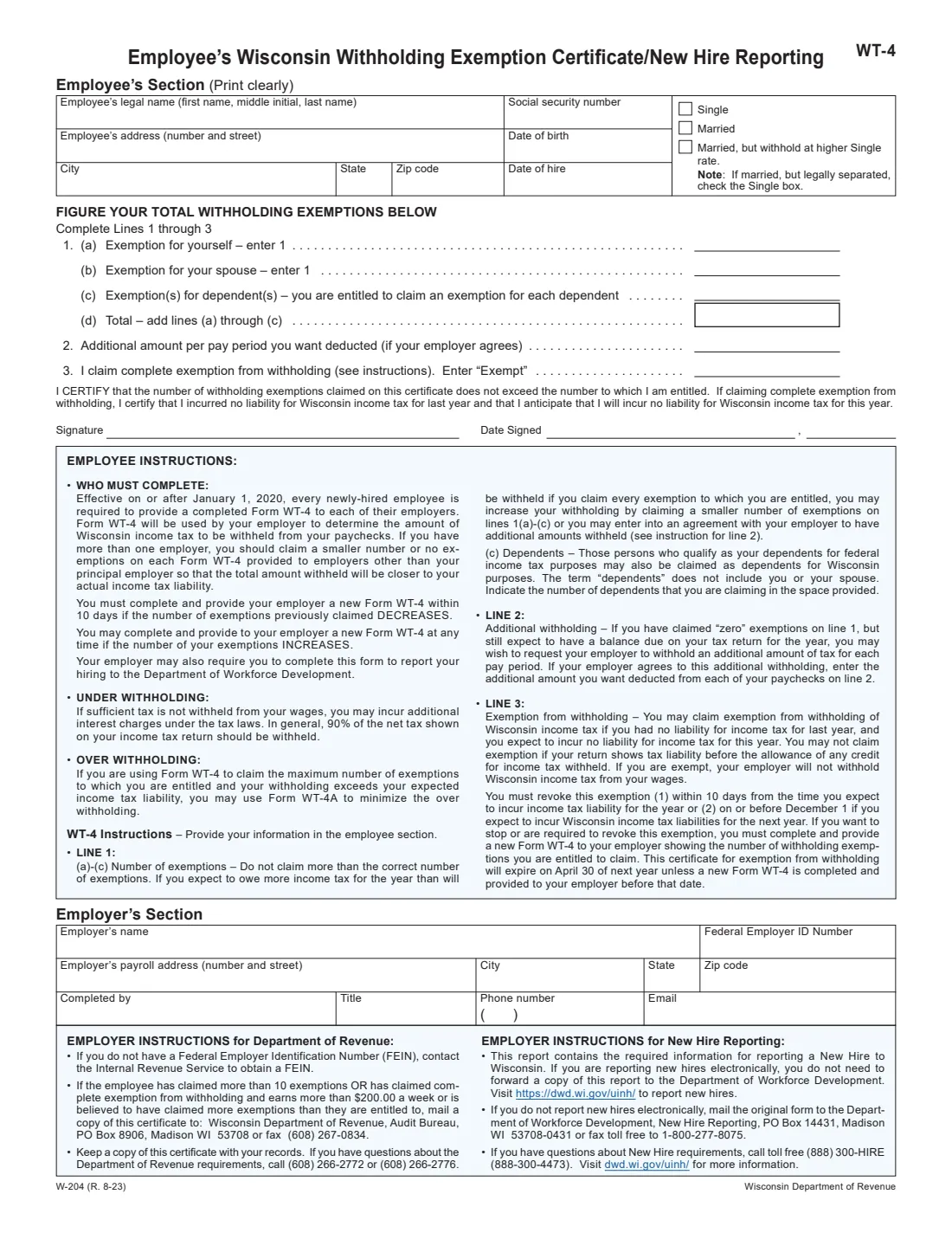
Form WT-4, the Employee's Wisconsin Withholding Exemption Certificate/New Hire Reporting, tells your employer how many Wisconsin withholding exemptions you claim, so it can work out how much Wisconsin income tax to take out of your paychecks. It is issued by the Wisconsin Department of Revenue, and the current fill-in edition is W-204 (R. 8-23). The form says that every newly hired employee must give a completed WT-4 to each of their employers.
The WT-4 does a second job, too. With the employer's section completed, it carries everything Wisconsin needs for new hire reporting to the Department of Workforce Development (DWD) — your date of birth and date of hire along with the employer's details. Employers that report new hires electronically don't need to forward a copy.
With FileIt you can fill out the WT-4 online in a guided form. FileIt pre-fills your name and date of birth from the People records in your vault, adds up line 1, prints the signing date the way the form lays it out, and fills the Department of Revenue's own PDF. The finished form is saved in your vault folder and can be sent for e-signature. FileIt never submits it to the Department of Revenue or DWD — you give the completed form to your employer.
- Who fills it
- The employee completes the employee's section and lines 1–3; the employer completes the employer's section.
- Given to
- Each of your employers. Employers send copies on only in the cases printed on the form.
- When
- When you're hired, within 10 days if your exemptions decrease, and by April 30 of next year to keep a complete exemption.
- Signatures
- The employee signs and dates the certification.
- Edition
- W-204 (R. 8-23), the current fill-in form.
- Cost
- Free to fill out on any FileIt account.
Who needs to fill out Form WT-4?
- Every newly hired employee in Wisconsin — the form says each new hire must give a completed WT-4 to each employer.
- Employees with more than one job, who are advised to claim fewer or no exemptions with employers other than their principal one.
- Current employees whose number of exemptions has decreased, for example after a divorce or when a dependent no longer qualifies.
- Employees whose exemptions have increased — a marriage or a new child — who may file a new WT-4 at any time.
- People who had no Wisconsin tax liability last year and expect none this year and want to claim complete exemption.
- Employers who use the WT-4 as their Wisconsin new hire report.
When to use Form WT-4
- On your first days in a new job, together with the federal Form W-4 and Form I-9.
- Within 10 days if the number of exemptions you previously claimed DECREASES — the form makes this mandatory.
- At any time if your exemptions INCREASE and you want less withheld.
- Before April 30 of next year if you want to keep a complete exemption from withholding; otherwise it expires on that date.
- Within 10 days of expecting to owe Wisconsin tax for the year, or by December 1 if you expect to owe for next year, when you must revoke a complete exemption with a new WT-4.
What you need before you start
- Your legal name (first name, middle initial, last name) and Social Security number.
- Your home address, city, state and ZIP code.
- Your date of birth and the date you were hired.
- Your marital status for withholding: Single, Married, or Married but withhold at higher Single rate.
- The number of dependents who qualify as your dependents for federal income tax purposes.
- Whether your spouse's exemption is yours to claim.
- Any additional amount per pay period you want deducted, if your employer agrees.
- For the employer's section: employer name, FEIN, payroll address, and the name, title, phone number and email of the person completing it.
What’s on Form WT-4
The 2023 edition has 2 pages. FileIt asks for it in 3 parts, and it is signed by Employee:
- Employee's sectionEmployee
- Lines 1–3: Figure your total withholding exemptionsEmployee
- Employer's sectionEmployer
How to fill out Form WT-4, step by step
1 Employee's Section
Print your legal name as first name, middle initial and last name, your Social Security number, your street address, city, state and ZIP code, your date of birth and your date of hire. The dates of birth and hire are there because the WT-4 also serves as a new hire report.
Then tick one status box: Single, Married, or Married, but withhold at higher Single rate. The form notes that if you are married but legally separated, you check the Single box.
2 Line 1 — Number of exemptions
Line 1(a) is 1 for yourself and line 1(b) is 1 for your spouse. Line 1(c) is the number of dependents you're claiming: people who qualify as your dependents for federal income tax purposes may also be claimed for Wisconsin, but the term doesn't include you or your spouse. Line 1(d) adds them up, and FileIt does that for you.
Don't claim more than the correct number. If you expect to owe more than will be withheld when you claim every exemption, you can claim fewer on lines 1(a) to (c), or ask for an additional amount on line 2. With more than one employer, claim fewer or no exemptions on the WT-4s for employers other than your principal one.
3 Line 2 — Additional amount per pay period
If you claimed zero exemptions but still expect a balance due on your return, you may ask your employer to withhold an additional amount each pay period. Enter it on line 2 if your employer agrees. The instructions note that, in general, 90% of the net tax on your return should be withheld, and under-withholding can bring interest charges.
4 Line 3 — Complete exemption from withholding
Enter "Exempt" only if you had no liability for Wisconsin income tax last year and expect none this year. You can't claim it if your return shows a tax liability before the credit for tax withheld. Your employer then won't withhold Wisconsin income tax.
The exemption expires on April 30 of next year unless you give your employer a new WT-4 before then. You must revoke it within 10 days of expecting to incur a liability for the year, or on or before December 1 if you expect a liability next year.
5 Certification, signature and date
By signing, you certify that the exemptions claimed don't exceed those you're entitled to, or, if you claim complete exemption, that you had no Wisconsin tax liability last year and expect none this year. The date signed is written as month and day, then the year; FileIt prints it that way.
6 Employer's Section
The employer enters its name, Federal Employer ID Number, payroll address with city, state and ZIP code, and the name, title, phone number and email of the person completing it. This is what turns the WT-4 into a new hire report.
The employer instructions say to mail a copy to the Department of Revenue's Audit Bureau if the employee claims more than 10 exemptions, claims complete exemption and earns more than $200.00 a week, or seems to claim more exemptions than allowed, and to keep a copy with the employer's records.
Common mistakes to avoid
- Claiming the full number of exemptions with every employer when you have more than one job — claim them with your principal employer.
- Claiming yourself or your spouse again as a dependent on line 1(c). Dependents don't include you or your spouse.
- Checking Married when you're legally separated — the form says to check Single.
- Entering Exempt on line 3 because of a refund last year, when your return actually showed a liability before withholding credits.
- Letting a complete exemption lapse: it expires on April 30 of next year without a new WT-4.
- Missing the 10-day deadline after your exemptions decrease.
- Leaving the date of hire blank when your employer uses the form for new hire reporting.
After you fill it out
Sign and date the WT-4 and give it to your employer — each employer, if you have more than one. You don't send it to the Department of Revenue yourself. FileIt keeps a copy in the person's vault folder, and you can send the PDF for e-signature if your employer accepts that.
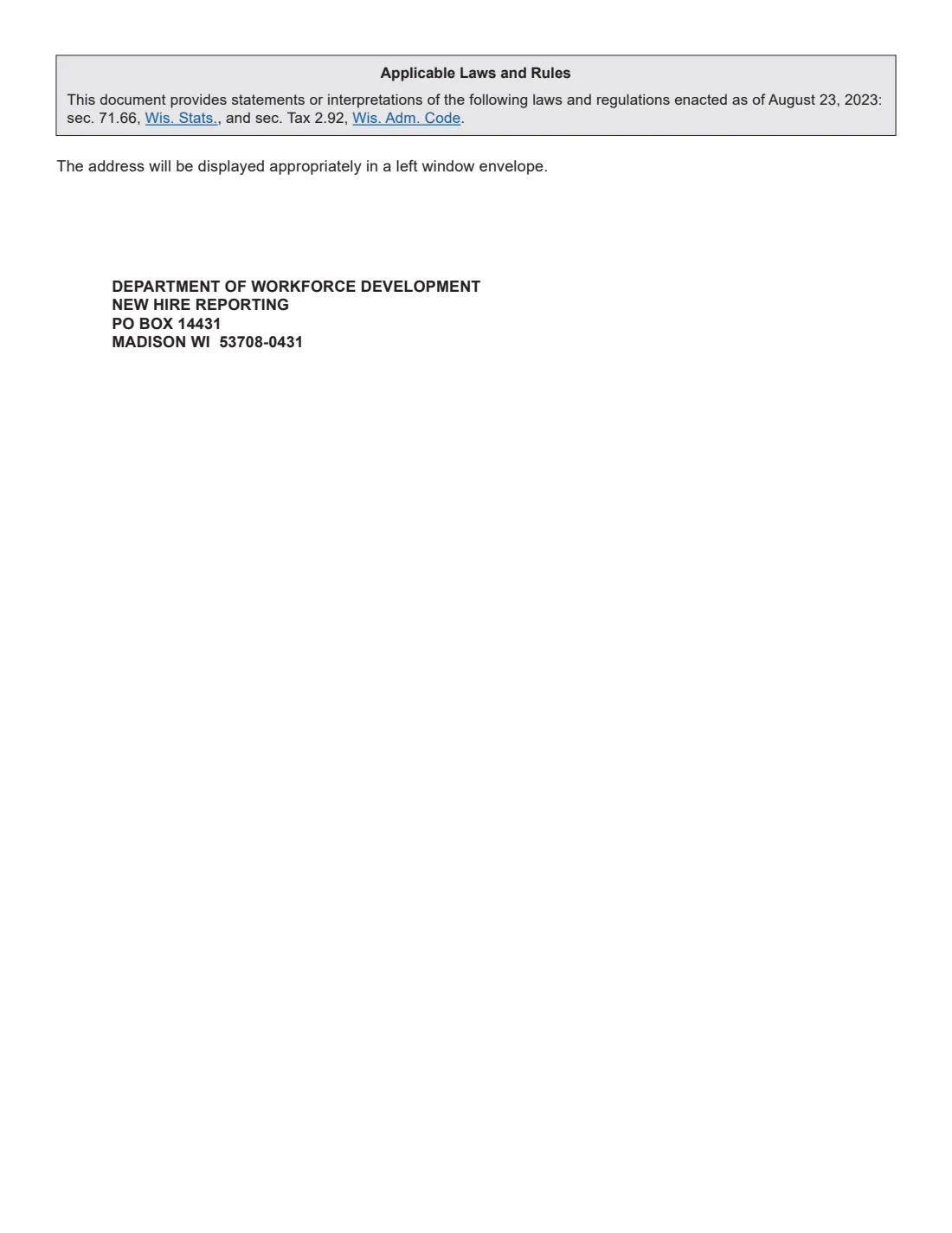
Your employer completes its section and either reports the hire electronically or mails the form to DWD New Hire Reporting; page 2 of the PDF is an address sheet for a window envelope. It sends a copy to the Department of Revenue only in the cases listed on the form.
If your withholding is still too high after claiming every exemption you're entitled to, the form points to Form WT-4A. Update your WT-4 when your exemptions change; with FileIt, your earlier answers are ready to reuse.
Fill out Form WT-4 online with FileIt
- Pick the person. Choose someone from People and FileIt fills in their name, date of birth, address and other details it already knows.
- Answer plain-language questions. One part of the form at a time, with the official help text beside each question — 29 fields in all. Your answers save as you go.
- Check the live preview. Watch your answers land on the real Wisconsin Department of Revenue (DOR) form, and let FileIt do any worksheet arithmetic.
- Generate the official PDF. FileIt prints your answers into the agency’s own PDF and files it in that person’s folder in your vault. Sign it, or send it for e-signature.
FileIt fills the form — it never files or submits anything for you. Deliver the finished form to whoever asked for it, the way the form’s instructions say.
Start Form WT-4 now — it’s freeForm WT-4: frequently asked questions
Do I have to fill out a WT-4 in Wisconsin?
Yes, if you're newly hired. The form says that effective on or after January 1, 2020, every newly hired employee must provide a completed WT-4 to each of their employers.
How many exemptions should I claim on the WT-4?
One for yourself, one for your spouse if applicable, and one for each dependent who qualifies for federal purposes. You may claim fewer to have more withheld. If you have more than one job, claim fewer or none with the employers other than your main one.
Is this the latest version of the WT-4?
The fill-in form on the Department of Revenue's withholding forms page is edition W-204 (R. 8-23), and that is the edition FileIt fills. Check the Department's page if you're unsure.
Why does the WT-4 ask for my date of birth and date of hire?
Because the same form is Wisconsin's new hire report. Your employer uses those details, with its own, to report your hiring to the Department of Workforce Development.
How long does an exemption from withholding last?
A complete exemption claimed on line 3 expires on April 30 of next year unless you give your employer a new WT-4 before then. You must revoke it sooner if you come to expect a Wisconsin tax liability.
What's the difference between the WT-4 and the WT-4A?
The WT-4 sets your exemptions. The form says that if you already claim the maximum exemptions and are still over-withheld, you may use Form WT-4A to reduce the over-withholding.
Can I fill out the WT-4 online?
Yes. FileIt guides you through the employee's section and lines 1 to 3, adds up your exemptions, and prints everything into the Department of Revenue's official PDF, ready to sign.
Where do I send the completed WT-4?
Give it to your employer. Your employer handles new hire reporting and sends copies to the Department of Revenue only in the situations listed on the form.
Official sources
- Blank form (PDF), published by Wisconsin Department of Revenue (DOR): https://www.revenue.wi.gov/TaxForms2017through2019/w-204f.pdf
- Official instructions and guidance: https://www.revenue.wi.gov/Pages/Form/with-home.aspx
- Edition shown on this page: W-204 (R. 8-23) (checked 2026-09-26).
FileIt is not affiliated with or endorsed by Wisconsin Department of Revenue (DOR) or any government. This page explains the form in general terms and is not legal, tax or immigration advice. Always read the official instructions, and check that you are using the edition the recipient accepts. Page last reviewed 2026-09-26.