What is Form WH-4?
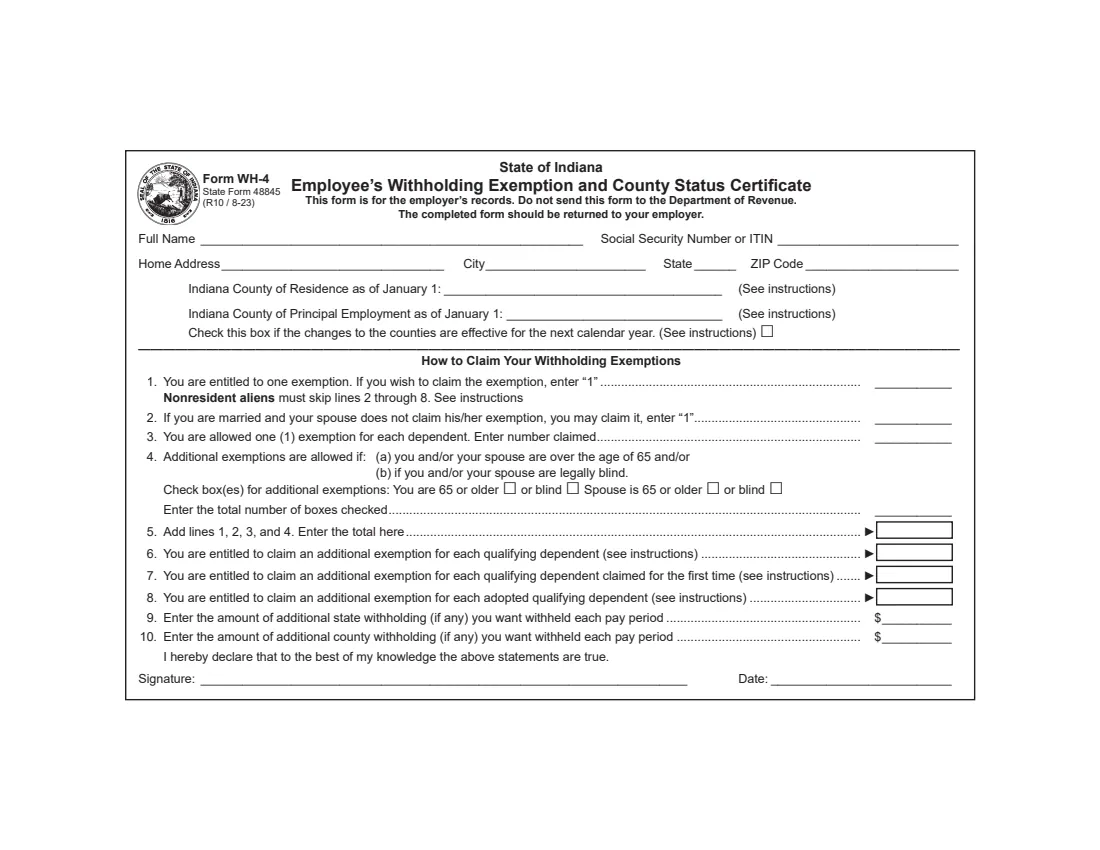
Form WH-4, the Employee's Withholding Exemption and County Status Certificate (State Form 48845), is how Indiana employees tell their employer how much Indiana income tax to withhold. Indiana is unusual in that nearly every county levies its own income tax, so the WH-4 asks not only for your exemptions but also for your Indiana county of residence and your county of principal employment as of January 1. Those two answers decide which county tax rate your employer applies.
The form is issued by the Indiana Department of Revenue. It says plainly that it is for the employer's records: do not send it to the Department, and return the completed form to your employer. It should be completed by all resident and nonresident employees with income subject to Indiana state and/or county income tax. The current edition is R10 / 8-23.
With FileIt you can fill out the WH-4 online in a guided form. FileIt pre-fills your name from the People records in your vault, lets you pick your counties from Indiana's 92 counties, totals lines 4 and 5, applies the nonresident alien limitation, and prints your answers into the Department's own fillable PDF. The finished form is saved in your vault folder and can be sent for e-signature. FileIt never submits it anywhere — you give it to your employer yourself.
- Who fills it
- The employee.
- Given to
- Your employer. The form says not to send it to the Department of Revenue.
- When
- When you start a job, within 10 days if your exemptions decrease, each year you claim a first-time dependent exemption, and when your counties change.
- Signatures
- The employee signs and dates the declaration.
- Edition
- State Form 48845 (R10 / 8-23).
- Cost
- Free to fill out on any FileIt account.
Who needs to fill out Form WH-4?
- All resident and nonresident employees with income subject to Indiana state and/or county income tax.
- New employees starting a job with an Indiana employer.
- Employees who move to, or start working in, a different Indiana county and want the change recorded for next year.
- Parents claiming the additional exemptions for qualifying dependent children, including first-time and adopted dependents.
- Nonresident aliens, who are limited to one exemption for withholding purposes.
- Employees whose exemptions have decreased — divorce, a spouse claiming their own exemption, or a dependent who no longer qualifies.
When to use Form WH-4
- When you start a new job in Indiana, alongside the federal Form W-4 and Form I-9.
- Within 10 days if the number of exemptions you previously claimed decreases, for the reasons listed on the form.
- At any time if your number of exemptions increases.
- Each year you claim the first-time dependent exemption on line 7 — it is good only for the calendar year the WH-4 is submitted.
- When your county of residence or principal employment changes. Your county status is set as of January 1 and changes only for the next calendar year.
What you need before you start
- Your full name and Social Security number or ITIN.
- Your home address, city, state and ZIP code.
- Your Indiana county of residence and county of principal employment as of January 1 of this year.
- Whether your spouse claims their own exemption.
- The number of dependents you can claim, with enough detail to know which are qualifying children under 19 (or under 24 and full-time students), which are claimed for the first time, and which are adopted.
- Whether you and/or your spouse are 65 or older, or legally blind.
- Any additional state or county amount you want withheld each pay period.
What’s on Form WH-4
The 2023 edition has 2 pages. FileIt asks for it in 3 parts, and it is signed by Employee:
- Your details and county statusEmployee
- How to claim your withholding exemptions (lines 1–8)Employee
- Lines 9–10: Additional withholdingEmployee
How to fill out Form WH-4, step by step
1 Name, Social Security number or ITIN, and home address
Print or type your full name, your Social Security number or ITIN, and your home address with city, state and ZIP code. The form accepts an ITIN in the same box, which matters for employees who don't have a Social Security number.
2 Indiana county of residence and of principal employment
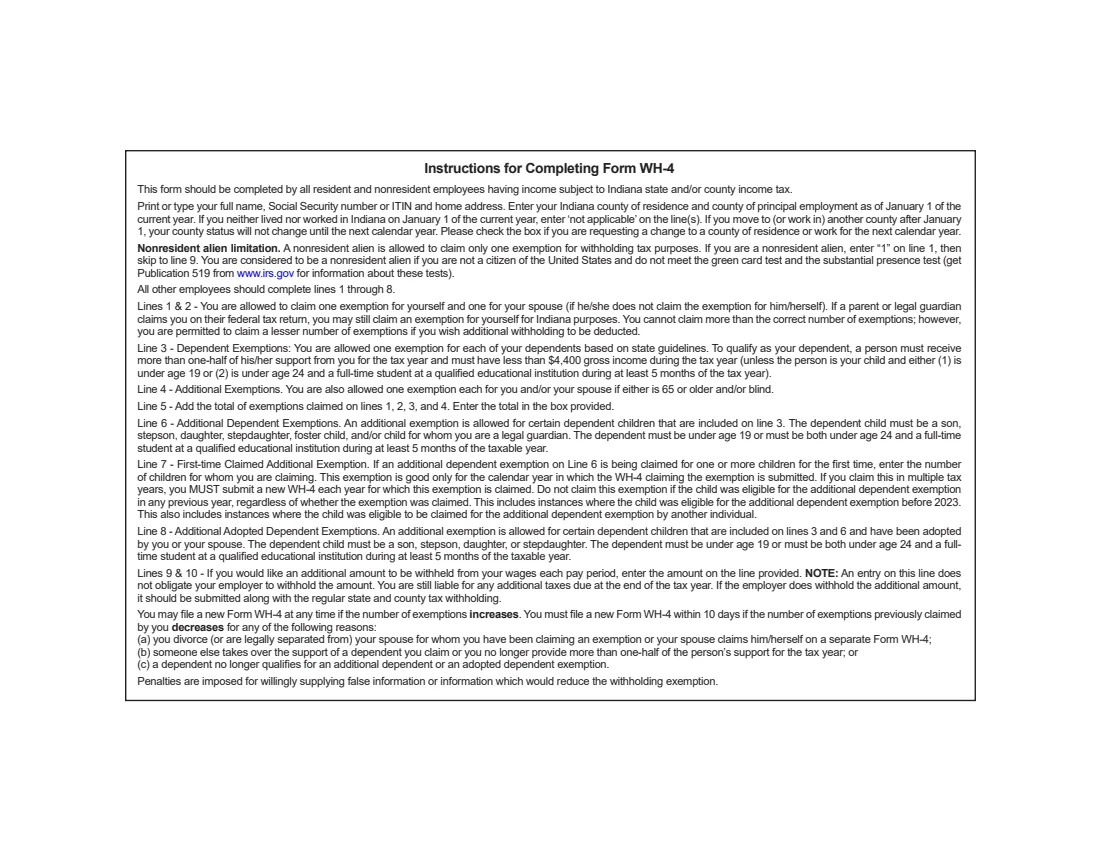
Enter the Indiana county where you lived and the county where you mainly worked on January 1 of the current year. If you neither lived nor worked in Indiana on January 1, the instructions say to enter "not applicable" on the line.
If you move to, or start working in, another county after January 1, your county status doesn't change until the next calendar year. Tick the box if you are asking for a change to your county of residence or work for the next calendar year. FileIt lists all 92 Indiana counties so the name prints correctly.
3 Lines 1 and 2 — You and your spouse
You are entitled to one exemption; enter 1 on line 1 to claim it. The instructions note that you can still claim it for Indiana even if a parent or legal guardian claims you on their federal return. If you are married and your spouse doesn't claim his or her own exemption, you may claim it on line 2.
Nonresident aliens may claim only one exemption: enter 1 on line 1 and skip to line 9. FileIt hides lines 2 to 8 when you say you're a nonresident alien.
4 Line 3 — Dependents
You are allowed one exemption for each dependent, based on state guidelines. To qualify, a person must receive more than half of their support from you for the year and have less than $4,400 of gross income, unless the person is your child and is under 19, or under 24 and a full-time student for at least 5 months of the year.
5 Line 4 — Age 65 or older and blindness
You get one additional exemption each if you and/or your spouse are 65 or older and/or legally blind. Tick the boxes that apply — you 65 or older, you blind, spouse 65 or older, spouse blind — and enter the number ticked. FileIt counts them for you.
6 Line 5 — Total of lines 1 to 4
Add lines 1, 2, 3 and 4 and enter the total in the box. FileIt calculates this line.
7 Lines 6 to 8 — Additional dependent exemptions
Line 6 is an additional exemption for certain dependent children already included on line 3: a son, stepson, daughter, stepdaughter, foster child or child you are legal guardian of, under 19 or under 24 and a full-time student for at least 5 months.
Line 7 is for children on line 6 being claimed for the first time. It is good only for the calendar year the WH-4 is submitted, so you must submit a new WH-4 each year you claim it, and you can't claim it if the child was eligible for the additional dependent exemption in any previous year (including before 2023, or through another person). Line 8 is for adopted children included on lines 3 and 6 — a son, stepson, daughter or stepdaughter meeting the same age rules.
8 Lines 9 and 10 — Additional state and county withholding
Enter any extra state (line 9) or county (line 10) amount you want withheld each pay period. The form notes that this doesn't obligate your employer to withhold it, and you remain liable for any additional tax due at the end of the year.
9 Signature and date
Sign and date the declaration that, to the best of your knowledge, the statements are true. The instructions warn that penalties are imposed for willingly supplying false information.
Common mistakes to avoid
- Entering the county you live in today instead of the county as of January 1 — a mid-year move only takes effect next calendar year.
- Leaving a county line blank when you didn't live or work in Indiana on January 1; the instructions say to enter "not applicable".
- Claiming lines 2 to 8 as a nonresident alien. Nonresident aliens enter 1 on line 1 and skip to line 9.
- Counting a child on line 6, 7 or 8 who isn't already included on line 3.
- Claiming the first-time exemption on line 7 again in a later year, or for a child who was eligible in an earlier year.
- Forgetting a new WH-4 within 10 days after a divorce, or when your spouse starts claiming their own exemption.
- Mailing the form to the Department of Revenue. It belongs with your employer.
After you fill it out
Sign and date the WH-4 and give it to your employer. The form says it is for the employer's records and should not be sent to the Department of Revenue. FileIt keeps a copy in the person's vault folder, and you can send the PDF for e-signature if your employer accepts that.
Your employer uses your exemptions and county status to withhold Indiana state and county tax. If it agrees to withhold the additional amounts on lines 9 and 10, it pays them over with the regular withholding.
File a new WH-4 whenever your exemptions or counties change, and every year you claim the line 7 first-time exemption. FileIt keeps your earlier answers so the next one is quick.
Fill out Form WH-4 online with FileIt
- Pick the person. Choose someone from People and FileIt fills in their name, date of birth, address and other details it already knows.
- Answer plain-language questions. One part of the form at a time, with the official help text beside each question — 25 fields in all. Your answers save as you go.
- Check the live preview. Watch your answers land on the real Indiana Department of Revenue (DOR) form, and let FileIt do any worksheet arithmetic.
- Generate the official PDF. FileIt prints your answers into the agency’s own PDF and files it in that person’s folder in your vault. Sign it, or send it for e-signature.
FileIt fills the form — it never files or submits anything for you. Deliver the finished form to whoever asked for it, the way the form’s instructions say.
Start Form WH-4 now — it’s freeForm WH-4: frequently asked questions
What is Indiana Form WH-4?
It is the Employee's Withholding Exemption and County Status Certificate. It tells your employer your withholding exemptions and your Indiana counties of residence and principal employment as of January 1, which together set your state and county income tax withholding.
Why does the WH-4 ask for my county?
Indiana counties levy their own income tax, and your county status as of January 1 decides which county tax applies to your wages for the year. If it changes during the year, the change takes effect the next calendar year.
What if I didn't live or work in Indiana on January 1?
The instructions say to enter "not applicable" on the county line or lines that don't apply.
Can I use an ITIN instead of a Social Security number?
Yes. The box on the form asks for your Social Security number or ITIN.
How many exemptions can a nonresident alien claim on the WH-4?
Only one. Enter 1 on line 1, then skip to line 9. The instructions point to IRS Publication 519 for the green card and substantial presence tests.
Do I need a new WH-4 every year?
Not always. But you must submit a new one each year you claim the first-time dependent exemption on line 7, within 10 days if your exemptions decrease, and when you want a county change recorded.
Can I fill out Form WH-4 online?
Yes. FileIt guides you through each line, offers every Indiana county to choose from, adds up lines 4 and 5, and prints your answers into the official PDF for you to sign.
Where do I send the WH-4?
To your employer only. The form says: do not send this form to the Department of Revenue.
Official sources
- Blank form (PDF), published by Indiana Department of Revenue (DOR): https://forms.in.gov/Download.aspx?id=2702
- Official instructions and guidance: https://www.in.gov/dor/tax-forms/withholding-tax-forms/
- Edition shown on this page: State Form 48845 (R10 / 8-23) (checked 2026-09-26).
FileIt is not affiliated with or endorsed by Indiana Department of Revenue (DOR) or any government. This page explains the form in general terms and is not legal, tax or immigration advice. Always read the official instructions, and check that you are using the edition the recipient accepts. Page last reviewed 2026-09-26.