What is the student behaviour incident report form template?
When a behaviour incident happens, the details matter later — to a head of year following up, to a parent asking what happened, or to a pattern that only shows up over several weeks. Quick notes on scraps of paper or a hurried email don't hold up well.
This form guides staff through a factual record: when and where it happened, who was involved and affected, the type of behaviour and how serious it was, any injuries, what happened in order, the action taken, whether there's a safeguarding concern, and whether parents have been contacted.
Every report is saved as a PDF in the vault folder you choose, giving pastoral staff a consistent, dated record for each incident.
- Best for
- Primary and secondary schools, colleges and alternative provision
- Filled in by
- Teachers, support staff and lunchtime or bus supervisors
- Time to complete
- About 5–10 minutes
- Includes
- Conditional injury, safeguarding and parent-contact questions, and photo or statement uploads
Who uses a student behaviour incident report form?
- Recording classroom incidents that need follow-up by a head of year or pastoral lead
- Playground, corridor or lunchtime incidents reported by support staff
- Incidents on the school bus or on a trip
- Online or phone misuse that spills into school
- Bullying reports that need a clear, dated record
- Keeping a consistent log so patterns across weeks can be seen
Questions on this student behaviour incident report form
27 questions over 4 pages · includes file upload, conditional questions, multiple pages.
1 Incident
- Staff member reporting*
- Your role
- Date of incident*
- Approximate time
- Lesson / period
- Where did it happen?* Classroom · Corridor · Playground / yard · Canteen / dining hall · Toilets / changing rooms · Sports hall / field · School bus · Off-site trip · Online / social media · Somewhere else
- Where exactly?* asked only when it applies
2 Who was involved
- Student(s) involved*
- Student(s) or staff affected
- Witnesses
- Type of behaviour* Disrupting learning · Defiance / refusal · Verbal abuse or swearing · Physical aggression · Bullying · Damage to property · Unsafe behaviour · Leaving class or site without permission · Misuse of phones / online · Discriminatory language or behaviour
- Severity* Low — dealt with in the moment · Moderate — needs follow-up · Serious — senior staff involved
- Was anyone injured?*
- Who was injured and how?* asked only when it applies
- Was first aid given? asked only when it applies
3 What happened
- What happened*
- What happened just before?
- Student's account
- Photos or statements
4 Action & parent contact
- Action taken* Verbal warning · Removed from lesson · Time out / reflection · Detention · Restorative conversation · Referred to head of year / pastoral lead · Referred to senior leader · Referred to safeguarding lead · Item confiscated
- Details of action taken
- Does this raise a safeguarding concern?*
- Have parents or carers been contacted?*
- How?* asked only when it applies Phone call · Email · In person · Letter or app message
- Date contacted asked only when it applies
- Parent's response asked only when it applies
- Follow-up needed
The student behaviour incident report form, page by page
1 Incident
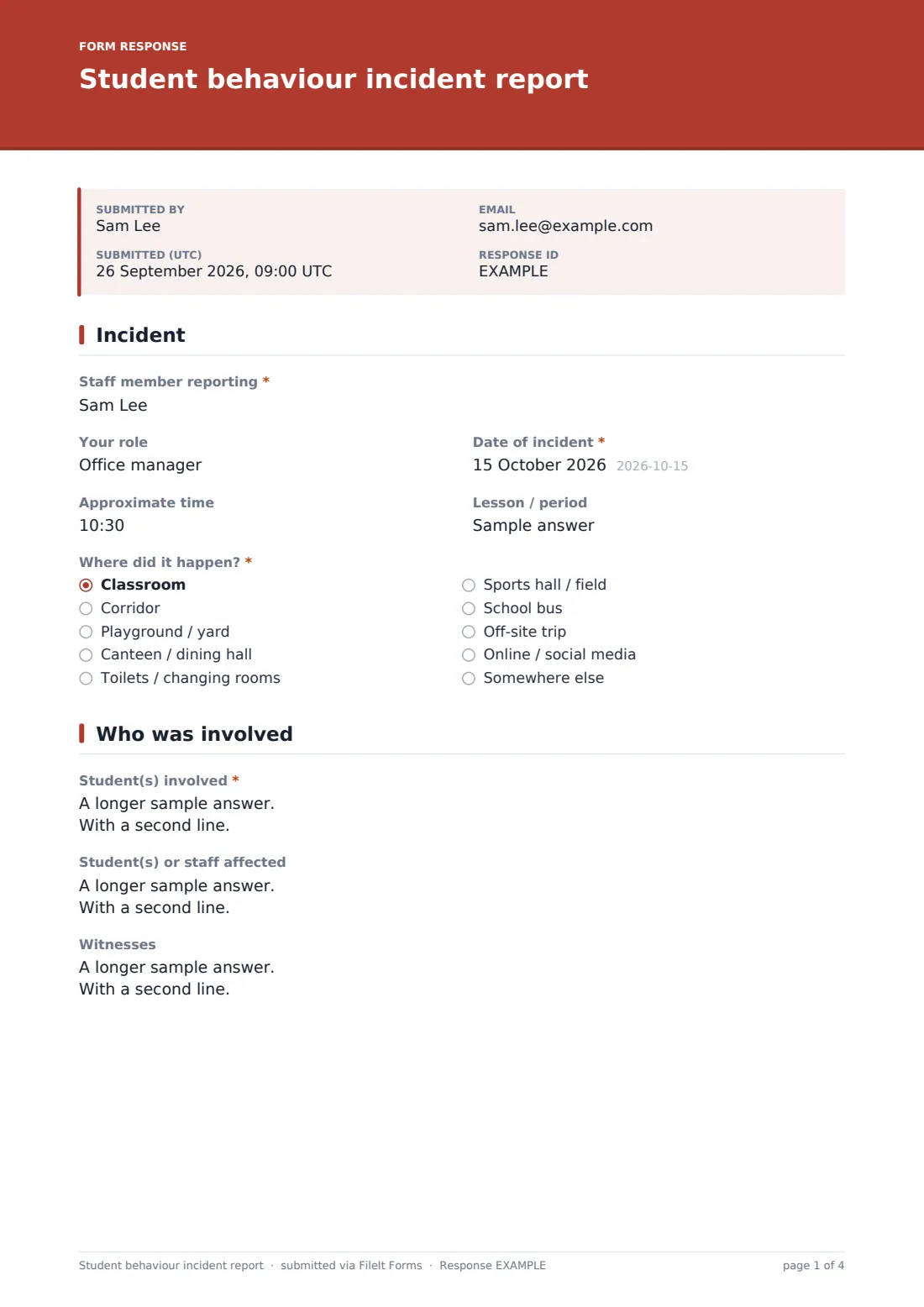
The member of staff gives their name and role, the date, approximate time and the lesson or period if it happened in class. A dropdown records the location — classroom, corridor, playground, canteen, toilets or changing rooms, sports areas, the school bus, an off-site trip, online, or somewhere else, which opens a box to say where exactly.
2 Who was involved
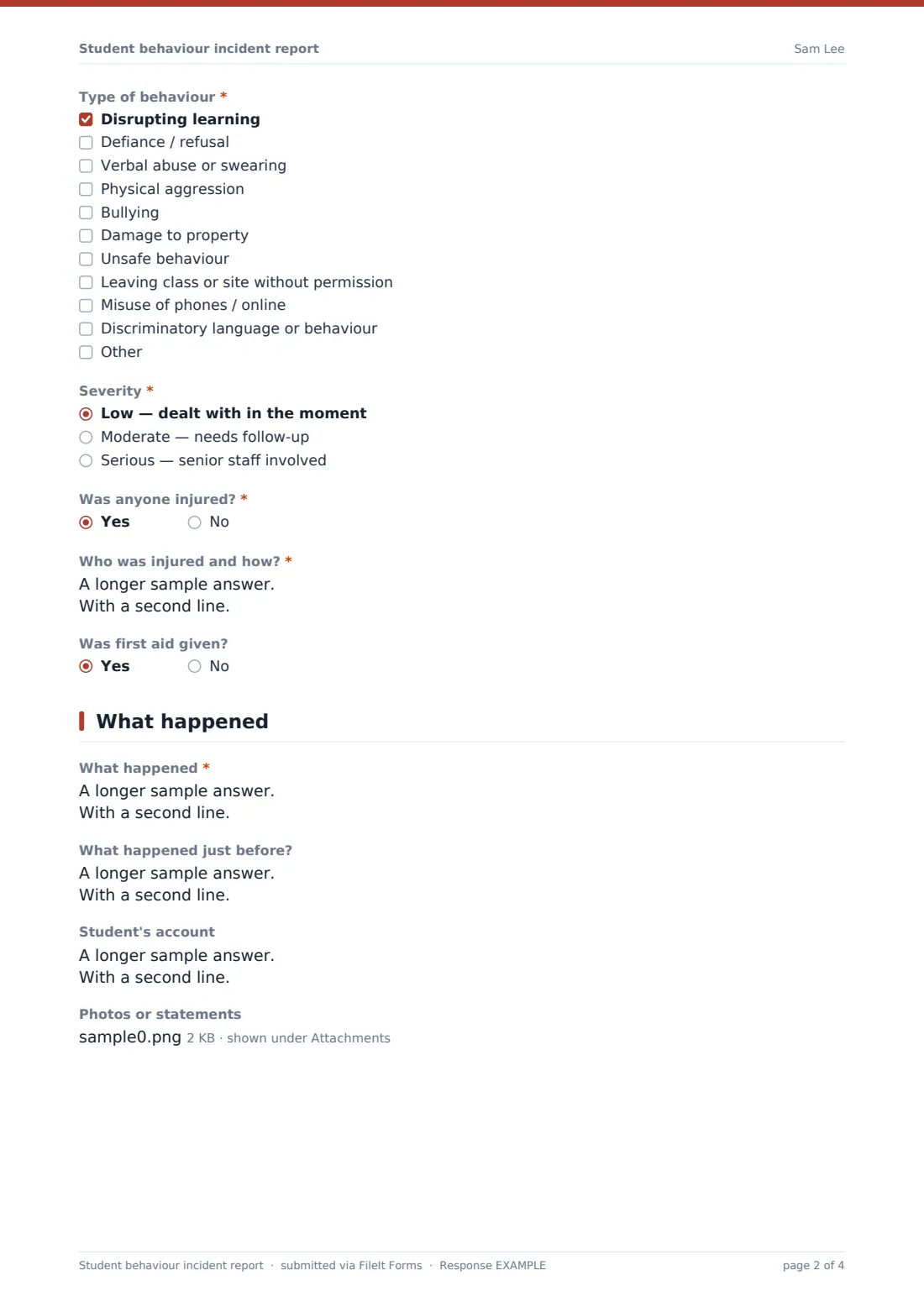
Required: the students involved, with their class and who was mainly responsible if known. Optional boxes record who was affected and any witnesses. A checklist covers the type of behaviour, from disrupting learning to physical aggression, bullying, damage, unsafe behaviour, leaving without permission, device misuse and discriminatory language, with space for other behaviour. Staff then rate severity (low, moderate or serious) and answer whether anyone was injured — a yes opens a required description and a question about first aid.
3 What happened
The required account asks for events in order, as seen and heard, with exact words where they matter. Optional boxes record what happened just before and the student's own account, and staff can upload photos or written statements.
4 Action & parent contact
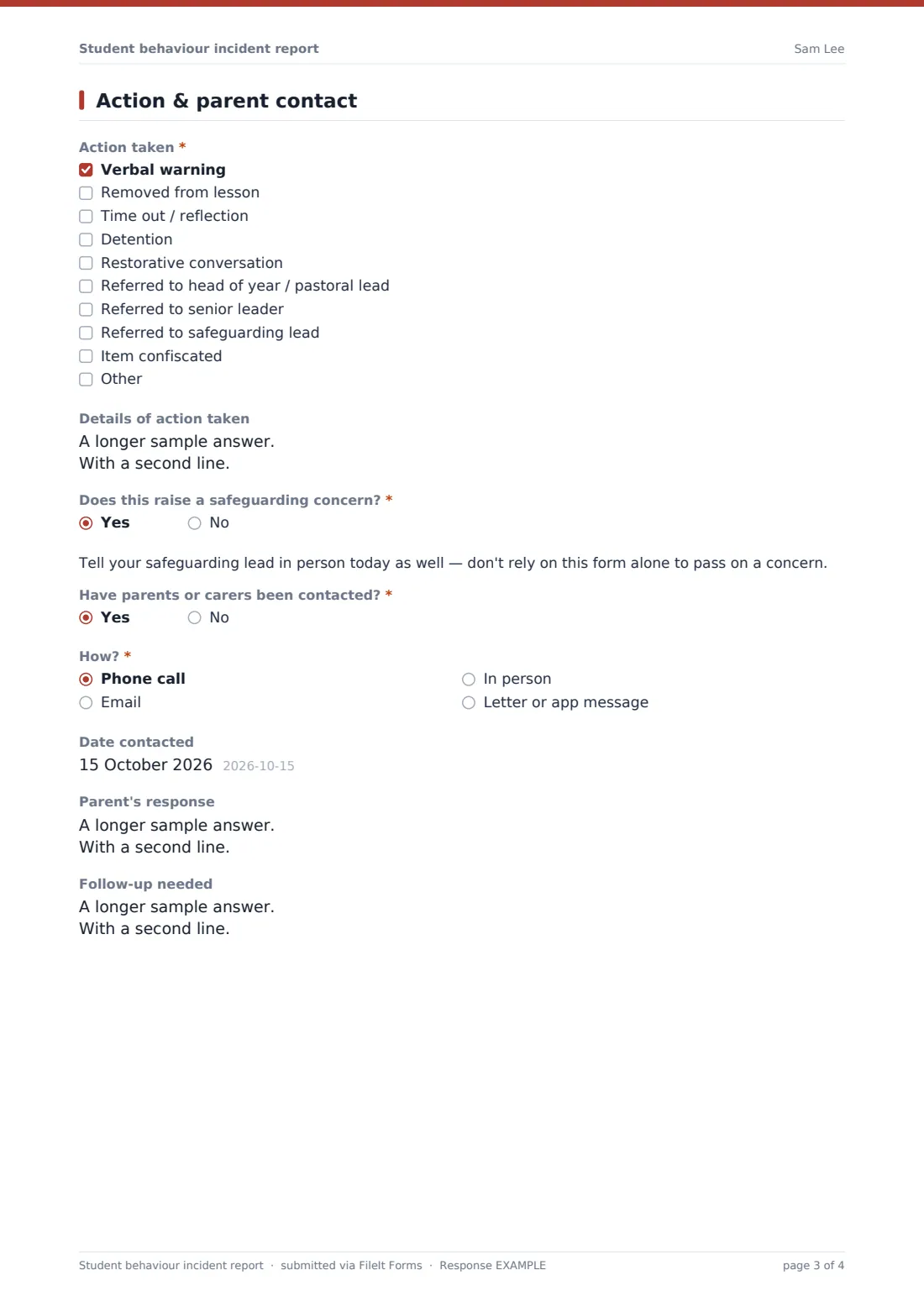
A required checklist records the action taken — from a verbal warning or time out to referral to a senior leader or safeguarding lead, or an item confiscated — with a box for details. A required yes/no asks whether this raises a safeguarding concern; a yes shows a reminder to tell the safeguarding lead in person the same day. Staff then say whether parents have been contacted and, if so, how, when, and how they responded, and note any follow-up needed.
Make the template yours
- Match the action checklist to your school's behaviour policy and consequence steps
- Add your school's locations or trip names to the location dropdown
- Add the pastoral team's shared inbox to notifications so every report reaches them
- File reports in a folder per year group to make follow-up easier
- Add a question for the student's year group if you want to sort reports that way
- Remove the severity scale if your policy uses different levels, or rename the levels to match
Tips for a better student behaviour incident report form
- Fill it in the same day while details are fresh
- Record exactly what was said when words are part of the incident
- Keep opinions out of the account and put context in the 'just before' box
- Never rely on this form alone for a safeguarding concern — speak to your safeguarding lead as well
- Write down parent contact even if the call went to voicemail
- Limit access to the vault folder to the staff who need to see these reports
Every response becomes a PDF in your vault
When a report is submitted, FileIt saves it as a PDF with any uploaded photos or statements attached and files it in the vault folder you've chosen. The form owner and any extra notification addresses receive an email so the pastoral team knows straight away.
Pastoral staff typically check the Responses table daily, follow up on anything marked moderate or serious, and use the CSV export to look for patterns by location, type of behaviour or date.
- Start from this template. It opens in the FileIt Forms designer — change any question, add pages, set the rules for when questions appear.
- Share it. Turn on a public link, or send it to people by email, each with their own link. They don’t need a FileIt account.
- Get the answers as PDFs. Each response is saved as a PDF in the vault folder you choose, with uploaded files attached — and listed in a Responses table you can export to CSV.
Student behaviour incident report form: frequently asked questions
Is this behaviour incident report template free?
Yes. It's included in the Forms app on every FileIt account, including the free plan.
Do staff need a FileIt account to submit a report?
No. Share the form's link with staff — for example on the staff intranet — and they can submit without an account.
Can this form replace our safeguarding reporting process?
No. It prompts staff to flag safeguarding concerns and reminds them to tell the safeguarding lead in person, but it should sit alongside your school's safeguarding procedures, not replace them.
Can staff attach photos or witness statements?
Yes. Up to five files — photos, PDFs or Word documents — can be uploaded with each report.
Who sees the reports?
Reports are filed in your FileIt vault and emailed to the notification addresses you set. Only people you give access to that folder can see them.
Can I change the behaviour categories and actions?
Yes. Every checklist, dropdown and question can be edited in the Forms designer to match your behaviour policy.
Can I see all incidents for one student?
Search the Responses table or export it to CSV and filter by the student's name.