What is the classroom observation form template?
Lesson observations are only useful if the notes are specific and the follow-up actually happens. Too often the evidence lives in a notebook, the feedback conversation happens in a corridor, and the agreed next step is forgotten by the time of the next visit.
This template walks the observer through the whole cycle: the context of the lesson, a quick grid of focus areas with an honest "Not seen" option, free-text evidence, strengths and a short list of development points, then whether feedback has been given and what support was agreed. It works for a formal scheduled observation as well as a ten-minute drop-in or a learning walk.
Each completed observation becomes a signed PDF filed in the vault folder you choose, so a teacher's observations build into a dated record you can look back on at appraisal time.
- Best for
- Headteachers, principals, department heads, instructional coaches and mentors
- Filled in by
- The observer, during or straight after the lesson
- Time to complete
- About 10–15 minutes, depending on the length of your notes
- Includes
- A focus-area grid, next-step tracking, a teacher comments box and the observer's signature
Who uses a classroom observation form?
- Formal scheduled observations as part of a school's appraisal or evaluation cycle
- Short drop-in visits and learning walks where only a few focus areas are seen
- Peer observations between colleagues sharing practice
- Induction and probation observations for new or trainee teachers
- Instructional coaching cycles where the next step and follow-up date matter most
- Building a consistent record across a department so observers look for the same things
Questions on this classroom observation form
23 questions over 4 pages · includes signature, conditional questions, multiple pages, ratings.
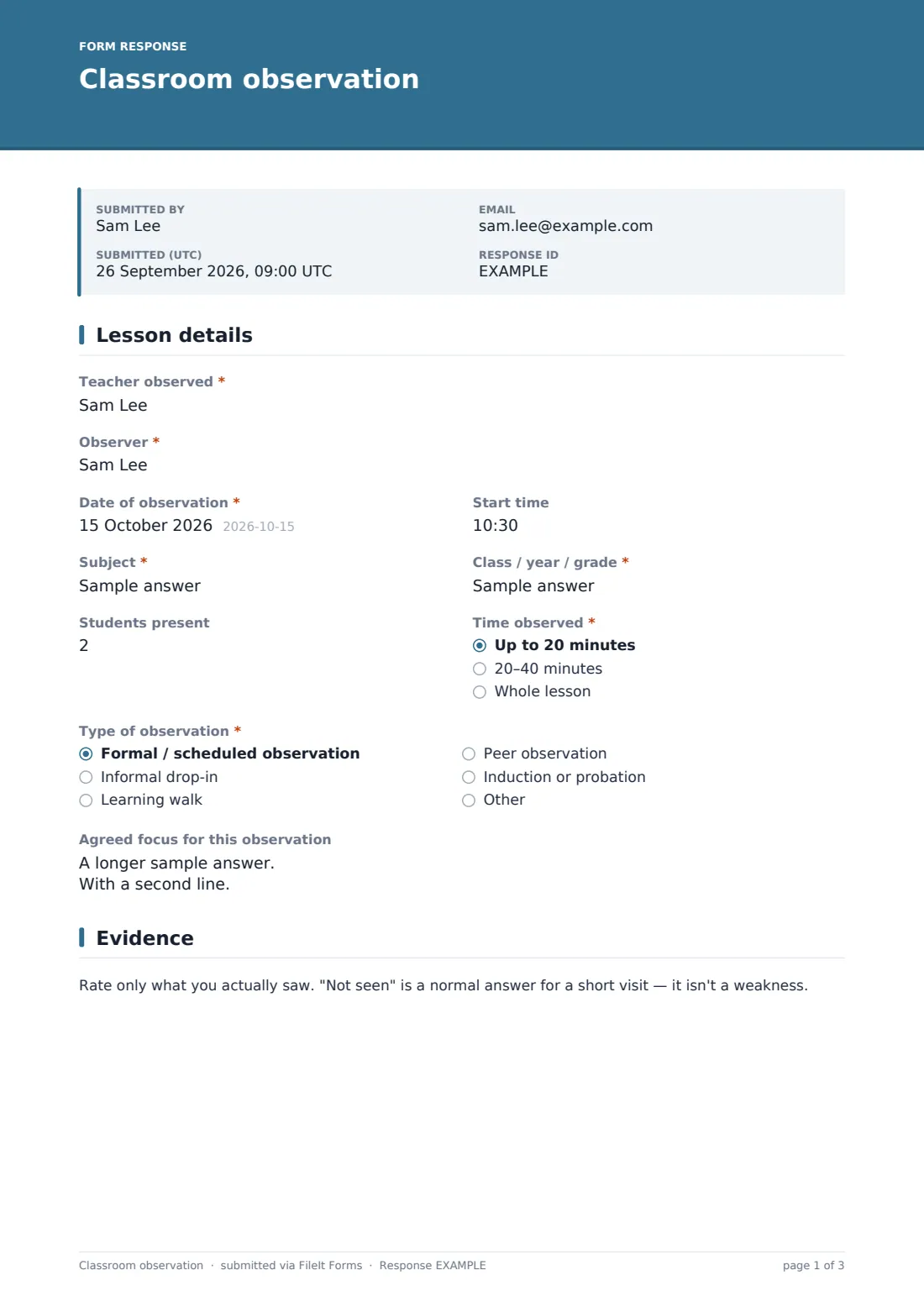
1 Lesson details
- Teacher observed*
- Observer*
- Date of observation*
- Start time
- Subject*
- Class / year / grade*
- Students present
- Time observed* Up to 20 minutes · 20–40 minutes · Whole lesson
- Type of observation* Formal / scheduled observation · Informal drop-in · Learning walk · Peer observation · Induction or probation
- Agreed focus for this observation
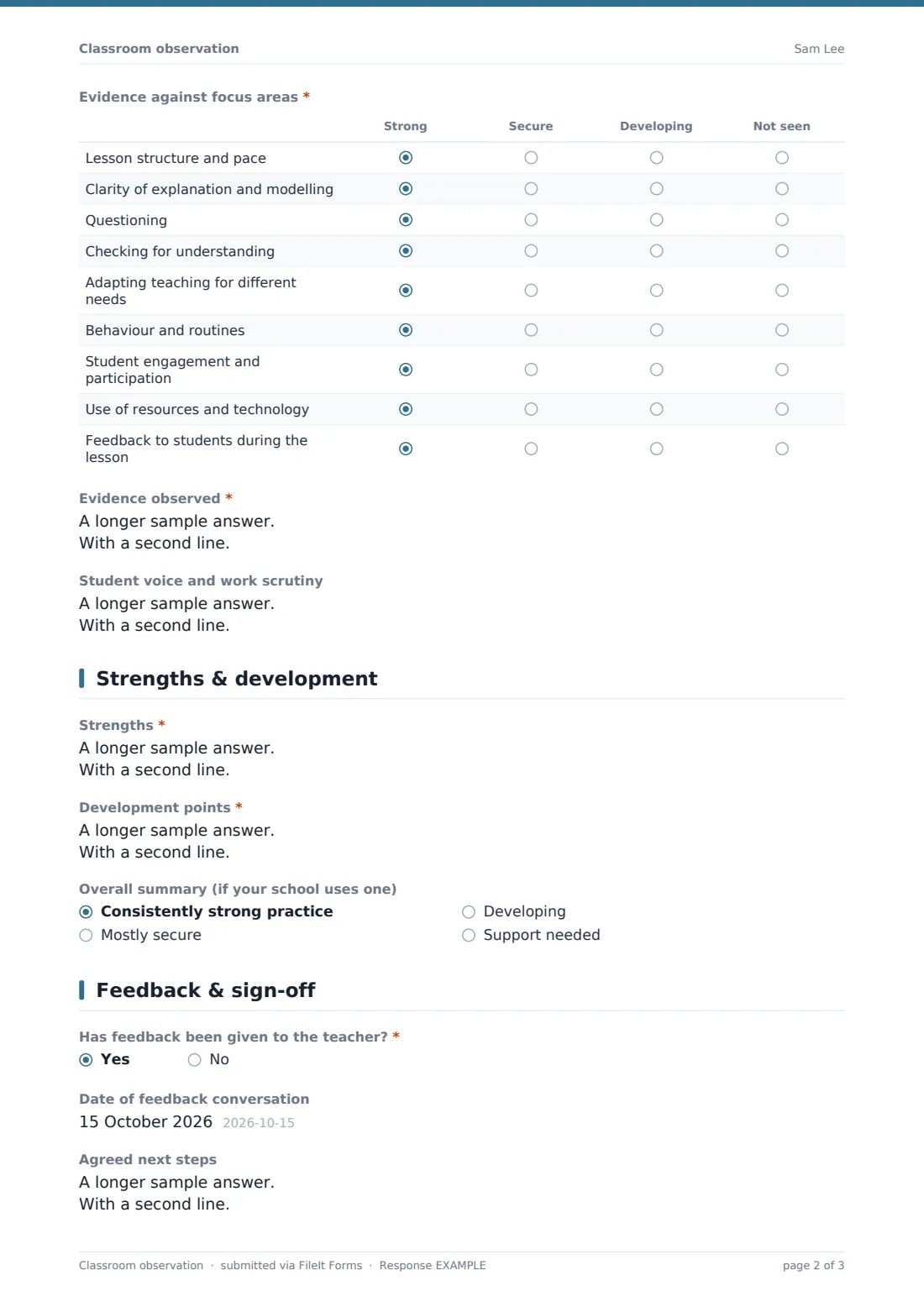
2 Evidence
- Evidence against focus areas* Strong · Secure · Developing · Not seen
- Evidence observed*
- Student voice and work scrutiny
3 Strengths & development
- Strengths*
- Development points*
- Overall summary (if your school uses one) Consistently strong practice · Mostly secure · Developing · Support needed
4 Feedback & sign-off
- Has feedback been given to the teacher?*
- Date of feedback conversation asked only when it applies
- Agreed next steps
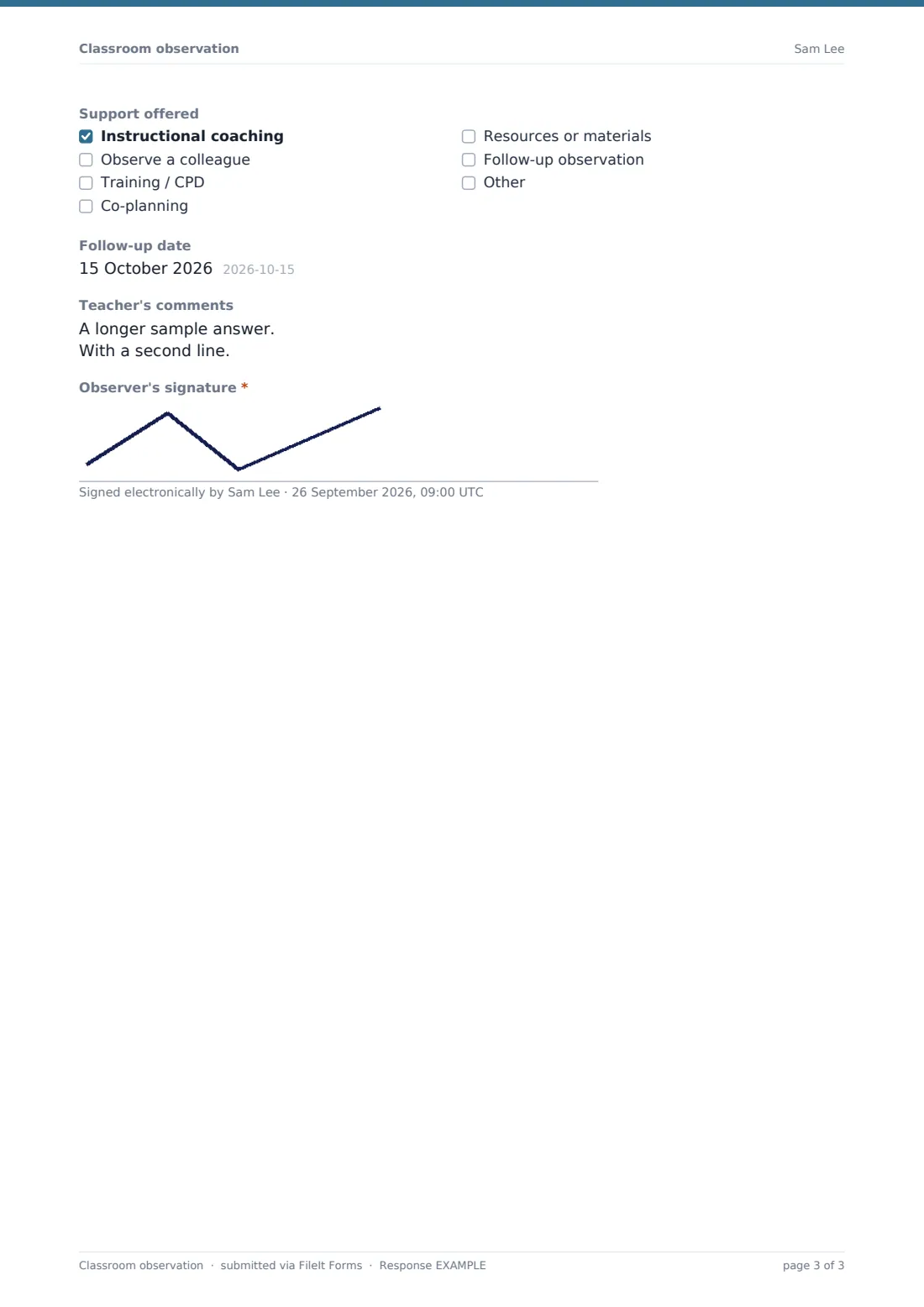
- Support offered Instructional coaching · Observe a colleague · Training / CPD · Co-planning · Resources or materials · Follow-up observation
- Follow-up date
- Teacher's comments
- Observer's signature*
The classroom observation form, page by page
1 Lesson details
The observer records the teacher, their own name, the date and start time, subject, class and the number of students present. A dropdown captures how long they stayed — up to 20 minutes, 20–40 minutes, or the whole lesson — and a radio question the type of observation: formal, informal drop-in, learning walk, peer or induction/probation, with room for another type. An optional box records any focus the teacher and observer agreed in advance, such as questioning or checking for understanding.
2 Evidence
A short note reminds the observer that "Not seen" is a normal answer on a short visit. The grid then covers nine focus areas — lesson structure and pace, explanation and modelling, questioning, checking for understanding, adapting for different needs, behaviour and routines, engagement, use of resources and technology, and feedback during the lesson — each rated Strong, Secure, Developing or Not seen.
The required evidence box asks for what was seen and heard, in order, with time-stamped notes encouraged over judgements. A separate optional box records student voice and what students' books or work showed.
3 Strengths & development
Two required boxes hold the strengths, with evidence, and the development points — the help text suggests one to three specific, actionable points rather than a long list. An optional overall summary dropdown is there for schools that still use one, and can be left blank (or removed) by schools that don't grade individual lessons.
4 Feedback & sign-off
The observer records whether feedback has been given and, if so, when. Then come the agreed next steps, the support offered (coaching, observing a colleague, training, co-planning, resources, a follow-up observation or something else) and a follow-up date. A comments box gives the teacher space for their own response, and the observer signs on screen.
Make the template yours
- Rewrite the focus-area rows to match your school's own teaching framework or standards
- Change the rating columns to your framework's language, or drop the grid for purely narrative observations
- Remove the overall summary dropdown if your school doesn't grade lessons
- File observations under a folder per teacher so each person's record builds up over the year
- Add the teacher's email to notifications so they get the PDF as soon as it's filed
- Add a question for the teacher's own targets or appraisal objectives if observations feed into appraisal
Tips for a better classroom observation form
- Agree the focus with the teacher before a formal observation — it makes the evidence far more useful
- Write what you see and hear, with times, and save the judgements for the strengths and development boxes
- Keep development points to one to three; a long list rarely gets acted on
- Give feedback within a day or two while both of you remember the lesson
- Always set a follow-up date, even if it's just a five-minute drop-in
- Use "Not seen" freely on short visits instead of guessing
Every response becomes a PDF in your vault
When the observer submits, FileIt saves the observation as a PDF with their signature and files it in the vault folder set in the form's settings. The form owner gets an email notification, and the observer can receive a copy of the PDF by email.
Many schools share the PDF with the teacher before or after the feedback meeting, then use the Responses table to see observations across a department by date, focus area or follow-up date. The CSV export is handy for spotting common development points to plan training around.
- Start from this template. It opens in the FileIt Forms designer — change any question, add pages, set the rules for when questions appear.
- Share it. Turn on a public link, or send it to people by email, each with their own link. They don’t need a FileIt account.
- Get the answers as PDFs. Each response is saved as a PDF in the vault folder you choose, with uploaded files attached — and listed in a Responses table you can export to CSV.
Classroom observation form: frequently asked questions
Is this classroom observation template free?
Yes. It's one of the starter templates in the Forms app on every FileIt account, including the free plan, and you can edit every question.
Do observers need a FileIt account?
No. You can share the form's link with observers, or send it to them by email, and they fill it in without an account. Everything is filed in your account.
Can I use it for short drop-ins as well as full observations?
Yes. The observer records how long they stayed and the type of visit, and every row of the focus-area grid has a "Not seen" option for things a short visit doesn't cover.
Does it grade the lesson?
Only if you want it to. The overall summary dropdown is optional and can be removed. The grid rates focus areas, not the teacher, and you can rename its columns.
Can the teacher add their own comments?
Yes, there's a teacher's comments box. In practice many schools share the PDF with the teacher and let them add their response in a second submission or during the feedback meeting.
Can I change the focus areas to match our framework?
Yes. The grid's rows and columns are fully editable in the designer, so you can use your own framework's wording.
Where do completed observations go?
Each one becomes a PDF filed in the vault folder you choose, and every response is also listed in the form's Responses table with CSV export.