
What is the sports pre-participation physical form template?
Schools, clubs and teams often need a pre-season medical screening before an athlete can train or compete. Paper forms get lost between the athlete, the doctor's office and the coach. This template keeps the whole thing in one digital form: the athlete's history first, then the examining clinician's findings and clearance.
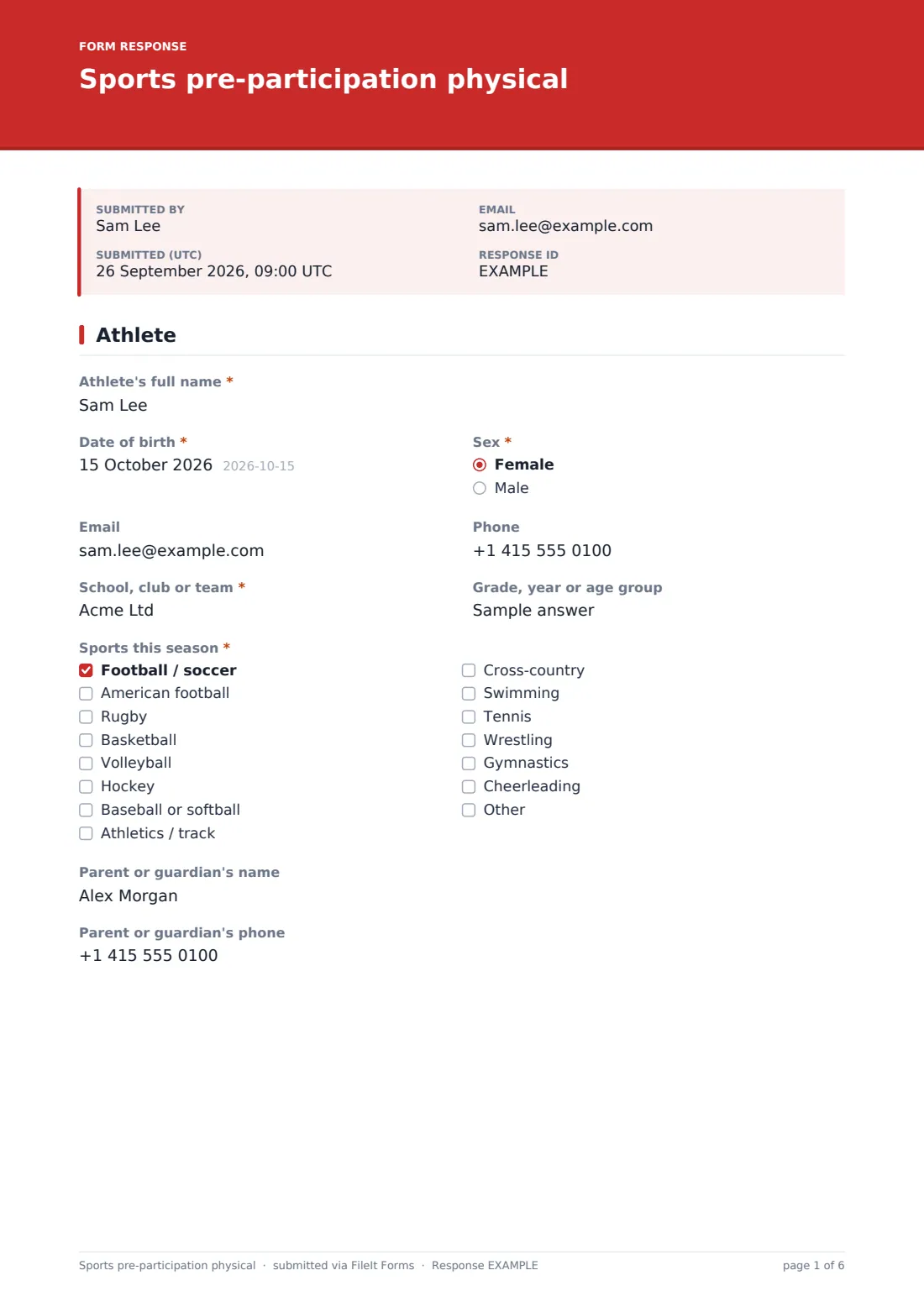
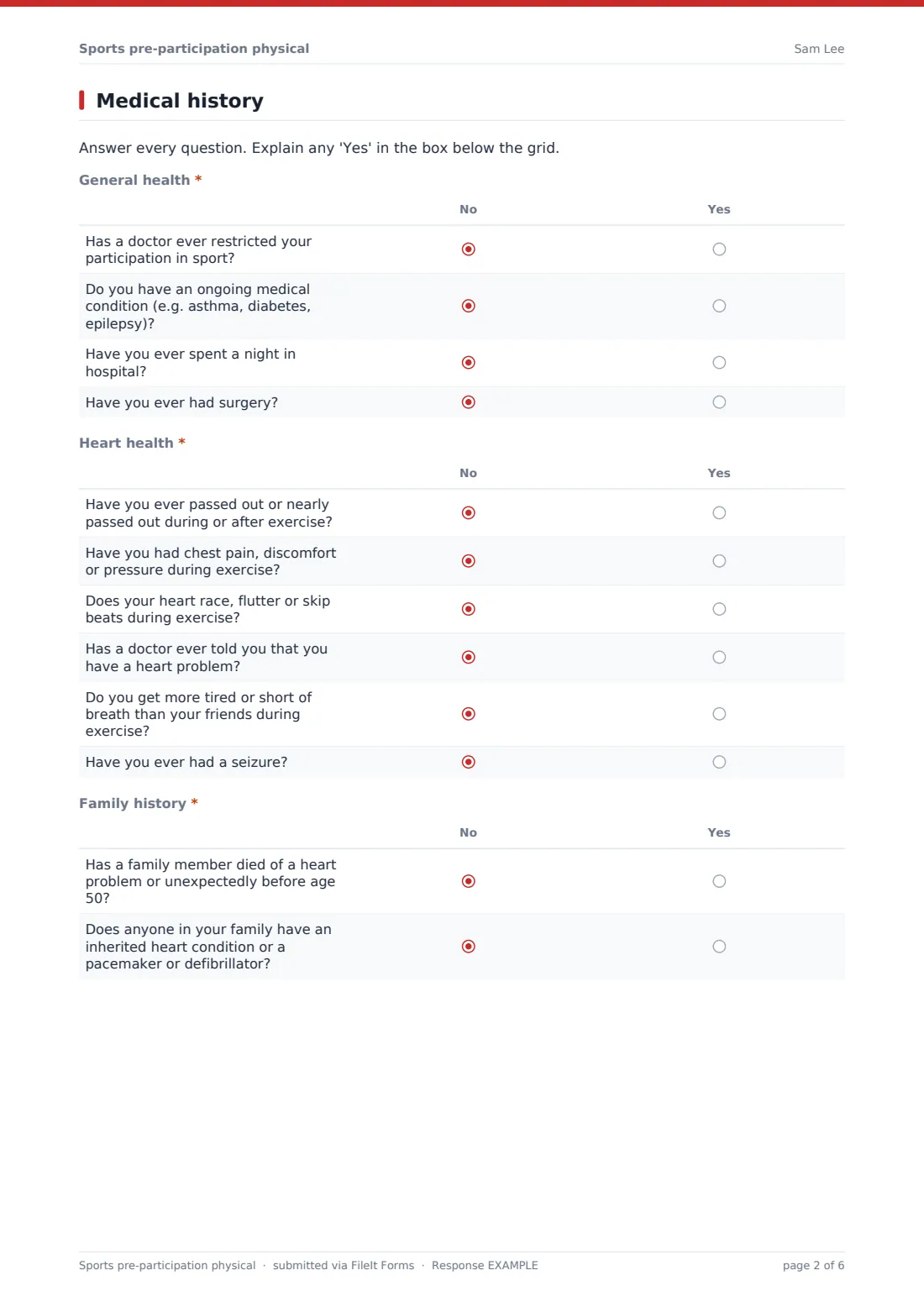
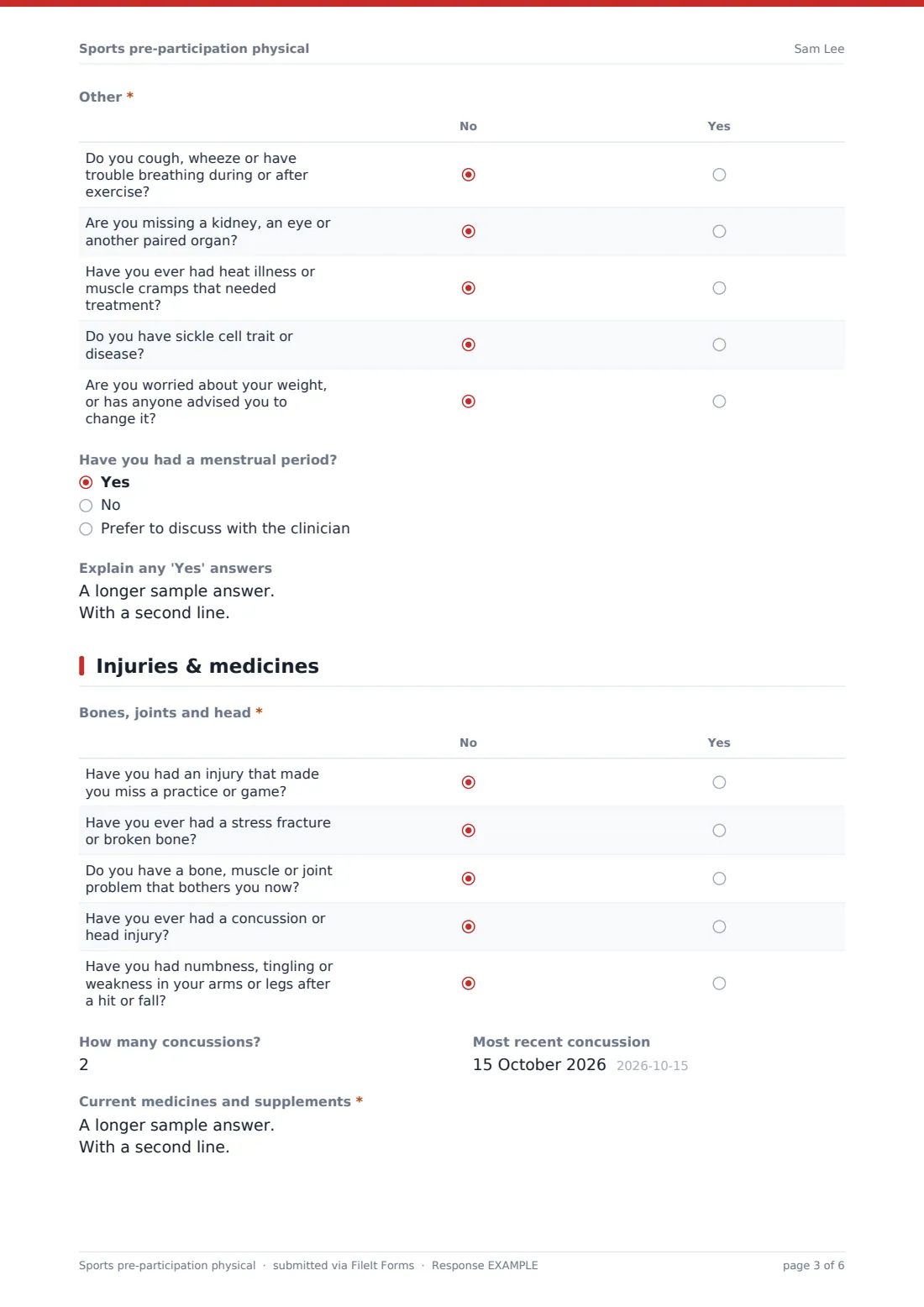
The athlete (with a parent or guardian for under-18s) gives their details, school or club and sports this season, then answers yes/no grids on general health, heart health, family history and other issues such as breathing, heat illness and sickle cell trait, explaining any yes. The next page covers injuries, fractures, concussions (with the number and most recent date), current medicines, allergies and things like glasses, braces or a medical alert bracelet, followed by the athlete's declaration and signature.
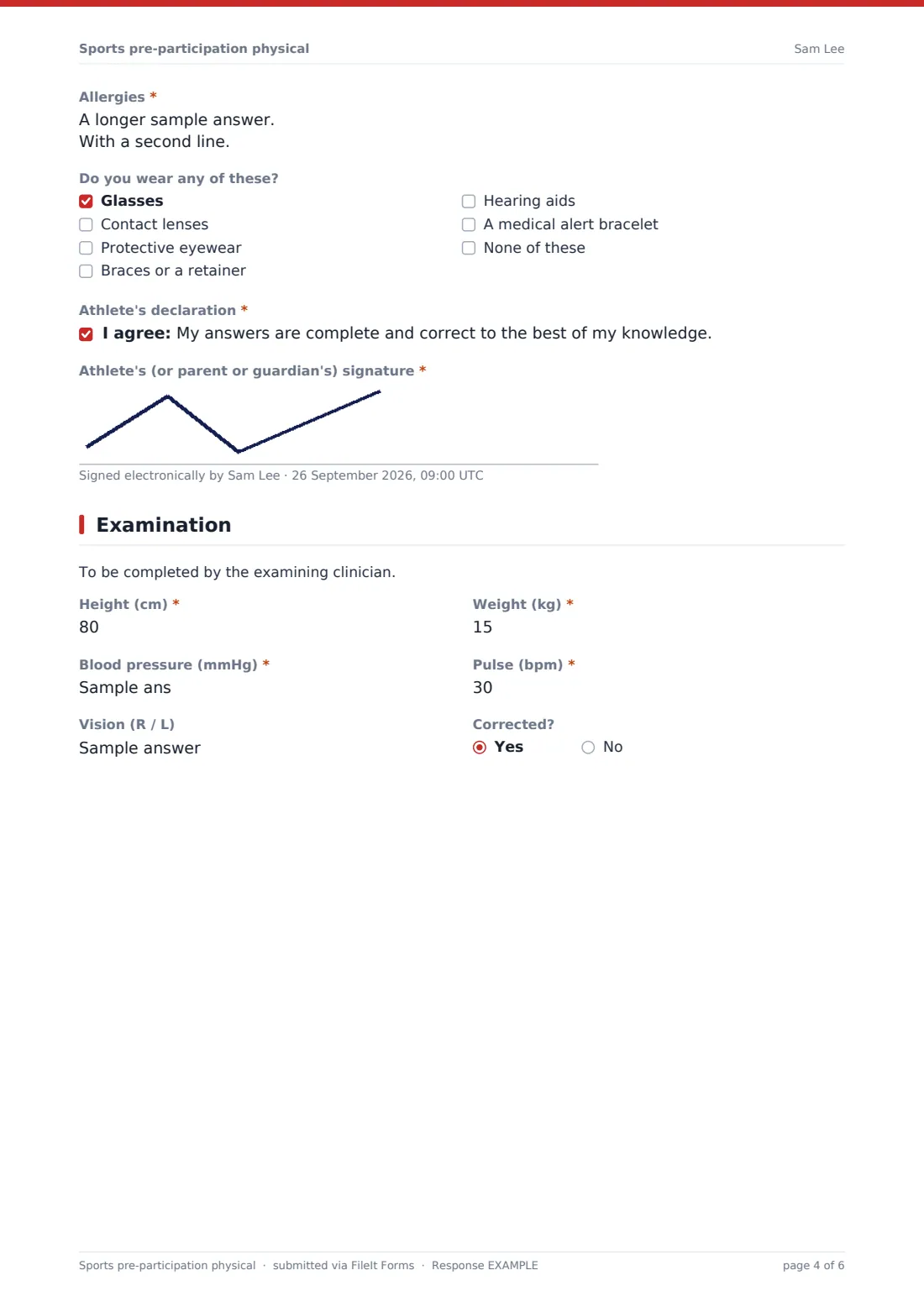
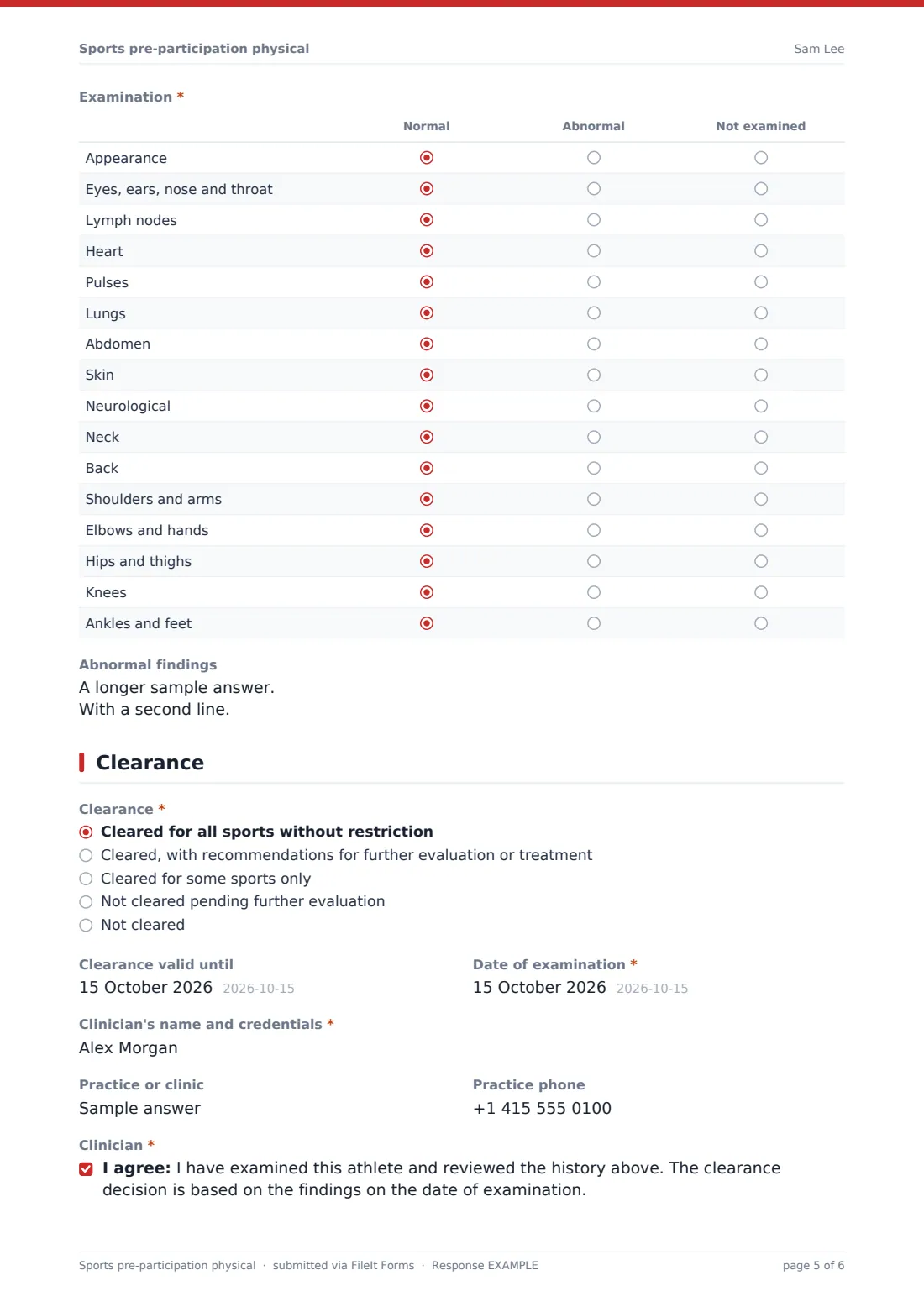
The clinician records height, weight, blood pressure, pulse and vision, and marks a sixteen-area examination as normal, abnormal or not examined. The clearance page records the decision — from cleared without restriction to not cleared — with restrictions, referrals, how long the clearance is valid and the clinician's details and signature. The completed form is saved as a PDF in your FileIt vault.
- Best for
- School athletic departments, sports clubs, team physicians and clinics
- Filled in by
- The athlete or parent, then the examining clinician
- Time to complete
- About 10 minutes for the history
- Includes
- Heart and family history screening, a 16-area exam grid, clearance decision, two signatures
Who uses a sports pre-participation physical form?
- A high school collects physicals for every athlete before the season starts
- A club asks new youth players for a pre-participation screening
- A team physician records exam findings and clearance at a pre-season screening day
- A clinic completes sports physicals for local schools on one consistent form
- An athletic trainer checks who is cleared, restricted or pending referral
- A parent completes the history at home before the doctor's appointment
Questions on this sports pre-participation physical form
42 questions over 5 pages · includes signature, conditional questions, multiple pages, consent checkbox, ratings.
1 Athlete
- Athlete's full name*
- Date of birth*
- Sex* Female · Male
- Phone
- School, club or team*
- Grade, year or age group
- Sports this season* Football / soccer · American football · Rugby · Basketball · Volleyball · Hockey · Baseball or softball · Athletics / track · Cross-country · Swimming · Tennis · Wrestling
- Parent or guardian's name
- Parent or guardian's phone asked only when it applies
2 Medical history
- General health* No · Yes
- Heart health* No · Yes
- Family history* No · Yes
- Other* No · Yes
- Have you had a menstrual period? asked only when it applies Yes · No · Prefer to discuss with the clinician
- Explain any 'Yes' answers
3 Injuries & medicines
- Bones, joints and head* No · Yes
- How many concussions?
- Most recent concussion asked only when it applies
- Current medicines and supplements*
- Allergies*
- Do you wear any of these? Glasses · Contact lenses · Protective eyewear · Braces or a retainer · Hearing aids · A medical alert bracelet · None of these
- Athlete's declaration*
- Athlete's (or parent or guardian's) signature*
4 Examination
- Height (cm)*
- Weight (kg)*
- Blood pressure (mmHg)*
- Pulse (bpm)*
- Vision (R / L)
- Corrected?
- Examination* Normal · Abnormal · Not examined
- Abnormal findings
5 Clearance
- Clearance* Cleared for all sports without restriction · Cleared, with recommendations for further evaluation or treatment · Cleared for some sports only · Not cleared pending further evaluation · Not cleared
- Sports cleared, restrictions and recommendations* asked only when it applies
- Referred to asked only when it applies
- Clearance valid until
- Date of examination*
- Clinician's name and credentials*
- Practice or clinic
- Practice phone
- Clinician*
- Clinician's signature*
The sports pre-participation physical form, page by page
1 Athlete
Name, date of birth, sex, contact details, school, club or team, grade or age group, the sports this season, and a parent or guardian's name and phone for under-18s.
2 Medical history
Four required yes/no grids: general health (restrictions, ongoing conditions, hospital stays, surgery), heart health (fainting, chest pain, palpitations, a known heart problem, unusual breathlessness, seizures), family history of sudden cardiac death or inherited heart conditions, and other issues including breathing, a missing paired organ, heat illness, sickle cell and weight concerns. Female athletes are asked one menstrual history question, and there's a box to explain any yes.
3 Injuries & medicines
A required grid on injuries, fractures, current joint problems, concussions and neurological symptoms after a hit, with the number and date of concussions. Required current medicines and allergies, eyewear, braces, hearing aids and medical alert bracelets, then the athlete's declaration and signature.
4 Examination
For the clinician: height, weight, blood pressure, pulse, vision and whether it's corrected, then a required examination grid across sixteen areas from heart and lungs to knees and ankles, and a box for abnormal findings.
5 Clearance
A required decision from five options. Anything other than full clearance asks for the sports cleared, restrictions and recommendations; 'pending' also asks who the athlete was referred to. Then how long the clearance is valid, exam date, clinician's name and credentials, practice, attestation and signature.
Make the template yours
- Replace the questions with the pre-participation form your state, school or governing body requires, if it has one
- Switch units to inches and pounds
- Edit the sports list to the ones your school or club offers
- Split the clinician pages into a separate form if the doctor completes them on their own system
- Add an upload for the doctor's own clearance letter
- File physicals in a folder per season or per team
Tips for a better sports pre-participation physical form
- Send the history to families well before the season so appointments aren't rushed
- Ask families to complete the history together — parents often know family history better than athletes
- Check the 'valid until' date and ask for a new physical when it runs out
- Share only the clearance decision and restrictions with coaches, not the full medical history
- Follow up quickly on anyone marked 'pending further evaluation'
Every response becomes a PDF in your vault
The completed physical is saved as a PDF in your vault, with the athlete's and clinician's signatures on it, and your team is emailed.
Use the Responses table to see at a glance which athletes are cleared, restricted or pending, and when each clearance expires.
- Start from this template. It opens in the FileIt Forms designer — change any question, add pages, set the rules for when questions appear.
- Share it. Turn on a public link, or send it to people by email, each with their own link. They don’t need a FileIt account.
- Get the answers as PDFs. Each response is saved as a PDF in the vault folder you choose, with uploaded files attached — and listed in a Responses table you can export to CSV.
Sports pre-participation physical form: frequently asked questions
Is this sports pre-participation physical template free?
Yes, it's included in the Forms app on every FileIt account, including the free plan, and every question can be edited.
Is this an official state or governing-body form?
No. It's a general template. If your state, school district or sport's governing body requires a specific form, use that or edit this one to match it.
Who fills in the form?
The athlete or a parent completes the history and signs; the examining clinician completes the examination and clearance pages and signs.
Can the clinician record restrictions?
Yes. Any decision other than full clearance asks for the sports cleared, restrictions and recommendations.
Does it ask about heart problems?
Yes. There are yes/no grids for the athlete's own heart symptoms and for family history.
Is the medical information private?
Submissions go to your own FileIt vault, and only people you share the folder with can see them.