

What is the sports injury report form template?
When an athlete gets hurt, the details need to be written down while they're still fresh — not reconstructed from memory a week later when someone asks what actually happened. This sports injury report form template lets a coach, official, first aider or parent record an incident on a phone or laptop straight after it happens, with the questions ordered the way a real injury report should be: what happened, what injury it was, what first aid was given, and what needs to happen before the athlete plays again.
An online form beats a paper incident book because nothing gets left in a kit bag or lost between seasons. Conditional questions keep the form focused too — a blow to the head brings up concussion signs to check for, and answering "Hospital" as the outcome asks which one, so the report only grows as detailed as the actual incident requires.
Once submitted, FileIt saves the report as a PDF straight into your vault, along with any photos or a clearance letter the reporter attaches — a filed record you can find again months later if there's a follow-up question about the injury.
- Best for
- Sports clubs, schools and coaches recording injuries at training or matches
- Filled in by
- The coach, official, first aider, parent or athlete present at the time
- Time to complete
- About 5 minutes
- Includes
- Photo and document upload, conditional concussion and clearance questions, signature
Who uses a sports injury report form?
- A coach recording a sprain or knock straight after a training session
- A club first aider logging every incident for the season, not just the serious ones
- A referee or official noting an injury that happened during a match
- Recording a suspected concussion and tracking the return-to-play clearance that follows
- A parent completing the report on behalf of a young athlete after being told what happened
- Building a season-long record for insurance, safeguarding or governing-body reporting purposes
Questions on this sports injury report form
32 questions over 3 pages · includes signature, file upload, conditional questions, multiple pages, consent checkbox.
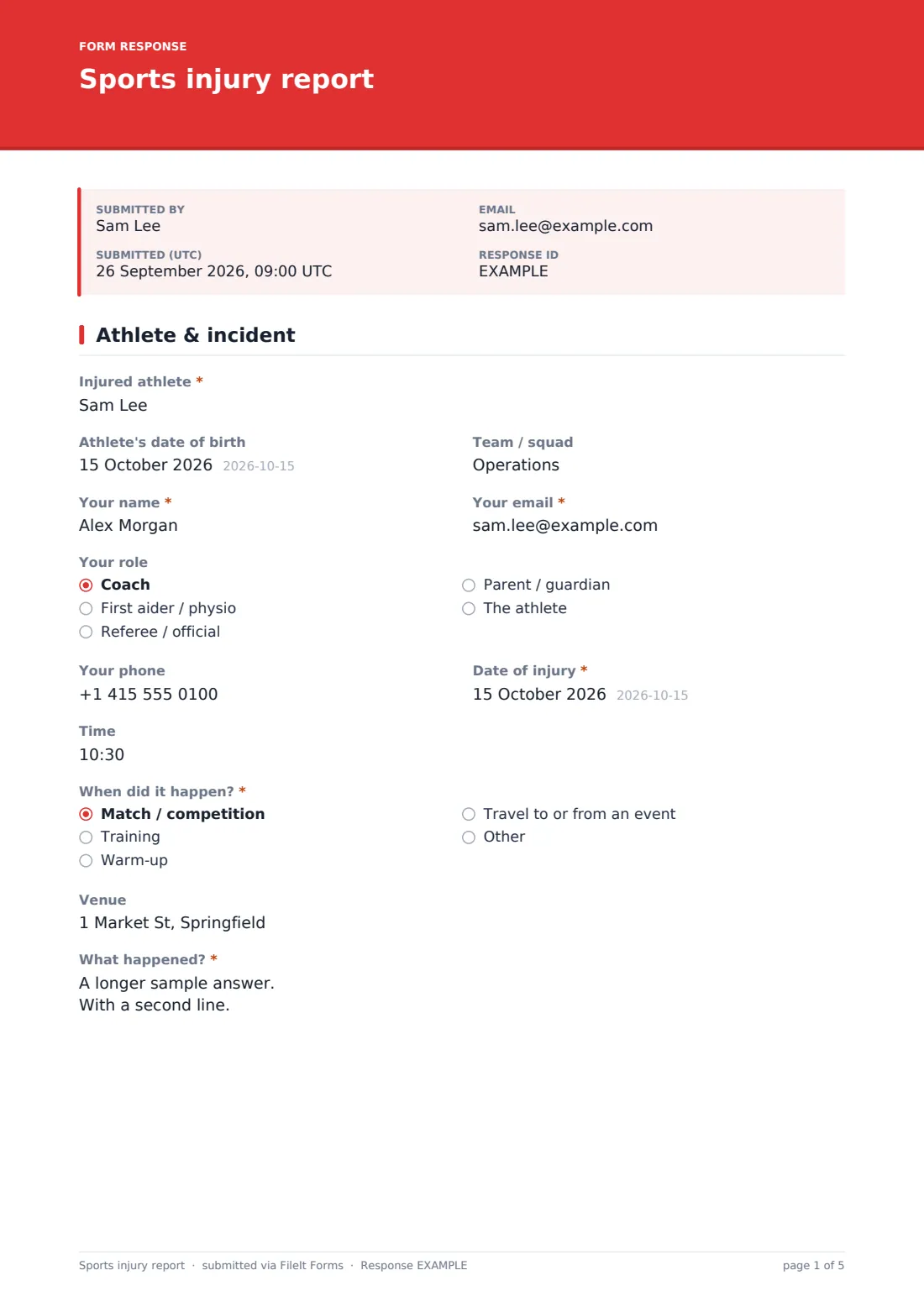
1 Athlete & incident
- Injured athlete*
- Athlete's date of birth
- Team / squad
- Your name*
- Your email*
- Your role Coach · First aider / physio · Referee / official · Parent / guardian · The athlete
- Your phone
- Date of injury*
- Time
- When did it happen?* Match / competition · Training · Warm-up · Travel to or from an event
- Venue
- What happened?*
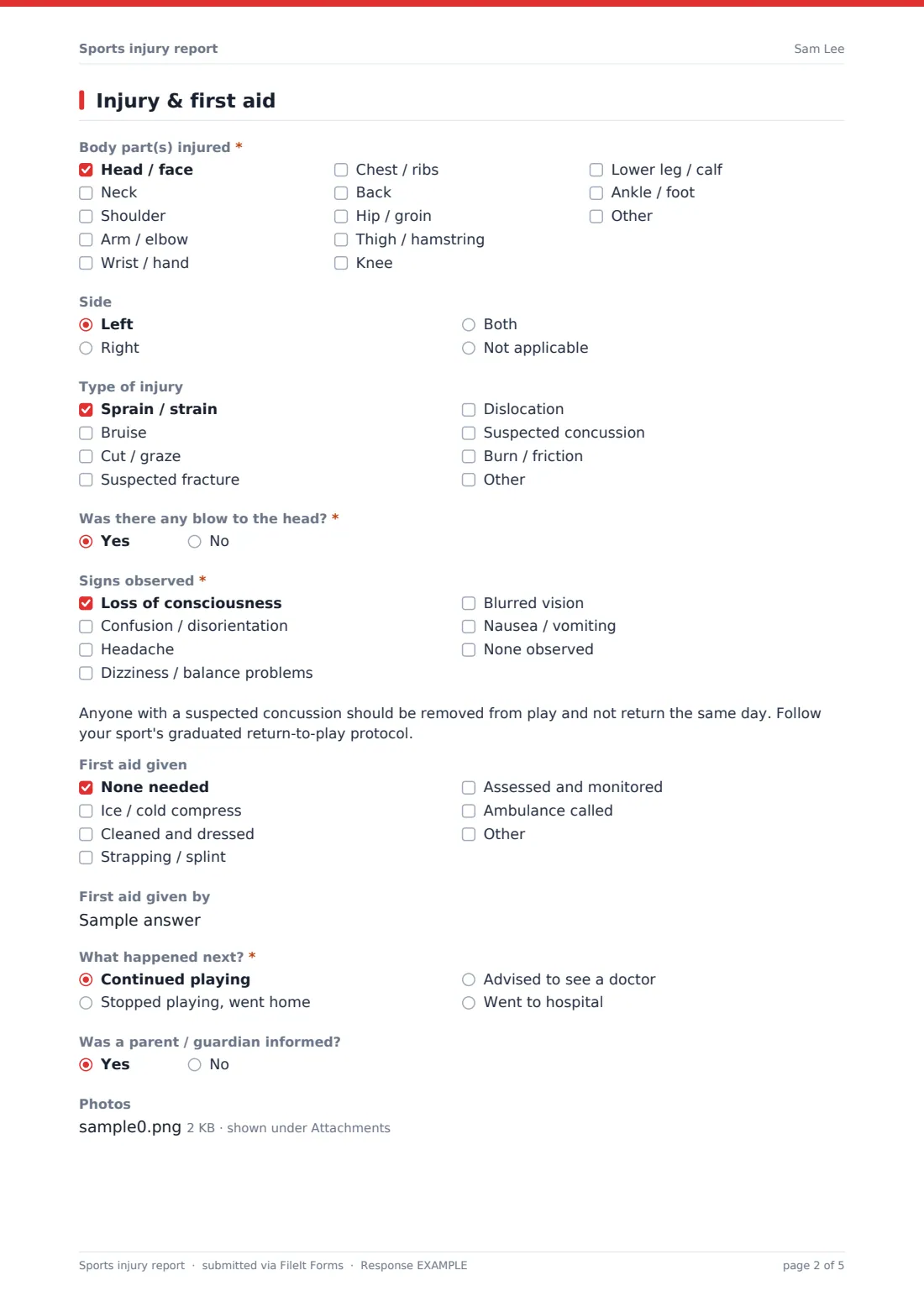
2 Injury & first aid
- Body part(s) injured* Head / face · Neck · Shoulder · Arm / elbow · Wrist / hand · Chest / ribs · Back · Hip / groin · Thigh / hamstring · Knee · Lower leg / calf · Ankle / foot
- Side Left · Right · Both · Not applicable
- Type of injury Sprain / strain · Bruise · Cut / graze · Suspected fracture · Dislocation · Suspected concussion · Burn / friction
- Was there any blow to the head?*
- Signs observed* asked only when it applies Loss of consciousness · Confusion / disorientation · Headache · Dizziness / balance problems · Blurred vision · Nausea / vomiting · None observed
- First aid given None needed · Ice / cold compress · Cleaned and dressed · Strapping / splint · Assessed and monitored · Ambulance called
- First aid given by
- What happened next?* Continued playing · Stopped playing, went home · Advised to see a doctor · Went to hospital
- Which hospital? asked only when it applies
- Was a parent / guardian informed?
- Photos
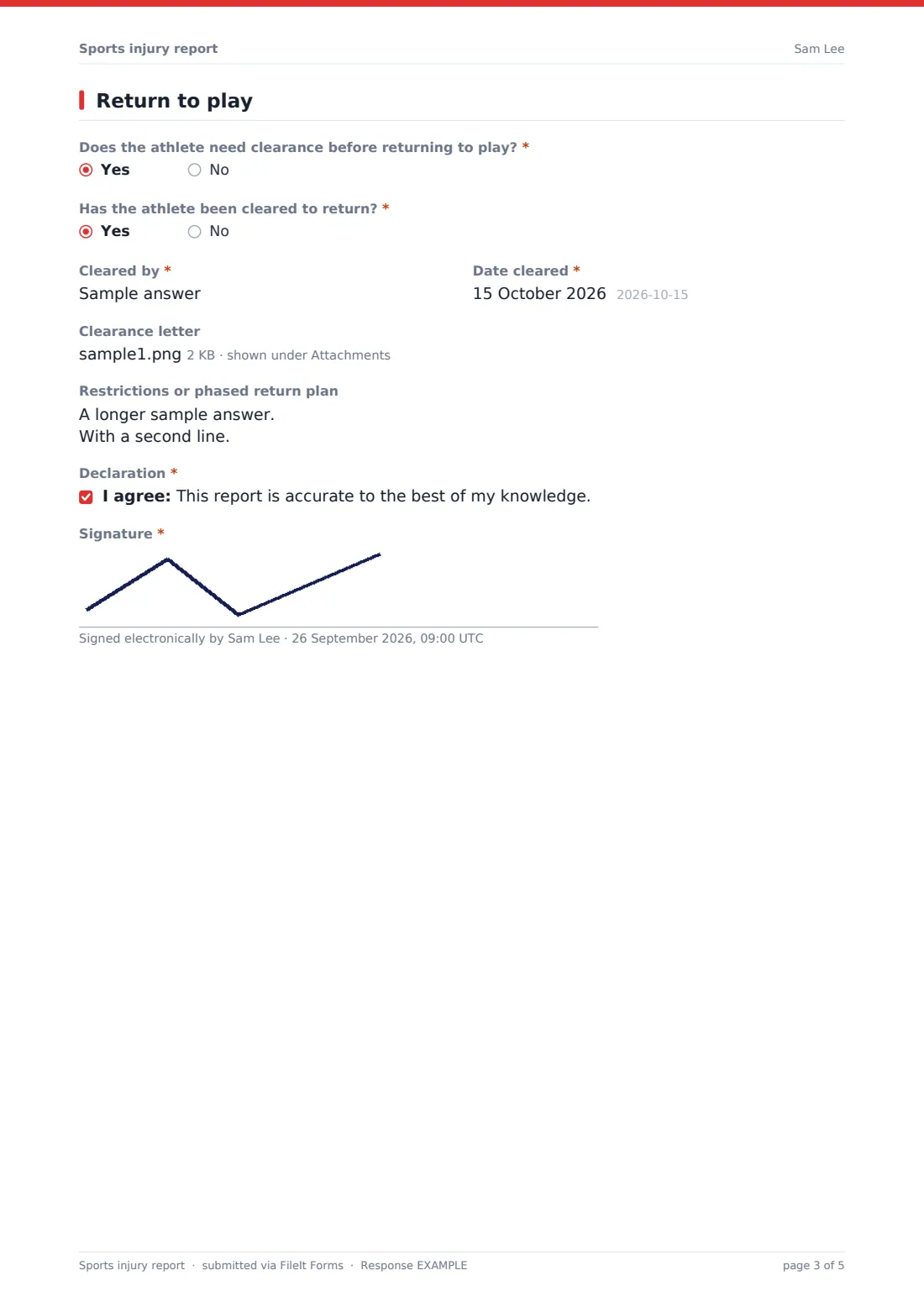
3 Return to play
- Does the athlete need clearance before returning to play?*
- Has the athlete been cleared to return?* asked only when it applies
- Cleared by* asked only when it applies
- Date cleared* asked only when it applies
- Clearance letter asked only when it applies
- Restrictions or phased return plan asked only when it applies
- Next review date asked only when it applies
- Declaration*
- Signature*
The sports injury report form, page by page
1 Athlete & incident
This page records who was hurt (name, date of birth, team) and who is completing the report, including their role — coach, first aider or physio, official, parent, or the athlete themselves. It then asks when and where the injury happened: the date and time, whether it was during a match, training, warm-up or travel, the venue, and a free-text description of what happened in the reporter's own words.
2 Injury & first aid
Here the reporter ticks the body part or parts injured, the side of the body, and the type of injury — sprain, bruise, cut, suspected fracture, dislocation, suspected concussion or burn. Answering "Yes" to "Was there any blow to the head?" brings up a checklist of concussion signs (loss of consciousness, confusion, headache, dizziness, blurred vision, nausea, or none observed) along with a reminder that anyone with a suspected concussion should be removed from play and not return the same day.
The form then records what first aid was given, by whom, and what happened next — the athlete continued playing, stopped and went home, was advised to see a doctor, or went to hospital (which prompts a question for the hospital's name). It also asks whether a parent or guardian was informed, for junior athletes, and lets the reporter attach photos of the injury or scene if that's useful.
3 Return to play
The final page asks whether the athlete needs clearance before returning — always the case for a suspected concussion, fracture or hospital visit. If clearance is needed, the form asks whether it's been given, by whom (name and role, such as GP or physiotherapist) and on what date, with an option to attach a clearance letter. If clearance has been given, it also asks about any restrictions or a phased return plan; if it hasn't, it records a date for the next review instead.
The reporter finishes by confirming the report is accurate to the best of their knowledge and signing it.
Make the template yours
- Add your club's specific sports or teams to the "Team / squad" field as a dropdown if you want consistent naming
- Set the notification email to reach your club's welfare officer or head coach directly
- File responses into a per-season vault folder so a full season's injury history is easy to review at once
- Adjust the first aid and injury type checklists to match the equipment and terminology your sport uses
- Add a question for the governing body's specific concussion protocol if your sport has its own graduated return-to-play steps
- Turn off multiple responses if you want each incident reported only once, then follow up separately for updates
Tips for a better sports injury report form
- Fill the report in as soon as possible after the injury, while details are still accurate
- Describe what happened in plain, factual language rather than assigning blame
- Always treat any blow to the head seriously, even if the athlete says they feel fine
- Keep clearance documentation on file so there's a clear record of who authorised a return to play, and when
- This template is a starting point, not medical or legal advice — check it fits your sport's own safeguarding and concussion protocols and any local reporting rules that apply to your club.
Every response becomes a PDF in your vault
As soon as an injury report is submitted, FileIt saves it as a PDF in your vault, with any photos or clearance letters attached, and sends an email notification so the right person sees it straight away. If you've enabled a copy for the respondent, whoever filled in the form also gets their own PDF record.
From there, most clubs use the Responses table to keep an eye on open cases — anyone still waiting on clearance — and export the season's reports to CSV when it's time to review injury trends or complete an insurance or governing-body return.
- Start from this template. It opens in the FileIt Forms designer — change any question, add pages, set the rules for when questions appear.
- Share it. Turn on a public link, or send it to people by email, each with their own link. They don’t need a FileIt account.
- Get the answers as PDFs. Each response is saved as a PDF in the vault folder you choose, with uploaded files attached — and listed in a Responses table you can export to CSV.
Sports injury report form: frequently asked questions
Is this sports injury report template free?
Yes — it's included with the Forms app on every FileIt account, including the free plan, alongside more than 160 other ready-made templates.
Does whoever fills this in need a FileIt account?
No. Share the link with coaches, officials or parents, and anyone can complete and submit it without signing up.
Where do completed injury reports go?
Every submission is saved automatically as a PDF in your FileIt vault, and you can also review, filter and export all reports from the Responses table.
Does the form only ask about concussion if there's a head injury?
Yes — the concussion checklist only appears if the reporter says there was a blow to the head, using the form's conditional logic, so most reports stay short and simple.
Can I track whether an athlete has been cleared to return?
Yes. The form asks whether clearance is needed and, if so, whether it's been given, by whom and when, with a place to attach a clearance letter.
Is this a substitute for medical advice?
No. This form only records what happened and what was done at the time — it doesn't diagnose an injury or replace advice from a doctor or physiotherapist.
Can I use this for every minor knock, not just serious injuries?
Yes, and many clubs do — logging even small incidents builds a useful record and makes it easier to spot patterns over a season.