What is the sports team registration form template?
Preseason registration is often the busiest week of a club's year, and paper forms make it worse: illegible handwriting, missing emergency contacts, kit sizes guessed rather than confirmed. This sports team registration form template moves the whole process online, walking parents and players through age group, positions, kit, medical details and consent in a clear order, with the questions for under-18s appearing automatically only when they're needed.
Because it's a form rather than a spreadsheet or a stack of paper, every registration arrives complete — required fields like the emergency contact and kit size can't be skipped by accident — and a parent or guardian's details only appear when the player is under 18, keeping the form quick for adult players filling it in for themselves.
Each completed registration is turned into a PDF and filed in your FileIt vault automatically, so your committee has a proper, findable record for every player — useful when questions come up mid-season about a medical condition, an emergency contact, or whether a signature was actually collected.
- Best for
- Sports clubs and youth teams registering players for a new season
- Filled in by
- The player (if 18+) or a parent/guardian (if the player is under 18)
- Time to complete
- About 8 minutes
- Includes
- Conditional guardian section for under-18s, medical details, three consent statements, signature
Who uses a sports team registration form?
- A junior football, netball or rugby club registering players for a new season
- An adult recreational league signing up individual players before the fixtures start
- A multi-sport club that needs one registration form covering several age groups
- Collecting kit sizes ahead of an order deadline, alongside the registration itself
- Recording medical details and emergency contacts for coaches and first aiders to reference quickly
- Gathering volunteer offers from parents at the same time as registering their child
Questions on this sports team registration form
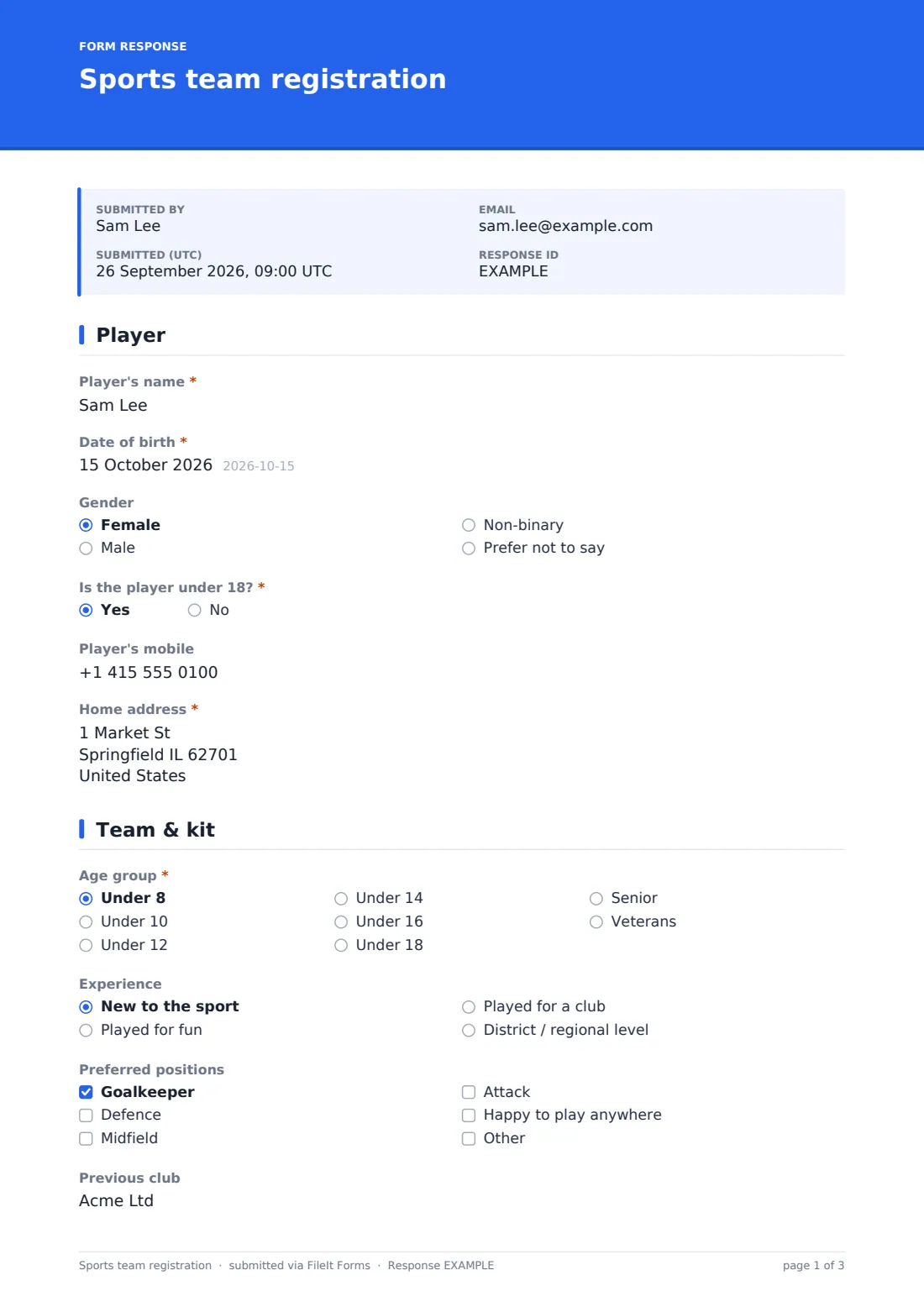
27 questions over 5 pages · includes signature, conditional questions, multiple pages, consent checkbox.
1 Player
- Player's name*
- Date of birth*
- Gender Female · Male · Non-binary · Prefer not to say
- Is the player under 18?*
- Player's email* asked only when it applies
- Player's mobile
- Home address*
2 Team & kit
- Age group* Under 8 · Under 10 · Under 12 · Under 14 · Under 16 · Under 18 · Senior · Veterans
- Experience New to the sport · Played for fun · Played for a club · District / regional level
- Preferred positions Goalkeeper · Defence · Midfield · Attack · Happy to play anywhere
- Previous club
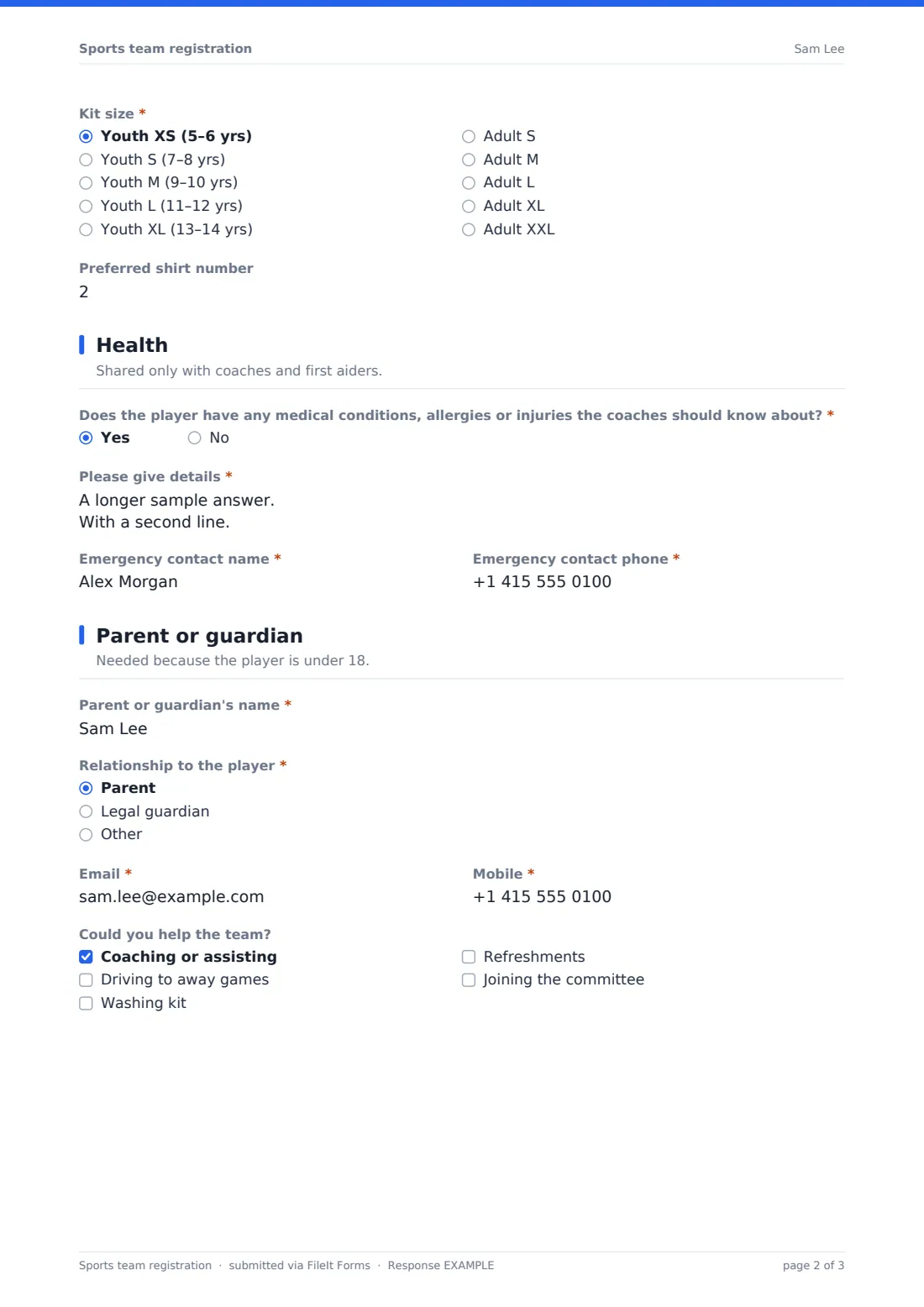
- Kit size* Youth XS (5–6 yrs) · Youth S (7–8 yrs) · Youth M (9–10 yrs) · Youth L (11–12 yrs) · Youth XL (13–14 yrs) · Adult S · Adult M · Adult L · Adult XL · Adult XXL
- Preferred shirt number
3 Health
- Does the player have any medical conditions, allergies or injuries the coaches should know about?*
- Please give details* asked only when it applies
- Emergency contact name*
- Emergency contact phone*
4 Parent or guardian
- Parent or guardian's name* asked only when it applies
- Relationship to the player* asked only when it applies Parent · Legal guardian
- Email* asked only when it applies
- Mobile* asked only when it applies
- Could you help the team? asked only when it applies Coaching or assisting · Driving to away games · Washing kit · Refreshments · Joining the committee
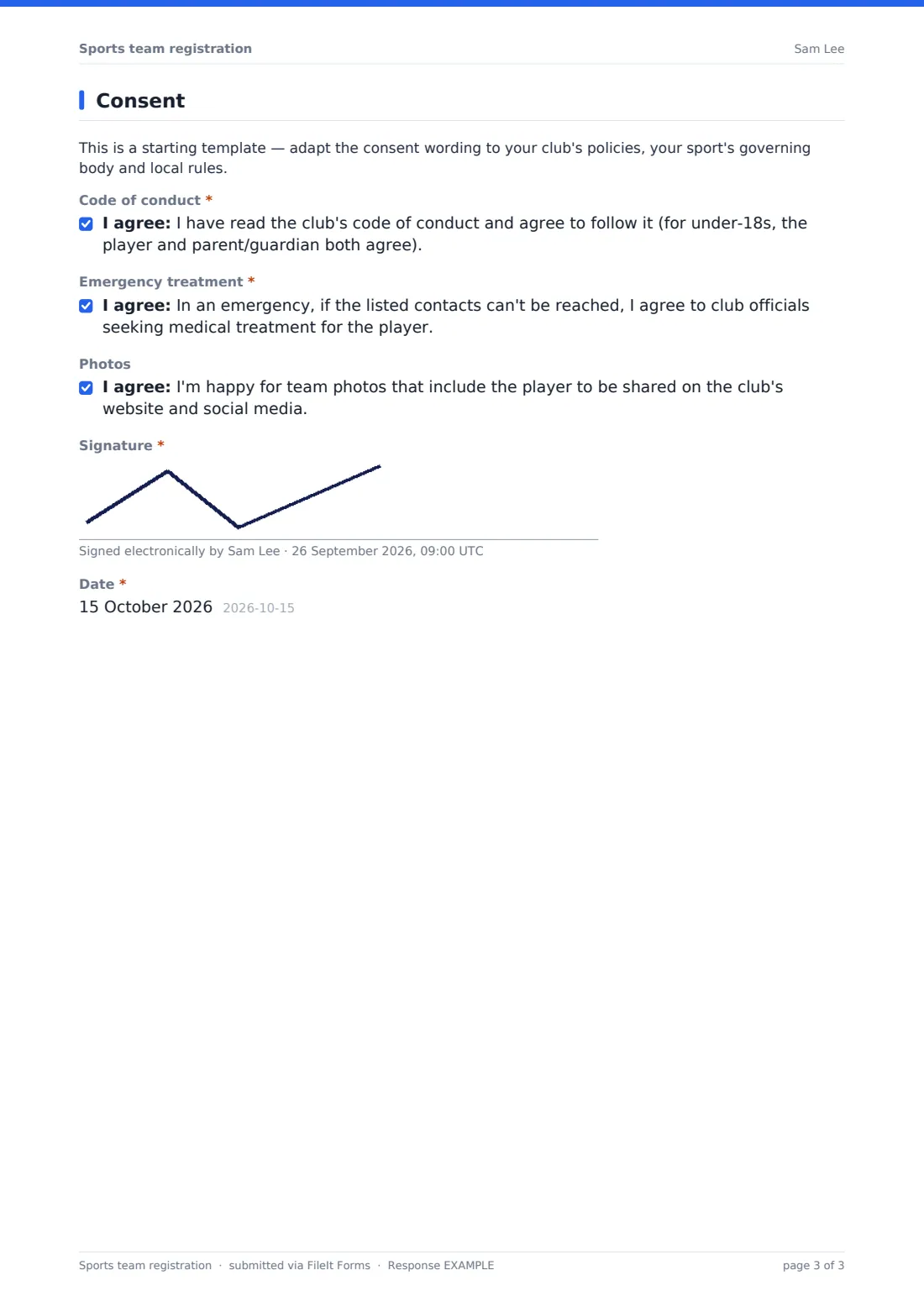
5 Consent
- Code of conduct*
- Emergency treatment*
- Photos
- Signature*
- Date*
The sports team registration form, page by page
1 Player
The form starts with the player's name, date of birth and gender, then asks directly whether the player is under 18. Under-18s skip straight to the team pages, while players aged 18 or over are asked for their own email address. Every player provides a mobile number (optional) and a home address.
2 Team & kit
This page places the player: age group (from Under 8 up to Veterans), experience level, and preferred positions, ticked from a checklist with room for "Happy to play anywhere." It also asks about any previous club, and collects the details needed for the kit order — size, from youth XS through to adult XXL — and a preferred shirt number, which the club will try to honour.
3 Health
Shared only with coaches and first aiders, this page asks whether the player has any medical conditions, allergies or injuries that should be known. Answering "Yes" opens a space to describe them, including any medication such as an inhaler or adrenaline auto-injector and what to do in an emergency. An emergency contact name and phone number are required for every player.
4 Parent or guardian
This whole page only appears if the player is under 18. It collects the parent or guardian's name, their relationship to the player, and their email and mobile number, plus an optional checklist of ways they could help the team — coaching, driving to away games, washing kit, refreshments, or joining the committee.
5 Consent
A note reminds the club that this is a starting template to adapt to its own policies and governing body rules. The registration finishes with three consent statements: agreeing to follow the club's code of conduct, allowing club officials to seek emergency medical treatment if listed contacts can't be reached, and — optionally — allowing team photos that include the player to appear on the club's website or social media. A signature and date complete the form; for under-18s, this is signed by the parent or guardian.
Make the template yours
- Adjust the age group and kit size options to match your club's actual categories and sizing chart
- Add a season fee or payment method question if you collect subscriptions at the same time as registration
- Rewrite the code of conduct and photo consent wording to match your club's own policies, insurer and governing body
- Set a maximum number of responses per team if squad sizes are capped
- Route notifications to different email addresses depending on age group, if different coaches manage each squad
- File responses into a folder per team or per season so the committee can find a specific player's record quickly
Tips for a better sports team registration form
- Ask for medical details plainly and reassure parents they're seen only by coaches and first aiders
- Keep emergency contact details required for every player, not just juniors — adults get injured too
- Confirm kit sizes against a real sizing chart before the order deadline, since guesses run small or large
- Review the consent wording with your governing body or insurer rather than relying on the template as written — it's a starting point, not legal advice, and rules vary by sport and region
- Follow up personally with anyone who ticks a volunteer option; a form submission is easy to forget without a quick thank-you call
Every response becomes a PDF in your vault
The moment a registration is submitted, FileIt saves it as a PDF — complete with the signature — into your vault, and you receive an email notification straight away. If you've turned on a copy for the respondent, the parent or player also gets their own PDF confirming what was submitted.
From there, coaches and committee members typically use the Responses table to check registrations by team or age group, open individual player records when a medical or emergency question comes up during the season, and export the full list to CSV for kit orders, fixture lists or club membership systems.
- Start from this template. It opens in the FileIt Forms designer — change any question, add pages, set the rules for when questions appear.
- Share it. Turn on a public link, or send it to people by email, each with their own link. They don’t need a FileIt account.
- Get the answers as PDFs. Each response is saved as a PDF in the vault folder you choose, with uploaded files attached — and listed in a Responses table you can export to CSV.
Sports team registration form: frequently asked questions
Is this sports team registration form template free?
Yes. It's one of over 160 templates in the Forms app, included on every FileIt account including the free plan, and every question can be changed.
Do parents or players need a FileIt account to register?
No. Share the form as a public link or by email, and anyone can complete and submit it without creating an account.
How do we get the completed registrations?
Each one is saved automatically as a PDF in your FileIt vault, and you can also browse every response in a table or export them all to CSV, for example for a kit order.
Does the form know when to ask for a parent's details?
Yes — the guardian page only appears if the player is marked as under 18, using conditional logic already built into the template.
Is the consent wording in this form legally binding?
No — it's a plain-language starting point. Have your club's insurer, governing body or legal adviser check the code of conduct and consent wording fits your sport and local rules before relying on it.
Can we collect a season fee through this form?
The form itself doesn't take payments, but you can add a question recording how a family intends to pay, and handle the payment through your usual method.
Can we limit how many players register per team?
Yes — set a maximum number of responses in the form's settings, and it will stop accepting new registrations once the squad is full.