
What is the referee & official registration form template?
Leagues and clubs never seem to have enough match officials, and when someone does volunteer, the details end up scattered: a qualification mentioned in an email, availability in a text message, a safeguarding check nobody wrote down. This registration template gathers everything an appointments officer needs in one place, so a new referee or umpire can be added to the rota with confidence.
Officials give their name, contact details, date of birth and an emergency contact, then choose their sport and the roles they'd like to take on — from referee and assistant referee to umpire, judge, timekeeper or scorer, table official, or starter and marshal. Anyone who holds a qualification records the level, who awarded it, the registration number and its expiry date, and can upload a photo of the certificate or card. Newcomers without one are asked whether they'd like to be put forward for a training course.
The availability page records days, times, how many games a month they can cover and how far they'll travel. The last page covers the safeguarding or background check, kit size and equipment, then the code of conduct, conflicts of interest and permission to share contact details, finished with a signature. Each registration is saved as a PDF in your FileIt vault, with the certificate attached.
- Best for
- Leagues, county associations, clubs and tournament organisers
- Filled in by
- The referee, umpire or official
- Time to complete
- About 6 minutes
- Includes
- Qualification upload, availability, travel radius, safeguarding check, signed code of conduct
Who uses a referee & official registration form?
- A youth football league recruits referees for the new season
- A cricket club registers umpires and scorers for weekend fixtures
- A gymnastics competition collects judges' details and availability
- A netball association updates officials' qualifications and expiry dates
- A tournament organiser builds a pool of timekeepers and table officials
- A club encourages parents to train as referees and tracks who wants a course
Questions on this referee & official registration form
38 questions over 4 pages · includes signature, file upload, conditional questions, multiple pages, consent checkbox.
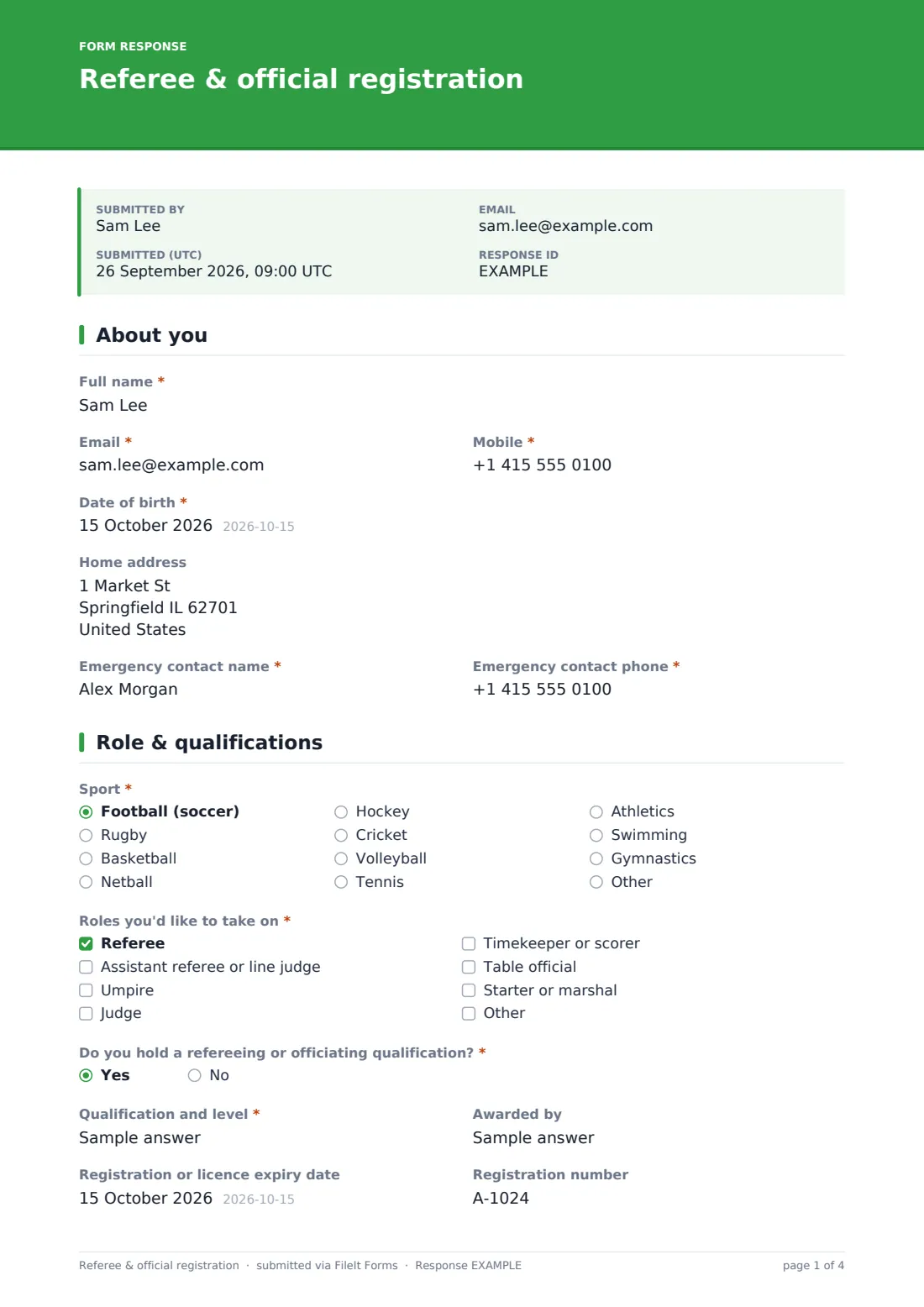
1 About you
- Full name*
- Email*
- Mobile*
- Date of birth*
- Home address
- Emergency contact name*
- Emergency contact phone*
2 Role & qualifications
- Sport* Football (soccer) · Rugby · Basketball · Netball · Hockey · Cricket · Volleyball · Tennis · Athletics · Swimming · Gymnastics · Other
- Which sport?* asked only when it applies
- Roles you'd like to take on* Referee · Assistant referee or line judge · Umpire · Judge · Timekeeper or scorer · Table official · Starter or marshal
- Do you hold a refereeing or officiating qualification?*
- Qualification and level* asked only when it applies
- Awarded by asked only when it applies
- Registration or licence expiry date asked only when it applies
- Registration number asked only when it applies
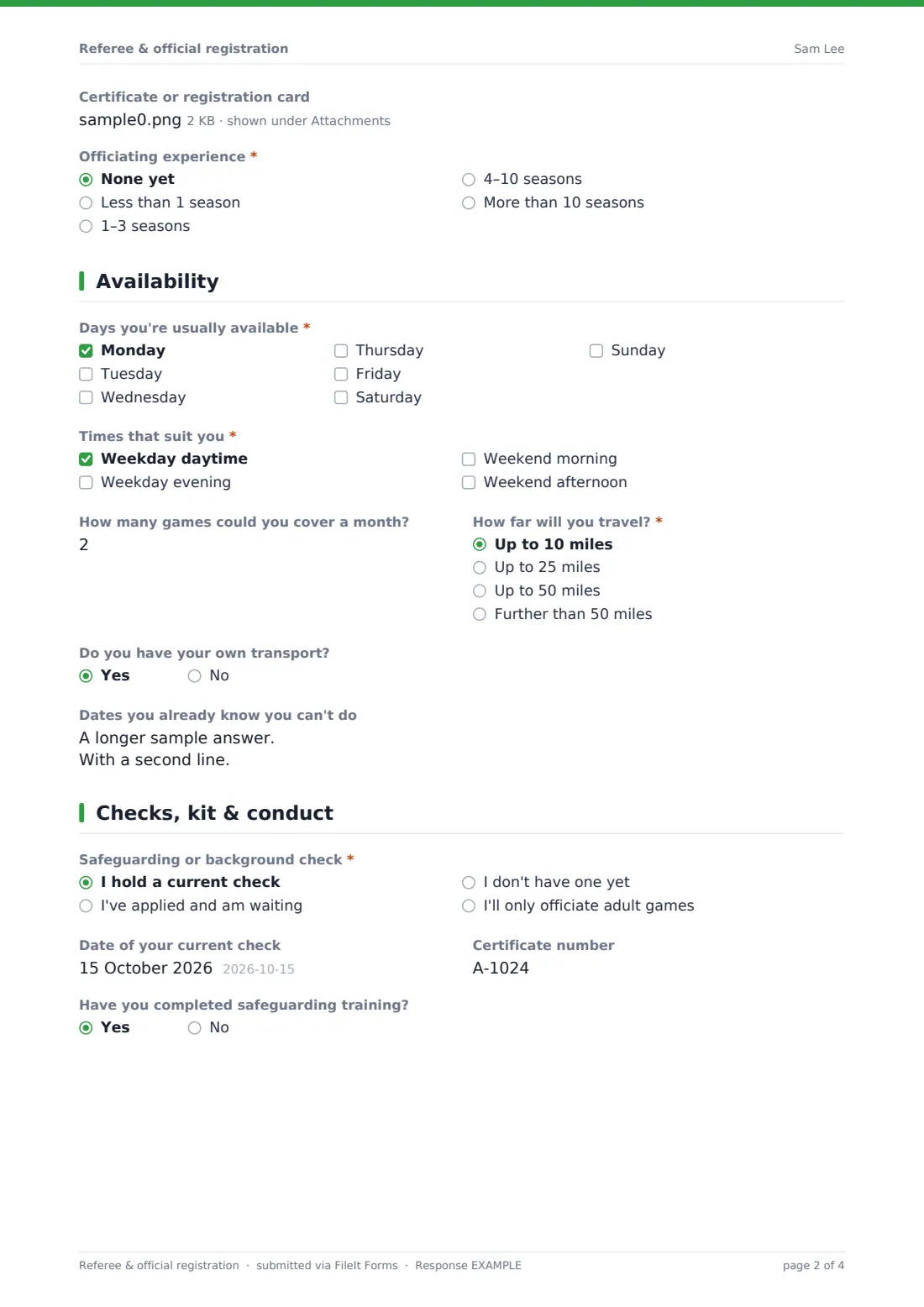
- Certificate or registration card asked only when it applies
- Would you like to be put forward for a training course? asked only when it applies
- Officiating experience* None yet · Less than 1 season · 1–3 seasons · 4–10 seasons · More than 10 seasons
- Levels you've officiated at asked only when it applies Junior or youth · Recreational or social · Amateur league · Regional · National · International
- Notable matches, tournaments or assessments asked only when it applies
3 Availability
- Days you're usually available* Monday · Tuesday · Wednesday · Thursday · Friday · Saturday · Sunday
- Times that suit you* Weekday daytime · Weekday evening · Weekend morning · Weekend afternoon
- How many games could you cover a month?
- How far will you travel?* Up to 10 miles · Up to 25 miles · Up to 50 miles · Further than 50 miles
- Do you have your own transport?
- Dates you already know you can't do
4 Checks, kit & conduct
- Safeguarding or background check* I hold a current check · I've applied and am waiting · I don't have one yet · I'll only officiate adult games
- Date of your current check asked only when it applies
- Certificate number asked only when it applies
- Have you completed safeguarding training?
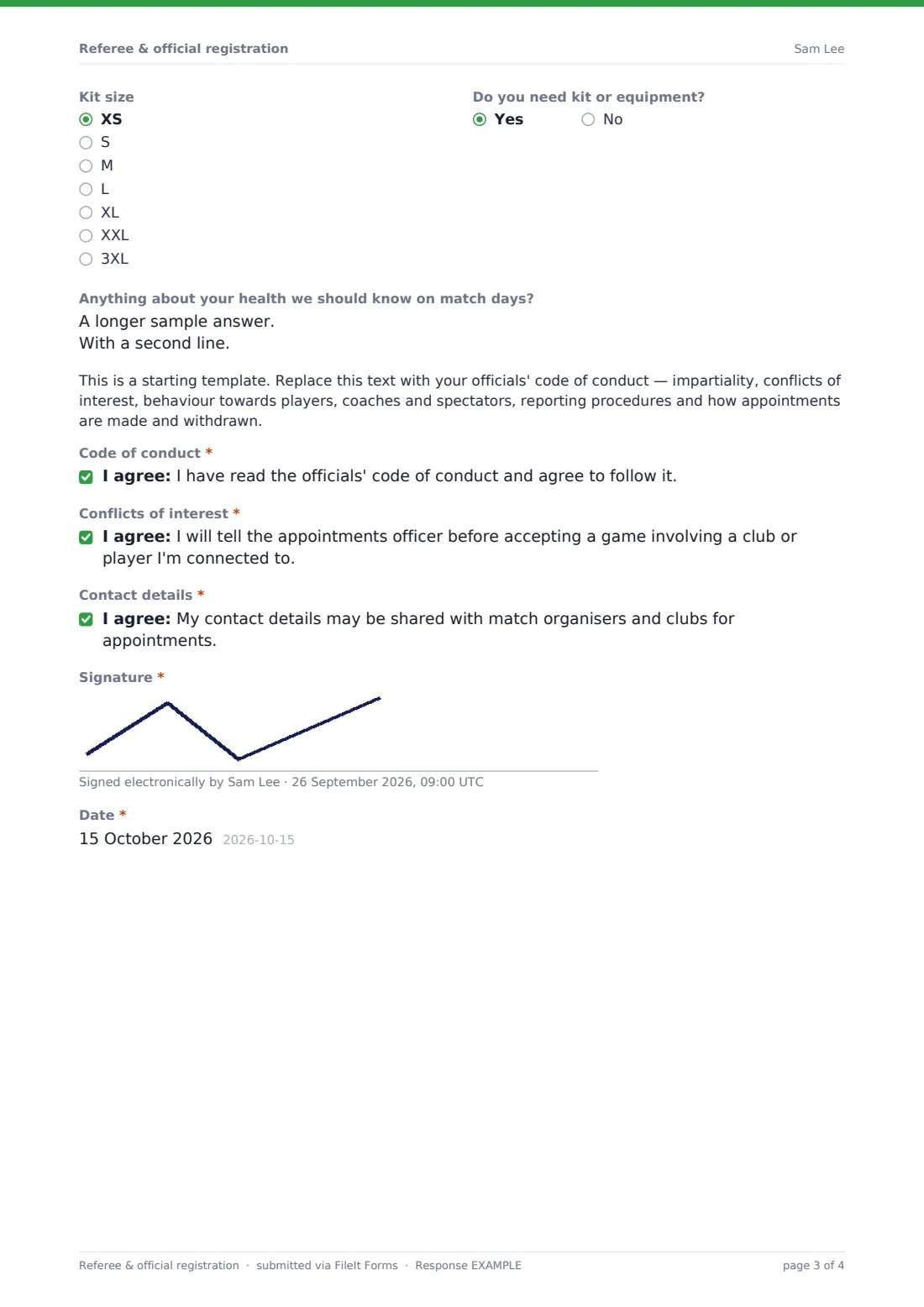
- Kit size XS · S · M · L · XL · XXL · 3XL
- Do you need kit or equipment?
- Anything about your health we should know on match days?
- Code of conduct*
- Conflicts of interest*
- Contact details*
- Signature*
- Date*
The referee & official registration form, page by page
1 About you
Full name, email, mobile, date of birth and home address, plus a required emergency contact name and phone.
2 Role & qualifications
The sport (with a box for any other), the roles you'd like to take on, and a required yes/no: 'Do you hold a refereeing or officiating qualification?' A yes asks for the qualification and level, who awarded it, the registration or licence expiry date, registration number and an optional certificate upload; a no asks whether they'd like to be put forward for a training course. Officiating experience comes next — anyone with some is asked the levels they've officiated at and notable matches, tournaments or assessments.
3 Availability
Required days and times, how many games they could cover a month, how far they'll travel, whether they have their own transport, and dates they already know they can't do.
4 Checks, kit & conduct
The safeguarding or background check status (with date and certificate number when it's current), safeguarding training, kit size and whether they need kit or equipment, and an optional health note. A placeholder holds your code of conduct, followed by required consents for the code of conduct, conflicts of interest and sharing contact details, the signature and date.
Make the template yours
- Trim the sport list to the sports your league covers, or remove it entirely
- Rename the roles to match your sport — line judge, fourth official, scorer, starter
- Replace the placeholder with your own code of conduct and appointments policy
- Change the travel bands to match the area your league covers
- Add a question about the age groups an official is happy to take
- Set the vault folder so every registration files under Officials
Tips for a better referee & official registration form
- Check expiry dates when registrations come in, and note them so qualifications don't lapse mid-season
- Pair new officials with an experienced mentor for their first few games
- Ask officials to resubmit the form at the start of each season to refresh availability
- Keep junior and adult appointments separate until a check is confirmed
- Use the 'Dates you already know you can't do' answers before publishing the appointments rota
Every response becomes a PDF in your vault
Each registration is saved as a signed PDF in your vault, with any certificate or card as an attachment. The appointments officer is emailed, and the official can receive a copy of their form.
The Responses table lets you search by sport, role or name and export to CSV, so you can build the season's rota and spot qualifications that need renewing.
- Start from this template. It opens in the FileIt Forms designer — change any question, add pages, set the rules for when questions appear.
- Share it. Turn on a public link, or send it to people by email, each with their own link. They don’t need a FileIt account.
- Get the answers as PDFs. Each response is saved as a PDF in the vault folder you choose, with uploaded files attached — and listed in a Responses table you can export to CSV.
Referee & official registration form: frequently asked questions
Is this referee registration form free?
Yes. It's one of the starter templates in the Forms app, available on every FileIt account including the free plan, and every question can be edited.
Can officials with no qualification register?
Yes. Answering no to the qualification question hides the certificate questions and asks instead whether they'd like to be put forward for a training course.
Can they upload their certificate?
Yes — up to two files, such as a photo of a registration card and a certificate. They're stored as attachments of the registration in your vault.
Does the form check whether a qualification is valid?
No. It records what the official tells you. Your appointments officer should check qualifications and safeguarding with the relevant body.
Can I use it for judges and timekeepers as well as referees?
Yes. The roles question includes judges, timekeepers or scorers, table officials and marshals, and you can rename or add roles.
Do officials need a FileIt account?
No. They fill in and sign the form from a public link or an emailed request.