

What is the match report form template?
Leagues and clubs ask for match reports, but they often arrive as texts, photos of scribbled notes or long emails that are hard to find later. This template gives coaches and officials the same structure every time, so results, discipline and incidents are recorded properly and easy to look up.
The reporter gives their name and role, the competition, age group, teams, date, start time, venue, referee and conditions. The result page asks whether the match was played in full, abandoned, postponed or forfeited — with an explanation when it wasn't — then the scores, half-time score, how it was decided, scorers, line-up, player of the match and a sportsmanship rating for the opposition.
Discipline and injuries come next, with details asked only when something happened, a prompt to start a concussion record for any suspected head injury, and space to report other incidents with photos or video. A summary, what went well, what to work on, an officials rating for coaches and an optional team sheet upload close the report, signed and saved as a PDF in your FileIt vault.
- Best for
- Grassroots clubs, school teams, leagues and match officials
- Filled in by
- The coach, team manager or referee
- Time to complete
- About 5 minutes
- Includes
- Score and scorers, discipline log, injury and head-injury prompts, incident evidence upload
Who uses a match report form?
- A youth coach submits the result and scorers to the club after every game
- A referee reports cards and a send-off to the league
- A club secretary records a postponed fixture and the reason
- A coach records an injury and first aid given during a match
- A league collects reports on spectator behaviour with photo evidence
- A school keeps a season's worth of match reports for its teams
Questions on this match report form
36 questions over 4 pages · includes signature, file upload, conditional questions, multiple pages, consent checkbox, ratings.
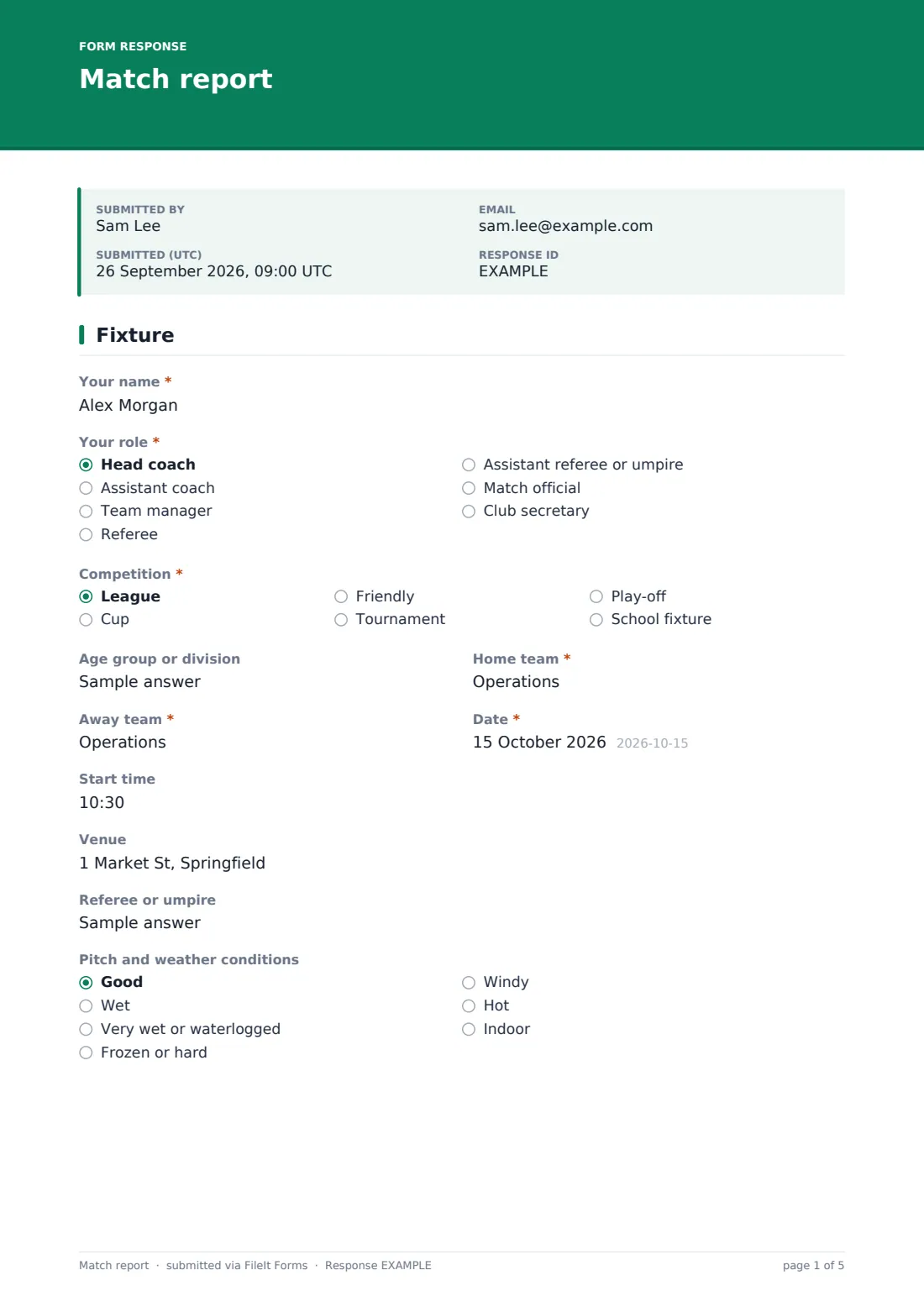
1 Fixture
- Your name*
- Your role* Head coach · Assistant coach · Team manager · Referee · Assistant referee or umpire · Match official · Club secretary
- Competition* League · Cup · Friendly · Tournament · Play-off · School fixture
- Age group or division
- Home team*
- Away team*
- Date*
- Start time
- Venue
- Referee or umpire
- Pitch and weather conditions Good · Wet · Very wet or waterlogged · Frozen or hard · Windy · Hot · Indoor
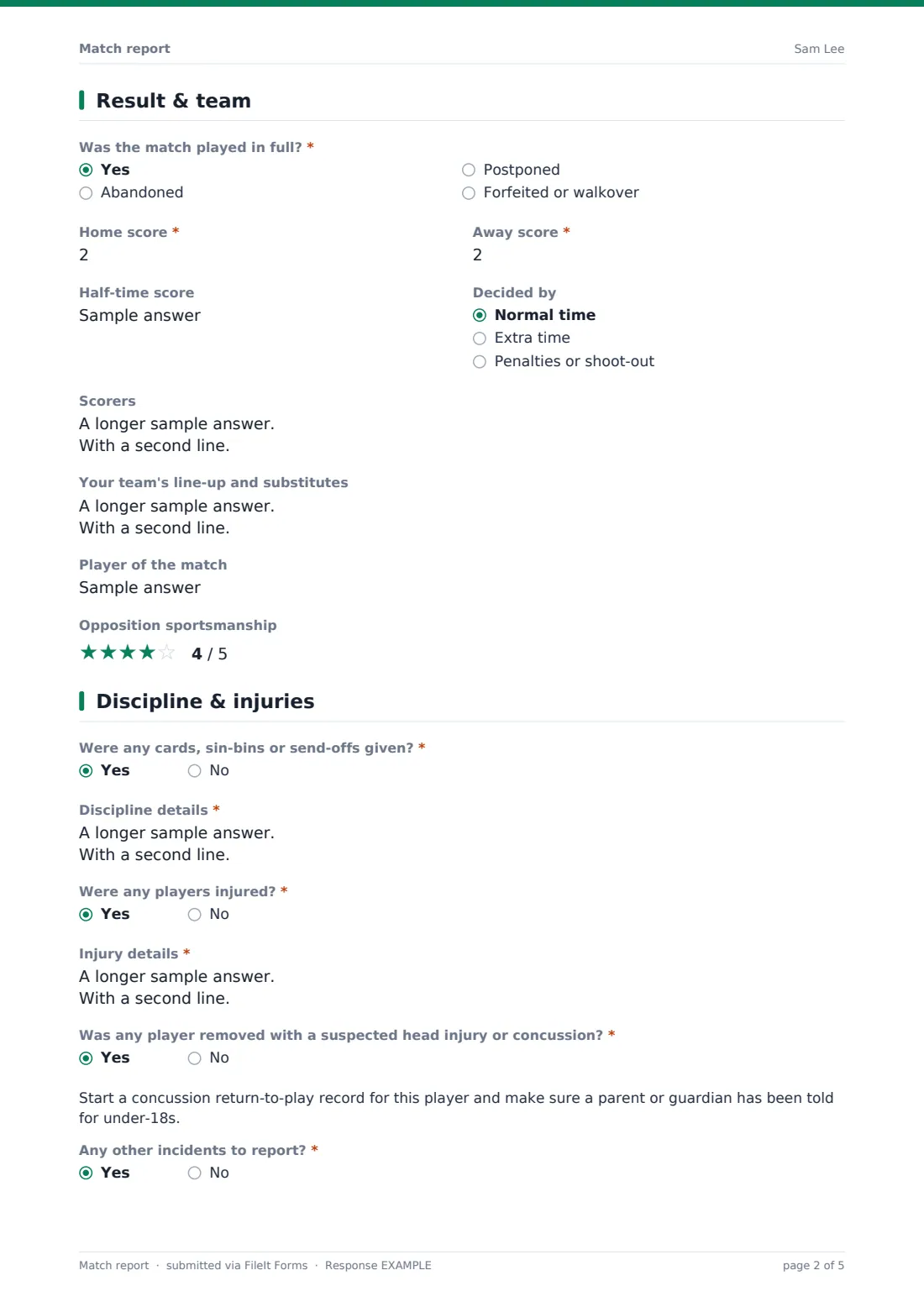
2 Result & team
- Was the match played in full?* Yes · Abandoned · Postponed · Forfeited or walkover
- What happened?* asked only when it applies
- Home score* asked only when it applies
- Away score* asked only when it applies
- Half-time score asked only when it applies
- Decided by asked only when it applies Normal time · Extra time · Penalties or shoot-out
- Scorers asked only when it applies
- Your team's line-up and substitutes
- Player of the match
- Opposition sportsmanship
3 Discipline & injuries
- Were any cards, sin-bins or send-offs given?*
- Discipline details* asked only when it applies
- Were any players injured?*
- Injury details* asked only when it applies
- Was any player removed with a suspected head injury or concussion?* asked only when it applies
- Any other incidents to report?*
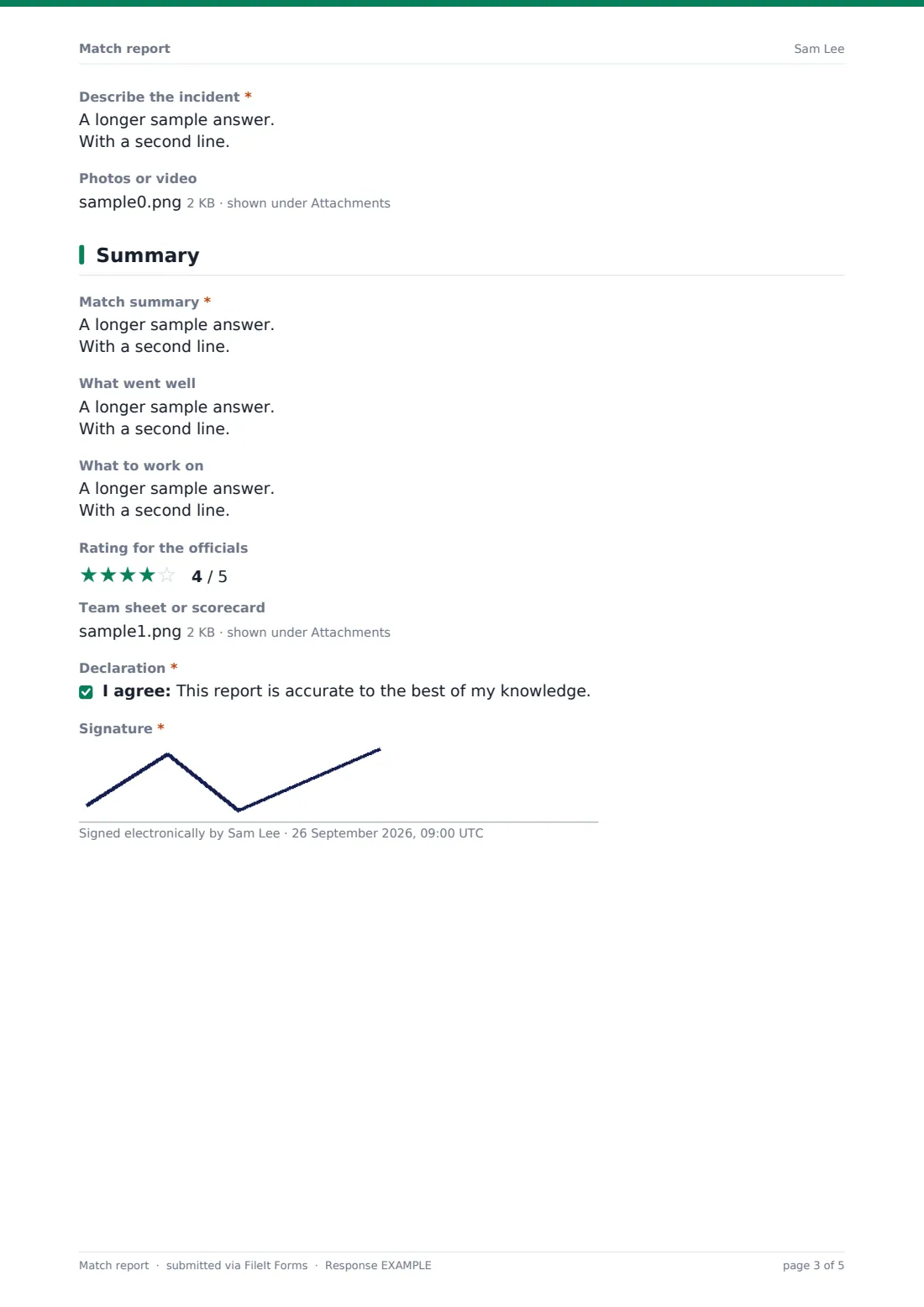
- Describe the incident* asked only when it applies
- Photos or video asked only when it applies
4 Summary
- Match summary*
- What went well
- What to work on
- Rating for the officials asked only when it applies
- Team sheet or scorecard
- Declaration*
- Signature*
The match report form, page by page
1 Fixture
The reporter's name and role, the competition (league, cup, friendly, tournament, play-off or school fixture), age group or division, home and away teams, date, start time, venue, referee and pitch and weather conditions.
2 Result & team
Whether the match was played in full — abandoned, postponed or forfeited asks what happened. Unless postponed, home and away scores are required. Full matches add the half-time score, whether it went to extra time or penalties, and scorers with times. Then your line-up and substitutes, player of the match and a star rating for the opposition's sportsmanship.
3 Discipline & injuries
Required yes/no questions for cards and send-offs, injuries and other incidents, each revealing a details box when answered yes. Injuries ask about suspected head injury or concussion, and a yes shows a reminder to start a return-to-play record and tell a parent or guardian. Incidents allow up to five photos or files.
4 Summary
A required match summary, what went well and what to work on, a rating for the officials (shown to coaches), an optional team sheet upload, and a declaration and signature.
Make the template yours
- Rename 'Half-time score' and the scoring labels for your sport — points, runs, goals or tries
- Add a sin-bin or penalty-minutes question for rugby or hockey
- Replace the competition list with the leagues and cups your teams play in
- Add a player ratings grid if coaches track individual performance
- Send referee reports to the league's discipline secretary with notification emails
- File reports in a folder per team and season
Tips for a better match report form
- Fill in the report within an hour of the game, while details are fresh
- Record card times and reasons exactly — they matter if a decision is appealed
- Always answer the injury question, even when nothing happened
- Attach the signed team sheet when your league requires one
- Keep summaries factual; save opinions for the 'what to work on' box
Every response becomes a PDF in your vault
Each report is saved as a signed PDF in your vault and the club or league is emailed.
The Responses table builds a season record: results, scorers, disciplinary incidents and injuries, all searchable and easy to export.
- Start from this template. It opens in the FileIt Forms designer — change any question, add pages, set the rules for when questions appear.
- Share it. Turn on a public link, or send it to people by email, each with their own link. They don’t need a FileIt account.
- Get the answers as PDFs. Each response is saved as a PDF in the vault folder you choose, with uploaded files attached — and listed in a Responses table you can export to CSV.
Match report form: frequently asked questions
Is this match report template free?
Yes, it's included in the Forms app on every FileIt account, including the free plan, and every question can be edited.
Which sports can use it?
Any team sport with a score. The labels are general, and you can rename them for your sport.
Can referees use it as well as coaches?
Yes. Choose your role at the start; the officials rating is only shown to coaches.
What if the match didn't go ahead?
Choose postponed, abandoned or forfeited and explain what happened. Scores are skipped for postponed games.
Can I attach photos of an incident?
Yes. Reporting an incident shows an upload for up to five photos or files.
Does it handle head injuries?
It asks whether any player was removed with a suspected head injury and reminds you to start a return-to-play record.