What is the player availability form form template?
Picking a team on Thursday night shouldn't mean scrolling through a group chat to work out who said they were away. This availability template asks every player the same simple question for each upcoming fixture — available, unavailable or maybe — so the coach has a clear picture of the squad for the weeks ahead.
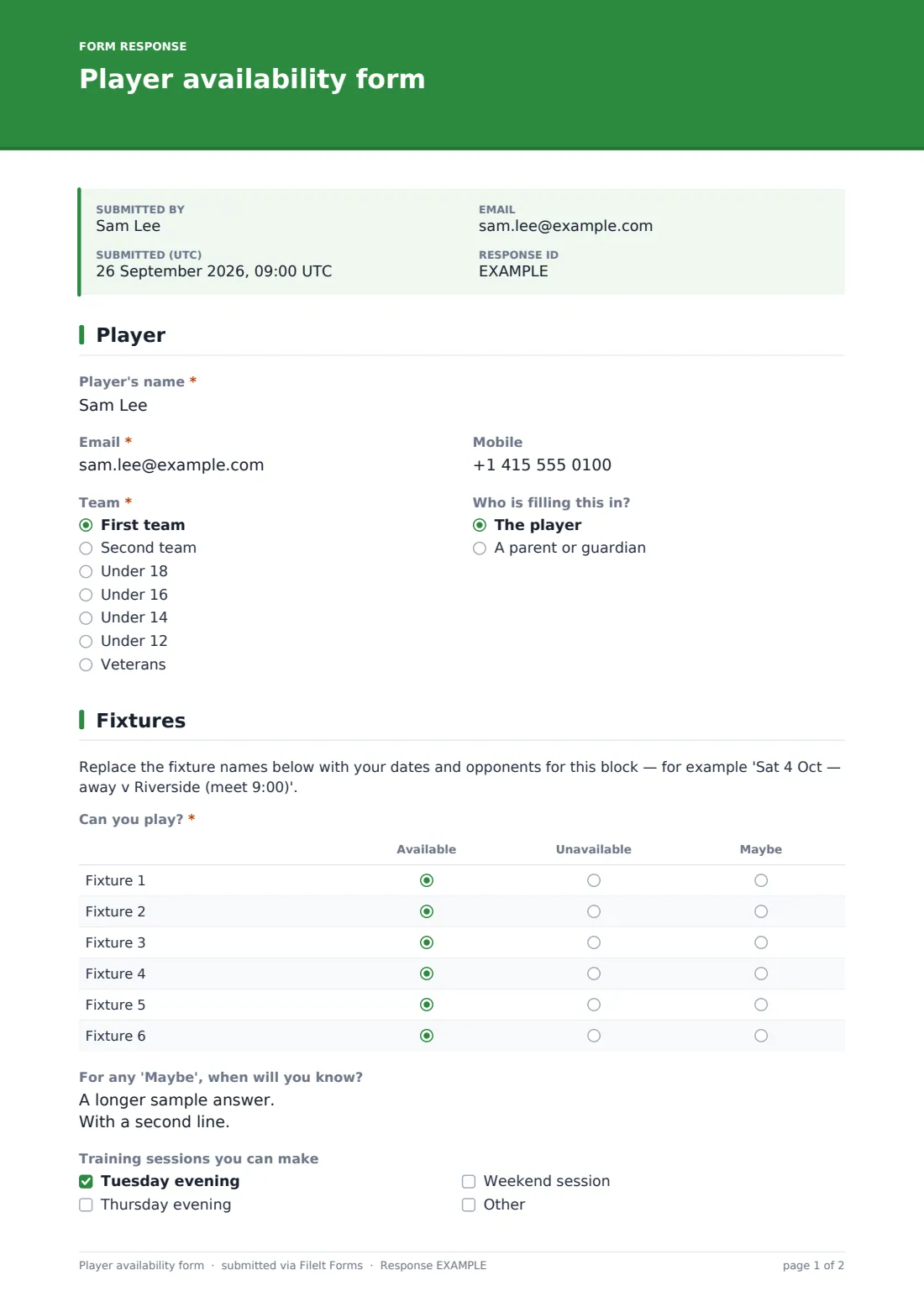
Players (or a parent for junior teams) give their name, email, mobile and team, and say who is filling the form in. The fixtures page has a grid titled 'Can you play?' with six rows; you rename each row with the date and opponent before sending. Players can say when they'll know about any 'Maybe', which training sessions they can make, and add anything the coach should know about dates they can't make.
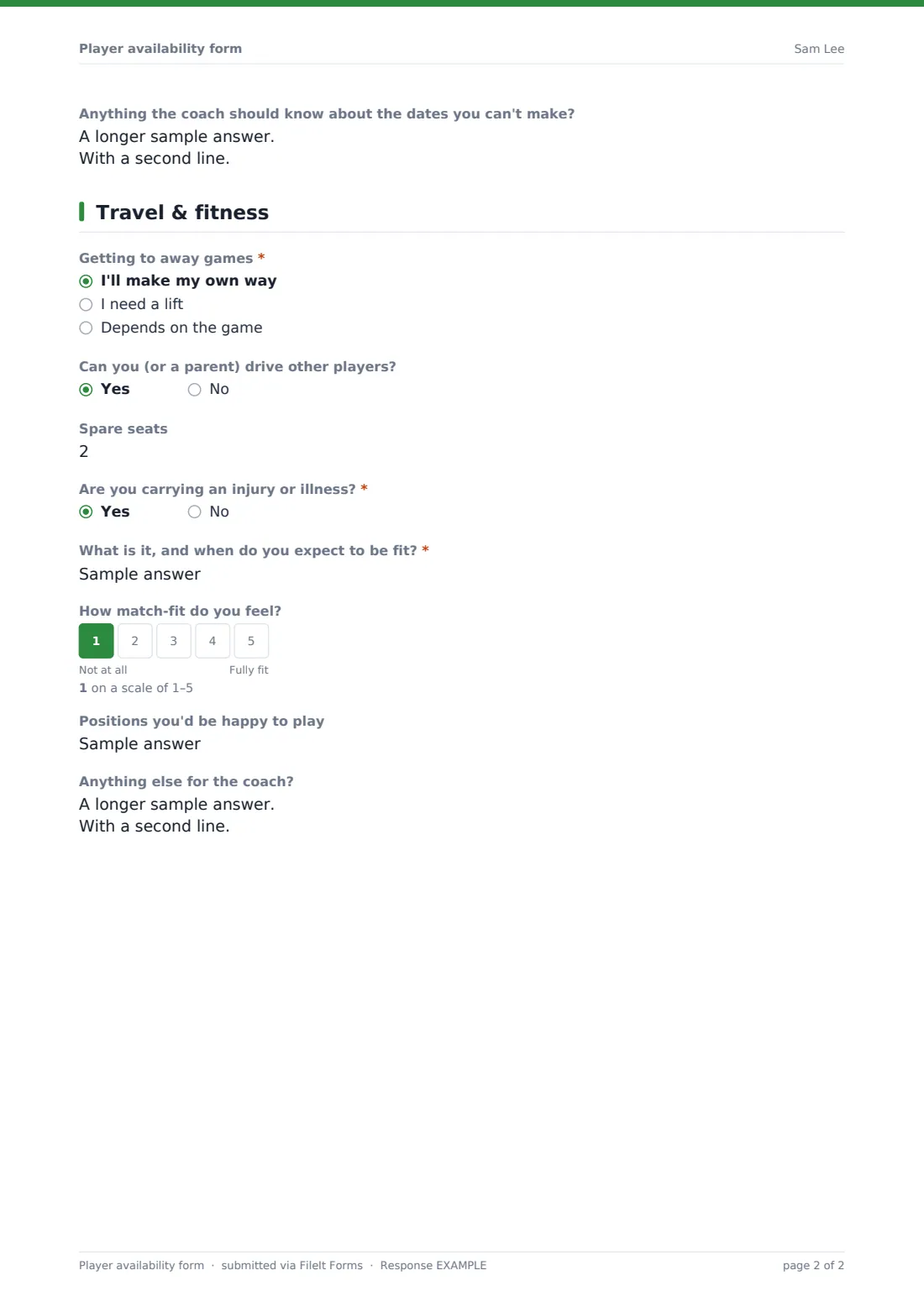
The last page sorts out logistics and fitness: how they'll get to away games, where they'd need picking up from, whether they or a parent can drive others and how many spare seats they have, any injury or illness with an expected return, how match-fit they feel and the positions they'd be happy to play. Each reply is saved as a PDF in your FileIt vault.
- Best for
- Grassroots, school and amateur teams in any sport
- Filled in by
- The player or a parent
- Time to complete
- About 2 minutes
- Includes
- Fixture availability grid, training, lift sharing, injuries, fitness
Who uses a player availability form form?
- A Sunday league manager checks availability for the next six games
- A junior football coach collects availability from parents and arranges lifts
- A cricket club's captains plan teams for a block of weekend fixtures
- A netball coach checks who's fit before a tournament
- A hockey club finds drivers with spare seats for an away trip
- A school PE teacher plans fixtures around exam dates
Questions on this player availability form form
18 questions over 3 pages · includes conditional questions, multiple pages, ratings.
1 Player
- Player's name*
- Email*
- Mobile
- Team* First team · Second team · Under 18 · Under 16 · Under 14 · Under 12 · Veterans
- Who is filling this in? The player · A parent or guardian
2 Fixtures
- Can you play?* Available · Unavailable · Maybe
- For any 'Maybe', when will you know?
- Training sessions you can make Tuesday evening · Thursday evening · Weekend session
- Anything the coach should know about the dates you can't make?
3 Travel & fitness
- Getting to away games* I'll make my own way · I need a lift · Depends on the game
- Where would you need picking up from? asked only when it applies
- Can you (or a parent) drive other players?
- Spare seats asked only when it applies
- Are you carrying an injury or illness?*
- What is it, and when do you expect to be fit?* asked only when it applies
- How match-fit do you feel?
- Positions you'd be happy to play
- Anything else for the coach?
The player availability form form, page by page
1 Player
Player's name, email (a parent's is fine for juniors), mobile, a required team and who is filling the form in.
2 Fixtures
A placeholder paragraph reminding you to rename the fixtures, then the required 'Can you play?' grid — Fixture 1 to Fixture 6, each Available, Unavailable or Maybe. Then when they'll know about any maybes, the training sessions they can make, and anything the coach should know about missed dates.
3 Travel & fitness
A required question on getting to away games — anyone who needs a lift or isn't sure is asked where they'd need picking up from. 'Can you (or a parent) drive other players?' asks for spare seats when the answer is yes. 'Are you carrying an injury or illness?' is required and asks what it is and when they expect to be fit. Then match fitness on a 1–5 scale, positions they'd be happy to play and notes.
Make the template yours
- Rename Fixture 1–6 with the dates, opponents and meet times before each block
- Add or remove fixture rows to match the length of your block
- Change the training sessions to your own nights and times
- Rename the teams, or remove the question for a single-team club
- Set a close date so replies stop when you pick the team
- Duplicate the form for each block of fixtures to keep old replies separate
Tips for a better player availability form form
- Send the form by email request so you can see who hasn't replied and send reminders
- Ask players to fill in the form again if their availability changes
- Export to CSV to see every player's grid side by side
- Pair players who need lifts with drivers' spare seats from the same area
- Check injury answers before naming the team
Every response becomes a PDF in your vault
Each reply is saved as a PDF in your vault and the coach is emailed. Players see a message telling them to fill in the form again if anything changes, and can receive a copy.
The Responses table shows who has replied; export to CSV to build the team sheet and the lift list for away games.
- Start from this template. It opens in the FileIt Forms designer — change any question, add pages, set the rules for when questions appear.
- Share it. Turn on a public link, or send it to people by email, each with their own link. They don’t need a FileIt account.
- Get the answers as PDFs. Each response is saved as a PDF in the vault folder you choose, with uploaded files attached — and listed in a Responses table you can export to CSV.
Player availability form form: frequently asked questions
Is this player availability template free?
Yes. It's included in the Forms app's starter templates on every FileIt account, including the free plan.
How do I put my own fixtures in?
Rename the rows of the 'Can you play?' grid in the designer — for example 'Sat 4 Oct — away v Riverside'. You can add more rows if you need them.
Can I chase players who haven't replied?
Yes. Send the form as emailed requests and FileIt tracks who has opened and submitted it, with a reminder button for the rest.
What if a player's availability changes?
They fill in the form again. Multiple replies are allowed, and the newest one is first in the Responses table.
Does the form pick the team?
No. It collects availability; the coach still picks the team.
Do players need a FileIt account?
No. They reply from a link on their phone.