What is the player tryout evaluation form template?
Selection day is hectic. Several coaches watch dozens of players, notes end up on the back of a session plan, and when the panel sits down the conversation leans on memory. This tryout evaluation template gives every coach the same scorecard for every player, so the panel can compare like with like and explain decisions to families afterwards.
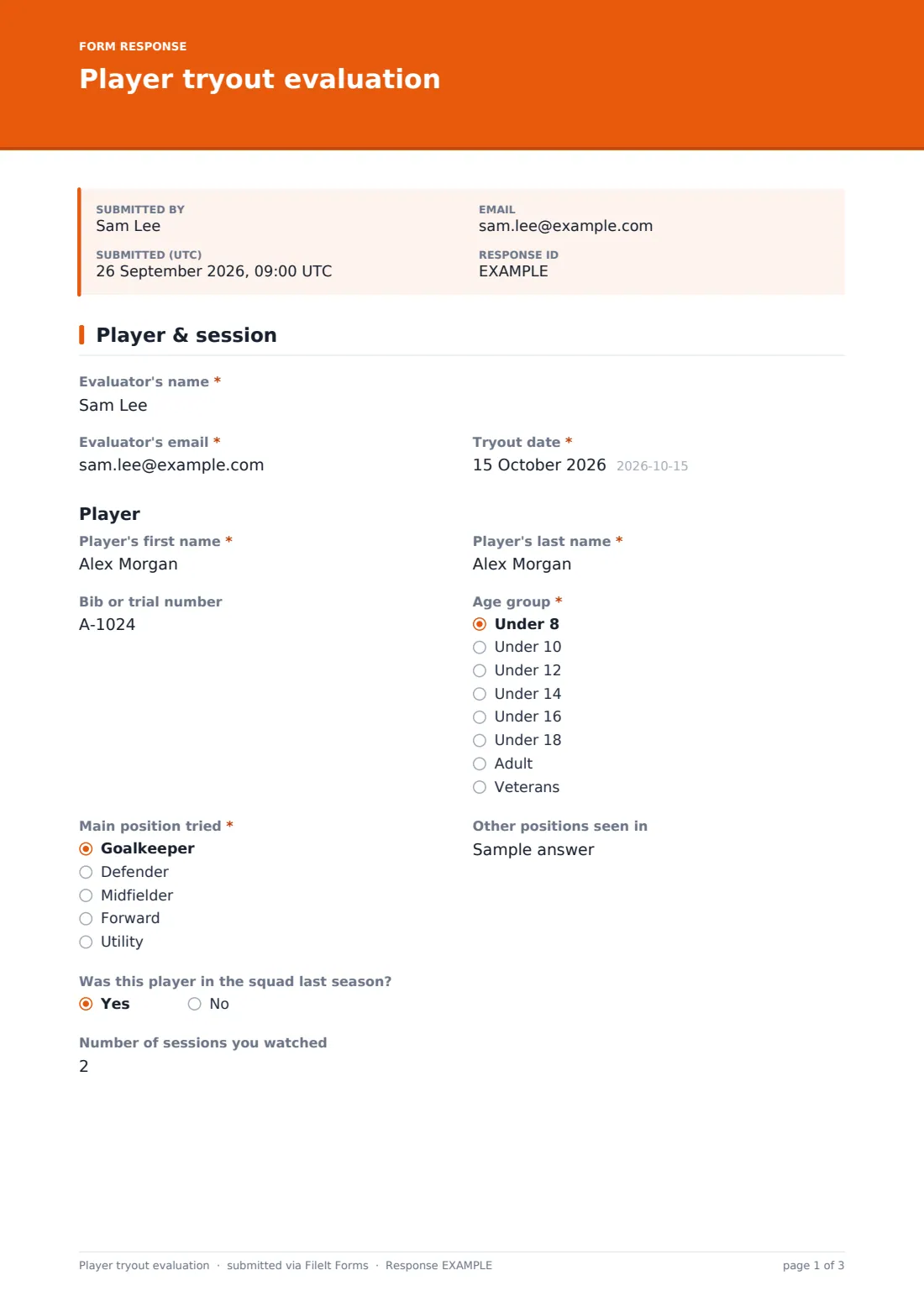
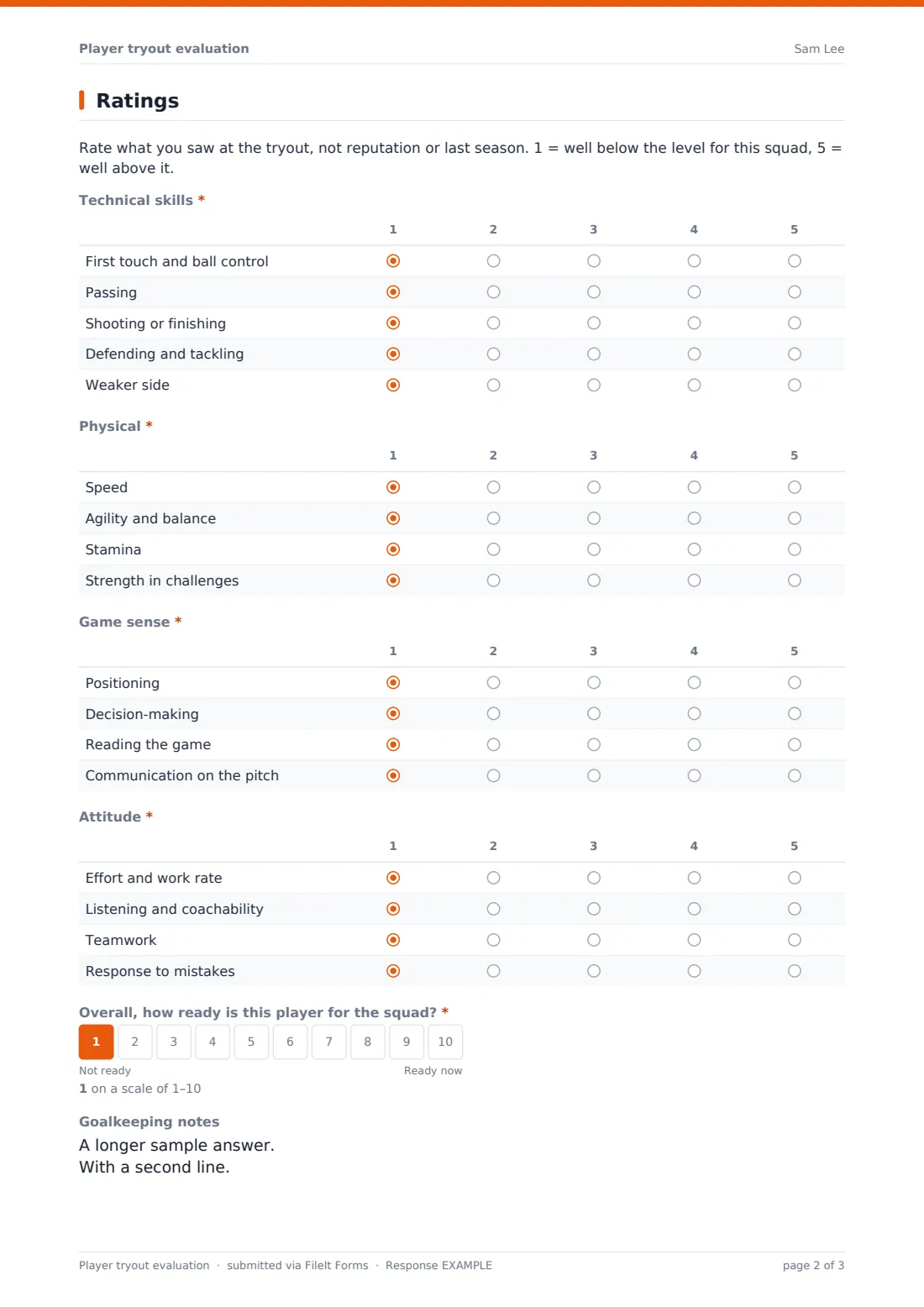
The coach records their own name, email and the tryout date, then the player: first and last name, bib or trial number, age group, main position tried and any other positions, whether the player was in the squad last season, and how many sessions they watched. The ratings page uses four grids — 'Technical skills', 'Physical', 'Game sense' and 'Attitude' — each scored 1 to 5 against the level of the squad, followed by an overall readiness score from 1 to 10. Goalkeepers get an extra notes box.
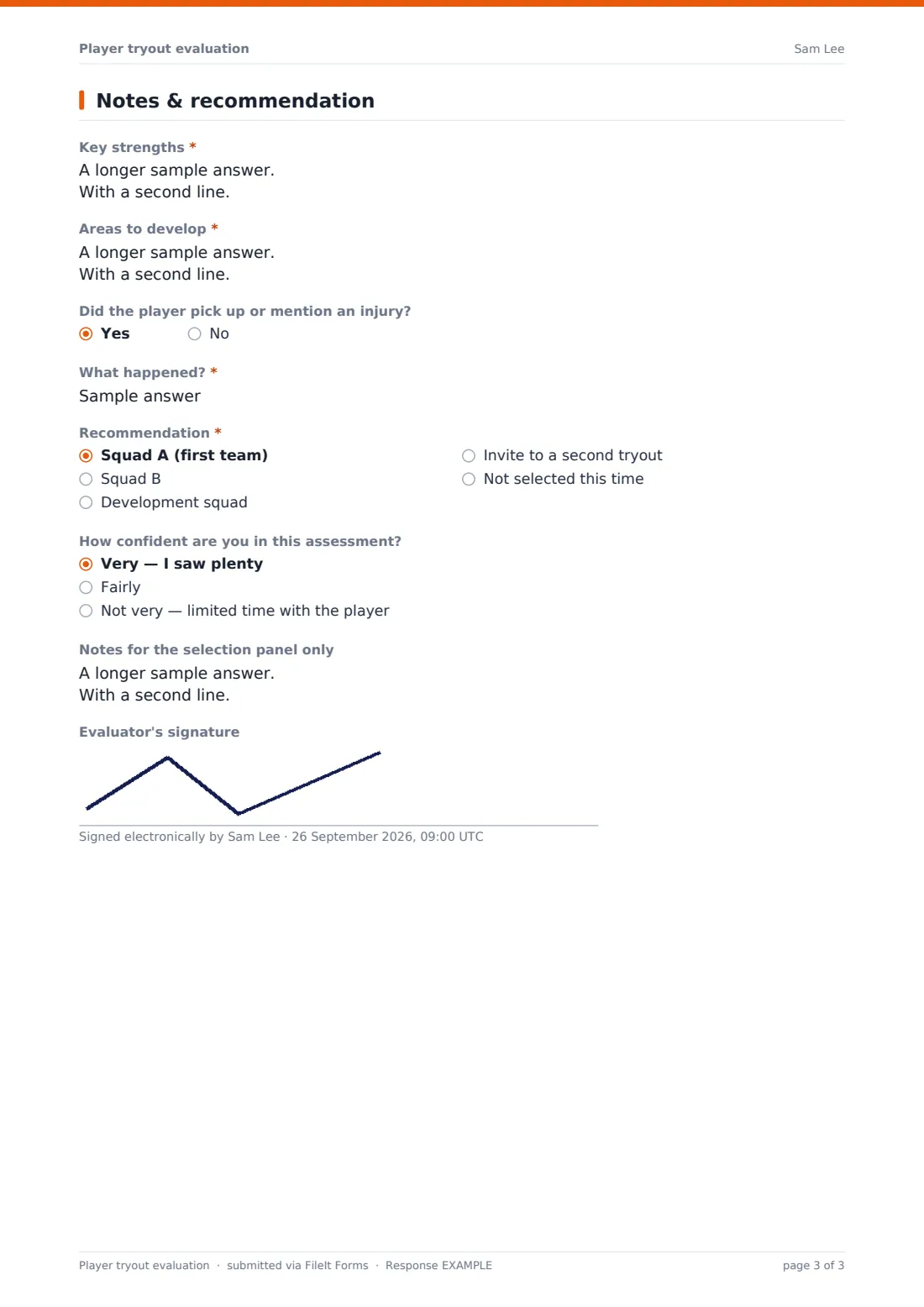
Finally the coach writes key strengths and areas to develop, notes any injury, and makes a recommendation: Squad A, Squad B, the development squad, a second tryout, or not selected this time. A second-tryout invite asks what to look for; not selected asks for feedback to pass on and other options to suggest. Each evaluation is saved as a PDF in your FileIt vault.
- Best for
- Clubs, academies, school teams and representative squads
- Filled in by
- A coach or selector, one form per player
- Time to complete
- About 4 minutes per player
- Includes
- Skill rating grids, overall score, recommendation, feedback for families
Who uses a player tryout evaluation form?
- A youth football club runs pre-season trials across several age groups
- A school basketball coach and an assistant score the same players independently
- An academy compares returning players with newcomers at an open trial
- A representative squad keeps a record of why each player was or wasn't selected
- A club invites borderline players to a second tryout with specific things to watch
- Coaches write constructive feedback for players who weren't selected
Questions on this player tryout evaluation form
28 questions over 3 pages · includes signature, conditional questions, multiple pages, ratings.
1 Player & session
- Evaluator's name*
- Evaluator's email*
- Tryout date*
- Player's first name*
- Player's last name*
- Bib or trial number
- Age group* Under 8 · Under 10 · Under 12 · Under 14 · Under 16 · Under 18 · Adult · Veterans
- Main position tried* Goalkeeper · Defender · Midfielder · Forward · Utility
- Other positions seen in
- Was this player in the squad last season?
- Number of sessions you watched
2 Ratings
- Technical skills* 1 · 2 · 3 · 4 · 5
- Physical* 1 · 2 · 3 · 4 · 5
- Game sense* 1 · 2 · 3 · 4 · 5
- Attitude* 1 · 2 · 3 · 4 · 5
- Overall, how ready is this player for the squad?*
- Goalkeeping notes asked only when it applies
3 Notes & recommendation
- Key strengths*
- Areas to develop*
- Did the player pick up or mention an injury?
- What happened?* asked only when it applies
- Recommendation* Squad A (first team) · Squad B · Development squad · Invite to a second tryout · Not selected this time
- What do you want to see at the second tryout?* asked only when it applies
- Feedback to share with the player or family* asked only when it applies
- Other options to suggest asked only when it applies Development sessions · Another team in the club · Reapply mid-season · Holiday camp
- How confident are you in this assessment? Very — I saw plenty · Fairly · Not very — limited time with the player
- Notes for the selection panel only
- Evaluator's signature
The player tryout evaluation form, page by page
1 Player & session
Evaluator's name, email and tryout date, then the player's first and last name, bib or trial number, age group, main position tried, other positions, whether they were in the squad last season, and the number of sessions you watched.
2 Ratings
A short note on how to score, then four required grids rated 1–5: 'Technical skills' (first touch, passing, shooting, defending, weaker side), 'Physical' (speed, agility, stamina, strength), 'Game sense' (positioning, decision-making, reading the game, communication) and 'Attitude' (effort, coachability, teamwork, response to mistakes). A required 1–10 scale asks 'Overall, how ready is this player for the squad?' and goalkeepers get goalkeeping notes.
3 Notes & recommendation
Required key strengths and areas to develop, an injury question, and the recommendation. 'Invite to a second tryout' asks what you want to see next time; 'Not selected this time' asks for feedback to share with the player or family and other options to suggest. Then how confident you are, notes for the selection panel only, and an optional signature.
Make the template yours
- Rename the positions and grid rows to fit your sport — batting, bowling and fielding for cricket, for example
- Change the age groups to match your club's teams
- Rename the squads in the recommendation question
- Remove the signature if coaches score on a tablet at the side of the pitch
- Add a question for shirt number or preferred foot or hand
- File evaluations in a vault folder per age group and season
Tips for a better player tryout evaluation form
- Agree what a 3 means before the session so coaches score consistently
- Have at least two coaches score each player and compare in the Responses table
- Score straight after each drill or game rather than at the end of the day
- Keep panel-only notes out of anything you send to families
- Use the feedback answers to give every unsuccessful player something specific to work on
Every response becomes a PDF in your vault
Each evaluation is saved as a PDF in your vault and the head coach is emailed. Because the form is filled in by coaches, sending a copy is switched off by default.
Search the Responses table by player name or export to CSV to put every coach's scores side by side before the selection meeting.
- Start from this template. It opens in the FileIt Forms designer — change any question, add pages, set the rules for when questions appear.
- Share it. Turn on a public link, or send it to people by email, each with their own link. They don’t need a FileIt account.
- Get the answers as PDFs. Each response is saved as a PDF in the vault folder you choose, with uploaded files attached — and listed in a Responses table you can export to CSV.
Player tryout evaluation form: frequently asked questions
Is this tryout evaluation template free?
Yes. It's a starter template in the Forms app on every FileIt account, including the free plan, and all the ratings and questions can be edited.
Do I fill in one form per player?
Yes. Each submission is one player, which keeps every evaluation as its own PDF and row in the Responses table. The form accepts multiple responses from the same browser.
Does the form add up the scores?
No. It records each rating; export the responses to CSV if you want to total or average them in a spreadsheet.
Can I use it for sports other than football?
Yes. Rename the positions and the rows in each grid to the skills that matter in your sport.
Can several coaches use the same form?
Yes. Share one link with all your coaches, or send each of them a request by email. Each evaluation records who scored it.
Do players see these evaluations?
Not unless you share them. Responses go to your vault; the 'Notes for the selection panel only' box is there for comments you don't intend to pass on.