What is the product feedback survey form template?
Product teams hear plenty of opinions — in support tickets, sales calls and reviews — but they're hard to compare. A structured survey asks every user the same questions, so you can see which features people rate highly, where they struggle and what they'd most like you to work on next.
This product feedback survey starts with how people use your product, then asks them to rate features, ease of use and value for money, name their favourite feature and biggest frustration, and say what's missing. It includes the question of how disappointed they'd be if they could no longer use the product, which asks what they'd use instead unless the answer is very disappointed.
Respondents choose up to three areas you should focus on next, and can sign up for user research or early access. Every response is saved as a PDF in your FileIt vault.
- Best for
- SaaS companies, app developers, hardware makers and product teams
- Filled in by
- Active users or customers
- Time to complete
- About 4 minutes
- Includes
- Feature rating grid, 1–7 ease-of-use scale, value rating, disappointment question, top-three priorities, research sign-up
Who uses a product feedback survey form?
- A startup checks how strongly users depend on its product
- A product manager gathers input before quarterly planning
- A company surveys beta users before a public launch
- A hardware maker asks owners about setup and reliability
- A team compares feedback from daily and occasional users
- A UX team recruits users for interviews from survey respondents
Questions on this product feedback survey form
19 questions over 3 pages · includes conditional questions, multiple pages, ratings.
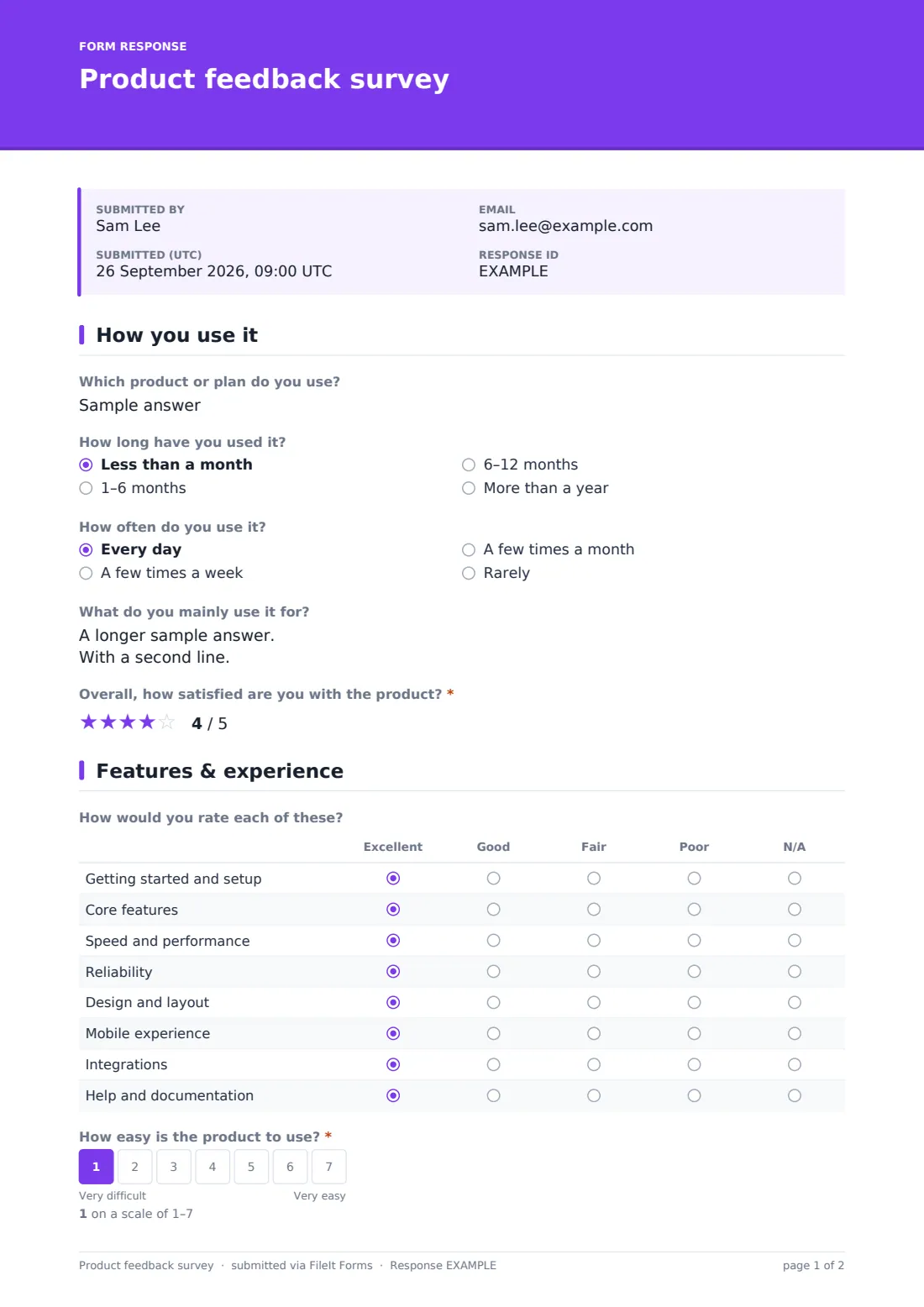
1 How you use it
- Which product or plan do you use?
- How long have you used it? Less than a month · 1–6 months · 6–12 months · More than a year
- How often do you use it? Every day · A few times a week · A few times a month · Rarely
- What do you mainly use it for?
- Overall, how satisfied are you with the product?*
2 Features & experience
- How would you rate each of these? Excellent · Good · Fair · Poor · N/A
- How easy is the product to use?*
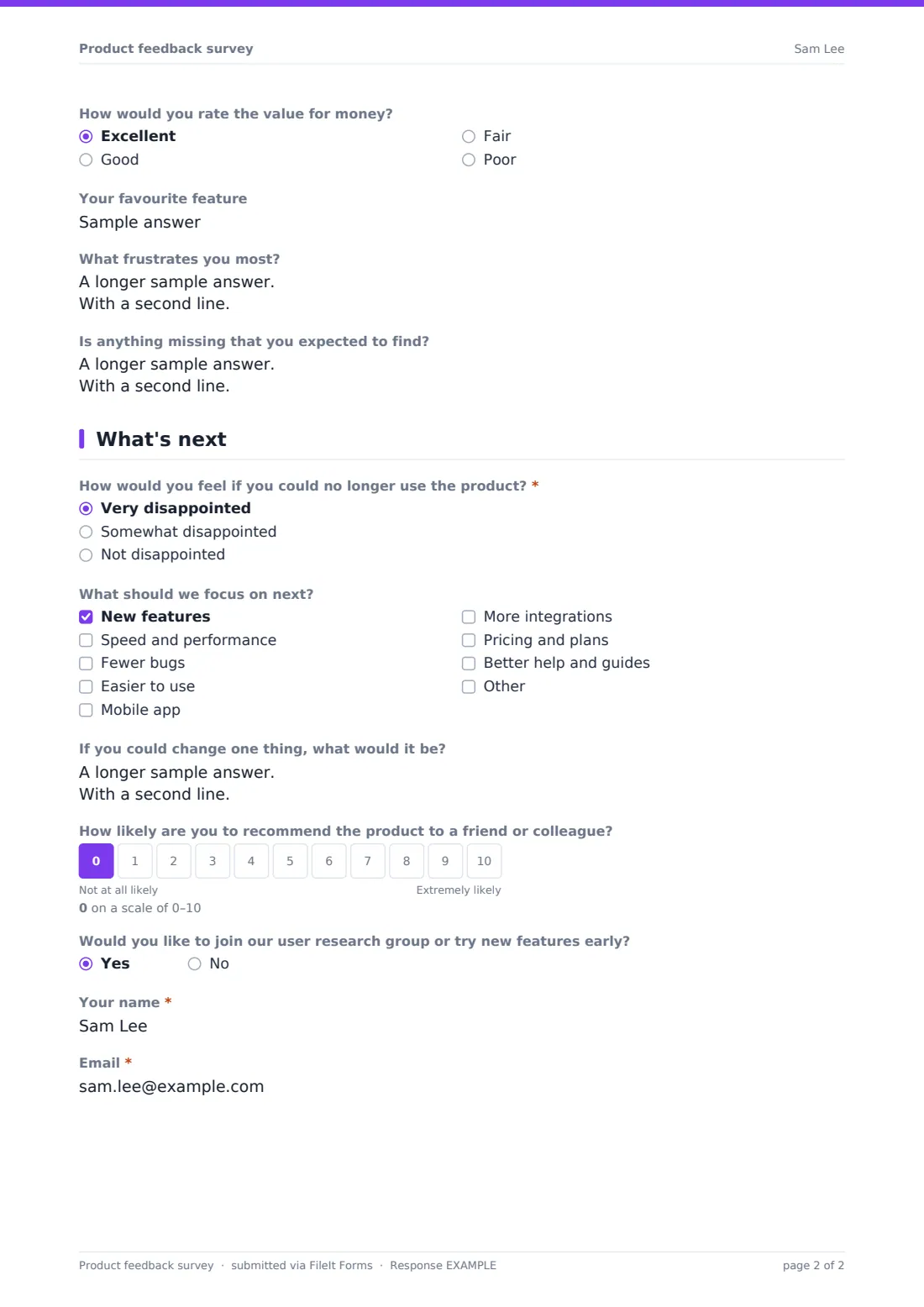
- How would you rate the value for money? Excellent · Good · Fair · Poor
- Your favourite feature
- What frustrates you most?
- Is anything missing that you expected to find?
3 What's next
- How would you feel if you could no longer use the product?* Very disappointed · Somewhat disappointed · Not disappointed
- What would you use instead? asked only when it applies
- What should we focus on next? New features · Speed and performance · Fewer bugs · Easier to use · Mobile app · More integrations · Pricing and plans · Better help and guides
- If you could change one thing, what would it be?
- How likely are you to recommend the product to a friend or colleague?
- Would you like to join our user research group or try new features early?
- Your name* asked only when it applies
- Email* asked only when it applies
The product feedback survey form, page by page
1 How you use it
Users say which product or plan they use, how long they've used it and how often, and what they mainly use it for. A required 5-star rating captures overall satisfaction.
2 Features & experience
A grid rates getting started, core features, speed, reliability, design, mobile experience, integrations and help from excellent to poor, with N/A for anything unused. A required 1–7 scale asks how easy the product is to use, followed by value for money, their favourite feature, their biggest frustration and anything missing.
3 What's next
A required question asks how users would feel if they could no longer use the product; anyone who isn't very disappointed is asked what they'd use instead. Users pick up to three areas for you to focus on, suggest one change, and rate how likely they are to recommend you on a 0–10 scale. Those who want to join user research or try features early leave their name and email.
Make the template yours
- Replace the grid rows with your product's actual features
- Replace the product question with a dropdown of your products or plans
- Edit the priority options to match your roadmap themes
- Remove the recommendation question if you already run a separate NPS survey
- Send personal links to specific customer segments
- Add a question about the device or platform they use
Tips for a better product feedback survey form
- Survey active users — people who've used the product recently give more specific feedback
- Look at answers by usage frequency; daily and occasional users often want different things
- Read the "what would you use instead" answers to understand your real competition
- Tell respondents what you changed as a result — it improves future response rates
- Follow up with research volunteers promptly while they're still interested
Every response becomes a PDF in your vault
Each response is saved as a PDF in the vault folder you choose. Owner notifications are on by default, which you may want to turn off for a large survey.
Export the Responses table to CSV to chart feature ratings, count priorities and group answers by usage.
- Start from this template. It opens in the FileIt Forms designer — change any question, add pages, set the rules for when questions appear.
- Share it. Turn on a public link, or send it to people by email, each with their own link. They don’t need a FileIt account.
- Get the answers as PDFs. Each response is saved as a PDF in the vault folder you choose, with uploaded files attached — and listed in a Responses table you can export to CSV.
Product feedback survey form: frequently asked questions
Is this product feedback survey template free?
Yes. It's included in the Forms app on every FileIt account, including the free plan.
Is the survey anonymous?
Yes, unless respondents choose to join user research and leave their name and email, or you send personal links.
Can I rate my own features?
Yes. Edit the rows in the feature grid to list your features.
Can respondents choose more than three priorities?
The template limits it to three to force a choice. You can change the limit in the designer.
Does FileIt chart the results?
Responses are listed in the Responses table and can be exported to CSV for charting in a spreadsheet.
How long does it take?
About four minutes, with most questions optional.
Can I close the survey after a set date?
Yes. Set a closing date or maximum number of responses in the form's settings.