What is the library user survey form template?
Libraries do far more than lend books: they're study spaces, computer rooms, children's activity centres and community meeting points. A user survey shows which of those roles matter most to the people who use your branch, and where hours, space or services are letting them down.
This template asks how often people visit and what they come for, then has them rate ten parts of the service, from the book collection and eBooks to quiet study areas, Wi-Fi, staff and step-free access. It asks whether opening hours suit them, and when they'd like the library to open if they don't.
A page on programmes and digital services covers events attended, programmes they'd be interested in, and how easy the online catalogue and eBook services are to use. It closes with title suggestions, one change they'd make, an overall rating and an optional request for a reply. Each response is saved as a PDF in your FileIt vault.
- Best for
- Public, school, university and community libraries
- Filled in by
- Library visitors and online users
- Time to complete
- About 5 minutes
- Includes
- Use and visit questions, a 10-row rating grid, opening-hours follow-up, programme interests, digital ease, title suggestions and overall rating
Who uses a library user survey form?
- An annual public library user satisfaction survey
- Testing demand for longer evening or weekend opening
- Choosing which new programmes or clubs to start
- Finding out why members don't use eBooks or the library app
- A school or university library gathering student feedback
- Collecting stock suggestions from regular readers
Questions on this library user survey form
22 questions over 4 pages · includes conditional questions, multiple pages, ratings.
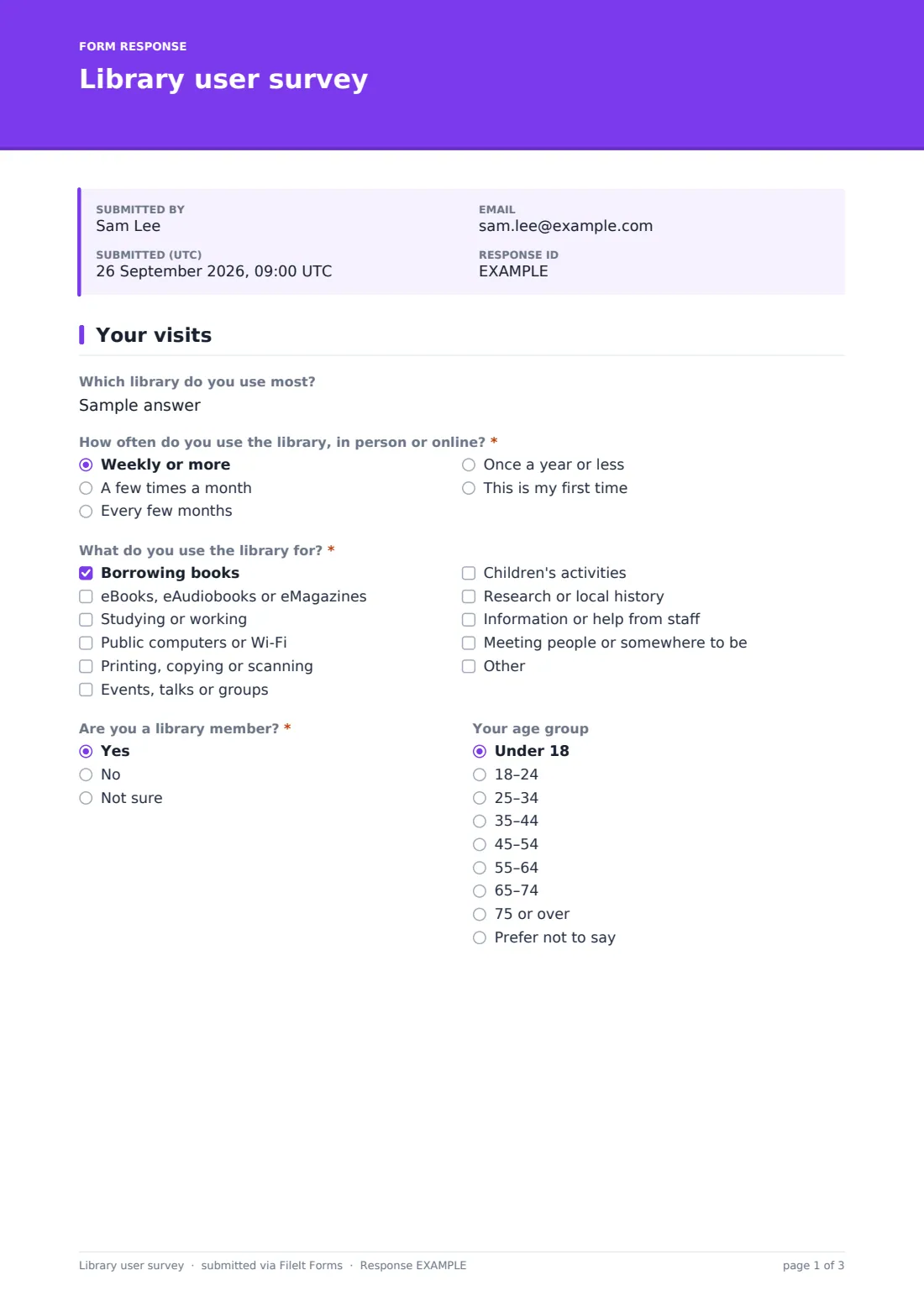
1 Your visits
- Which library do you use most?
- How often do you use the library, in person or online?* Weekly or more · A few times a month · Every few months · Once a year or less · This is my first time
- What do you use the library for?* Borrowing books · eBooks, eAudiobooks or eMagazines · Studying or working · Public computers or Wi-Fi · Printing, copying or scanning · Events, talks or groups · Children's activities · Research or local history · Information or help from staff · Meeting people or somewhere to be
- Are you a library member?* Yes · No · Not sure
- Your age group Under 18 · 18–24 · 25–34 · 35–44 · 45–54 · 55–64 · 65–74 · 75 or over · Prefer not to say
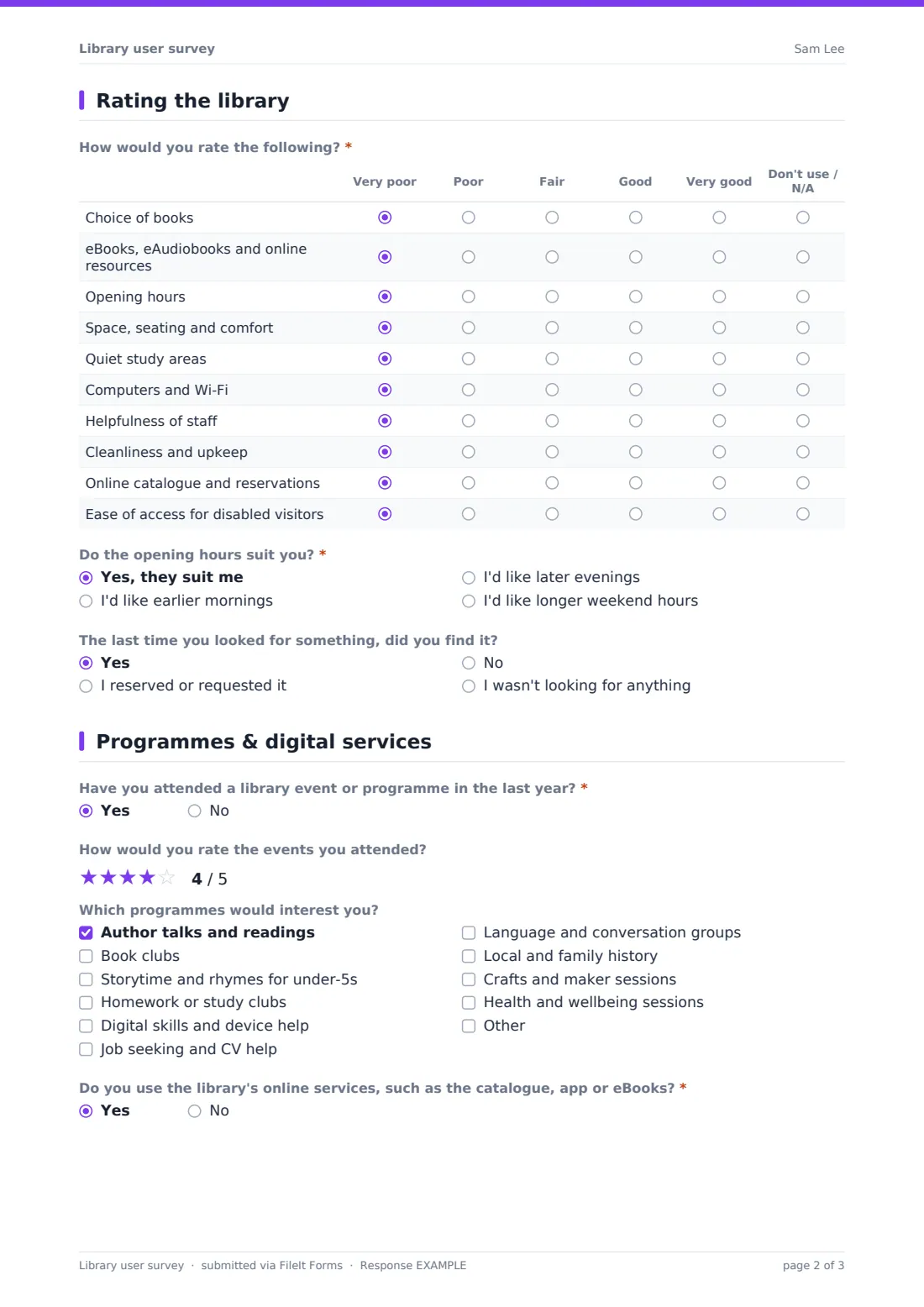
2 Rating the library
- How would you rate the following?* Very poor · Poor · Fair · Good · Very good · Don't use / N/A
- Do the opening hours suit you?* Yes, they suit me · I'd like earlier mornings · I'd like later evenings · I'd like longer weekend hours
- When would you most like the library to be open? asked only when it applies
- The last time you looked for something, did you find it? Yes · I reserved or requested it · No · I wasn't looking for anything
3 Programmes & digital services
- Have you attended a library event or programme in the last year?*
- How would you rate the events you attended? asked only when it applies
- Which programmes would interest you? Author talks and readings · Book clubs · Storytime and rhymes for under-5s · Homework or study clubs · Digital skills and device help · Job seeking and CV help · Language and conversation groups · Local and family history · Crafts and maker sessions · Health and wellbeing sessions
- Do you use the library's online services, such as the catalogue, app or eBooks?*
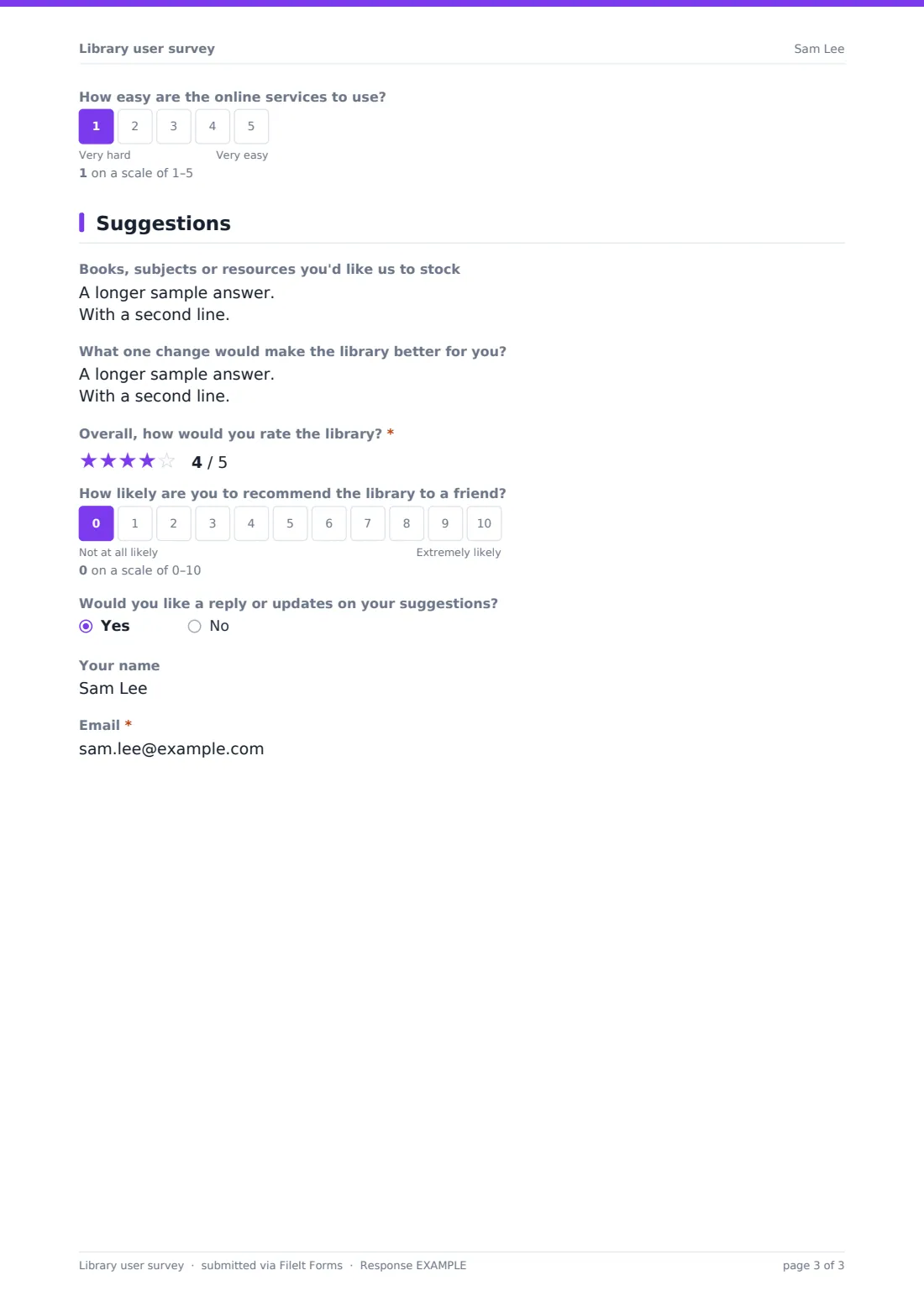
- How easy are the online services to use? asked only when it applies
- What stops you using them? asked only when it applies Didn't know about them · Don't know how to sign in · Prefer printed books · No suitable device · Titles I want aren't available · Too many steps to borrow
4 Suggestions
- Books, subjects or resources you'd like us to stock
- What one change would make the library better for you?
- Overall, how would you rate the library?*
- How likely are you to recommend the library to a friend?
- Would you like a reply or updates on your suggestions?
- Your name asked only when it applies
- Email* asked only when it applies
The library user survey form, page by page
1 Your visits
Users name the library they use most (or 'online only'), say how often they use it, and tick what they use it for: borrowing books, eBooks and eAudiobooks, studying, computers and Wi-Fi, printing, events, children's activities, local history research, help from staff, or simply somewhere to be. Membership status and age group sit side by side; age is optional.
2 Rating the library
A grid rates the choice of books, eBooks and online resources, opening hours, space and seating, quiet study areas, computers and Wi-Fi, staff helpfulness, cleanliness, the online catalogue and reservations, and ease of access for disabled visitors, from very poor to very good or 'N/A'.
'Do the opening hours suit you?' offers yes, earlier mornings, later evenings or longer weekend hours. Anyone who doesn't answer yes is asked when they'd most like the library to be open. A final question asks whether they found what they were last looking for.
3 Programmes & digital services
Users say whether they've attended an event in the last year and, if so, rate it out of five stars. They tick programmes that would interest them, such as author talks, book clubs, storytime for under-5s, digital skills help, CV help or local history. They then say whether they use the online catalogue, app or eBooks: users rate how easy they are on a 1–5 scale, and non-users tick what stops them, such as not knowing about them, trouble signing in or having no suitable device.
4 Suggestions
Optional boxes collect books, subjects or resources to stock and one change that would make the library better. The overall star rating is required; a 0–10 recommendation question is optional. Users who want a reply can leave their name and email.
Make the template yours
- Change the branch question to a dropdown of your branches
- Replace the programme list with your actual events calendar
- Add questions on a specific service, such as home delivery or a seed library
- Add a short version for children with fewer, simpler questions
- Set a closing date to match your survey fortnight or month
- Print a QR code to the form on bookmarks and at the issue desk
Tips for a better library user survey form
- Survey online users as well as visitors — link the form from your catalogue and eBook app
- Run it at different times of day and week so evening and weekend users are heard
- Tell users what changed as a result, for example on a 'You said, we did' poster
- Offer help completing it at the desk for users who aren't comfortable online
- Read title suggestions regularly rather than only at the end of the survey
- Keep core questions the same each year so you can see trends
Every response becomes a PDF in your vault
Each response is saved as a PDF in your FileIt vault. With notifications on, the library team is emailed for each new response, which is useful for spotting a reply request quickly.
The Responses table lets you filter and open any response, and export them all to a CSV with each rating grid row in its own column, ready to compare branches or years in a spreadsheet.
- Start from this template. It opens in the FileIt Forms designer — change any question, add pages, set the rules for when questions appear.
- Share it. Turn on a public link, or send it to people by email, each with their own link. They don’t need a FileIt account.
- Get the answers as PDFs. Each response is saved as a PDF in the vault folder you choose, with uploaded files attached — and listed in a Responses table you can export to CSV.
Library user survey form: frequently asked questions
Is this template free?
Yes. It's included in the FileIt Forms app on every account, including the free plan, and you can edit, add or remove any question.
Do respondents need a FileIt account?
No. Anyone with the form's link can respond without signing up or signing in.
Is the survey anonymous?
Yes, unless a user asks for a reply and leaves their name and email at the end.
Can we use it for several branches?
Yes. Users name their branch on the first page, or you can change that question to a dropdown. You could also make one copy of the form per branch.
Can we use it in a school or university library?
Yes. Edit the programme list and age groups to suit students, and add a question on year group or course if that's useful.
Can children fill it in?
The template is written for adults and teenagers. For younger children, make a shorter copy with simpler wording, and check your own policy on collecting responses from children.
How do we see the results?
Every response is a PDF in your vault, and you can export them all from the Responses table to a CSV.
Can we close the survey on a set date?
Yes. Set a closing date or a maximum number of responses in the form's settings.