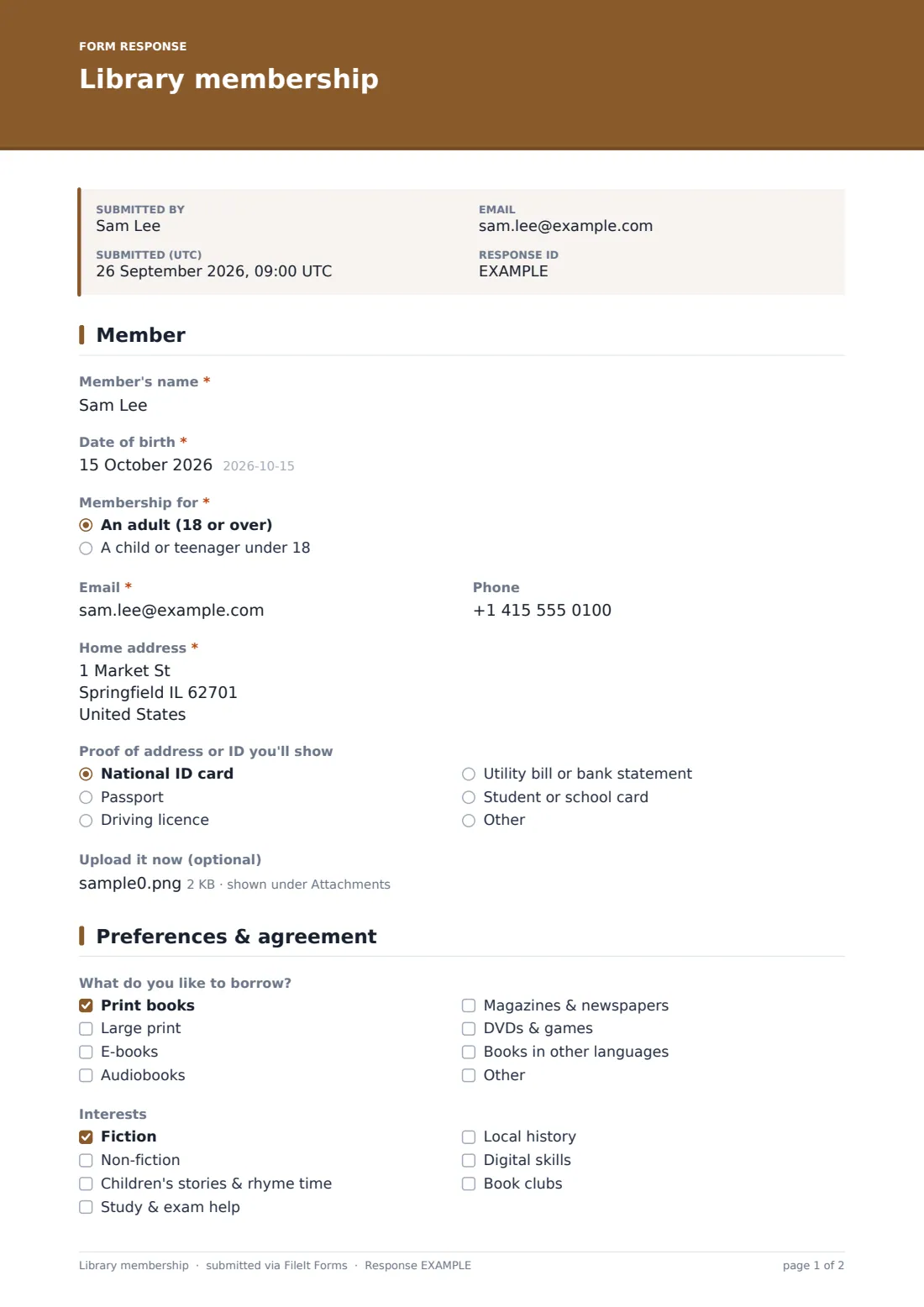
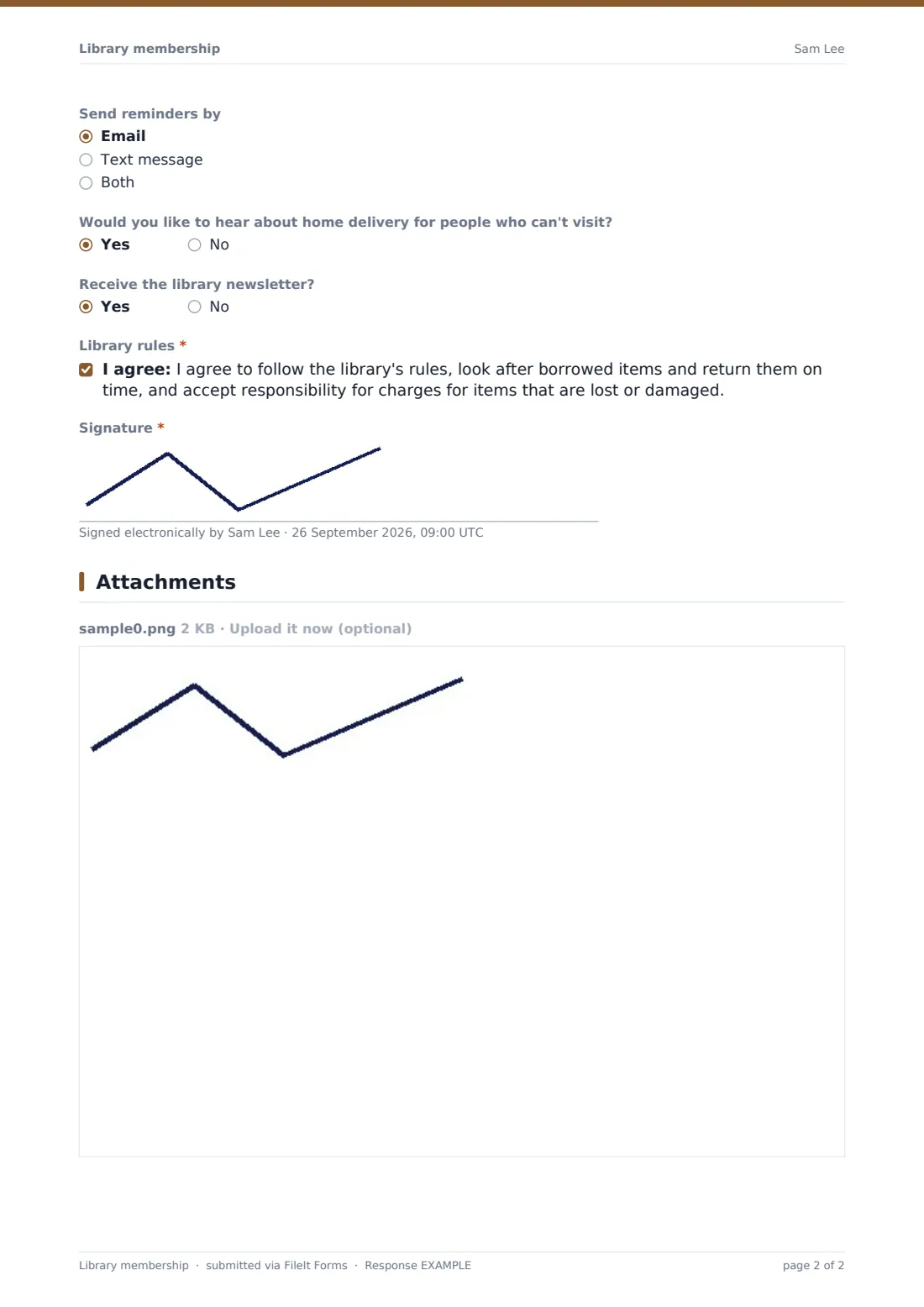
What is the library membership form template?
Signing up for a library card at the desk usually means filling in a paper form while someone else waits behind you. This template lets people fill it in from home ahead of a visit — their details, borrowing preferences and, for anyone under 18, a parent or guardian's agreement — so all the librarian needs to do is check ID and hand over the card.
The form adapts to who's joining: choosing "a child or teenager under 18" opens a whole section for a parent or guardian's details and consent, plus a question about which collection the child may borrow from, while an adult applicant skips straight past it. A borrowing-preferences page lets new members flag what they like to read and which events they might enjoy, so the library can tailor its communications from day one.
Every completed sign-up is saved as a signed PDF in the library's FileIt vault, with any uploaded ID attached, giving staff a ready-made, organized record instead of a stack of paper forms to file.
- Best for
- Public, school or community libraries signing up new members
- Filled in by
- The new member, or a parent/guardian for under-18s
- Time to complete
- About 5-8 minutes
- Includes
- A conditional guardian section for under-18s, an ID upload, and a signature
Who uses a library membership form?
- A public library letting new members sign up online before their first visit
- A school library issuing cards to students, with a parent or guardian's agreement built in
- A community or mobile library collecting member preferences to plan events and stock
- Registering a family, where a parent fills in the form once for each child before visiting together
- A library wanting to reduce paper forms and desk queues during busy sign-up periods
- Collecting opt-ins for a newsletter or home delivery service at the same time as membership
Questions on this library membership form
21 questions over 3 pages · includes signature, file upload, conditional questions, multiple pages, consent checkbox.
1 Member
- Member's name*
- Date of birth*
- Membership for* An adult (18 or over) · A child or teenager under 18
- Email*
- Phone
- Home address*
- Proof of address or ID you'll show National ID card · Passport · Driving licence · Utility bill or bank statement · Student or school card · Other
- Upload it now (optional)
2 Parent or guardian
- Parent or guardian's name* asked only when it applies
- Their email* asked only when it applies
- Their phone* asked only when it applies
- Which collection may the child borrow from?* asked only when it applies Children's collection only · Children's and teen collections · All collections, including adult
3 Preferences & agreement
- What do you like to borrow? Print books · Large print · E-books · Audiobooks · Magazines & newspapers · DVDs & games · Books in other languages
- Which languages? asked only when it applies
- Interests Fiction · Non-fiction · Children's stories & rhyme time · Study & exam help · Local history · Digital skills · Book clubs
- Send reminders by Email · Text message · Both
- Would you like to hear about home delivery for people who can't visit?
- Receive the library newsletter?
- Library rules*
- Parent or guardian agreement* asked only when it applies
- Signature*
The library membership form, page by page
1 Member
The form collects the member's name, date of birth, whether membership is for an adult or a child or teenager under 18, email, phone and home address. A dropdown lets members choose which kind of proof of address or ID they'll bring, with an optional upload to speed things up further at the desk.
2 Parent or guardian
This whole page only appears if the member is under 18. A short note explains that members under 18 need a parent or guardian to agree to the library's rules and take responsibility for items borrowed on the card. The parent or guardian then gives their name, email and phone, and chooses which collection the child may borrow from — children's only, children's and teen, or all collections including adult.
3 Preferences & agreement
A checklist covers what members like to borrow — print books, large print, e-books, audiobooks, magazines and newspapers, DVDs and games, or books in other languages, with a follow-up asking which languages if that's ticked. A second checklist covers interests such as fiction, non-fiction, children's stories and rhyme time, study and exam help, local history, digital skills or book clubs, so the library can let members know about events they might enjoy.
Members choose how they'd like reminders sent, whether they'd like to hear about home delivery, and whether to receive the library newsletter, before agreeing to the library's rules on looking after and returning borrowed items. For members under 18, a separate guardian agreement confirms the parent or guardian accepts responsibility on the child's behalf, and the page closes with a signature from the member or their guardian.
Make the template yours
- Adjust the ID and proof-of-address options to match what your library actually accepts
- Add a question about which branch the member will mainly use, if your service has more than one location
- Route notifications to the specific branch or desk handling new memberships
- File completed sign-ups into a vault folder per branch or per membership year
- Add a field for a library card number once one is issued, for your own records
- Turn on an emailed PDF copy to the new member so they have a record of what they agreed to
- Adjust the collections and age-access options to match your library's own catalogue structure
Tips for a better library membership form
- Encourage new members to fill this in before their visit so all that's left to do at the desk is check ID and hand over the card
- Ask specifically which collection a child may borrow from, rather than assuming — preferences vary a lot by family
- Use the interests checklist to build a mailing list for events people will actually want to hear about, rather than sending everything to everyone
- Keep the ID upload optional so people who prefer to bring physical ID in person aren't blocked from signing up online
- Make the library rules and responsibility for lost or damaged items clear and easy to understand before anyone signs
- Review preferences periodically, since what a child wants to borrow changes quickly as they get older
Every response becomes a PDF in your vault
As soon as the sign-up form is submitted, FileIt saves it as a signed PDF in the library's vault, with any uploaded ID attached, and the library is notified by email. If an emailed copy to the respondent is switched on, the new member also receives their own PDF confirming what they submitted.
From there, most libraries use the Responses table to see who's signed up ahead of a visit, issue the physical card once ID is checked at the desk, and use the preferences and interests captured to plan events or reading recommendations.
- Start from this template. It opens in the FileIt Forms designer — change any question, add pages, set the rules for when questions appear.
- Share it. Turn on a public link, or send it to people by email, each with their own link. They don’t need a FileIt account.
- Get the answers as PDFs. Each response is saved as a PDF in the vault folder you choose, with uploaded files attached — and listed in a Responses table you can export to CSV.
Library membership form: frequently asked questions
Is this library membership sign-up template free?
Yes. It's included in FileIt's Forms app on every plan, including free, and every question can be edited to match your library's own process.
Does a new member need a FileIt account to sign up?
No. Share the form by public link on your library's website or at the front desk — members don't need a FileIt account to fill it in.
How do I get a copy of a completed sign-up?
Every submission is saved automatically as a PDF in the vault, and you can also turn on an emailed PDF copy sent to the new member.
Does the member still need to bring ID after filling this in?
Yes — the form speeds up the desk process, but the library will still check ID or proof of address, as the confirmation message reminds members.
What if the member is under 18?
The form automatically shows a parent or guardian section, including their details and agreement, whenever a member under 18 is selected.
Can a parent sign up more than one child at once?
The form allows multiple responses, so a parent can submit one form per child, each with its own guardian agreement and signature.
Can members opt out of the newsletter or event updates?
Yes — the newsletter and event-interest questions are optional, so members can sign up for a card without opting into any communications.