What is the potluck sign-up form template?
Every potluck has the same risks — five desserts and no mains, a dish nobody can check for nuts, and a queue for the one oven. This sign-up form asks each guest what they're bringing, how many it serves, whether it's vegetarian, vegan or gluten-free, which common allergens it contains and whether it needs reheating, a fridge or a power socket.
Guests who are bringing plates, cups or cutlery skip the food questions and just say what supplies they'll bring. Everyone says how many adults and children are coming and any dietary needs in their group, so you can see whether there's enough for everyone to eat.
Every sign-up is saved as a PDF in your FileIt vault, and the Responses table gives you a running menu you can filter by course or allergen and print as table labels.
- Best for
- Office lunches, church suppers, clubs, schools and neighbourhood get-togethers
- Filled in by
- Each guest bringing food or supplies
- Time to complete
- About 3 minutes
- Includes
- Course choice, serving size, dietary labels, allergen checklist, hot or cold serving, venue equipment, helper sign-up
Who uses a potluck sign-up form?
- An office holiday lunch where each team brings a dish
- A church or community centre shared supper
- A school or class end-of-year picnic
- A club or society's annual bring-and-share meal
- A street party or neighbourhood picnic
- A cultural food evening where people bring dishes from home
Questions on this potluck sign-up form
20 questions over 2 pages · includes conditional questions, multiple pages.
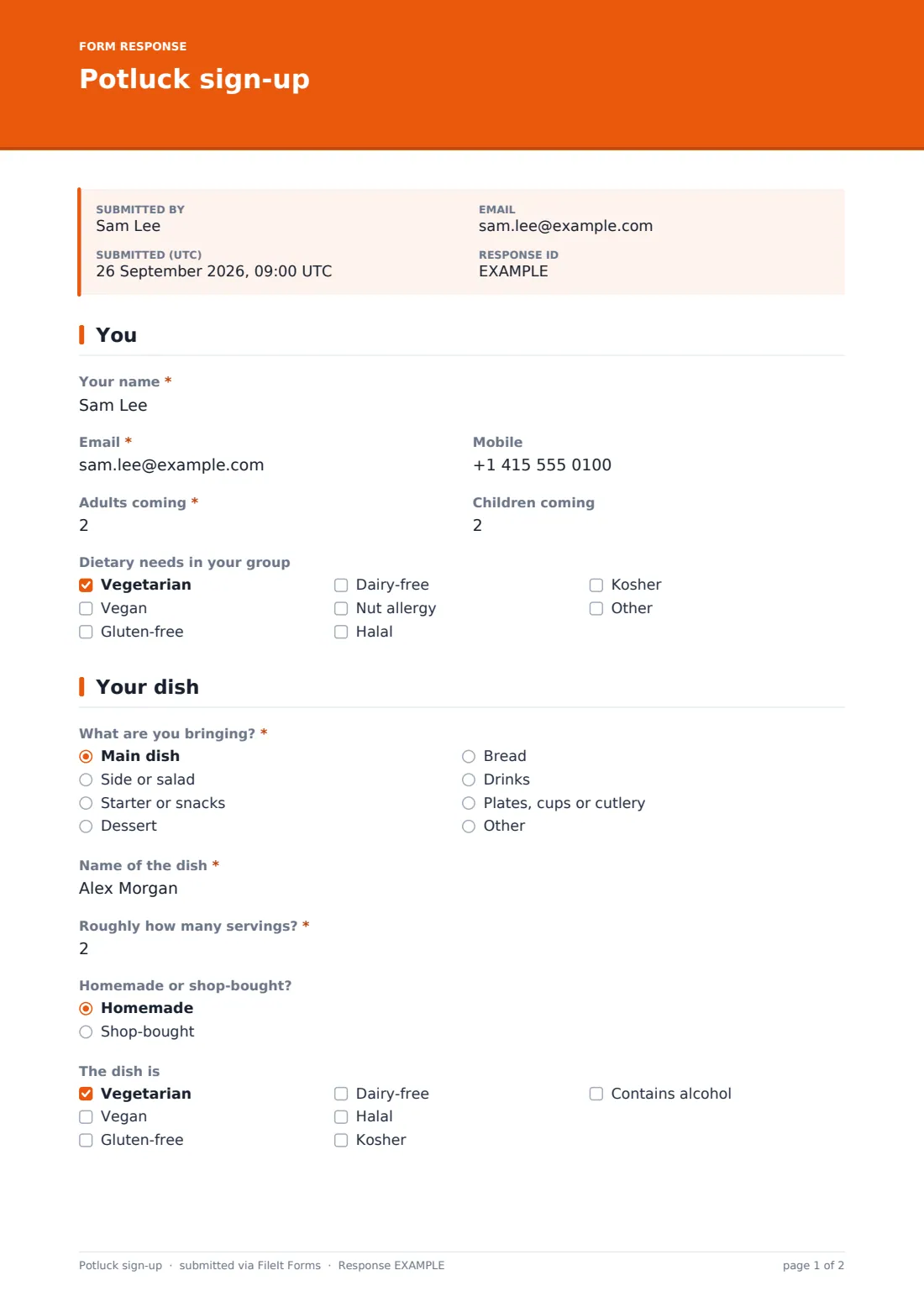
1 You
- Your name*
- Email*
- Mobile
- Adults coming*
- Children coming
- Dietary needs in your group Vegetarian · Vegan · Gluten-free · Dairy-free · Nut allergy · Halal · Kosher
2 Your dish
- What are you bringing?* Main dish · Side or salad · Starter or snacks · Dessert · Bread · Drinks · Plates, cups or cutlery
- Name of the dish* asked only when it applies
- What supplies will you bring?* asked only when it applies
- Roughly how many servings?* asked only when it applies
- Homemade or shop-bought? asked only when it applies Homemade · Shop-bought
- The dish is asked only when it applies Vegetarian · Vegan · Gluten-free · Dairy-free · Halal · Kosher · Contains alcohol
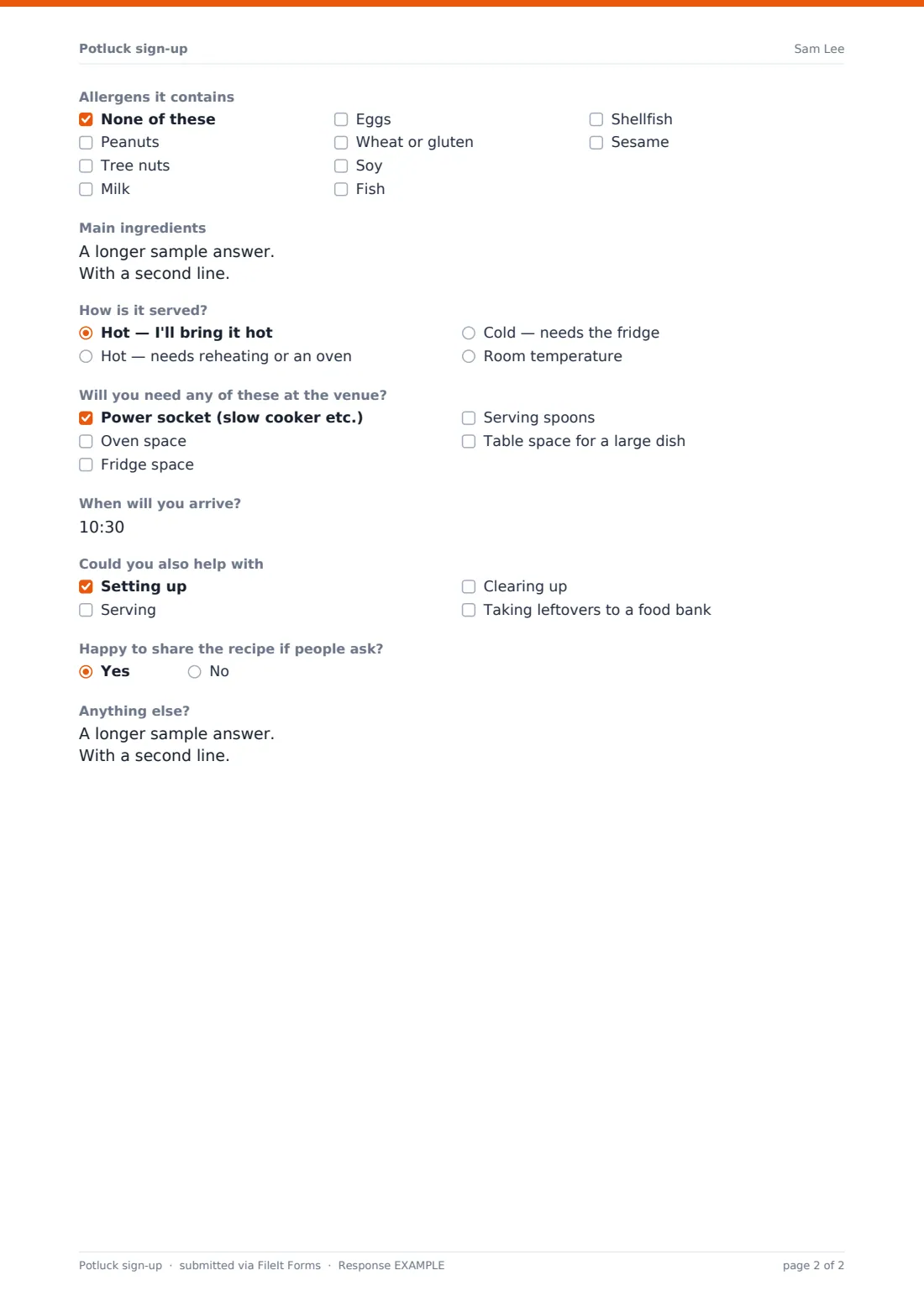
- Allergens it contains asked only when it applies None of these · Peanuts · Tree nuts · Milk · Eggs · Wheat or gluten · Soy · Fish · Shellfish · Sesame
- Main ingredients asked only when it applies
- How is it served? asked only when it applies Hot — I'll bring it hot · Hot — needs reheating or an oven · Cold — needs the fridge · Room temperature
- Will you need any of these at the venue? Power socket (slow cooker etc.) · Oven space · Fridge space · Serving spoons · Table space for a large dish
- When will you arrive?
- Could you also help with Setting up · Serving · Clearing up · Taking leftovers to a food bank
- Happy to share the recipe if people ask?
- Anything else?
The potluck sign-up form, page by page
1 You
Guests give their name, email and mobile, how many adults and children are coming, and tick any dietary needs in their group, with an Other option.
2 Your dish
Guests choose what they're bringing: a main, side or salad, starter, dessert, bread, drinks, or plates, cups and cutlery. Anyone bringing supplies just describes them. Everyone bringing food names the dish and gives servings, whether it's homemade, dietary labels such as vegetarian, vegan or gluten-free, an allergen checklist covering peanuts, tree nuts, milk, eggs, gluten, soy, fish, shellfish and sesame, main ingredients and how it's served. The page finishes with equipment needed at the venue, arrival time, offers to help with set-up or clearing, recipe sharing and notes.
Make the template yours
- Add the date, time and venue to the cover text
- Set a maximum number of responses to match how many people the venue holds
- Change the course options to suit the meal — a brunch, a barbecue or a bake sale
- Share the menu so far in your confirmation message or a follow-up email to avoid duplicates
- Turn off the recipe question for a work event if it isn't wanted
Tips for a better potluck sign-up form
- Export the Responses table the day before and print a label for each dish with its allergens
- Keep an eye on the course mix as sign-ups arrive and nudge late guests towards mains
- Check the oven and fridge requests against what the venue actually has
- Ask people to bring serving spoons with their dish; it's the thing that's always missing
- Plan in advance what happens to leftovers — the food bank option helps
Every response becomes a PDF in your vault
Each sign-up is saved as a PDF in your chosen vault folder, and you get an email notification. Guests get a copy of their sign-up if you've turned that on, which reminds them what they promised to bring.
Use the Responses table as your menu: filter by course to spot gaps, by allergen to make labels, and export to CSV for a printable list.
- Start from this template. It opens in the FileIt Forms designer — change any question, add pages, set the rules for when questions appear.
- Share it. Turn on a public link, or send it to people by email, each with their own link. They don’t need a FileIt account.
- Get the answers as PDFs. Each response is saved as a PDF in the vault folder you choose, with uploaded files attached — and listed in a Responses table you can export to CSV.
Potluck sign-up form: frequently asked questions
Is this potluck sign-up template free?
Yes. It's included in the Forms app on every FileIt account, including the free plan.
Can guests see what others are bringing?
Not on the form itself. Share the menu from the Responses table by email or in your confirmation message so people can avoid duplicates.
Do guests need a FileIt account?
No. Share the link in an email or group chat and anyone can sign up without an account.
Can I limit how many desserts people sign up for?
The form doesn't cap individual options, but you can watch the course mix in the Responses table and edit the options if one course is full.
Does the form label allergens for me?
It records which common allergens each dish contains; you can export the list to print table labels.