What is the performer application form template?
Booking a line-up from emails and direct messages means asking every act the same follow-up questions: how long is your set, do you bring your own PA, how many inputs, what's your fee? This performer application puts those questions into one form so every act arrives with the same information and you can compare them fairly.
The form adapts to each act. Acts without their own sound system are asked how many inputs and monitor mixes they need; acts asking for a set fee are asked how much. Everyone can upload a press photo and an existing technical rider or stage plot.
Every application is saved as a PDF in your FileIt vault with its uploads attached, so the booking team, the sound engineer and whoever writes the programme are all working from the same record.
- Best for
- Festivals, venues, open mic nights, markets and community events booking acts
- Filled in by
- The performer or their manager
- Time to complete
- About 10 minutes
- Includes
- Act bio and links, slot preferences, technical rider questions, fee and expenses, recording consent
Who uses a performer application form?
- A summer festival running an open call for bands and solo artists
- A pub or café putting together a monthly live music calendar
- A community fair looking for children's entertainers and family acts
- A corporate event agency building a roster of DJs and bands
- An open mic or comedy night taking sign-ups for future dates
- A street market or busking programme allocating pitches to performers
Questions on this performer application form
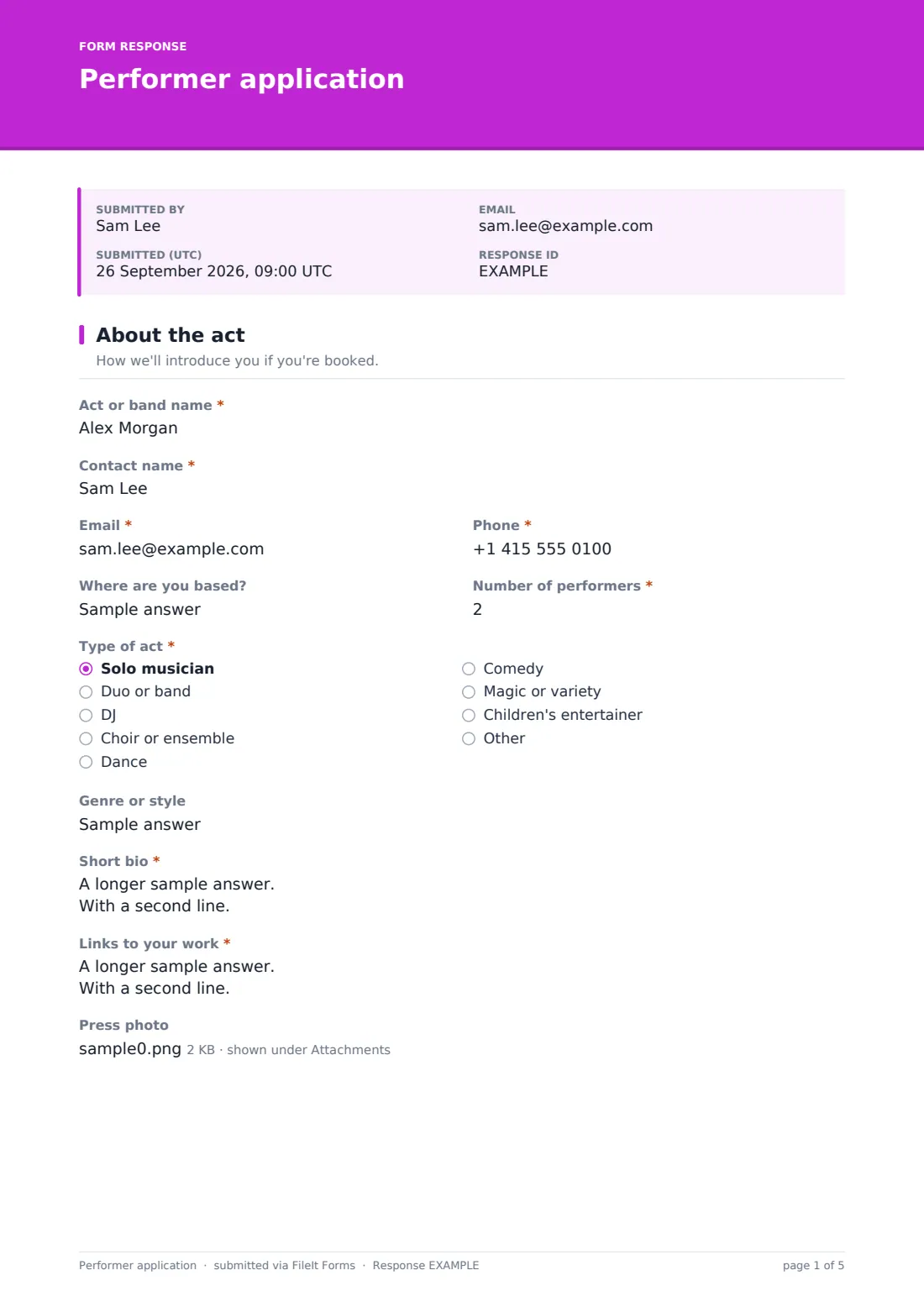
36 questions over 4 pages · includes file upload, conditional questions, multiple pages, consent checkbox.
1 About the act
- Act or band name*
- Contact name*
- Email*
- Phone*
- Where are you based?
- Number of performers*
- Type of act* Solo musician · Duo or band · DJ · Choir or ensemble · Dance · Comedy · Magic or variety · Children's entertainer
- Genre or style
- Short bio*
- Links to your work*
- Press photo
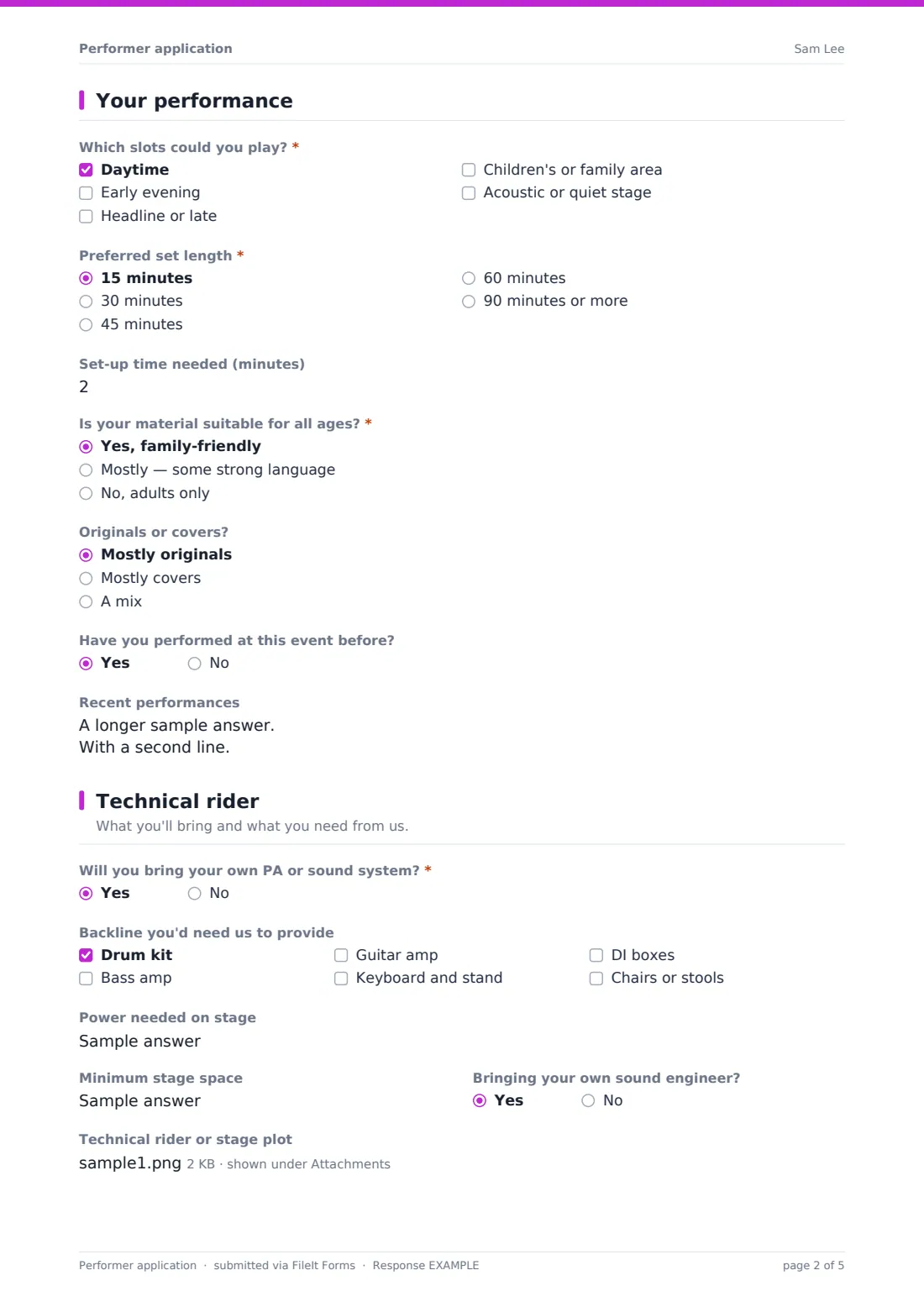
2 Your performance
- Which slots could you play?* Daytime · Early evening · Headline or late · Children's or family area · Acoustic or quiet stage
- Preferred set length* 15 minutes · 30 minutes · 45 minutes · 60 minutes · 90 minutes or more
- Set-up time needed (minutes)
- Is your material suitable for all ages?* Yes, family-friendly · Mostly — some strong language · No, adults only
- Originals or covers? Mostly originals · Mostly covers · A mix
- Have you performed at this event before?
- Recent performances
3 Technical rider
- Will you bring your own PA or sound system?*
- How many microphone and instrument inputs do you need? asked only when it applies
- Monitor mixes needed asked only when it applies
- Backline you'd need us to provide Drum kit · Bass amp · Guitar amp · Keyboard and stand · DI boxes · Chairs or stools
- Power needed on stage
- Minimum stage space
- Bringing your own sound engineer?
- Technical rider or stage plot
- Hospitality or access needs
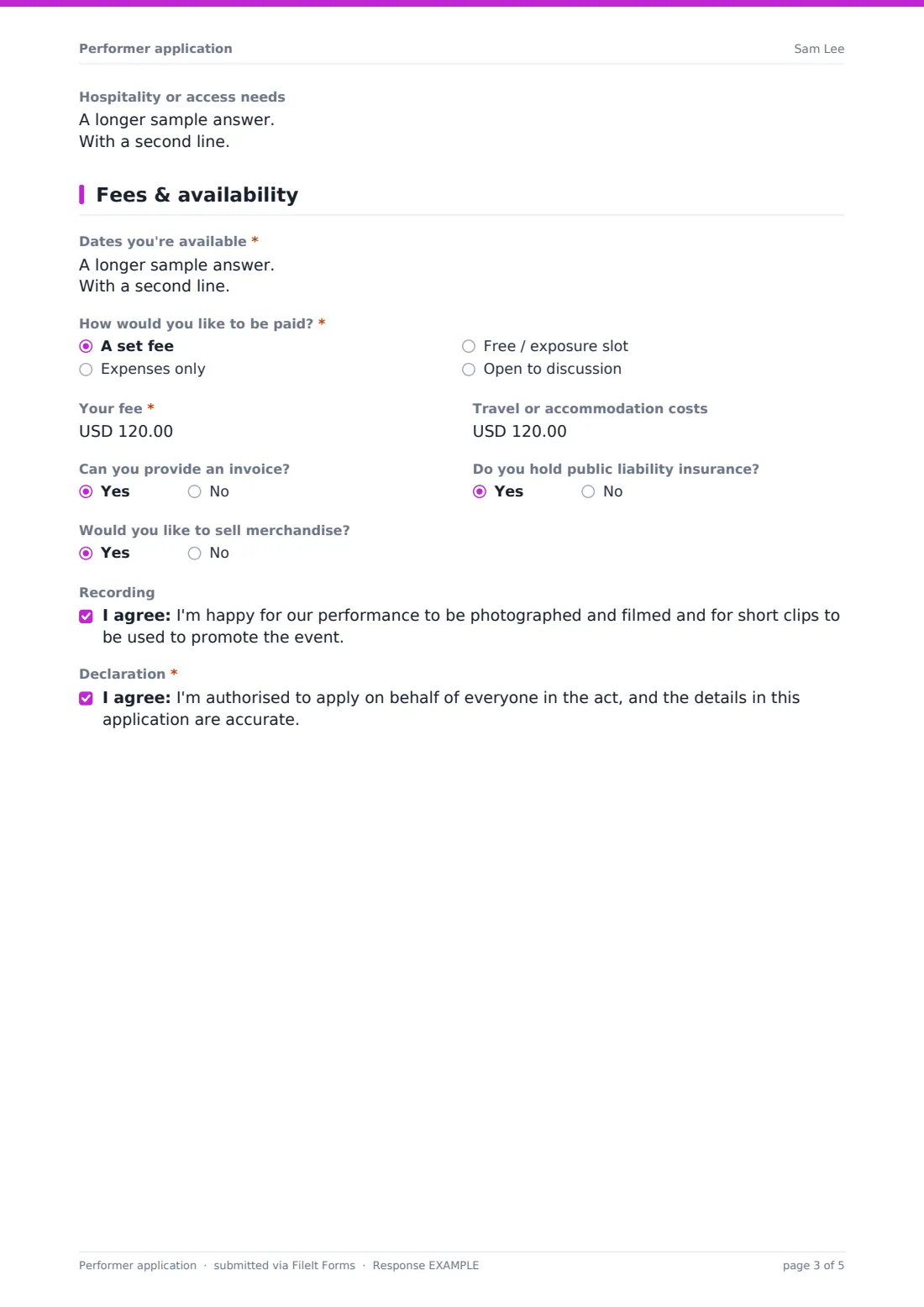
4 Fees & availability
- Dates you're available*
- How would you like to be paid?* A set fee · Expenses only · Free / exposure slot · Open to discussion
- Your fee* asked only when it applies
- Travel or accommodation costs
- Can you provide an invoice?
- Do you hold public liability insurance?
- Would you like to sell merchandise?
- Recording
- Declaration*
The performer application form, page by page
1 About the act
Applicants give the act or band name, a contact name, email and phone, where they're based and the number of performers. They choose a type of act — solo musician, duo or band, DJ, choir, dance, comedy, magic or children's entertainer, or Other — add a genre, a short bio of around 80 words, required links to their work and an optional press photo.
2 Your performance
This page asks which slots they could play (daytime, early evening, headline, family area or a quiet stage), their preferred set length and set-up time, whether their material suits all ages, whether they play originals or covers, whether they've played the event before and a list of recent performances.
3 Technical rider
Acts say whether they'll bring their own PA. If not, they're asked how many inputs and monitor mixes they need. A checklist covers backline they'd need provided, followed by stage power, minimum stage space, whether they bring their own sound engineer, an upload for an existing rider or stage plot and a box for hospitality or access needs.
4 Fees & availability
Applicants list available dates and choose how they'd like to be paid: a set fee, expenses only, a free slot or open to discussion. Choosing a set fee opens a required fee amount. They can add travel costs, say whether they can invoice, hold liability insurance or want to sell merchandise, and tick an optional recording consent and a required declaration.
Make the template yours
- Rename the slot options to your actual stages or time bands
- Change the currency on the fee and travel questions
- Remove the fee questions if every slot is unpaid, and say so in the cover text instead
- Add a question for the specific event date if you run a series of nights
- Set a closing date so the call for performers ends automatically
- Add your sound engineer's email to the notification list so they see each rider
Tips for a better performer application form
- Ask for a live video rather than a studio recording when you can — it tells you far more about how an act will go down on the night
- Be clear about your fee policy in the cover text so acts aren't surprised later
- Share the technical rider answers with your sound engineer before confirming the running order, not on the day
- Keep the all-ages question even for adult events; it matters for daytime and family slots
- Reply to unsuccessful applicants too — the email copy of their application makes it easy to reference what they sent
Every response becomes a PDF in your vault
When an act applies, FileIt files the application as a PDF in your chosen vault folder with the press photo and rider attached, and notifies you by email. The performer gets their own copy if you've turned that on.
From the Responses table you can filter by act type, slot or fee type, and export to CSV to build a shortlist, a running order or a technical schedule for the sound team.
- Start from this template. It opens in the FileIt Forms designer — change any question, add pages, set the rules for when questions appear.
- Share it. Turn on a public link, or send it to people by email, each with their own link. They don’t need a FileIt account.
- Get the answers as PDFs. Each response is saved as a PDF in the vault folder you choose, with uploaded files attached — and listed in a Responses table you can export to CSV.
Performer application form: frequently asked questions
Is this performer application template free?
Yes. It's part of the Forms app on every FileIt account, including the free plan, and every question can be edited.
Do performers need an account to apply?
No. They open your public link or a personal email link and apply without signing up.
Can performers upload a stage plot or technical rider?
Yes. There's an upload for an existing rider or stage plot, and a separate one for press photos. Files are attached to the application PDF in your vault.
Can I pay performers through the form?
No, FileIt forms don't handle payments. The form records the fee they're asking for so you can agree terms and pay them separately.
Can I use it for a regular open mic night?
Yes. Leave the form open and allow multiple responses, and add a question for the date each act wants to play.
Who sees the applications?
Only you, and anyone you add to the notification emails. Each application is saved to your own vault.