What is the 360-degree feedback form template?
A 360-degree review gathers feedback on one person from the people who work with them in different directions. It gives a fuller picture than a manager's view alone — especially on collaboration, communication and leadership, which peers and direct reports often see more clearly.
This template asks each reviewer for their relationship to the person first, then adapts: everyone rates eleven core behaviours on a frequency scale, direct reports also rate leadership behaviours, and the manager adds a short results and growth rating. Written feedback follows the start / stop / continue pattern, with a required example of something the person does well.
Reviewers choose how their comments may be shared. Every response is saved as a PDF in your FileIt vault, where HR or the person's manager can put the picture together.
- Best for
- HR teams, people managers and coaches running development reviews
- Filled in by
- The person's manager, peers, direct reports, partners and optionally the person themselves
- Time to complete
- About 10 minutes per person reviewed
- Includes
- Relationship-based questions, frequency grids, start/stop/continue and a 1–5 effectiveness scale
Who uses a 360-degree feedback form?
- An annual or mid-year development review for team leads and managers
- Feedback for a leadership development or coaching program
- Checking in on a newly promoted manager after six months
- Collecting a self-assessment alongside others' views using the same form
- Gathering client or partner input on an account manager
- Preparing a development plan before a promotion decision
Questions on this 360-degree feedback form
16 questions over 4 pages · includes conditional questions, multiple pages, ratings.
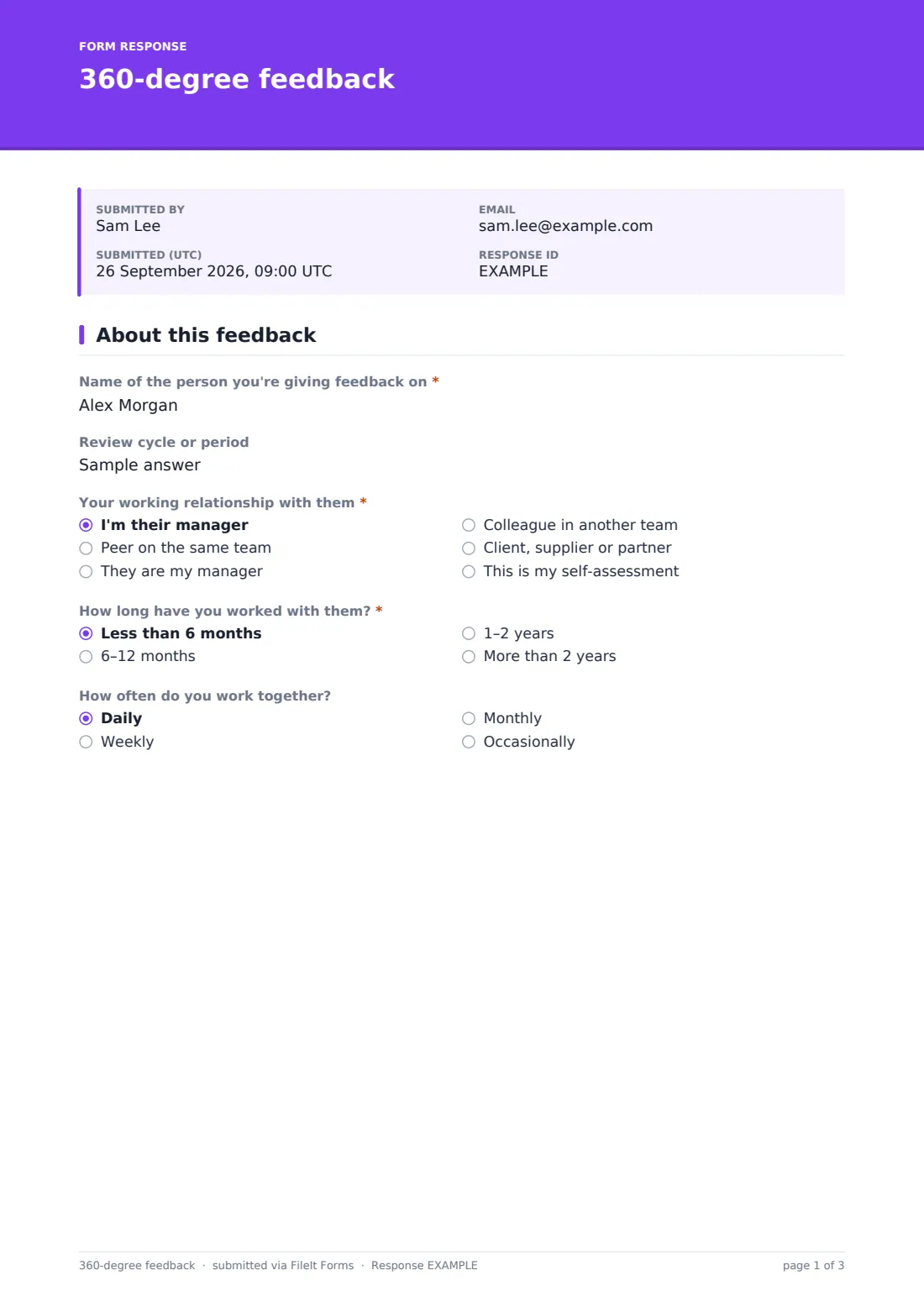
1 About this feedback
- Name of the person you're giving feedback on*
- Review cycle or period
- Your working relationship with them* I'm their manager · Peer on the same team · They are my manager · Colleague in another team · Client, supplier or partner · This is my self-assessment
- How long have you worked with them?* Less than 6 months · 6–12 months · 1–2 years · More than 2 years
- How often do you work together? Daily · Weekly · Monthly · Occasionally
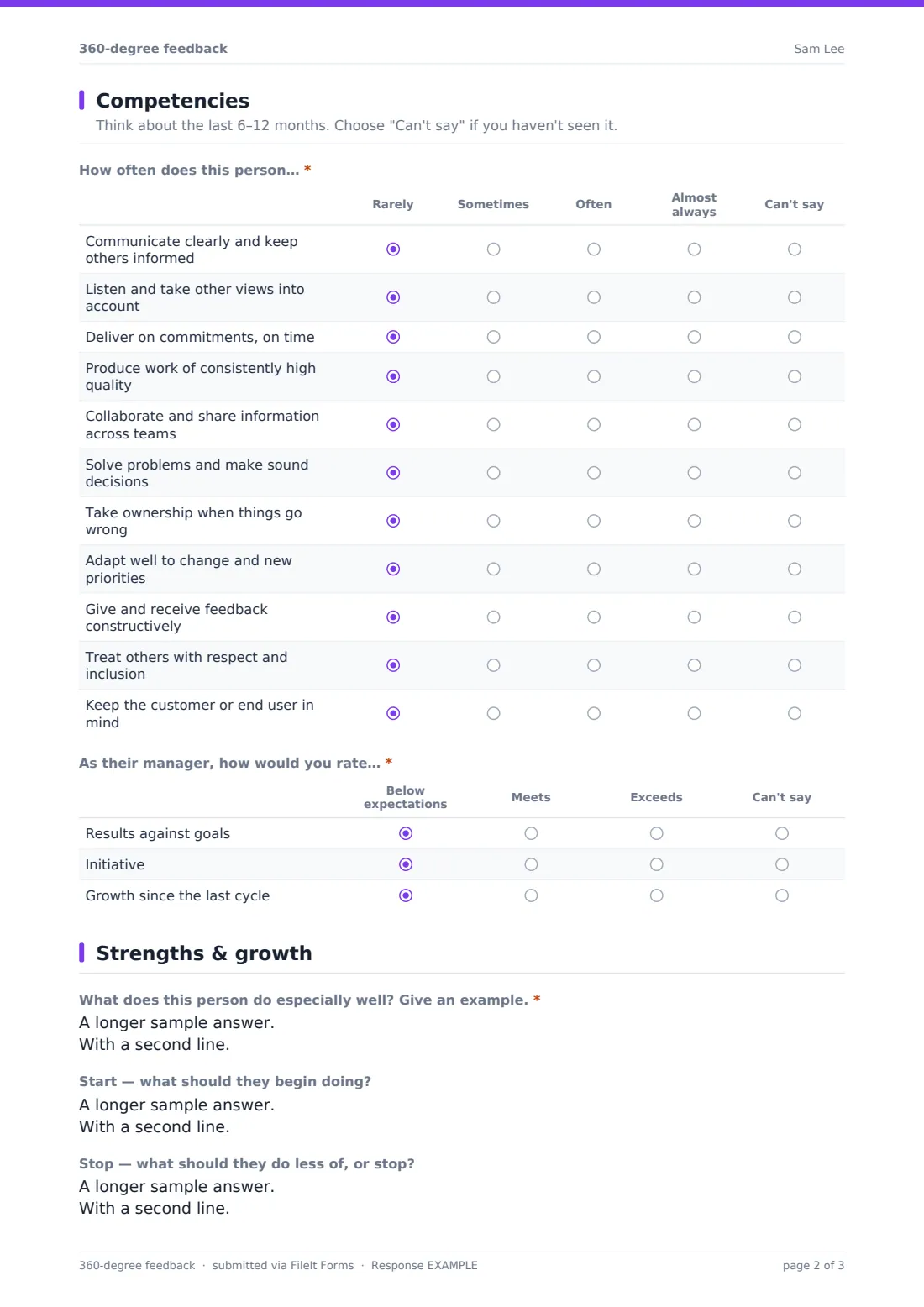
2 Competencies
- How often does this person…* Rarely · Sometimes · Often · Almost always · Can't say
- As your manager, how often do they…* asked only when it applies Rarely · Sometimes · Often · Almost always · Can't say
- As their manager, how would you rate…* asked only when it applies Below expectations · Meets · Exceeds · Can't say
3 Strengths & growth
- What does this person do especially well? Give an example.*
- Start — what should they begin doing?
- Stop — what should they do less of, or stop?
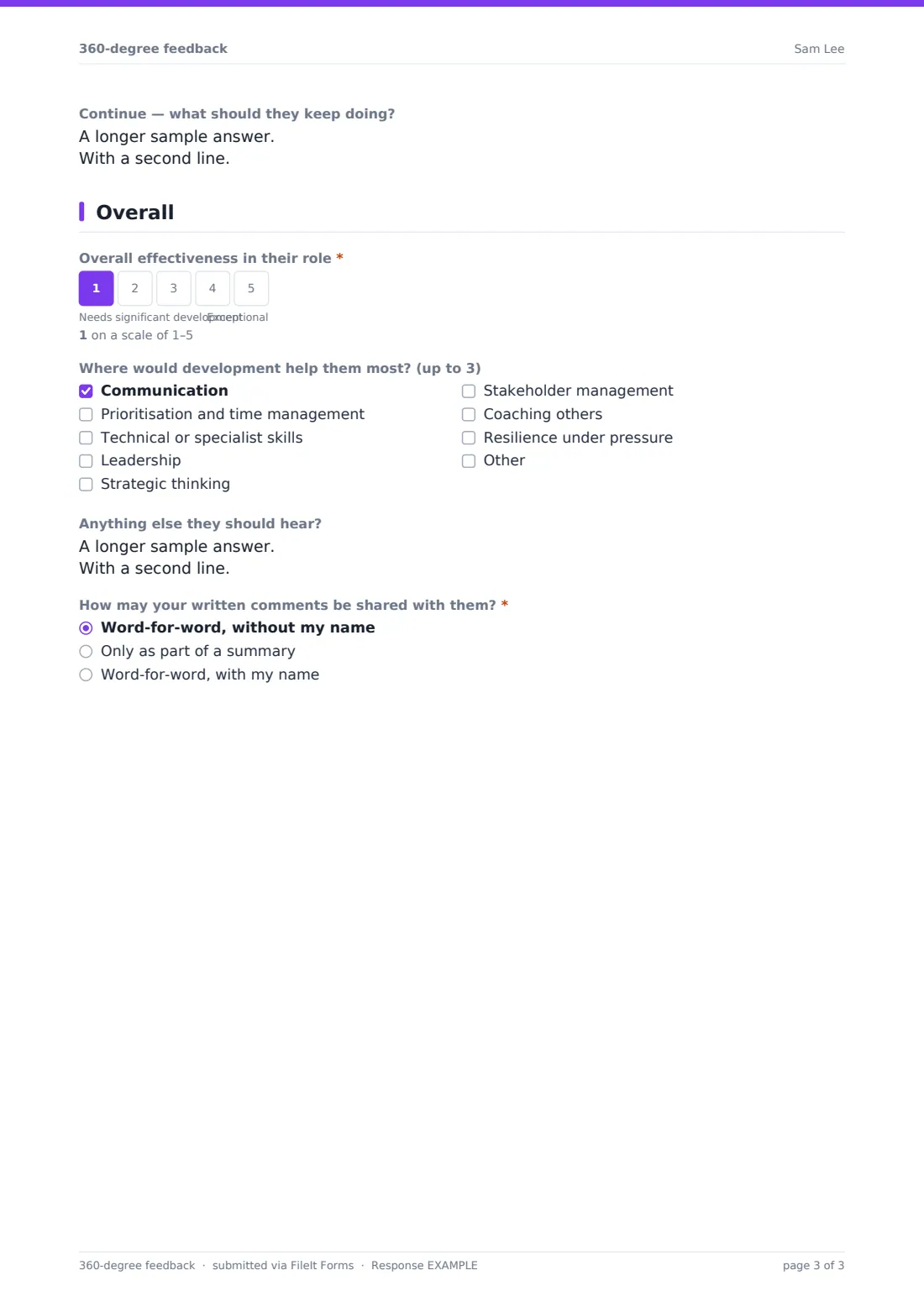
- Continue — what should they keep doing?
4 Overall
- Overall effectiveness in their role*
- Where would development help them most? (up to 3) Communication · Prioritisation and time management · Technical or specialist skills · Leadership · Strategic thinking · Stakeholder management · Coaching others · Resilience under pressure
- Anything else they should hear?
- How may your written comments be shared with them?* Word-for-word, without my name · Only as part of a summary · Word-for-word, with my name
The 360-degree feedback form, page by page
1 About this feedback
The reviewer names the person they're reviewing and the review cycle, then picks their relationship — the person's manager, a peer, a direct report, a colleague in another team, a client or partner, or the person themselves for a self-assessment. They add how long and how often they've worked together.
2 Competencies
Everyone rates eleven behaviours — communication, listening, delivering on commitments, quality, collaboration, decisions, ownership, adaptability, feedback, respect and customer focus — from Rarely to Almost always, with Can't say for anything they haven't seen. Direct reports also see a leadership grid (direction, development, recognition, availability, fairness, safety to disagree). The manager instead rates results, initiative and growth against expectations.
3 Strengths & growth
A required question asks what the person does especially well, with an example. Three optional boxes follow: what they should start, stop and continue doing.
4 Overall
A required 1–5 effectiveness scale, up to three development areas from a list (or another area), and space for anything else. Finally the reviewer chooses whether their comments may be shared word-for-word without their name, only in a summary, or word-for-word with their name.
Make the template yours
- Replace the eleven competencies with your own competency framework or values
- Change the frequency scale to an agreement or proficiency scale if you prefer
- Put the current review cycle in the cover text or the cycle field's help text
- Duplicate the form per person reviewed so each person's feedback files into its own folder
- Use a personal request for each reviewer to track who has responded
- Remove the self-assessment option if you collect it separately
Tips for a better 360-degree feedback form
- Ask five to eight reviewers across different relationships for a balanced view
- Only share combined results where there are enough reviewers in a group to protect anonymity
- Brief reviewers to describe behaviour with examples, not personality
- Use the results for development conversations, not as the sole basis for pay decisions
- Honour each reviewer's sharing choice when you write the summary
- Follow up with a development plan so the feedback leads somewhere
Every response becomes a PDF in your vault
Each response is saved as a PDF in the vault folder you choose and you're notified by email. Reviewers don't get a copy by default.
In the Responses table, filter by the person's name or reviewer relationship and export to CSV to average ratings by group and gather comments into one report.
- Start from this template. It opens in the FileIt Forms designer — change any question, add pages, set the rules for when questions appear.
- Share it. Turn on a public link, or send it to people by email, each with their own link. They don’t need a FileIt account.
- Get the answers as PDFs. Each response is saved as a PDF in the vault folder you choose, with uploaded files attached — and listed in a Responses table you can export to CSV.
360-degree feedback form: frequently asked questions
Is this 360 feedback template free?
Yes. It's a starter template in the FileIt Forms app and fully editable.
Are reviewers anonymous?
The form doesn't ask for the reviewer's name. How anonymous results are in practice depends on how you share them — each reviewer also tells you how their comments may be used.
Can one form cover several people?
Yes — reviewers type the person's name at the start. Many teams still use a separate copy per person to keep results apart.
Does it combine the results into a report?
No. Each response is saved separately; export to CSV to average scores and compile comments.
Can the person being reviewed do a self-assessment?
Yes. They choose 'This is my self-assessment' as their relationship and answer the same questions.
Do reviewers need an account?
No. They open the link or a personal request and fill it in.