What is the patient referral form template?
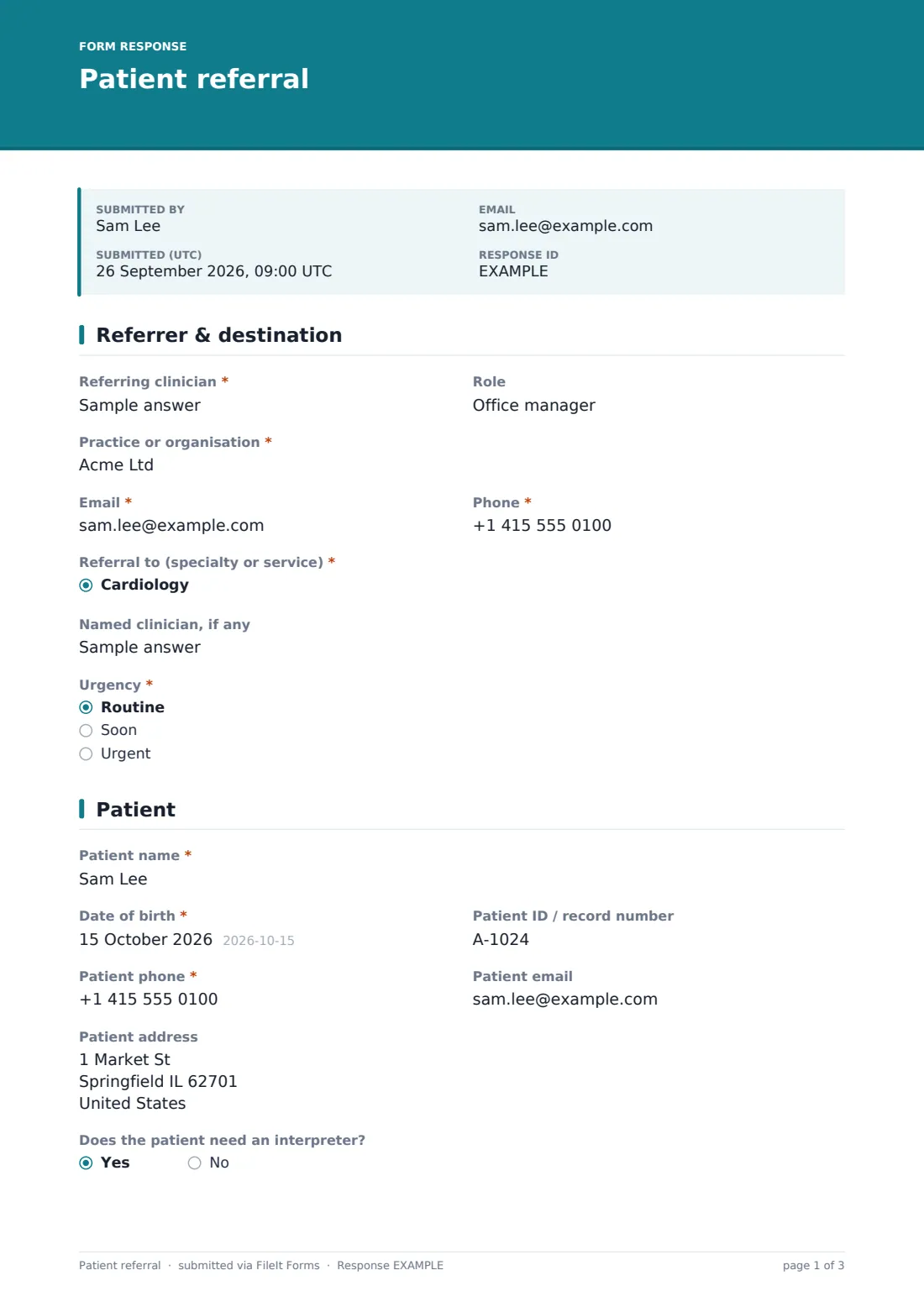
A referral that arrives without the question being asked, the medication list or the latest results gets bounced back or triaged late. This template makes sure every referral carries the essentials: who is referring, where to, how urgent, who the patient is, why they're being referred and what the receiving clinician is being asked to do.
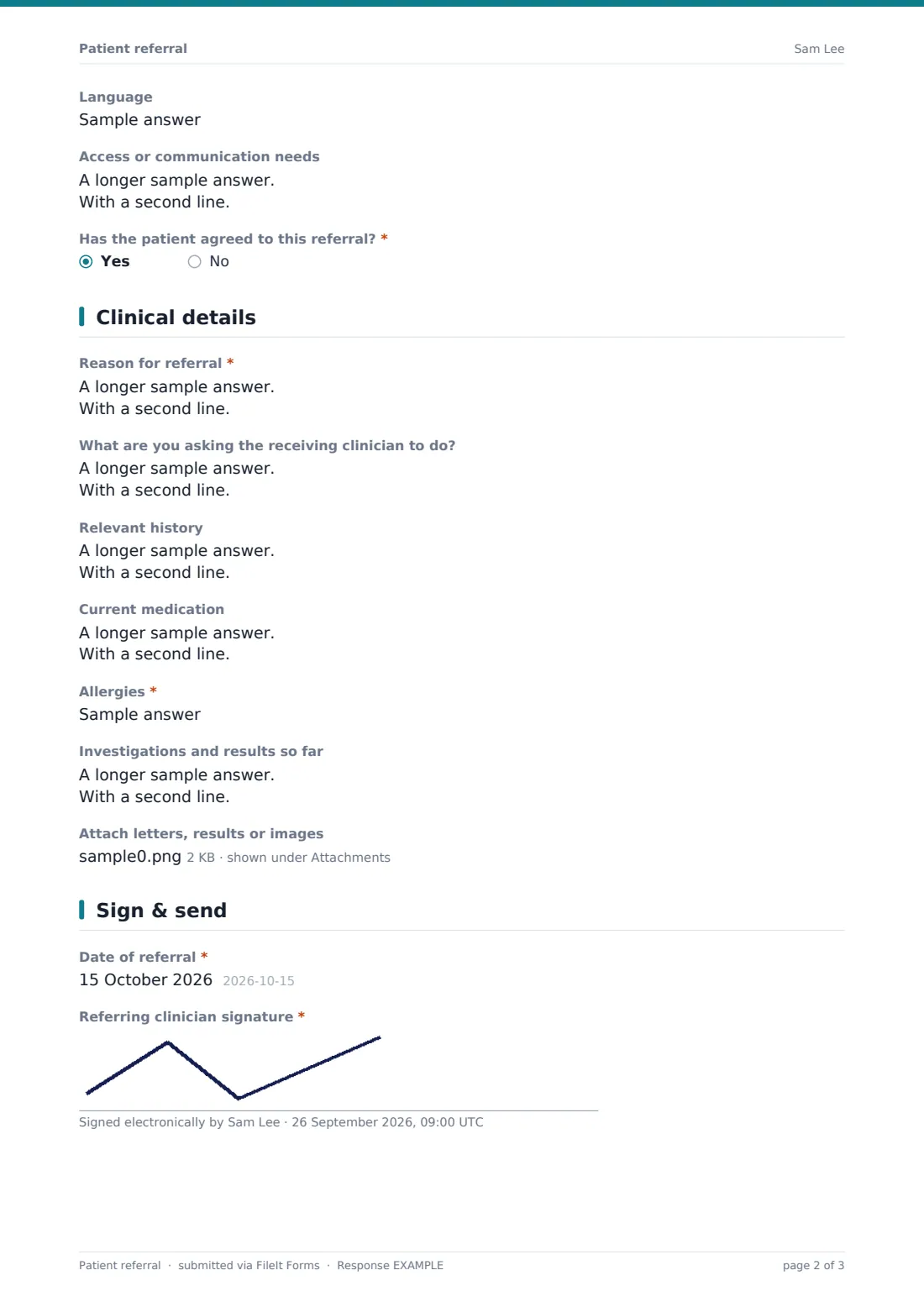
It's built for the clinician sending the referral. The patient section records contact details, interpreter and access needs, and confirms the patient has agreed to the referral. The clinical page covers history, medication, allergies (required) and investigations, and up to five letters, results or images can be attached. Choosing Urgent shows a reminder to phone the service as well and not to use the form for emergencies.
Receiving services can publish this form so referrers send it straight to them, with each referral saved as a PDF in their FileIt vault.
- Best for
- Specialist clinics, therapy services and practices receiving or sending referrals
- Filled in by
- The referring clinician
- Time to complete
- About 8 minutes
- Includes
- Specialty and urgency, patient agreement, clinical history, allergies, up to five attachments, signature
Who uses a patient referral form?
- A physiotherapy or therapy clinic accepting referrals from local doctors
- A GP practice sending referrals to specialists in a consistent format
- A private specialist publishing a referral link for other clinicians
- Internal referrals between services in a multi-disciplinary clinic
- Community services accepting referrals from hospitals
- Replacing faxed or emailed referral letters with a structured record
Questions on this patient referral form
28 questions over 4 pages · includes signature, file upload, conditional questions, multiple pages.
1 Referrer & destination
- Referring clinician*
- Role
- Practice or organisation*
- Email*
- Phone*
- Referral to (specialty or service)* Cardiology · Dermatology · Endocrinology · ENT · Gastroenterology · General surgery · Gynaecology · Mental health · Neurology · Oncology · Ophthalmology · Orthopaedics
- Which service? asked only when it applies
- Named clinician, if any
- Urgency* Routine · Soon · Urgent
2 Patient
- Patient name*
- Date of birth*
- Patient ID / record number
- Patient phone*
- Patient email
- Patient address
- Does the patient need an interpreter?
- Language asked only when it applies
- Access or communication needs
- Has the patient agreed to this referral?*
3 Clinical details
- Reason for referral*
- What are you asking the receiving clinician to do?
- Relevant history
- Current medication
- Allergies*
- Investigations and results so far
- Attach letters, results or images
4 Sign & send
- Date of referral*
- Referring clinician signature*
The patient referral form, page by page
1 Referrer & destination
The referring clinician's name, role, practice, email and phone; the specialty or service referred to (with Other); a named clinician if any; and urgency — routine, soon or urgent. Urgent referrals show a reminder to phone the service, and that emergencies go to emergency care.
2 Patient
The patient's name, date of birth, record number, phone, email and address; interpreter needs and language; access or communication needs; and a required confirmation that the patient has agreed to the referral.
3 Clinical details
The reason for referral, what the receiving clinician is being asked to do, relevant history, current medication, allergies and investigations so far. Up to five letters, results or images can be attached.
4 Sign & send
The date of referral and the referring clinician's signature.
Make the template yours
- Replace the specialty list with the services your organisation actually offers
- Add your acceptance criteria as a paragraph so referrers can check before sending
- Add questions a specific service always needs, such as imaging or recent blood tests
- Send notifications to your triage inbox
- File each referral into a waiting-list folder in your vault
- Add an insurance or funding question if referrals need authorisation
Tips for a better patient referral form
- Triage by the urgency answer first, then by the question being asked
- Contact referrers quickly when the question isn't clear rather than guessing
- Check that attached results are recent enough to act on
- Acknowledge each referral so the referrer knows it arrived
- Keep this form for routine and urgent referrals — never emergencies
Every response becomes a PDF in your vault
Each referral is saved as a signed PDF in your FileIt vault, with attachments included, and your team gets an email. The referrer can receive a copy for their records.
The Responses table works as a simple referral inbox; export to CSV to track volumes by specialty or urgency.
- Start from this template. It opens in the FileIt Forms designer — change any question, add pages, set the rules for when questions appear.
- Share it. Turn on a public link, or send it to people by email, each with their own link. They don’t need a FileIt account.
- Get the answers as PDFs. Each response is saved as a PDF in the vault folder you choose, with uploaded files attached — and listed in a Responses table you can export to CSV.
Patient referral form: frequently asked questions
Is this referral form free?
Yes. It's part of FileIt's Forms app on every account, including the free plan.
Can referrers attach letters and results?
Yes — up to five PDFs, images or Word documents per referral.
Does the referring clinician need a FileIt account?
No. They use the link you share and submit without an account.
Can I use it for internal referrals?
Yes. Edit the specialty list to your internal services.
Does it handle emergencies?
No. Urgent referrals show a reminder to phone the service, and emergencies should go straight to emergency care.
Where do referrals go?
Each one is saved as a PDF in your vault and listed in the form's Responses table.