What is the lab test request form template?
An incomplete request slip means a phone call from the lab, a delayed result or a repeat blood draw. This lab test request form collects what laboratories need every time: who's requesting and where results go, the patient's identifiers and sex for reference ranges, how the test is billed, which tests, how urgent, fasting status, clinical details and how the sample was collected.
Common tests are a checklist — full blood count, kidney and liver function, lipids, HbA1c, thyroid, iron, B12 and folate, vitamin D, inflammatory markers, coagulation, urine tests, pregnancy, PSA and sexual health — with room for others. When the sample is taken in clinic, the form records the sample types, collection date and time and who collected it; if the patient will attend the lab instead, those questions stay hidden.
Each request is signed by the clinician and saved as a PDF in your FileIt vault.
- Best for
- Clinics, private practices, occupational health and laboratories accepting requests
- Filled in by
- The requesting clinician
- Time to complete
- About 4 minutes
- Includes
- 18-test checklist, priority and fasting, billing, collection details, clinician signature
Who uses a lab test request form?
- A private clinic sending requests to a partner laboratory
- A laboratory publishing a request form for referring clinicians
- Occupational health screening bloods
- Telehealth clinicians ordering tests for patients to take to a lab
- Recording in-clinic sample collection with date and time
- Replacing handwritten request slips
Questions on this lab test request form
29 questions over 4 pages · includes signature, conditional questions, multiple pages.
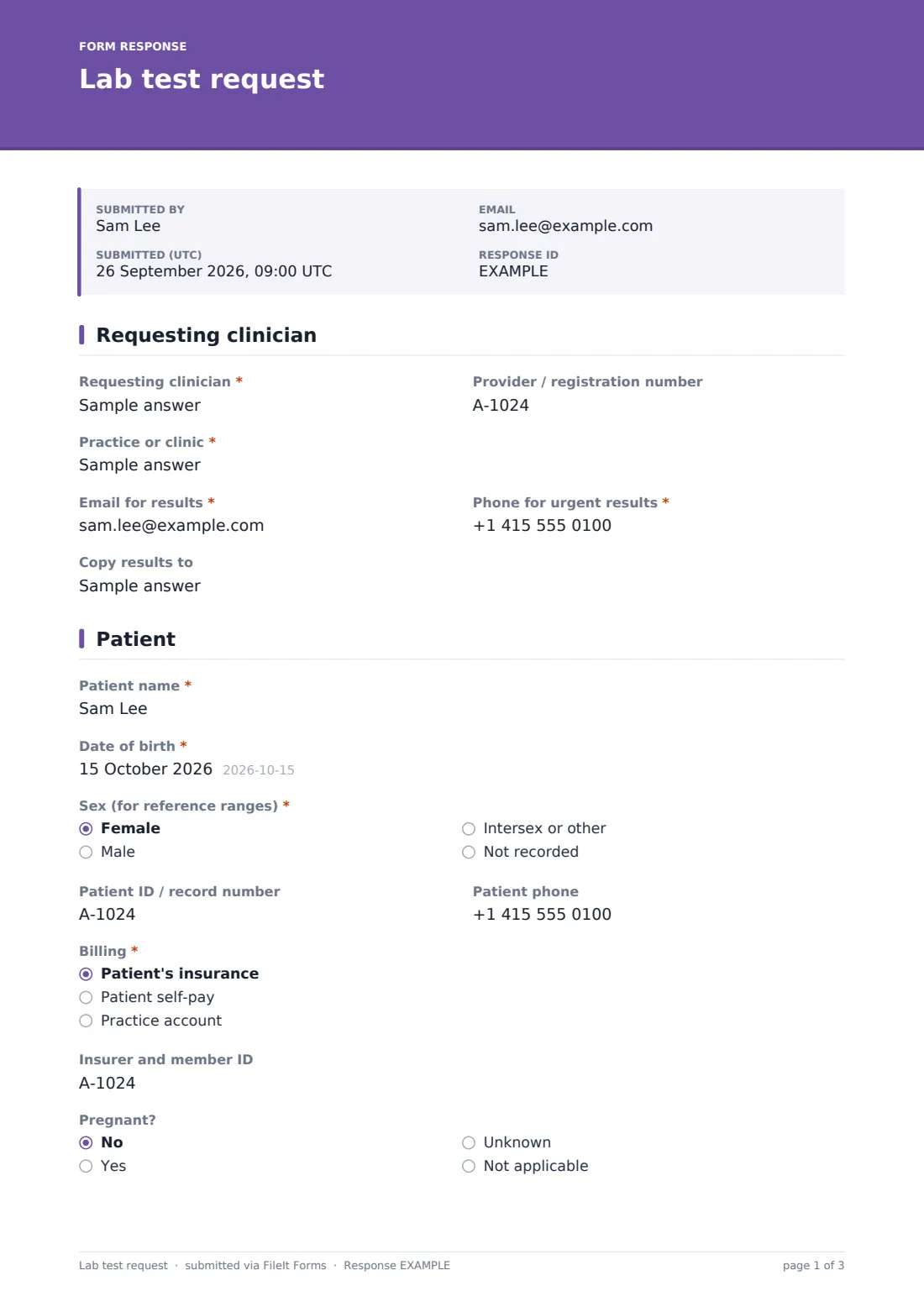
1 Requesting clinician
- Requesting clinician*
- Provider / registration number
- Practice or clinic*
- Email for results*
- Phone for urgent results*
- Copy results to
2 Patient
- Patient name*
- Date of birth*
- Sex (for reference ranges)* Female · Male · Intersex or other · Not recorded
- Patient ID / record number
- Patient phone
- Billing* Patient's insurance · Patient self-pay · Practice account
- Insurer and member ID asked only when it applies
- Pregnant? No · Yes · Unknown · Not applicable
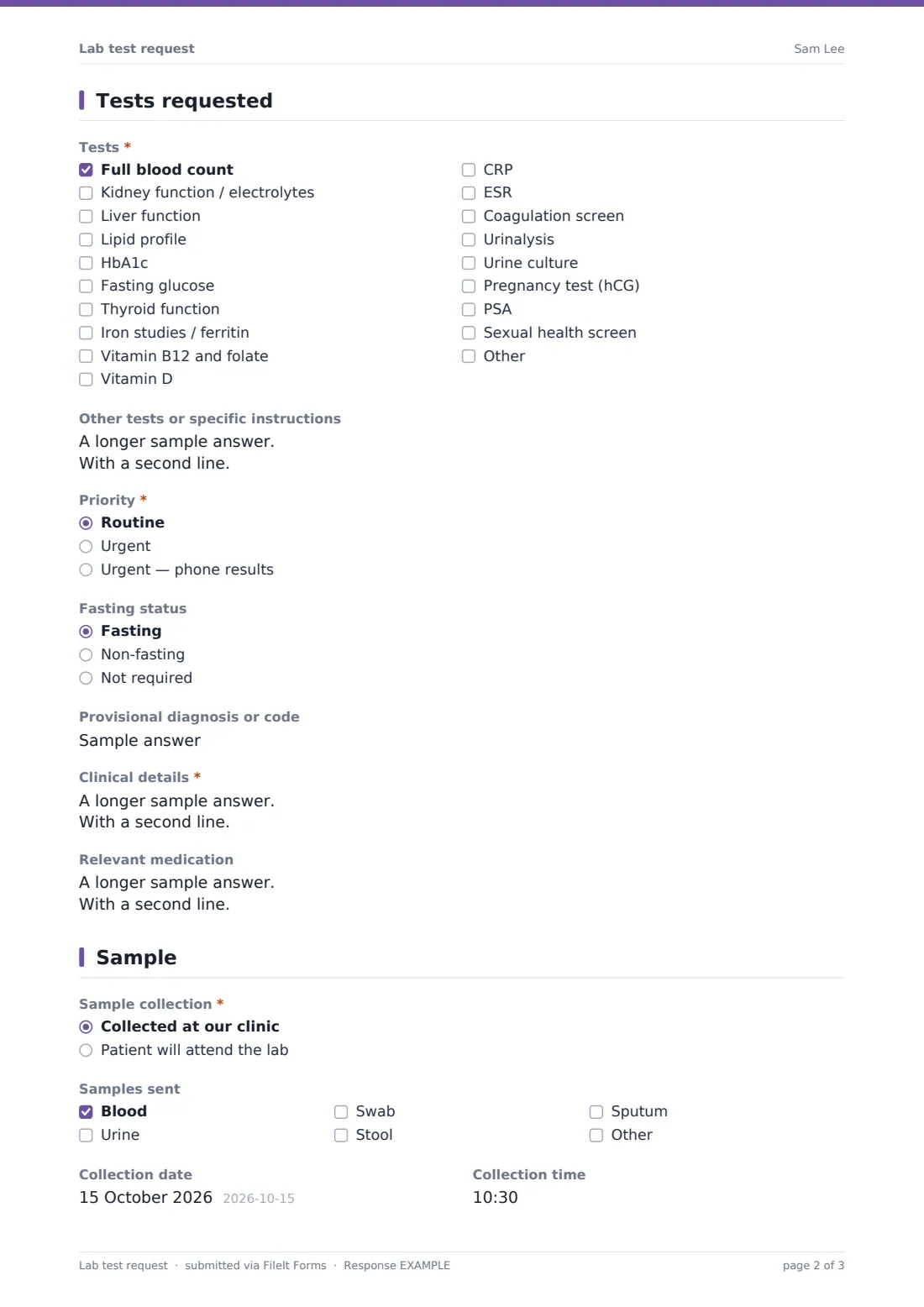
3 Tests requested
- Tests* Full blood count · Kidney function / electrolytes · Liver function · Lipid profile · HbA1c · Fasting glucose · Thyroid function · Iron studies / ferritin · Vitamin B12 and folate · Vitamin D · CRP · ESR
- Other tests or specific instructions
- Priority* Routine · Urgent · Urgent — phone results
- Fasting status Fasting · Non-fasting · Not required
- Provisional diagnosis or code
- Clinical details*
- Relevant medication
4 Sample
- Sample collection* Collected at our clinic · Patient will attend the lab
- Samples sent asked only when it applies Blood · Urine · Swab · Stool · Sputum
- Collection date asked only when it applies
- Collection time asked only when it applies
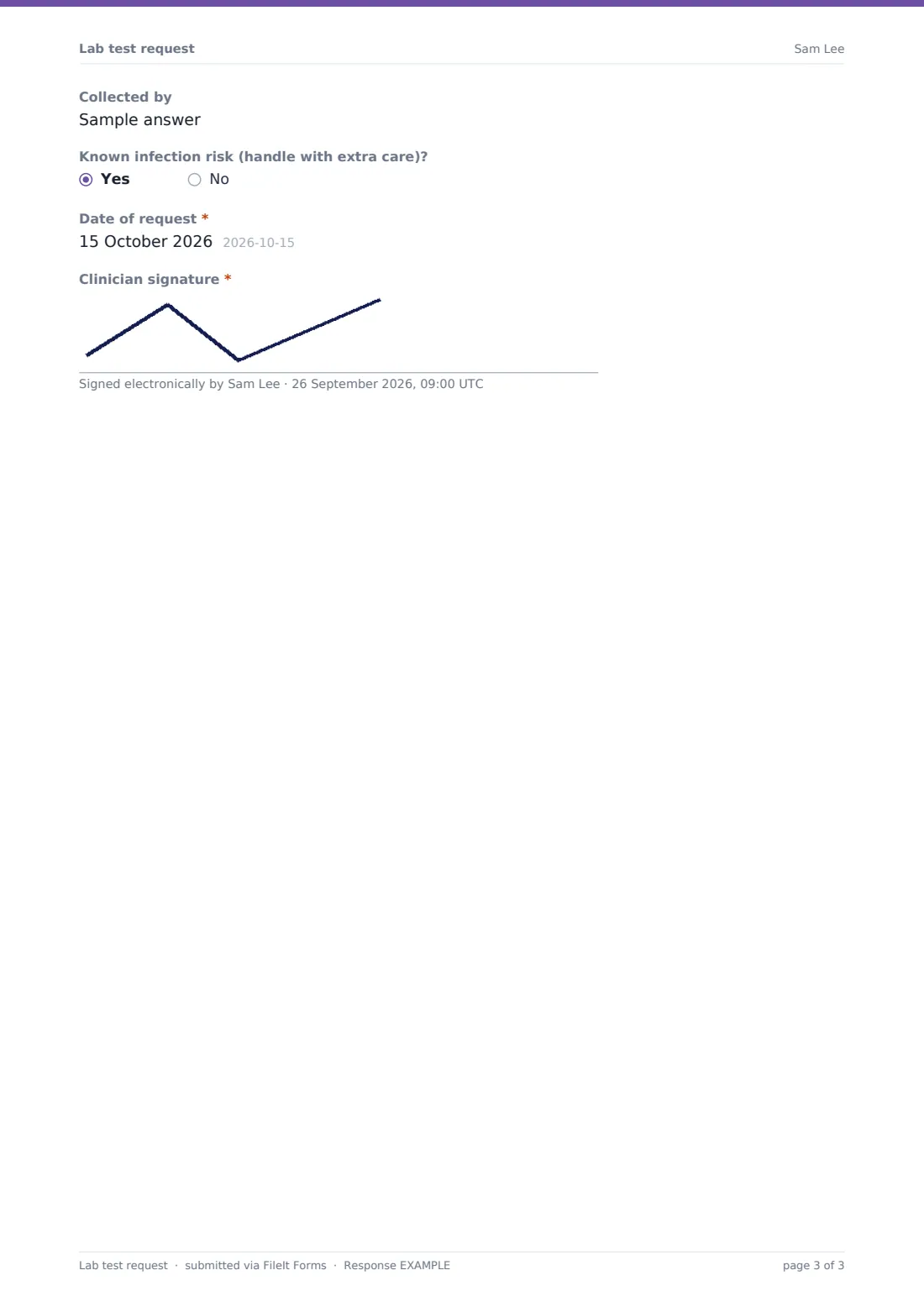
- Collected by asked only when it applies
- Known infection risk (handle with extra care)?
- Date of request*
- Clinician signature*
The lab test request form, page by page
1 Requesting clinician
Name, provider number, practice, an email for results and a phone number for urgent results, plus anyone to copy results to.
2 Patient
Patient name, date of birth, sex for reference ranges, record number and phone. Billing to insurance (with insurer and member ID), the patient or a practice account, and whether the patient is pregnant.
3 Tests requested
A checklist of 18 common tests with an Other option and a box for further tests or instructions. Priority — routine, urgent, or urgent with phoned results — fasting status, a provisional diagnosis or code, required clinical details and relevant medication.
4 Sample
Whether the sample was collected at the clinic or the patient will attend the lab. Clinic collections record sample types, date, time and who collected. A flag for known infection risk, the date of request and the clinician's signature.
Make the template yours
- Replace the test list with your laboratory's own panels and codes
- Add container or tube-colour guidance as help text
- Remove billing options you don't use
- Add a patient consent statement if tests need one where you practise
- Send notifications to your lab's intake inbox
- File requests by patient or by date in your vault
Tips for a better lab test request form
- Always fill in clinical details — they change how results are interpreted
- Use "phone results" sparingly so it keeps its meaning
- Check the collection time is recorded for time-sensitive tests
- Give patients attending the lab the saved PDF so they can bring it
- Confirm the sex field matches how the lab applies reference ranges
Every response becomes a PDF in your vault
The signed request is saved as a PDF in your FileIt vault and the team you choose is emailed. The requesting clinician can receive a copy.
Use the Responses table to track outstanding requests, filtered by priority.
- Start from this template. It opens in the FileIt Forms designer — change any question, add pages, set the rules for when questions appear.
- Share it. Turn on a public link, or send it to people by email, each with their own link. They don’t need a FileIt account.
- Get the answers as PDFs. Each response is saved as a PDF in the vault folder you choose, with uploaded files attached — and listed in a Responses table you can export to CSV.
Lab test request form: frequently asked questions
Is this lab request form free?
Yes. It's part of FileIt's Forms app on every account, including the free plan.
Can I change the list of tests?
Yes. Edit the checklist in the designer to match your laboratory's panels.
Does it send the request to a lab automatically?
It emails the addresses you choose in the form's settings and saves a PDF in your vault. It doesn't connect to laboratory systems.
What if the patient goes to the lab to give the sample?
Choose "Patient will attend the lab" and the collection questions are skipped.
Does the clinician need a FileIt account?
No. They can submit from a link without an account.
Can it record urgent results by phone?
Yes. The priority question has an "Urgent — phone results" option, and the form asks for a phone number.