What is the medical appointment request form template?
Phone lines at clinics are busiest exactly when patients want to book. An online appointment request form lets people ask for an appointment any time, and gives reception what they need to book the right slot: who the patient is, why they want to be seen, how soon, with whom, in what format and how it will be paid for.
The form handles parents and carers booking for someone else, existing patients who know their patient number, and interpreter or access needs. It opens the reason-for-visit page with a clear note that it is for routine appointments and that emergencies need the emergency number. Patients paying through insurance can give their insurer and member ID and upload a photo of their card.
Every request is saved as a PDF in your FileIt vault and your team is emailed so they can call back or confirm a time.
- Best for
- Medical practices, specialist clinics, therapy and allied health services
- Filled in by
- The patient, or a parent or carer
- Time to complete
- About 4 minutes
- Includes
- Booking for someone else, urgency, preferred times, video or phone option, insurance card upload
Who uses a medical appointment request form?
- An out-of-hours booking request link on a practice website
- New patient enquiries for a specialist or private clinic
- Parents requesting appointments for their children
- Follow-up and medication review requests from existing patients
- Telehealth services offering video or phone appointments
- Collecting insurance details before the first visit
Questions on this medical appointment request form
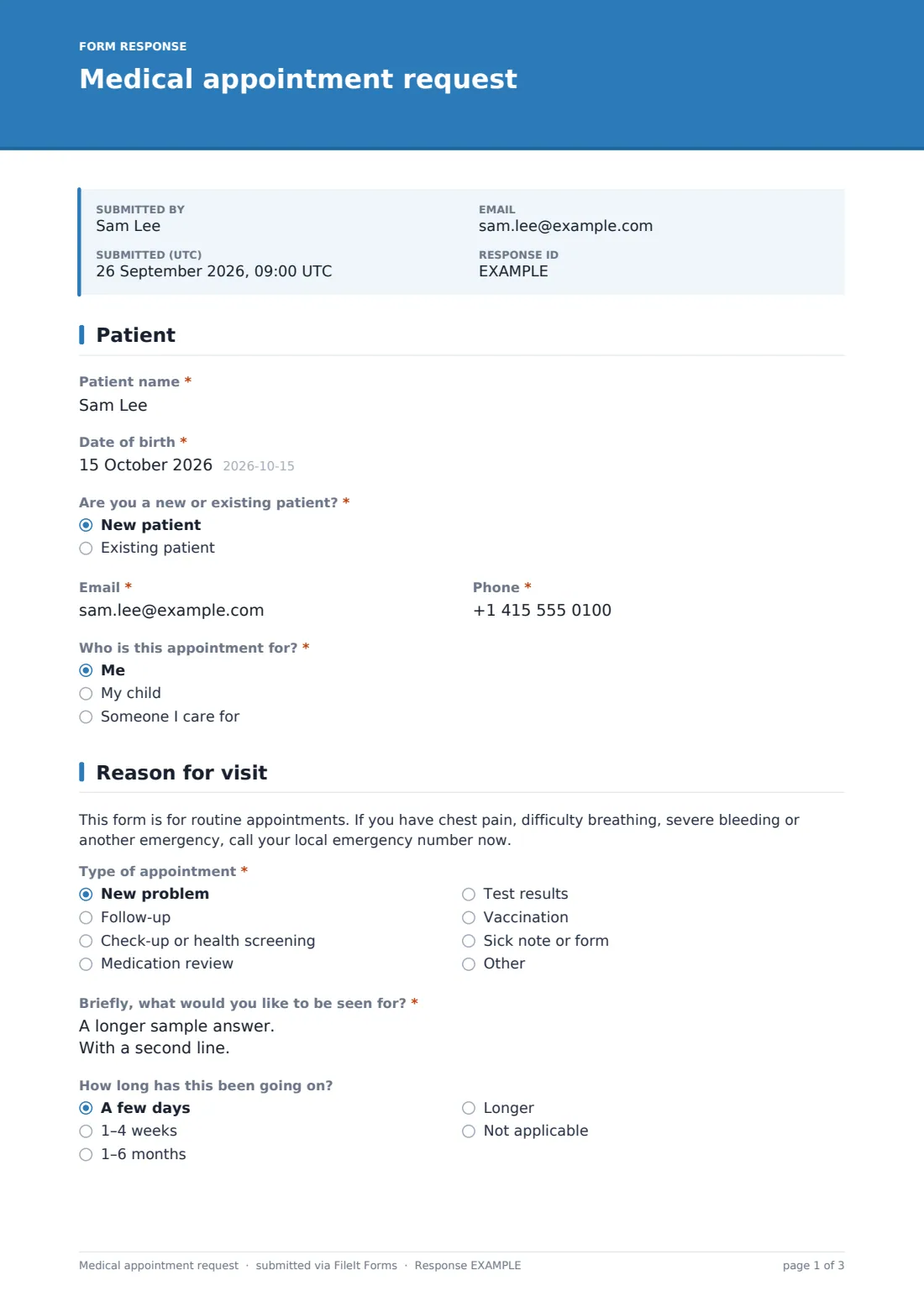
28 questions over 4 pages · includes file upload, conditional questions, multiple pages, consent checkbox.
1 Patient
- Patient name*
- Date of birth*
- Are you a new or existing patient?* New patient · Existing patient
- Patient number, if you know it asked only when it applies
- Email*
- Phone*
- Who is this appointment for?* Me · My child · Someone I care for
- Your name* asked only when it applies
- Relationship to the patient asked only when it applies
2 Reason for visit
- Type of appointment* New problem · Follow-up · Check-up or health screening · Medication review · Test results · Vaccination · Sick note or form · Other
- Briefly, what would you like to be seen for?*
- How long has this been going on? A few days · 1–4 weeks · 1–6 months · Longer · Not applicable
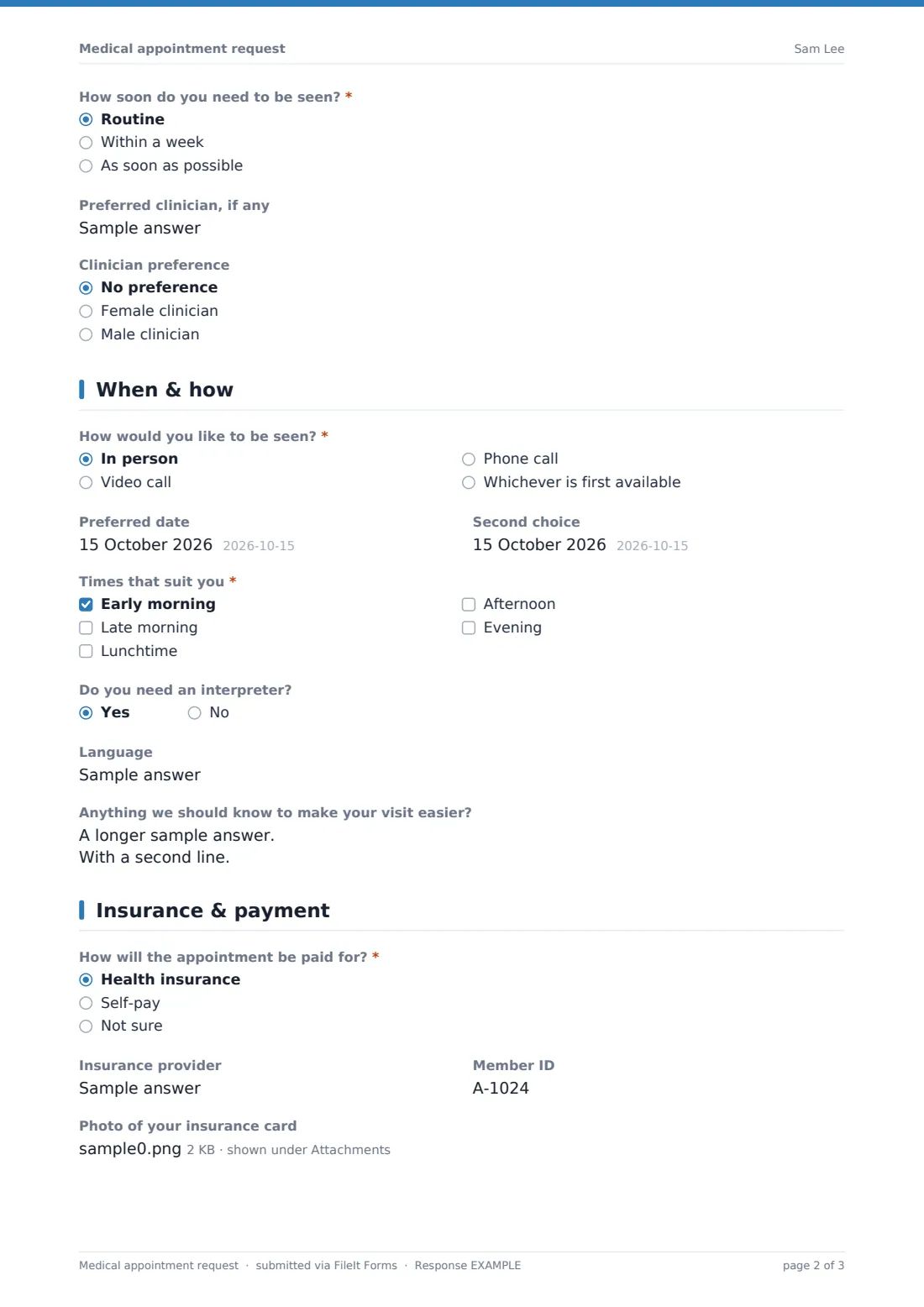
- How soon do you need to be seen?* Routine · Within a week · As soon as possible
- Preferred clinician, if any
- Clinician preference No preference · Female clinician · Male clinician
3 When & how
- How would you like to be seen?* In person · Video call · Phone call · Whichever is first available
- Preferred date
- Second choice
- Times that suit you* Early morning · Late morning · Lunchtime · Afternoon · Evening
- Do you need an interpreter?
- Language asked only when it applies
- Anything we should know to make your visit easier?
4 Insurance & payment
- How will the appointment be paid for?* Health insurance · Self-pay · Not sure
- Insurance provider asked only when it applies
- Member ID asked only when it applies
- Photo of your insurance card asked only when it applies
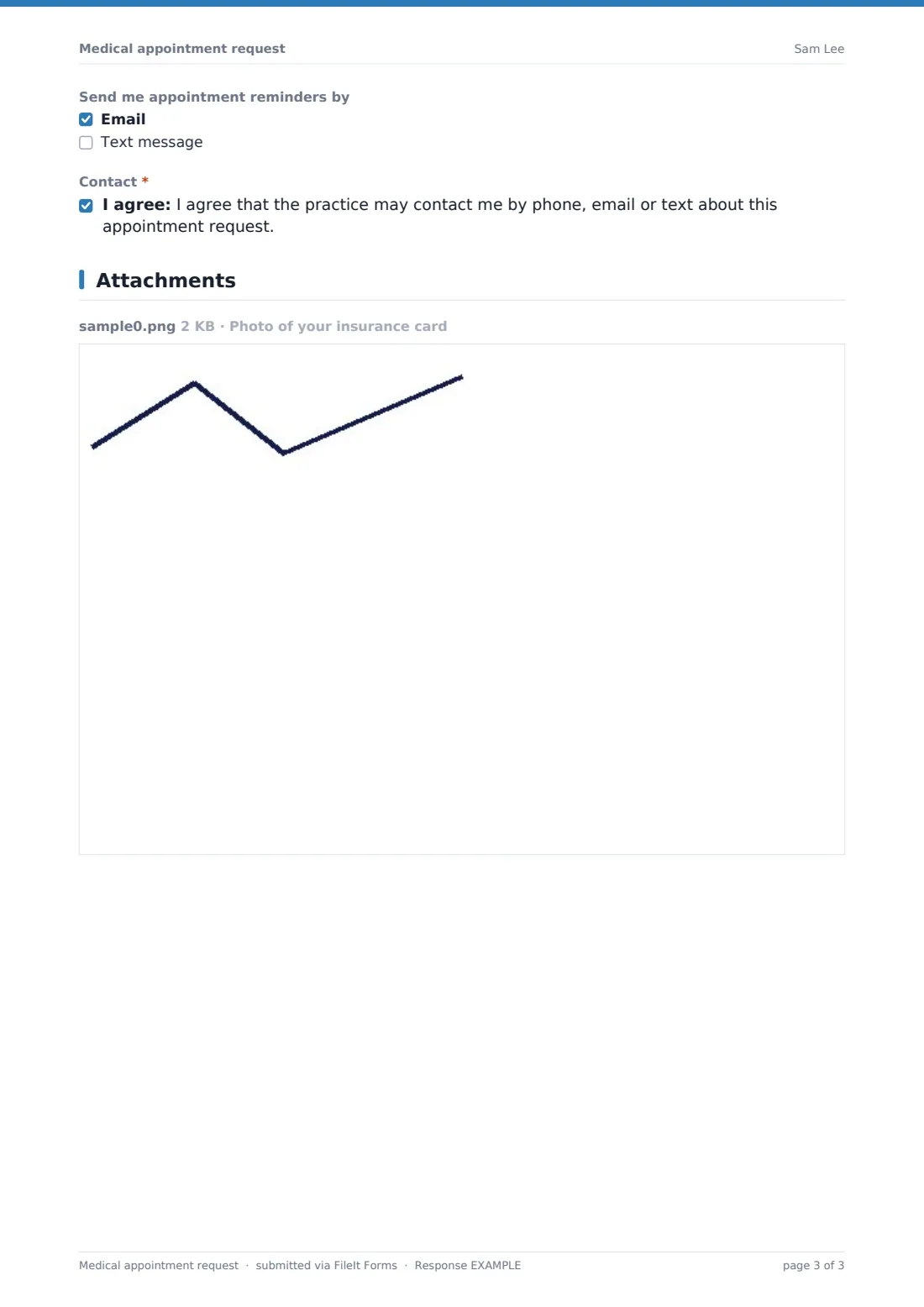
- Send me appointment reminders by Email · Text message
- Contact*
The medical appointment request form, page by page
1 Patient
Name, date of birth, whether they're new or existing (existing patients can add their patient number), email and phone. If someone is booking for their child or someone they care for, the form asks for the booker's name and relationship.
2 Reason for visit
A note that the form is for routine appointments, not emergencies. Then the type of appointment, a short description of the reason, how long it's been going on, how soon they need to be seen, a preferred clinician and any clinician gender preference.
3 When & how
In person, video, phone or first available; two preferred dates; times of day that suit; interpreter needs and language; and anything that would make the visit easier.
4 Insurance & payment
Insurance, self-pay or not sure. Insured patients add their provider and member ID and can upload their card. Patients choose email or text reminders and agree to be contacted about the request.
Make the template yours
- Replace the clinician text box with a dropdown of your clinicians
- Edit appointment types to match your services
- Remove the insurance page if your clinic is self-pay only
- Change the times of day to your actual opening hours
- Set the confirmation message to say when you'll call back
- Send notifications to your reception inbox
Tips for a better medical appointment request form
- Call back "as soon as possible" requests first
- Remind patients in the confirmation that a request is not a booked appointment until you confirm it
- Check insurance details before the visit to avoid surprises
- Offer video or phone slots to patients who can't travel
- Keep the emergency note prominent — don't remove it
Every response becomes a PDF in your vault
Each request is saved as a PDF in your FileIt vault, with any insurance card photos attached, and your team gets an email. The patient can receive a copy.
Work through requests from the Responses table, and export to CSV if you want to look at demand by appointment type.
- Start from this template. It opens in the FileIt Forms designer — change any question, add pages, set the rules for when questions appear.
- Share it. Turn on a public link, or send it to people by email, each with their own link. They don’t need a FileIt account.
- Get the answers as PDFs. Each response is saved as a PDF in the vault folder you choose, with uploaded files attached — and listed in a Responses table you can export to CSV.
Medical appointment request form: frequently asked questions
Is this appointment request form free?
Yes. It's included in FileIt's Forms app on every account, including the free plan.
Does it book the appointment automatically?
No. It collects the request; your team confirms a time with the patient.
Can a parent book for a child?
Yes. Choosing "My child" or "Someone I care for" asks for the booker's name and relationship.
Can patients upload their insurance card?
Yes, up to two images or a PDF, when they choose health insurance as the payment method.
Is it suitable for urgent problems?
It includes an "As soon as possible" option, but it's not for emergencies — a note tells patients to call the emergency number instead.
Do patients need an account?
No. They open the link and submit without signing up.