What is the neighbourhood watch sign-up form template?
A neighbourhood watch runs on knowing who lives where and how to reach them. This sign-up form collects each resident's contact details and street, how they'd like to receive alerts, and how much they'd like to be involved — from receiving alerts only to becoming a street coordinator or checking on vulnerable neighbours.
Residents who volunteer as street coordinators see a short explanation of what that involves. Anyone offering language skills is asked which languages. An optional question about doorbell cameras or CCTV helps the scheme know who might be able to help if the police ask for footage, with a clear note that the scheme never accesses anyone's cameras.
Each sign-up is filed as a PDF in your FileIt vault, together with the resident's agreement to the code of conduct and their choice about sharing details with a street coordinator.
- Best for
- Neighbourhood watch schemes, residents' associations and block clubs
- Filled in by
- Residents and local businesses
- Time to complete
- About 4 minutes
- Includes
- Address and street, involvement options, availability and skills, alert channels, sharing consent, code of conduct
Who uses a neighbourhood watch sign-up form?
- Starting a new neighbourhood watch and recruiting the first members
- An existing scheme moving from a paper list to online sign-ups
- Recruiting street coordinators for each road in an estate
- A residents' association adding a safety alerts list
- Welcoming new residents with a sign-up link in a welcome letter
- A block club in an apartment complex
Questions on this neighbourhood watch sign-up form
18 questions over 3 pages · includes conditional questions, multiple pages, consent checkbox.
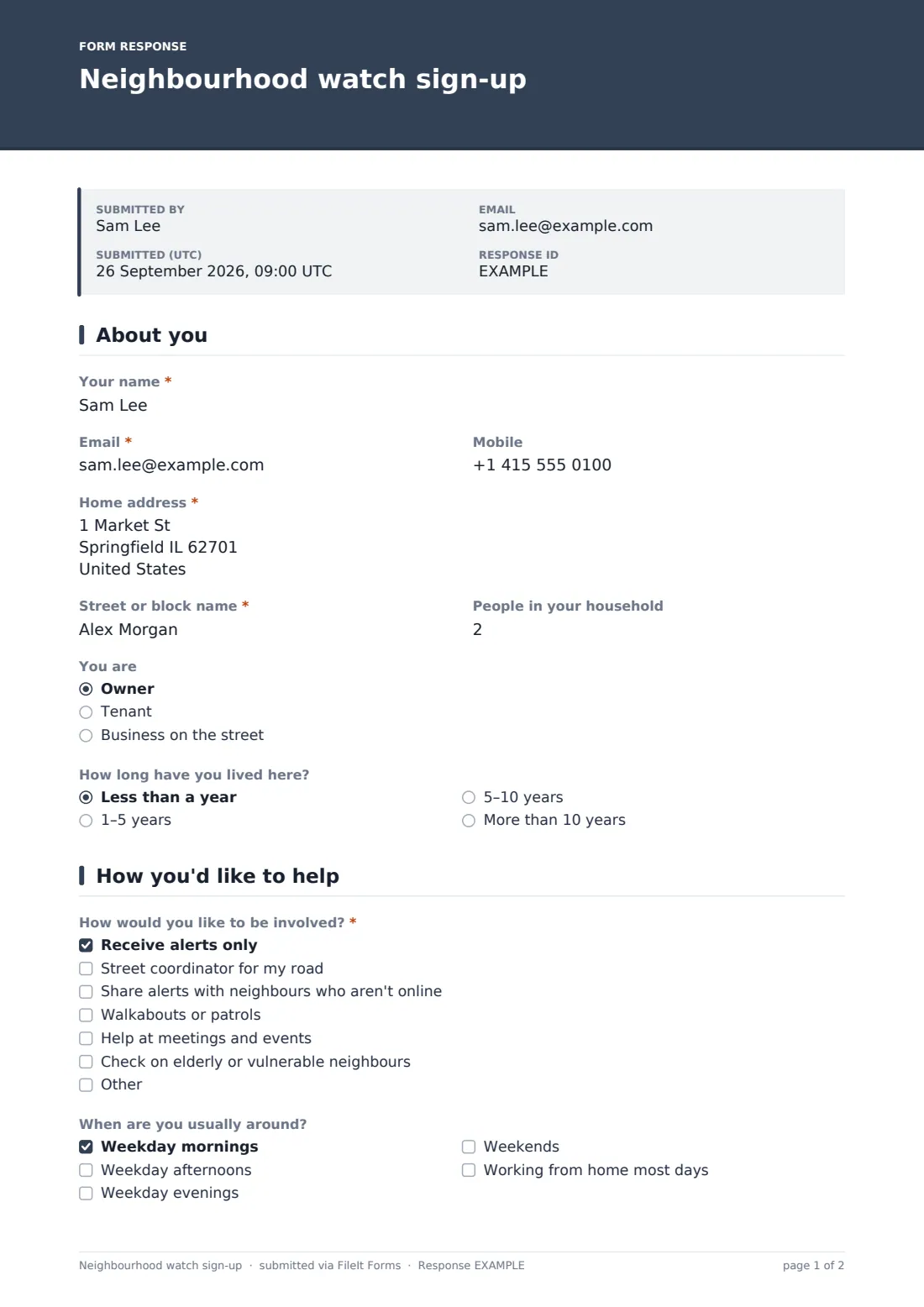
1 About you
- Your name*
- Email*
- Mobile
- Home address*
- Street or block name*
- People in your household
- You are Owner · Tenant · Business on the street
- How long have you lived here? Less than a year · 1–5 years · 5–10 years · More than 10 years
2 How you'd like to help
- How would you like to be involved?* Receive alerts only · Street coordinator for my road · Share alerts with neighbours who aren't online · Walkabouts or patrols · Help at meetings and events · Check on elderly or vulnerable neighbours
- When are you usually around? Weekday mornings · Weekday afternoons · Weekday evenings · Weekends · Working from home most days
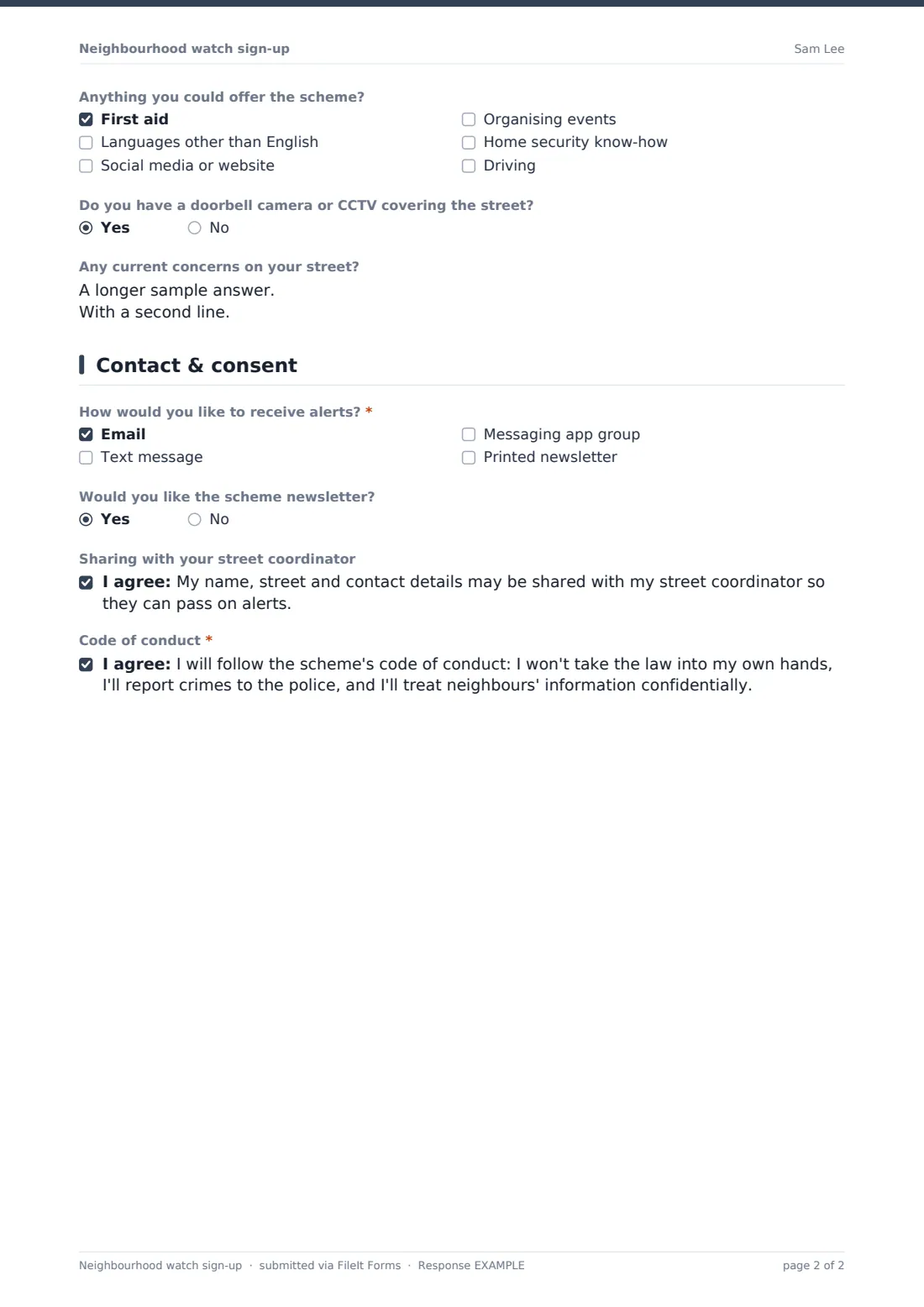
- Anything you could offer the scheme? First aid · Languages other than English · Social media or website · Organising events · Home security know-how · Driving
- Which languages? asked only when it applies
- Do you have a doorbell camera or CCTV covering the street?
- Any current concerns on your street?
3 Contact & consent
- How would you like to receive alerts?* Email · Text message · Messaging app group · Printed newsletter
- Would you like the scheme newsletter?
- Sharing with your street coordinator
- Code of conduct*
The neighbourhood watch sign-up form, page by page
1 About you
Residents give their name, email, mobile, home address and the street or block name, plus the number of people in the household, whether they own, rent or are a business, and how long they've lived there.
2 How you'd like to help
Residents choose how involved they'd like to be, from receiving alerts only to becoming a street coordinator, joining walkabouts or checking on vulnerable neighbours. Choosing street coordinator shows a short note about the role. They add when they're usually around, skills they could offer (languages opens a question about which ones), whether a doorbell camera or CCTV covers the street, and any non-urgent concerns.
3 Contact & consent
Residents pick how they want alerts — email, text, a messaging group or a printed newsletter — and whether they'd like the newsletter. An optional consent lets their details be shared with their street coordinator, and a required consent confirms they'll follow the code of conduct.
Make the template yours
- Replace the street question with a dropdown of the roads your scheme covers
- Link to your full code of conduct in the cover text
- Remove the patrol option if your scheme doesn't run walkabouts
- Add each street coordinator's email to the notifications for their area
- File sign-ups into a folder per street or zone
Tips for a better neighbourhood watch sign-up form
- Keep the address private — use the street name to group members and share only what coordinators need
- Offer a printed option; some of the residents who benefit most from alerts aren't online
- Make it clear that joining doesn't mean patrolling — it removes the biggest barrier to signing up
- Use the concerns answers to set the agenda for your first meeting
- Remind members that emergencies go to the police, not the scheme
Every response becomes a PDF in your vault
Each sign-up is saved as a PDF in your chosen vault folder and you're notified by email. Residents can receive a copy of their sign-up if you turn that on.
Filter the Responses table by street to build each coordinator's contact list, and by alert channel to set up email lists, text groups and printed drops.
- Start from this template. It opens in the FileIt Forms designer — change any question, add pages, set the rules for when questions appear.
- Share it. Turn on a public link, or send it to people by email, each with their own link. They don’t need a FileIt account.
- Get the answers as PDFs. Each response is saved as a PDF in the vault folder you choose, with uploaded files attached — and listed in a Responses table you can export to CSV.
Neighbourhood watch sign-up form: frequently asked questions
Is this neighbourhood watch sign-up template free?
Yes. It's included in the Forms app on every FileIt account, including the free plan.
Do residents need a FileIt account?
No. Share the link on a flyer, a QR code or a residents' group and anyone can sign up.
Who can see residents' details?
Only you and anyone on the notification list. The form asks residents whether their details can be shared with their street coordinator.
Can businesses join too?
Yes. Residents can say they're a business on the street, and the rest of the form works the same way.
Is the CCTV question required?
No. It's optional and only records whether a camera covers the street; the scheme never gets access to anyone's cameras.