What is the emergency alert signup form template?
A local alert list is only useful if the details on it are right: a number that reaches the person, an address that puts them in the right zone, alerts they actually want, and a language they can read. Residents who are deaf, blind or depend on powered medical equipment also need the right format, and the people planning a response need to know where they are.
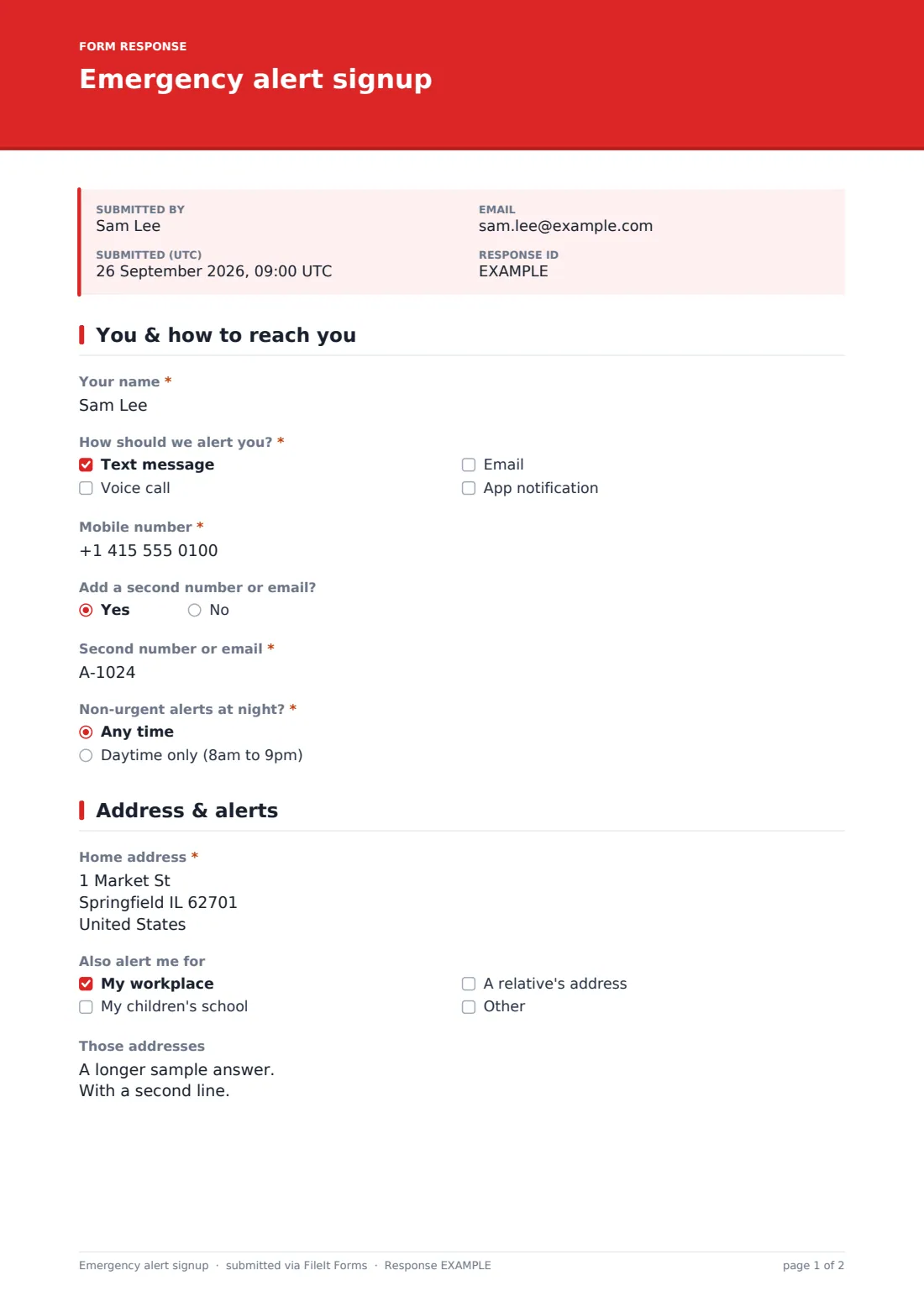
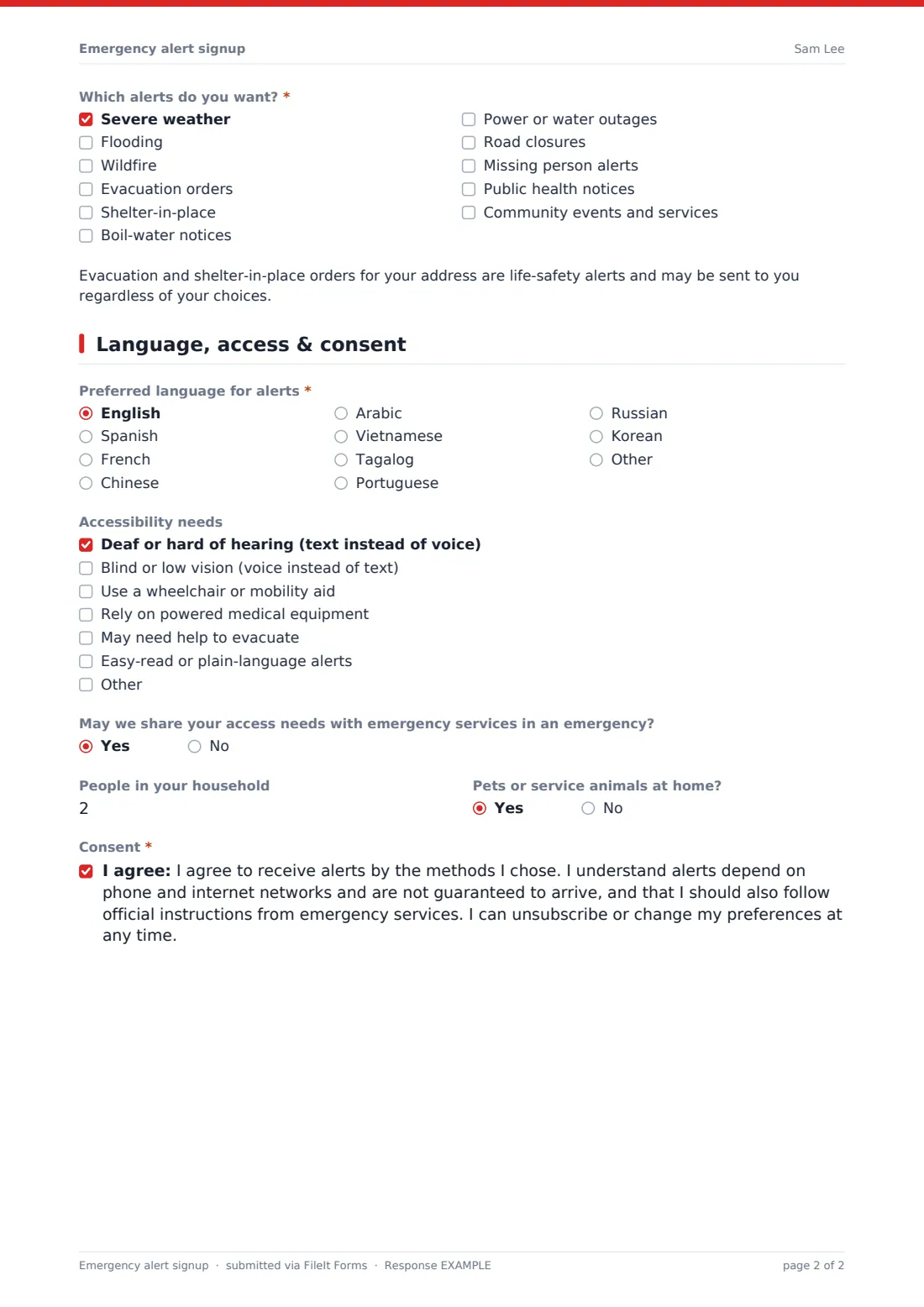
This emergency alert signup template keeps registration short. Residents pick text, voice call, email or app and give only the contact details those channels need, choose whether non-urgent alerts may arrive at night, and add their home address plus any workplace, school or relative's address. They tick the alert types they want, from severe weather and evacuation orders to boil-water notices and road closures, and finish with language, accessibility needs, household size, pets and consent.
Each signup is filed as a PDF in your FileIt vault, and the Responses table exports to CSV for loading into whatever notification system you send alerts from.
- Best for
- Towns, counties, emergency management offices, utilities, campuses and residents' associations
- Filled in by
- Residents, workers and families in your area
- Time to complete
- About 3 minutes
- Includes
- Alert channels and contacts, quiet hours, home and other addresses, alert types, language, accessibility needs, household, pets, consent
Who uses a emergency alert signup form?
- A county emergency management office building its opt-in alert list
- A water utility collecting contacts for boil-water and outage notices
- A small town signing residents up at a community preparedness fair
- A campus registering staff and students for safety alerts
- A residents' association running a flood warning phone tree
- A city recording access needs for vulnerable residents ahead of storm season
Questions on this emergency alert signup form
19 questions over 3 pages · includes conditional questions, multiple pages, consent checkbox.
1 You & how to reach you
- Your name*
- How should we alert you?* Text message · Voice call · Email · App notification
- Mobile number* asked only when it applies
- Number for voice calls* asked only when it applies
- Email* asked only when it applies
- Add a second number or email?
- Second number or email* asked only when it applies
- Non-urgent alerts at night?* Any time · Daytime only (8am to 9pm)
2 Address & alerts
- Home address*
- Also alert me for My workplace · My children's school · A relative's address
- Those addresses asked only when it applies
- Which alerts do you want?* Severe weather · Flooding · Wildfire · Evacuation orders · Shelter-in-place · Boil-water notices · Power or water outages · Road closures · Missing person alerts · Public health notices · Community events and services
3 Language, access & consent
- Preferred language for alerts* English · Spanish · French · Chinese · Arabic · Vietnamese · Tagalog · Portuguese · Russian · Korean · Other
- Which language? asked only when it applies
- Accessibility needs Deaf or hard of hearing (text instead of voice) · Blind or low vision (voice instead of text) · Use a wheelchair or mobility aid · Rely on powered medical equipment · May need help to evacuate · Easy-read or plain-language alerts
- May we share your access needs with emergency services in an emergency? asked only when it applies
- People in your household
- Pets or service animals at home?
- Consent*
The emergency alert signup form, page by page
1 You & how to reach you
The resident gives their name and ticks one or more channels: text message, voice call, email or app notification. Each choice reveals only the contact field it needs, and an optional second number or email can be added. They choose whether non-urgent alerts can come any time or daytime only, with a note that life-safety warnings are always sent.
2 Address & alerts
A required home address places the resident in the right area. They can also ask for alerts for a workplace, a child's school or a relative's address and type those in. A checklist of alert types covers severe weather, flooding, wildfire, evacuation, shelter-in-place, boil-water notices, outages, road closures, missing person alerts, public health notices and community services, with a note that evacuation orders may be sent regardless.
3 Language, access & consent
The resident chooses a preferred language, naming it if it isn't listed, and ticks any accessibility needs such as text instead of voice, help to evacuate or reliance on powered medical equipment, with the option to let emergency services see those needs. Household size and pets help planning, and a consent statement confirms they agree to receive alerts and understand delivery isn't guaranteed.
Make the template yours
- Replace the alert types with the alerts your service actually sends
- List the languages you can send alerts in, and remove the rest
- Change the daytime-only hours to match your own quiet-hours policy
- Add a dropdown of your alert zones or neighbourhoods if residents know theirs
- Put your privacy notice and unsubscribe instructions in the cover text
Tips for a better emergency alert signup form
- Send a test alert after each import so people know their details work
- Review the accessibility answers with your emergency planners, not only your comms team
- Ask residents to re-register when they move rather than editing old entries
- Promote the form before the storm season, not during it
- Export the list to CSV regularly so your alert system always has the latest signups
Every response becomes a PDF in your vault
Each signup is saved as a PDF in the vault folder you choose and appears in the Responses table. You can be notified of new signups, and residents can get a copy of what they entered.
Export the Responses table to CSV to load contacts, addresses, alert choices and languages into your alerting system. FileIt stores the signups; it does not send the alerts.
- Start from this template. It opens in the FileIt Forms designer — change any question, add pages, set the rules for when questions appear.
- Share it. Turn on a public link, or send it to people by email, each with their own link. They don’t need a FileIt account.
- Get the answers as PDFs. Each response is saved as a PDF in the vault folder you choose, with uploaded files attached — and listed in a Responses table you can export to CSV.
Emergency alert signup form: frequently asked questions
Is this emergency alert signup template free?
Yes. It's one of the FileIt Forms starter templates, available on every account.
Does FileIt send the alerts?
No. The form collects signups and preferences. You send alerts from your own notification system, using an export of the responses.
Do residents need an account?
No. Anyone with the link can sign up.
Can people sign up for more than one address?
Yes. They can add a workplace, school or relative's address alongside their home address.
How are accessibility needs handled?
Residents tick the needs that apply and choose whether they may be shared with emergency services. Make sure your privacy notice explains how you use that information.
Can residents change their preferences later?
They can submit the form again. Tell them in the confirmation message how you handle updates and unsubscribes.