What is the marketing consent preferences form template?
A single "sign me up" checkbox tells you very little. Someone might love your event invitations but never want a phone call, or be happy with a monthly newsletter but not a daily offer. When everything is one yes, the only way to say no to part of it is to unsubscribe from all of it.
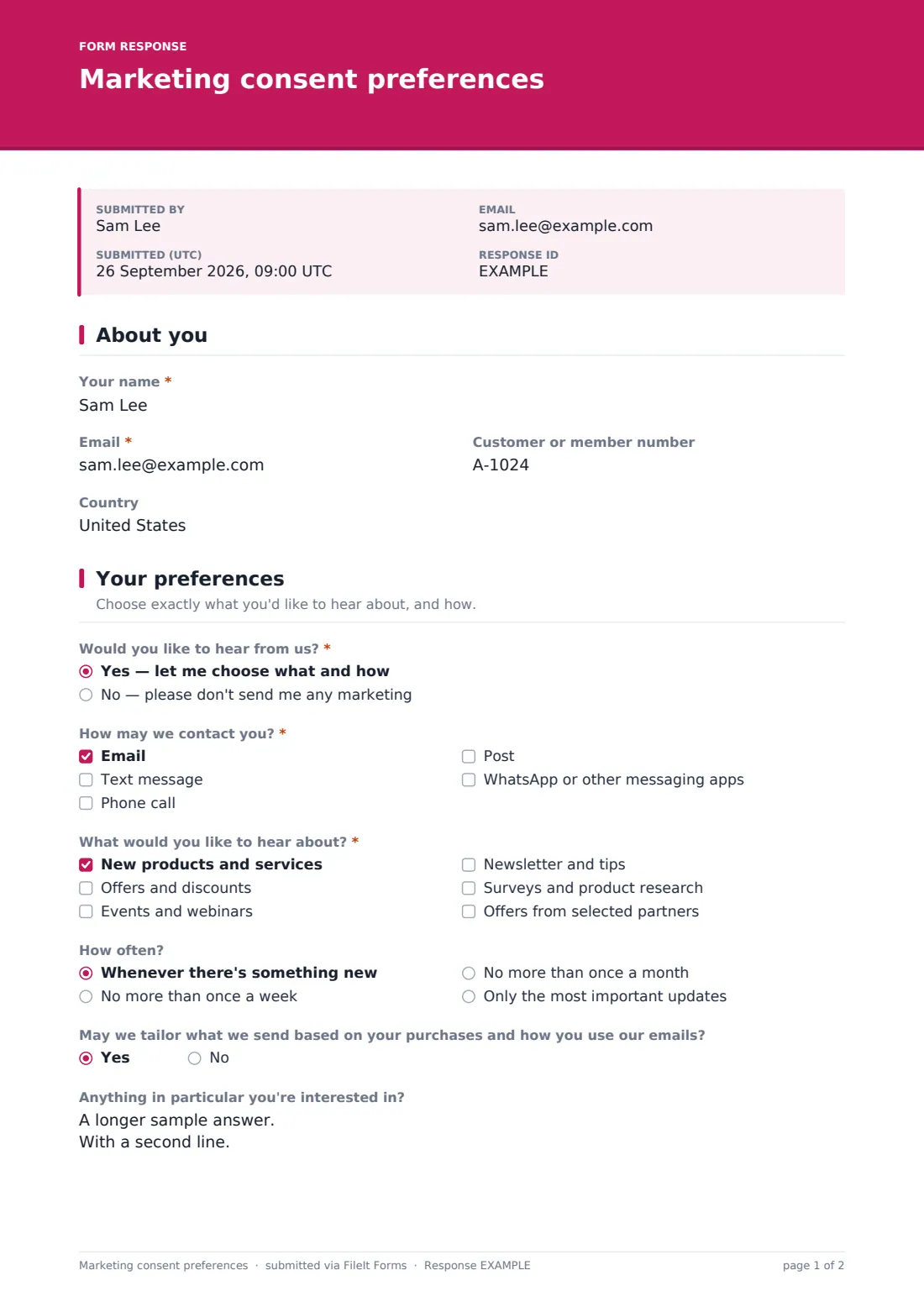
This template lets people choose. They say whether they want marketing at all, then pick channels, topics and frequency, and whether you may tailor messages to them. Contact details are only asked for the channels they actually choose — a mobile number only if they tick texts, an address only if they tick post.
Each set of preferences is saved as a dated PDF in your vault, so you can show what someone agreed to and when.
- Best for
- Shops, clubs, charities and service businesses collecting marketing permissions
- Filled in by
- Customers, members or supporters
- Time to complete
- About 1 minute
- Includes
- Opt-in choice, channel-specific contact fields, topics, frequency, personalisation consent
Who uses a marketing consent preferences form?
- A preference centre link in the footer of your emails
- Re-permission campaigns asking existing contacts to confirm what they want
- Collecting marketing choices at an event or in store on a tablet
- Membership organizations separating event invitations from fundraising appeals
- Replacing a single newsletter signup with real choices
- Keeping proof of consent for texts and calls alongside email
Questions on this marketing consent preferences form
15 questions over 3 pages · includes conditional questions, multiple pages, consent checkbox.
1 About you
- Your name*
- Email*
- Customer or member number
- Country
2 Your preferences
- Would you like to hear from us?* Yes — let me choose what and how · No — please don't send me any marketing
- How may we contact you?* asked only when it applies Email · Text message · Phone call · Post · WhatsApp or other messaging apps
- Mobile number for texts* asked only when it applies
- Number for phone calls* asked only when it applies
- Postal address* asked only when it applies
- Messaging app number* asked only when it applies
- What would you like to hear about?* asked only when it applies New products and services · Offers and discounts · Events and webinars · Newsletter and tips · Surveys and product research · Offers from selected partners
- How often? asked only when it applies Whenever there's something new · No more than once a week · No more than once a month · Only the most important updates
- May we tailor what we send based on your purchases and how you use our emails? asked only when it applies
- Anything in particular you're interested in? asked only when it applies
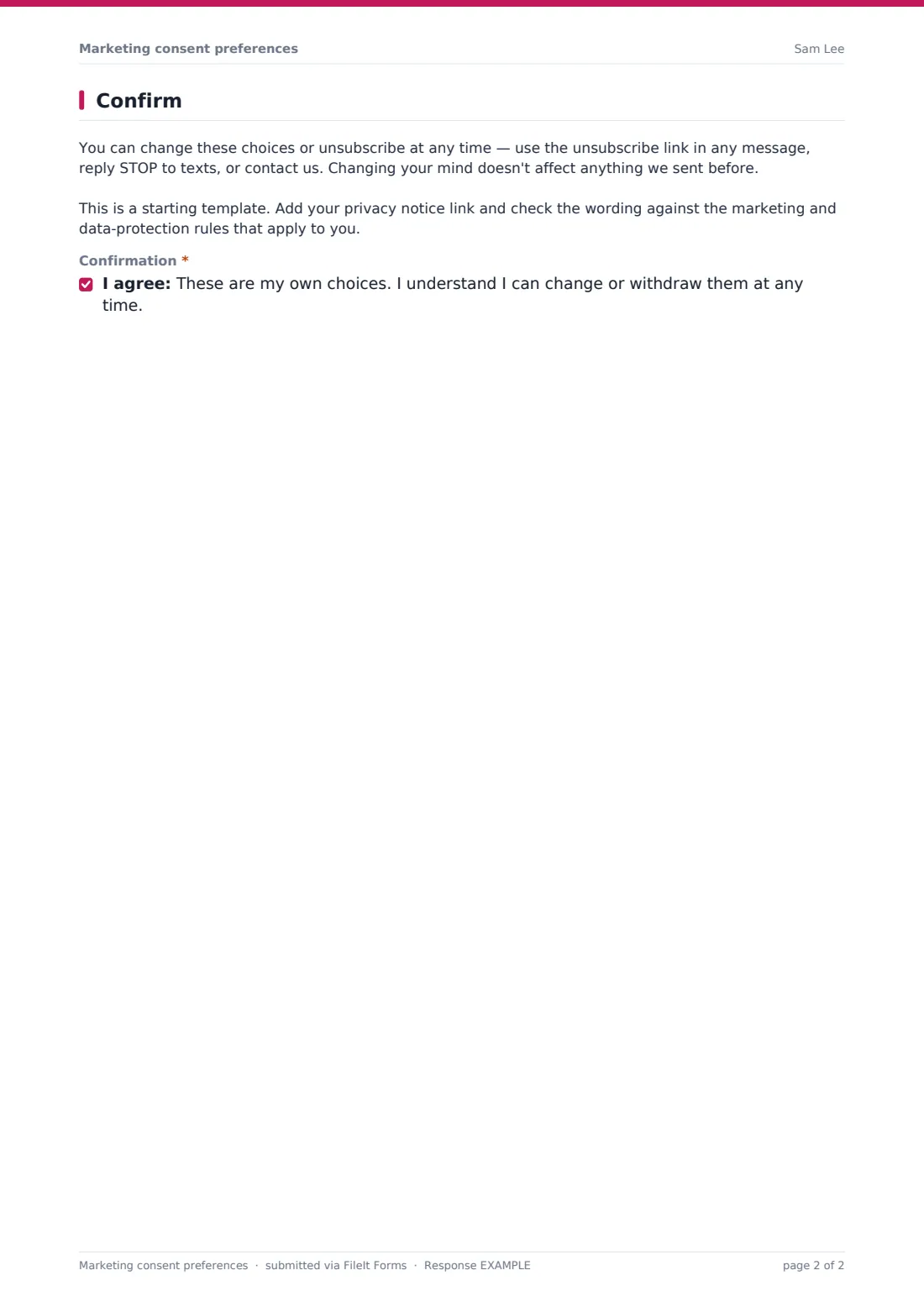
3 Confirm
- Confirmation*
The marketing consent preferences form, page by page
1 About you
Name and email are required. A customer or member number and country are optional and help you match the answers to the right record.
2 Your preferences
The first question is whether the person wants marketing at all. No shows a short note confirming they'll still get service messages about orders or bookings, and nothing else is asked.
Yes opens the rest of the page. At least one channel must be ticked — email, text, phone, post or messaging apps — and each channel that needs contact details asks for them only when ticked: a mobile for texts, a number for calls, a postal address for post, a number for messaging apps. People then choose at least one topic (new products, offers, events, newsletter, research, partner offers), an optional frequency cap, whether you may tailor messages, and any particular interests.
3 Confirm
A paragraph explains how to change choices or unsubscribe at any time, with a reminder to the owner to add a privacy notice link and check the wording. A single confirmation closes the form.
Make the template yours
- Replace the topics with the actual newsletters, product lines or campaigns you run
- Remove channels you never use, such as post or messaging apps
- Add your privacy notice link to the final paragraph
- Match the accent color and cover text to your brand
- Link the public form from your email footer as a preference centre
- Route responses to a marketing folder and export them to update your mailing tool
Tips for a better marketing consent preferences form
- Never pre-tick channels or topics — people should actively choose
- Respect the frequency people choose; it's the fastest way to keep them subscribed
- Update your mailing tool promptly after each response so preferences take effect
- Keep partner offers as a separate choice rather than bundling them with your own news
- Ask again every so often rather than relying on a choice made years ago
- Rules for email, text and phone marketing differ between countries — have the wording checked for yours
Every response becomes a PDF in your vault
Each submission is filed as a dated PDF in the vault folder you choose, and the person gets a copy of their choices by email. You can be notified of each new response.
Most teams export the Responses table to CSV and import it into their email or SMS tool, or filter it by topic to build lists. FileIt doesn't sync with marketing tools automatically, so update them after each export.
- Start from this template. It opens in the FileIt Forms designer — change any question, add pages, set the rules for when questions appear.
- Share it. Turn on a public link, or send it to people by email, each with their own link. They don’t need a FileIt account.
- Get the answers as PDFs. Each response is saved as a PDF in the vault folder you choose, with uploaded files attached — and listed in a Responses table you can export to CSV.
Marketing consent preferences form: frequently asked questions
Is this marketing consent preferences template free to use?
Yes. It's one of FileIt's ready-made templates, and every FileIt account, including the free plan, includes the Forms app and its full library of templates.
Do people filling in this form need a FileIt account?
No. Anyone with the link, or an emailed request, can complete and submit the form without creating a FileIt account. Only the form owner needs one.
Does this connect to my email marketing tool?
Not directly. Export the responses to CSV and import them into your mailing tool, or update subscribers by hand.
Why only ask for a phone number when texts are ticked?
Collecting only what you need is good practice, and people are more comfortable sharing a number when they can see why it's needed.
Can people use the form more than once to change their mind?
Yes. The form allows multiple submissions, and each one is saved with its date, so the latest response shows their current choices.
Does this make our marketing compliant with the GDPR or PECR?
No form can do that on its own. This template follows common good practice, like separate choices and no pre-ticked boxes, but it isn't legal advice. Check the rules that apply to you.
Can I add my own topics?
Yes. The topics, channels and frequency options can all be edited in the designer.