What is the legal hold acknowledgement form template?
Sending a legal hold notice is only half the job. You also need proof each custodian received and understood it, and you need to know where their relevant information is — especially the places that aren't obvious, like a personal phone, disappearing messages or a filing cabinet.
This template does both. After confirming the matter and the notice date, custodians tick where relevant data might be kept, answer direct questions about automatic deletion and anything already lost, and name others who may hold information. Follow-ups appear only where needed.
Each acknowledgement is saved as a signed, dated PDF in the vault folder you choose, building a defensible record of your preservation effort.
- Best for
- In-house legal, compliance and HR teams issuing legal holds
- Filled in by
- Each custodian named in the hold notice
- Time to complete
- About 5 minutes
- Includes
- Matter details, data-location checklist, auto-delete and loss questions, duties summary, three acknowledgements, signature
Who uses a legal hold acknowledgement form?
- Litigation holds when a lawsuit is filed or reasonably expected
- Internal or regulatory investigations that require preservation
- Employment disputes where managers' emails and messages matter
- Holds on departing employees before their devices are wiped
- Periodic re-acknowledgement of long-running holds
- Mapping data sources before an e-discovery collection
Questions on this legal hold acknowledgement form
21 questions over 3 pages · includes signature, conditional questions, multiple pages, consent checkbox.
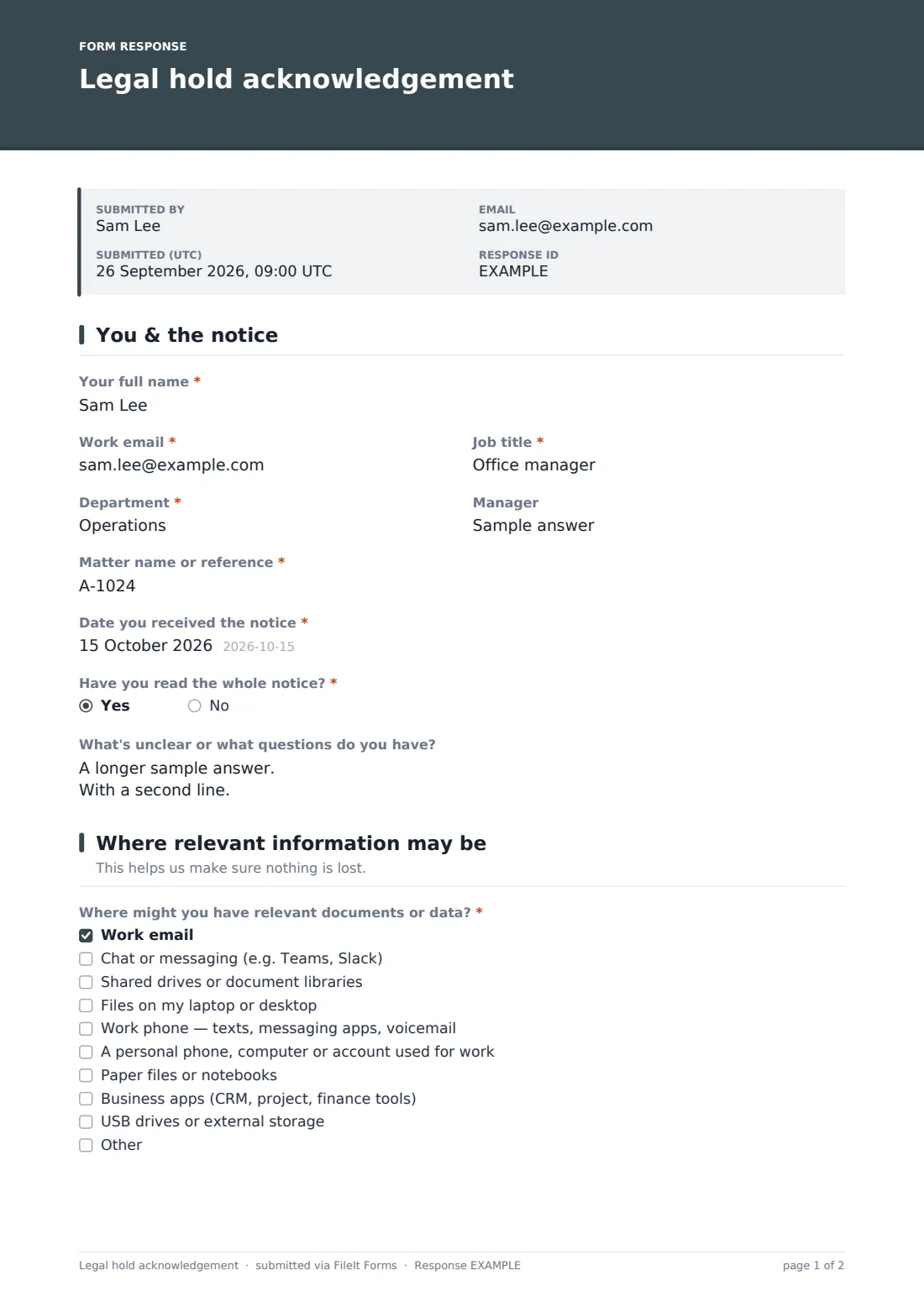
1 You & the notice
- Your full name*
- Work email*
- Job title*
- Department*
- Manager
- Matter name or reference*
- Date you received the notice*
- Have you read the whole notice?*
- What's unclear or what questions do you have?
2 Where relevant information may be
- Where might you have relevant documents or data?* Work email · Chat or messaging (e.g. Teams, Slack) · Shared drives or document libraries · Files on my laptop or desktop · Work phone — texts, messaging apps, voicemail · A personal phone, computer or account used for work · Paper files or notebooks · Business apps (CRM, project, finance tools) · USB drives or external storage
- Where are the paper files kept?* asked only when it applies
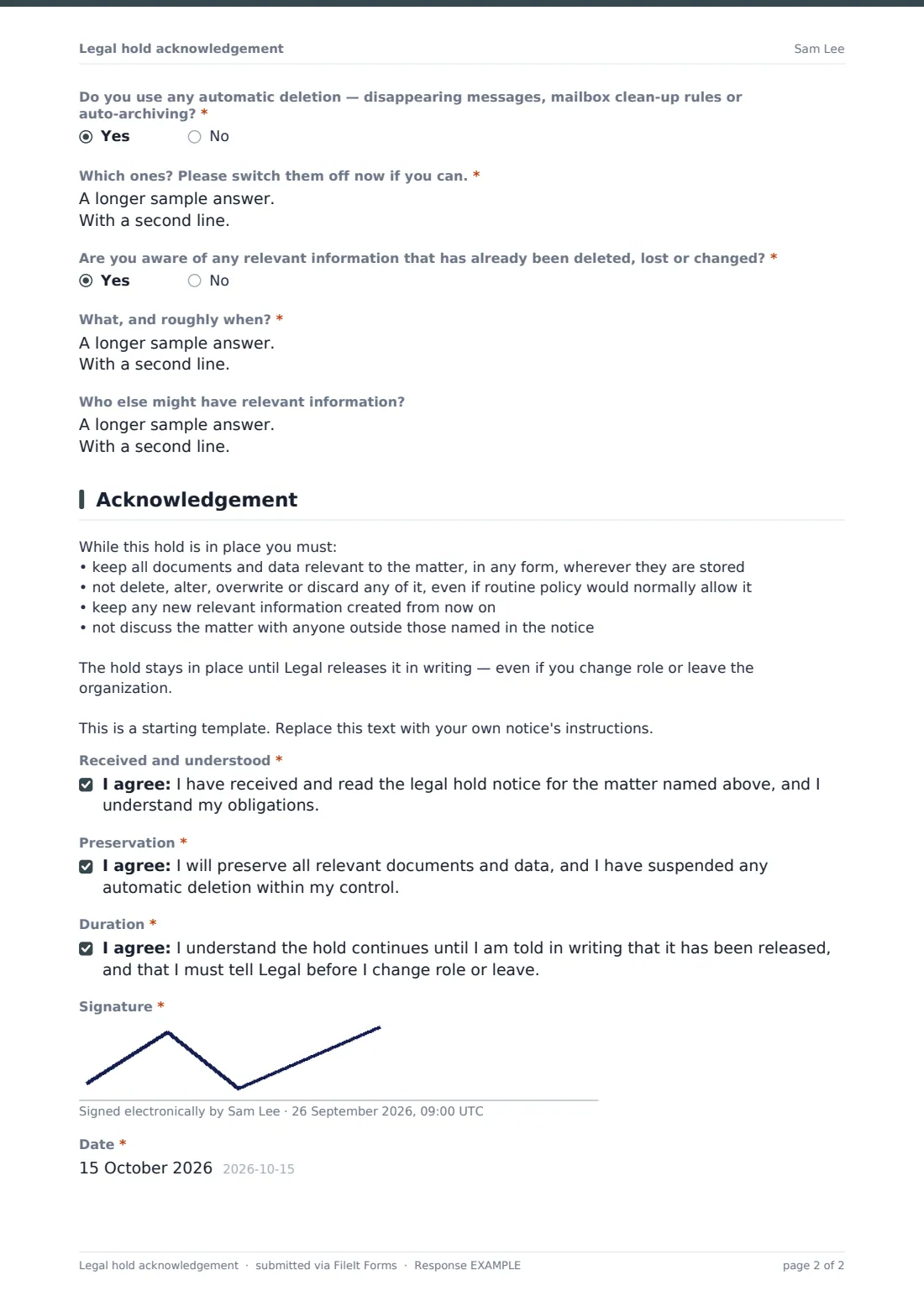
- Do you use any automatic deletion — disappearing messages, mailbox clean-up rules or auto-archiving?*
- Which ones? Please switch them off now if you can.* asked only when it applies
- Are you aware of any relevant information that has already been deleted, lost or changed?*
- What, and roughly when?* asked only when it applies
- Who else might have relevant information?
3 Acknowledgement
- Received and understood*
- Preservation*
- Duration*
- Signature*
- Date*
The legal hold acknowledgement form, page by page
1 You & the notice
Name, work email, job title and department are required; manager is optional. The custodian enters the matter name or reference from the notice, the date they received it, and whether they've read all of it — answering no shows a reminder to read the whole notice and to start preserving straight away. An optional box collects questions, with a reminder that preservation continues while they wait for an answer.
2 Where relevant information may be
At least one location must be ticked: work email, chat, shared drives, local files, a work phone, a personal device or account used for work, paper files, business apps, removable storage, or somewhere else. A personal device reveals a note not to delete or reset it; paper files ask where they're kept. Two required yes/no questions ask about automatic deletion (with details and a prompt to switch it off) and about anything already deleted or lost. Others who may hold information are optional.
3 Acknowledgement
A summary of the custodian's duties — keep everything, suspend routine deletion, keep new information, don't discuss the matter — is ready to replace with your own notice's instructions. Three statements confirm receipt and understanding, preservation, and that the hold lasts until released in writing. Signature and date complete it.
Make the template yours
- Replace the duties summary with the instructions from your actual notice
- Add the systems your organization uses to the location checklist
- Send it as individual requests to each custodian so you can see who hasn't acknowledged
- Set a close date to match your acknowledgement deadline
- Route responses to a folder per matter with restricted access
- Add your legal team's contact details to the cover text
Tips for a better legal hold acknowledgement form
- Send the hold and the acknowledgement together so there's no gap
- Follow up quickly on any custodian who ticks a personal device or auto-delete
- Tell IT to suspend automatic deletion for custodians' accounts centrally, too
- Re-send reminders periodically for long-running holds
- Remember departing employees — preserve their data before accounts are closed
- Have your hold process reviewed by litigation counsel; this template isn't legal advice
Every response becomes a PDF in your vault
Each acknowledgement is filed as a signed PDF in the vault folder you've set up for the matter. Legal is notified, and the custodian receives a copy.
From the Responses table you can see who has acknowledged, filter for anyone who uses auto-delete or reported lost data, and export the data-location answers to plan collection.
- Start from this template. It opens in the FileIt Forms designer — change any question, add pages, set the rules for when questions appear.
- Share it. Turn on a public link, or send it to people by email, each with their own link. They don’t need a FileIt account.
- Get the answers as PDFs. Each response is saved as a PDF in the vault folder you choose, with uploaded files attached — and listed in a Responses table you can export to CSV.
Legal hold acknowledgement form: frequently asked questions
Is this legal hold acknowledgement template free to use?
Yes. It's one of FileIt's ready-made templates, and every FileIt account, including the free plan, includes the Forms app and its full library of templates.
Do people filling in this form need a FileIt account?
No. Anyone with the link, or an emailed request, can complete and submit the form without creating a FileIt account. Only the form owner needs one.
Can I see which custodians haven't acknowledged yet?
Yes, if you send the form as individual requests. Each request shows whether it's been completed, so you can chase anyone outstanding.
Does FileIt preserve the data itself?
No. The form records acknowledgements and where data lives. Preserving and collecting the data is done through your own systems and processes.
Why ask about data already deleted?
Knowing early lets your legal team assess and address it. The form encourages custodians to be open about it.
Can I use it for a long-running hold?
Yes. Send it again as a periodic re-acknowledgement — each response is saved with its date.
Is this legal advice?
No. It's a starting template. Your counsel should decide the scope of the hold and what custodians are told.