What is the hackathon registration form template?
Hackathon organisers need a lot from each participant: who they are, what they can build, whether they already have a team, what they'll eat, whether they're staying overnight and that they've agreed to the code of conduct. This registration form collects it in four short pages, so you can plan food, team matching and space before the doors open.
Team registration is built in. The person registering a team gives a team name, size and teammates; someone whose teammate is registering them just names the team; solo hackers who want a team describe the teammates they're looking for. Under-18s upload a signed guardian consent, and only adults are asked about staying overnight.
Each registration is saved as a PDF in your FileIt vault, and the Responses table turns skills, tracks and team status into lists you can use for team matching and judging.
- Best for
- University hackathons, company hack days, game jams and civic tech events
- Filled in by
- Each participant
- Time to complete
- About 6 minutes
- Includes
- Skills and confidence scale, challenge tracks, team or solo paths, guardian consent upload, overnight and laptop questions, code of conduct
Who uses a hackathon registration form?
- A student hackathon at a university over a weekend
- A company's internal hack day with mixed teams
- A game jam taking solo and team entries
- A civic tech event working on local government challenges
- A beginner-friendly coding day for school students
- A sponsor-led innovation challenge with themed tracks
Questions on this hackathon registration form
34 questions over 4 pages · includes file upload, conditional questions, multiple pages, consent checkbox, ratings.
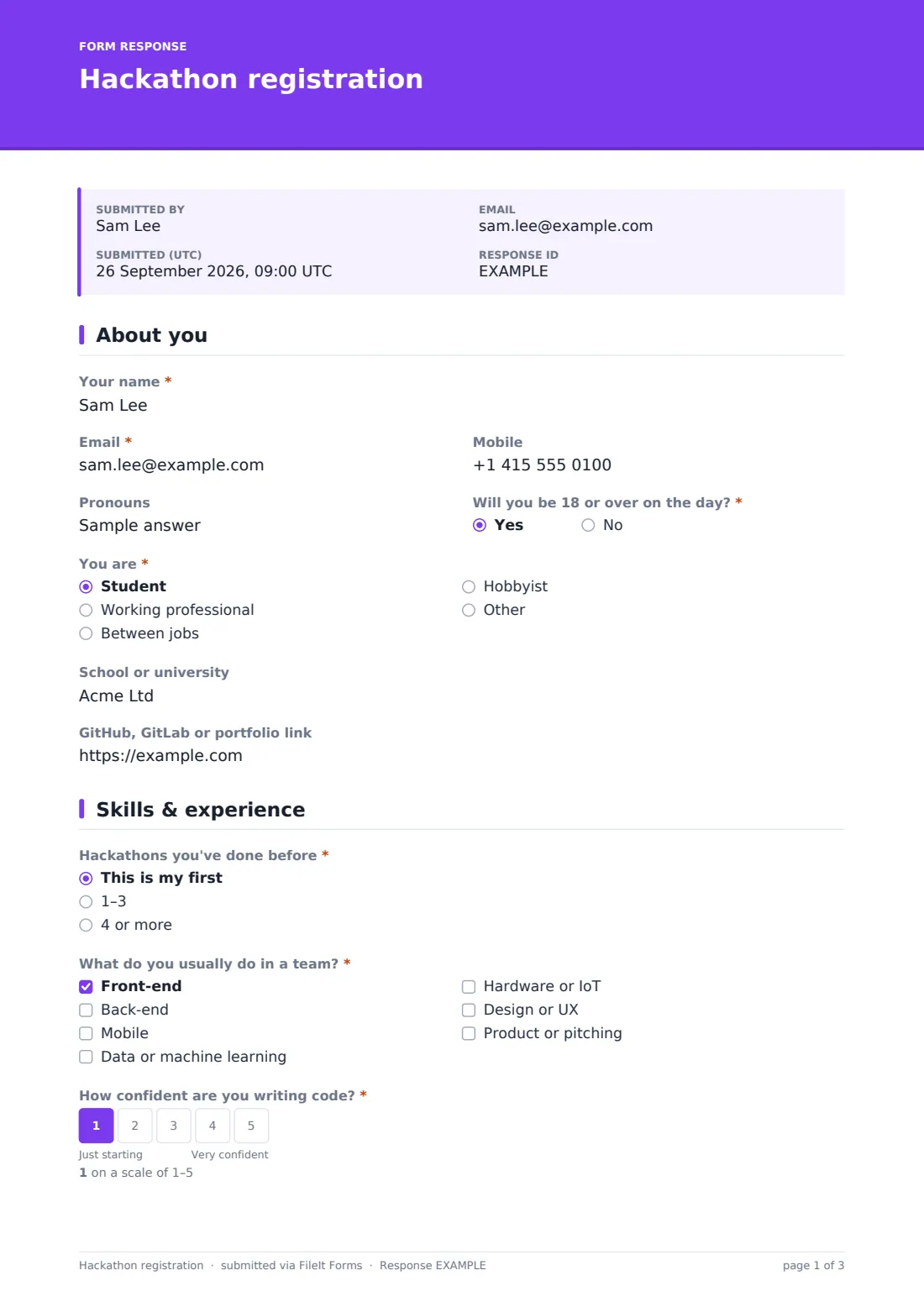
1 About you
- Your name*
- Email*
- Mobile
- Pronouns
- Will you be 18 or over on the day?*
- Signed parent or guardian consent* asked only when it applies
- You are* Student · Working professional · Between jobs · Hobbyist
- School or university asked only when it applies
- Company asked only when it applies
- GitHub, GitLab or portfolio link
2 Skills & experience
- Hackathons you've done before* This is my first · 1–3 · 4 or more
- What do you usually do in a team?* Front-end · Back-end · Mobile · Data or machine learning · Hardware or IoT · Design or UX · Product or pitching
- How confident are you writing code?*
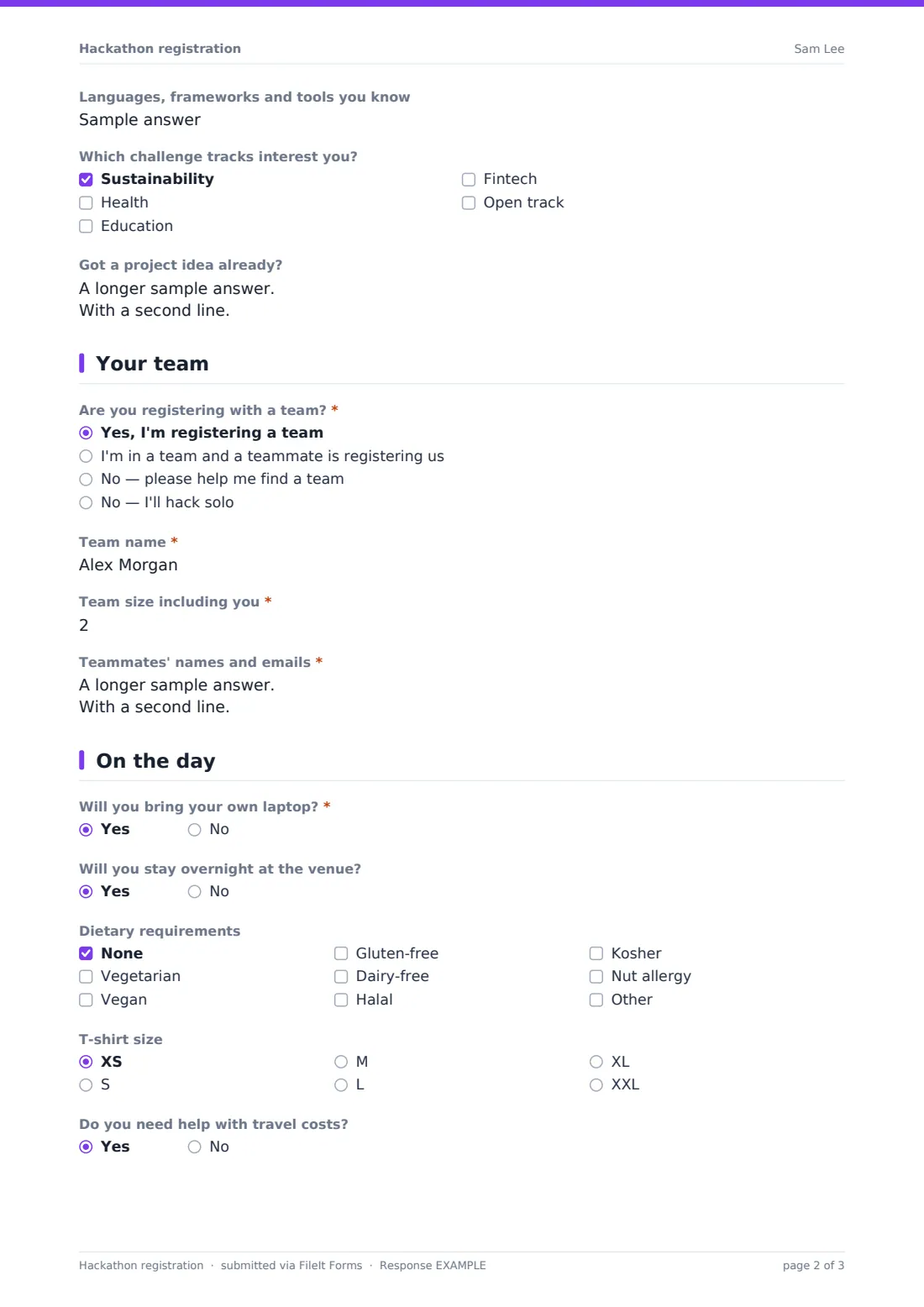
- Languages, frameworks and tools you know
- Which challenge tracks interest you? Sustainability · Health · Education · Fintech · Open track
- Got a project idea already?
3 Your team
- Are you registering with a team?* Yes, I'm registering a team · I'm in a team and a teammate is registering us · No — please help me find a team · No — I'll hack solo
- Team name* asked only when it applies
- Team size including you* asked only when it applies
- Teammates' names and emails* asked only when it applies
- Name of the team you're joining* asked only when it applies
- What kind of teammates are you looking for? asked only when it applies
4 On the day
- Will you bring your own laptop?*
- Would you like to borrow one? asked only when it applies
- Will you stay overnight at the venue? asked only when it applies
- Dietary requirements None · Vegetarian · Vegan · Gluten-free · Dairy-free · Halal · Kosher · Nut allergy
- T-shirt size XS · S · M · L · XL · XXL
- Do you need help with travel costs?
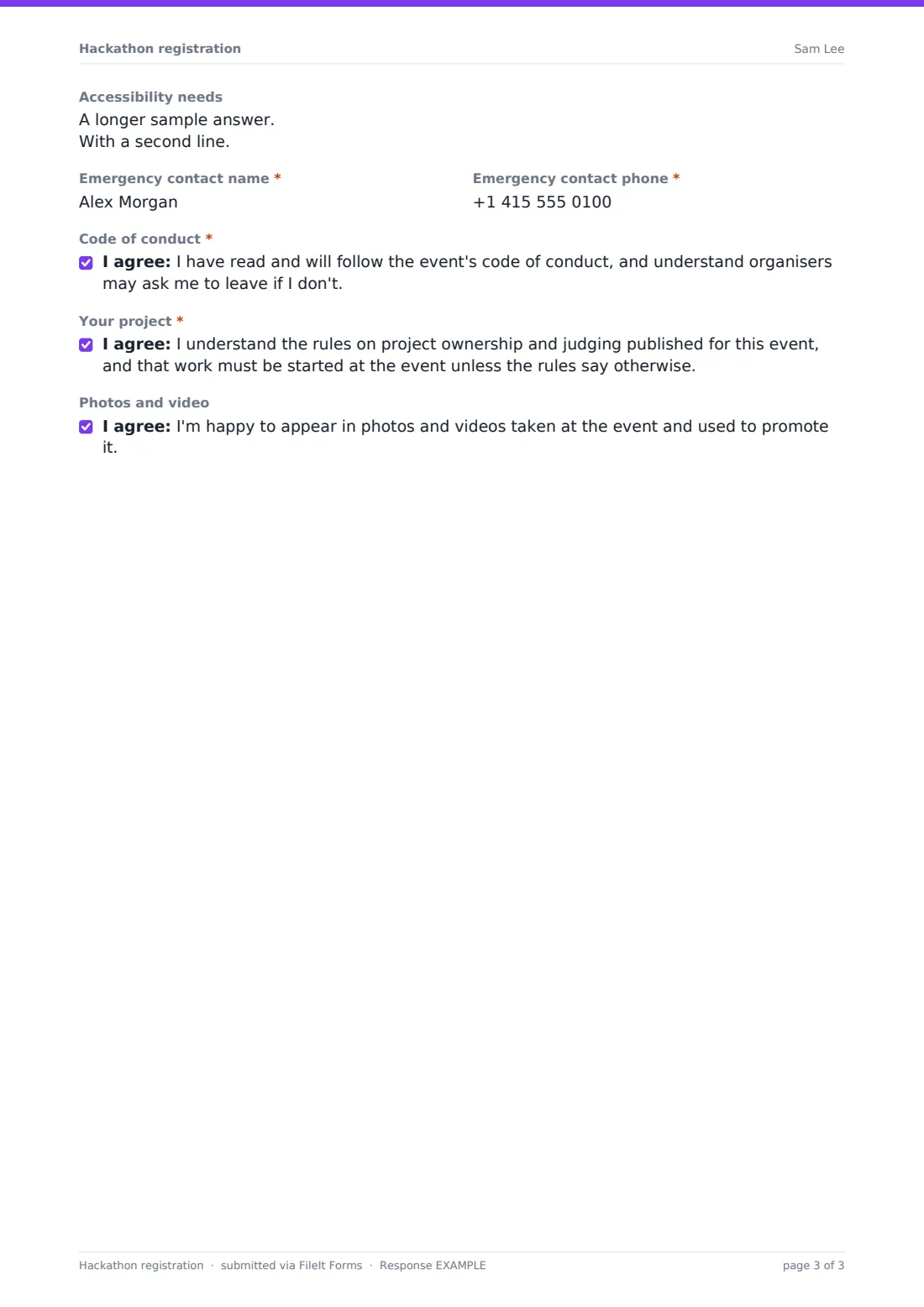
- Accessibility needs
- Emergency contact name*
- Emergency contact phone*
- Code of conduct*
- Your project*
- Photos and video
The hackathon registration form, page by page
1 About you
Participants give their name, email, mobile and pronouns, and say whether they'll be 18 or over. Under-18s must upload a signed parent or guardian consent. They say whether they're a student (which asks for their school), a working professional (which asks for their company), between jobs or a hobbyist, and add a GitHub or portfolio link.
2 Skills & experience
Participants say how many hackathons they've done, tick the roles they usually take — front-end, back-end, mobile, data, hardware, design or product — rate their coding confidence from 1 to 5, list languages and tools, pick challenge tracks and optionally share a project idea.
3 Your team
Participants choose whether they're registering a team, being registered by a teammate, looking for a team or hacking solo. Registering a team asks for its name, size and teammates' names and emails; joining one asks for the team name; looking for a team asks what kind of teammates they'd like.
4 On the day
The last page covers bringing a laptop (or borrowing one), staying overnight for adults, dietary requirements, T-shirt size, travel support, accessibility needs and an emergency contact, followed by consents for the code of conduct and project rules and an optional photo and video consent.
Make the template yours
- Rename the challenge tracks to your event's themes and sponsors
- Change the maximum team size to match your rules
- Remove the overnight question for a single-day hack day
- Link to your code of conduct and guardian consent form in the cover text
- Set a maximum number of responses to match venue capacity, with a closing date for registration
Tips for a better hackathon registration form
- Run team matching before the event using the looking-for-a-team answers — it saves the first hour of the day
- Order food from the dietary export, and add a margin for people who forget to mention allergies
- Plan mentor coverage from the roles and confidence answers; beginners need more help early on
- Check that every teammate listed has registered individually
- Send the code of conduct again in the confirmation email so it's fresh on the day
Every response becomes a PDF in your vault
Each registration is filed as a PDF in your chosen vault folder, with any guardian consent attached, and you get an email notification. Participants receive their own copy if you've turned that on.
Use the Responses table to filter by team status, track or role, and export to CSV to build team lists, name badges and catering numbers.
- Start from this template. It opens in the FileIt Forms designer — change any question, add pages, set the rules for when questions appear.
- Share it. Turn on a public link, or send it to people by email, each with their own link. They don’t need a FileIt account.
- Get the answers as PDFs. Each response is saved as a PDF in the vault folder you choose, with uploaded files attached — and listed in a Responses table you can export to CSV.
Hackathon registration form: frequently asked questions
Is this hackathon registration template free?
Yes. It's included in the Forms app on every FileIt account, including the free plan.
Can people register as a team?
Yes. One person registers the team with its name, size and members, and each teammate registers individually and names the team they're joining.
How are under-18s handled?
Anyone who won't be 18 on the day must upload a signed parent or guardian consent form, and isn't asked about staying overnight.
Can I cap the number of hackers?
Yes. Set a maximum number of responses and registration closes automatically when it's reached.
Do participants need a FileIt account?
No. They register through your link without creating an account.