What is the elderly care intake form template?
An elderly care intake form is how a care home, assisted living community or home care agency learns about a new resident or client before the first day of care — not just their medical needs, but their life story, daily habits, likes and dislikes, and who to keep informed. It's usually filled in by the person themselves, a family member, or a referring professional.
A printed admission pack is easy to misplace, and phone conversations rarely capture small but important details — how someone likes their tea, what time they prefer to wash, or what upsets them. An online intake form asks the same structured questions every time, only shows extra fields when they're relevant, and can be filled in gradually before the welcome meeting rather than rushed on arrival day.
Built in FileIt's Forms app, this template can be shared by a public link or sent as a personal email invitation to a family member — no FileIt account is needed to respond. Once submitted, the answers become a PDF that's saved straight into your FileIt vault, ready for the care team to read before they meet the new resident.
- Best for
- Care homes, assisted living communities and home care agencies welcoming a new resident or client
- Filled in by
- The resident, a family member or friend, or a referring health/care professional
- Time to complete
- About 12–15 minutes
- Includes
- Conditional questions, file upload for documents, and a signature
Who uses a elderly care intake form?
- A care home preparing a life-story profile before a new resident moves in
- A home care agency gathering routine and preference details before the first visit
- A family member completing the intake on behalf of a parent or relative
- A referring nurse or social worker sending background information ahead of an admission
- A day centre or respite service building a quick picture of someone's interests and needs
- A care team recording whether documents like a power of attorney are already in place
Questions on this elderly care intake form
34 questions over 5 pages · includes signature, file upload, conditional questions, multiple pages, consent checkbox.
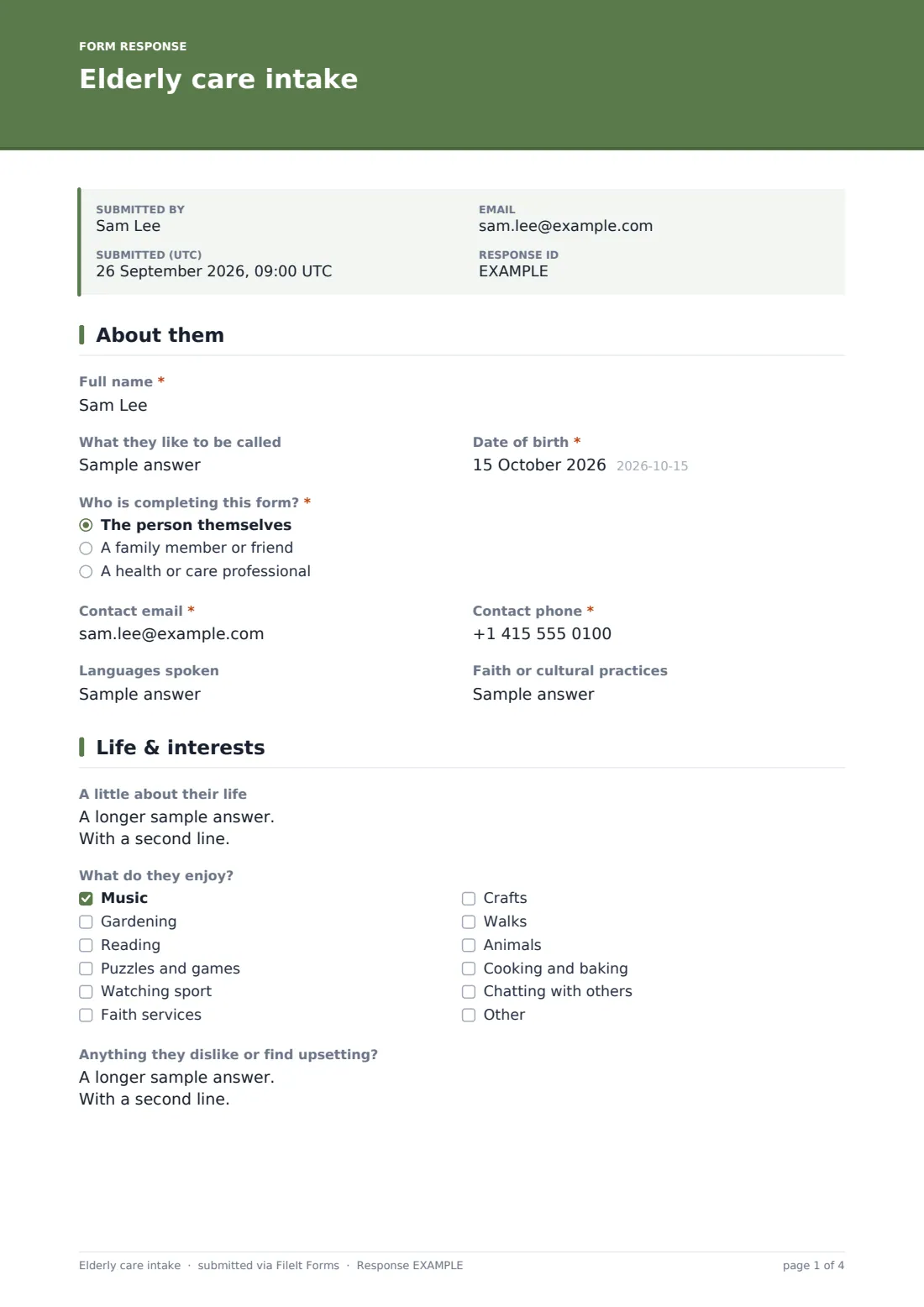
1 About them
- Full name*
- What they like to be called
- Date of birth*
- Who is completing this form?* The person themselves · A family member or friend · A health or care professional
- Your name and relationship* asked only when it applies
- Contact email*
- Contact phone*
- Languages spoken
- Faith or cultural practices
2 Life & interests
- A little about their life
- What do they enjoy? Music · Gardening · Reading · Puzzles and games · Watching sport · Faith services · Crafts · Walks · Animals · Cooking and baking · Chatting with others
- Anything they dislike or find upsetting?
3 Daily routine & preferences
- Usual waking time
- Usual bedtime
- Washing preference Shower · Bath · Wash at the basin · No preference
- Best time for washing Morning · Evening · Any time
- Food and drink
- Aids they use Glasses · Hearing aid(s) · Dentures · Walking aid · None
- What helps when communicating with them?
4 Family & contacts
- Main contact — name*
- Relationship*
- Phone*
- When would the main contact like to hear from us? Any change in health or wellbeing · Falls or accidents · Medical appointments · A regular weekly update
- Add a second contact?
- Second contact — name* asked only when it applies
- Phone* asked only when it applies
5 Wishes
- Are any formal documents about future care or decision-making in place?
- Which ones? asked only when it applies Power of attorney or legal guardian · Advance directive or living will · Resuscitation decision
- Copies (optional) asked only when it applies
- What matters most to them about their care?
- Wishes they have expressed about future care
- Sharing information*
- Signature*
The elderly care intake form, page by page
1 About them
The form starts with the basics: Full name, What they like to be called, and Date of birth. Who is completing this form? offers three options — the person themselves, a family member or friend, or a health or care professional — and choosing anything other than "the person themselves" opens Your name and relationship, so it's always clear who provided the information.
Contact email and Contact phone follow, along with two optional fields, Languages spoken and Faith or cultural practices, that help staff communicate respectfully from day one.
2 Life & interests
A little about their life is an open, optional long-text question inviting a short life story — childhood, work, family, places, proud moments — the kind of detail that helps a care team start a real conversation. What do they enjoy? is a checkbox list covering things like music, gardening, puzzles and games, faith services, crafts, walks, and chatting with others, with an "other" option for anything not listed. Anything they dislike or find upsetting? gives space to flag things like loud rooms or being rushed, so staff can avoid them.
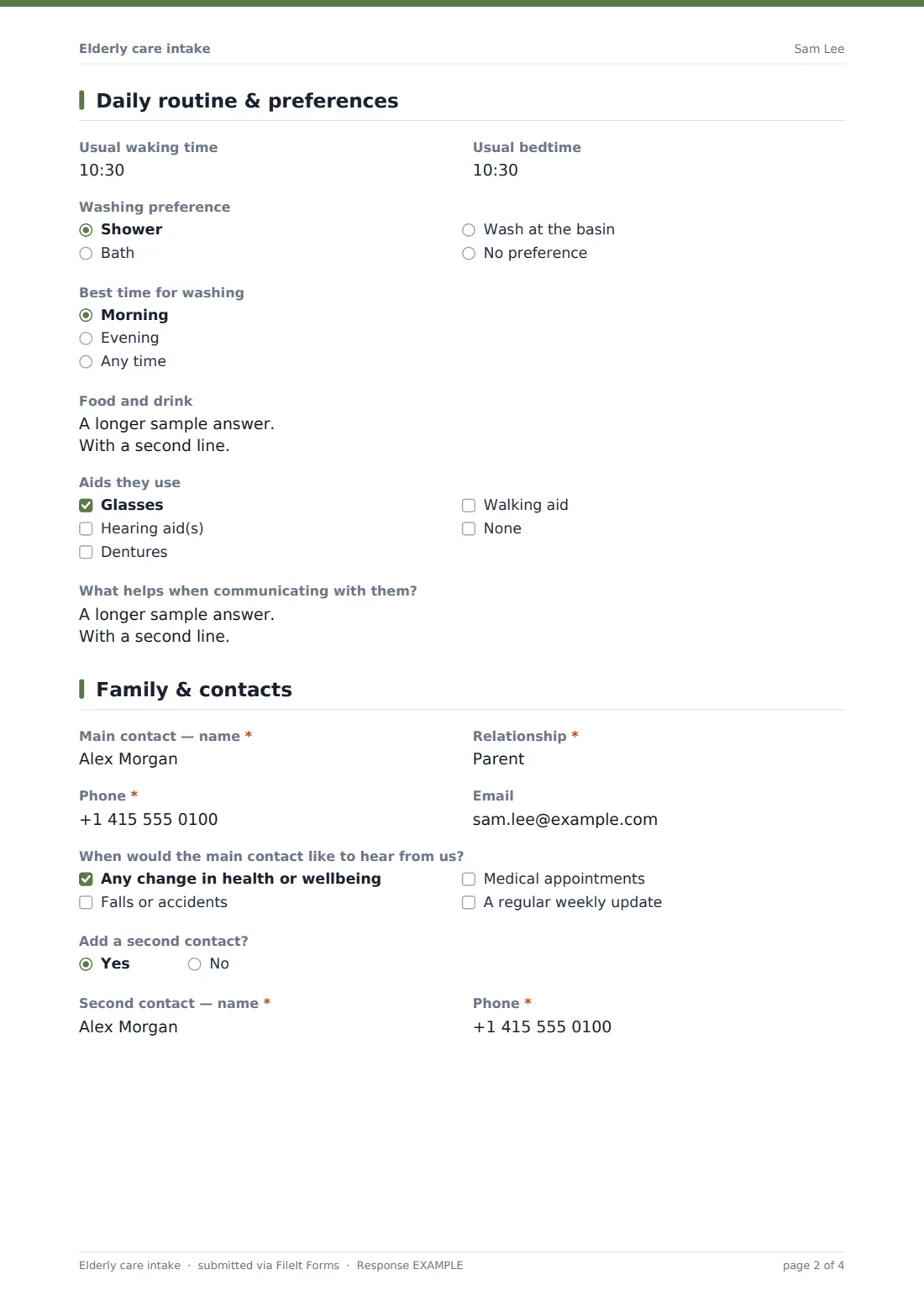
3 Daily routine & preferences
This page covers the practical rhythm of a day: Usual waking time and Usual bedtime, then Washing preference (shower, bath, wash at the basin, or no preference) and Best time for washing. Food and drink is a free-text field for favourites, dislikes, special diets and small habits like how they take their tea or coffee.
Aids they use is a checkbox list (glasses, hearing aids, dentures, walking aid, or none), and What helps when communicating with them? asks for anything that makes conversation easier — speaking slowly, facing them, reminders, or a familiar object nearby.
4 Family & contacts
The main contact's name, relationship, phone and email are collected first, along with When would the main contact like to hear from us? — options include any change in health or wellbeing, falls or accidents, medical appointments, or a regular weekly update. Answering yes to Add a second contact? reveals a second name and phone number, so more than one family member can be reached if needed.
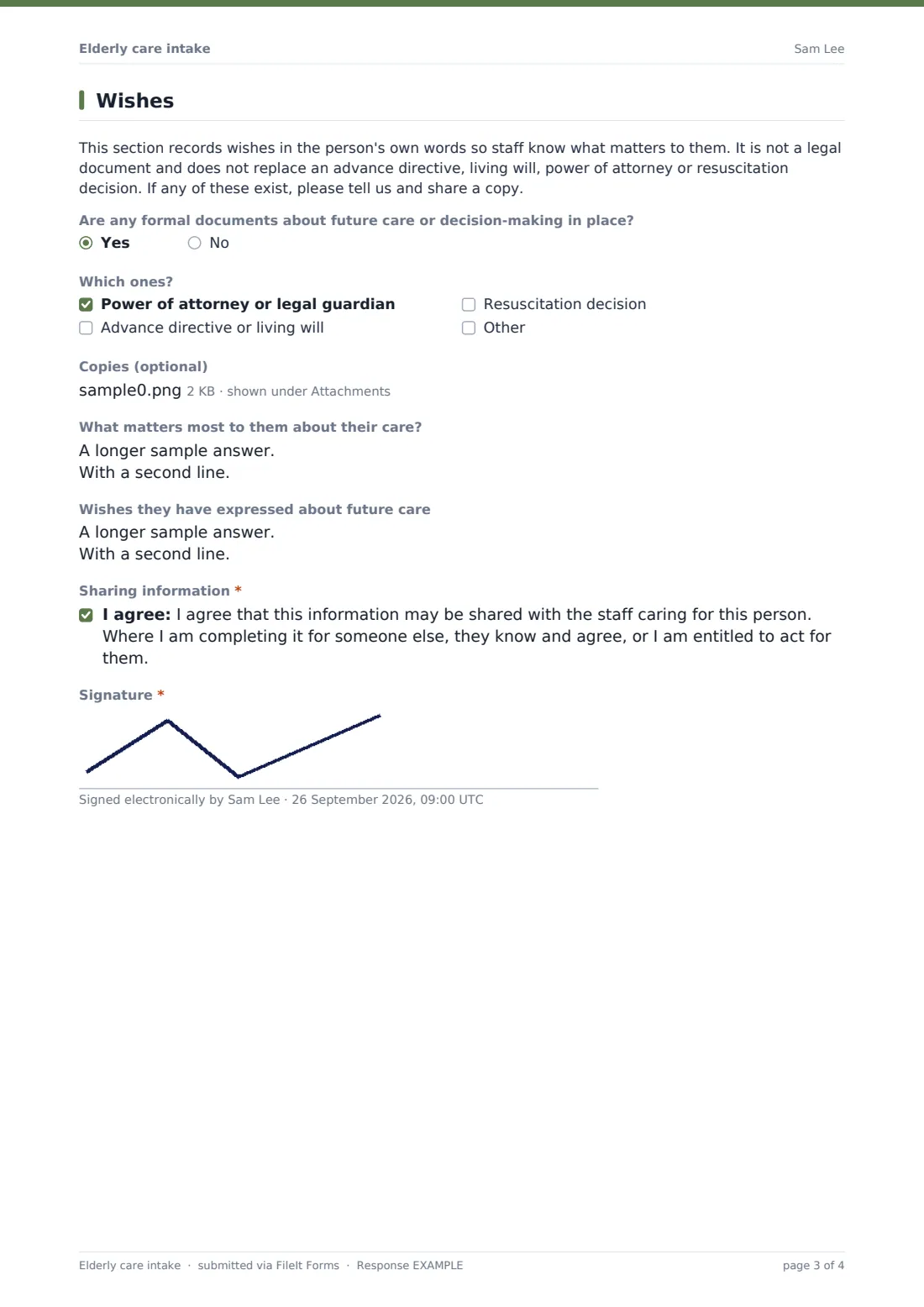
5 Wishes
A plain-language note explains that this section records wishes in the person's own words so staff know what matters to them, and that it is not a legal document — it doesn't replace an advance directive, living will, power of attorney or resuscitation decision. Are any formal documents about future care or decision-making in place? is a simple yes/no; answering yes reveals a checklist of which ones (power of attorney, advance directive, resuscitation decision) and an optional file upload for copies.
Two open questions — What matters most to them about their care? and Wishes they have expressed about future care — capture things in their own words where possible. The form closes with a consent statement confirming the information may be shared with the staff caring for the person, and a signature.
Make the template yours
- Add or remove interest checkboxes to match the activities your community actually offers
- Adjust the routine questions (washing, waking, bedtime) to fit a home care visit schedule instead of a residential setting
- Make the second family contact required if your policy always wants two contacts on file
- Set the vault folder so each intake files automatically under that resident's own folder or family member profile
- Turn on an emailed PDF copy to the person completing the form so a family member has their own copy
- Add a closing date if you're using the form for a scheduled batch of upcoming admissions
- Edit the confirmation message to mention your specific welcome meeting or move-in date
Tips for a better elderly care intake form
- Reassure families they can share as much or as little as they're comfortable with — most fields here are optional
- Ask for documents like a power of attorney or advance directive early, since these affect care planning
- Keep the tone of the life-story question open-ended so people don't feel they need to write an essay
- Update the intake information periodically, since routines and preferences can change over time
- Make sure more than one emergency contact is on file wherever possible
- Treat the wishes section as a starting conversation, not a final record — talk it through at the welcome meeting as the confirmation message promises
Every response becomes a PDF in your vault
Once the form is submitted, FileIt saves the full set of answers as a PDF in the vault folder you've set up — filed under that resident's own folder if you organise your vault by person. You and anyone else you've added receive an email notification, and if you've turned on the optional copy, the person who filled it in gets their own PDF as well.
The care team can then read the intake before the welcome meeting, and any uploaded documents — like a power of attorney or advance directive — sit attached to the same PDF. Every submission also appears in your Responses table, which you can filter and export to CSV, making it easy to keep track of intakes across multiple new residents or clients.
- Start from this template. It opens in the FileIt Forms designer — change any question, add pages, set the rules for when questions appear.
- Share it. Turn on a public link, or send it to people by email, each with their own link. They don’t need a FileIt account.
- Get the answers as PDFs. Each response is saved as a PDF in the vault folder you choose, with uploaded files attached — and listed in a Responses table you can export to CSV.
Elderly care intake form: frequently asked questions
Is this elderly care intake form template free?
Yes. It's included with FileIt's Forms app on every account, including the free plan, along with more than 160 other ready-made templates. Every question can be edited.
Does the person filling it in need a FileIt account?
No. Residents, family members or referring professionals can complete the form from the link you share, with no account required.
How do I receive the completed intake?
Each submission is automatically saved as a PDF in your FileIt vault, with any uploaded documents attached, and also shows up in a Responses table you can filter or export.
Is the wishes section a legal document like an advance directive?
No. The form says so directly — it records wishes in the person's own words to help staff, but it does not replace an advance directive, living will, power of attorney or resuscitation decision. If those documents exist, the form asks the family to share a copy.
Can a family member fill this in instead of the resident?
Yes. The "Who is completing this form?" question is built for exactly that, and captures the completer's name and relationship.
Can I upload existing legal documents with the form?
Yes, there's an optional file upload for copies of things like a power of attorney or advance directive, though families can also bring paper copies in.
Can I change the questions to suit a home care visit instead of a care home admission?
Yes. Every field, page and label in the template can be edited, added to, or removed in the designer.