What is the restaurant comment card form template?
A comment card is the simplest way for a restaurant, café or bar to hear from guests who would never write a review — and to hear about a problem while there's still time to put it right. Paper cards get lost, filled in illegibly, or read weeks later. An online card that guests open from a QR code on the table, the receipt or the bill folder lands with the manager as soon as it's sent.
This template covers the visit itself (date, meal, where they sat, party size, occasion and server), a quick star rating plus a grid across food, drinks, service, cleanliness, atmosphere and value, and a dedicated section for anything that went wrong. It asks about allergies and dietary requests separately, because that's the complaint a kitchen most needs to hear about.
Guests don't need an account. Each card is saved as a PDF in your FileIt vault and appears in the Responses table, and guests who want a reply can leave their name, email and phone — nobody else is identified.
- Best for
- Restaurants, cafés, bars, bistros and hotel dining rooms
- Filled in by
- Diners, usually from a QR code at the table or on the receipt
- Time to complete
- About 2 minutes
- Includes
- An 11-row rating grid, a problem section that opens only when needed, and an optional reply request
Who uses a restaurant comment card form?
- A QR code on table tents or bill folders so guests can leave feedback before they leave
- A link printed on takeaway receipts or pickup bags
- A tablet at the host stand for guests who want to comment on the way out
- Tracking whether a new menu, chef or opening hours change how guests rate the food
- Giving servers named praise — or coaching — based on real comments
- Catching allergy or dietary mistakes early so the kitchen can review what happened
Questions on this restaurant comment card form
25 questions over 4 pages · includes conditional questions, multiple pages, ratings.
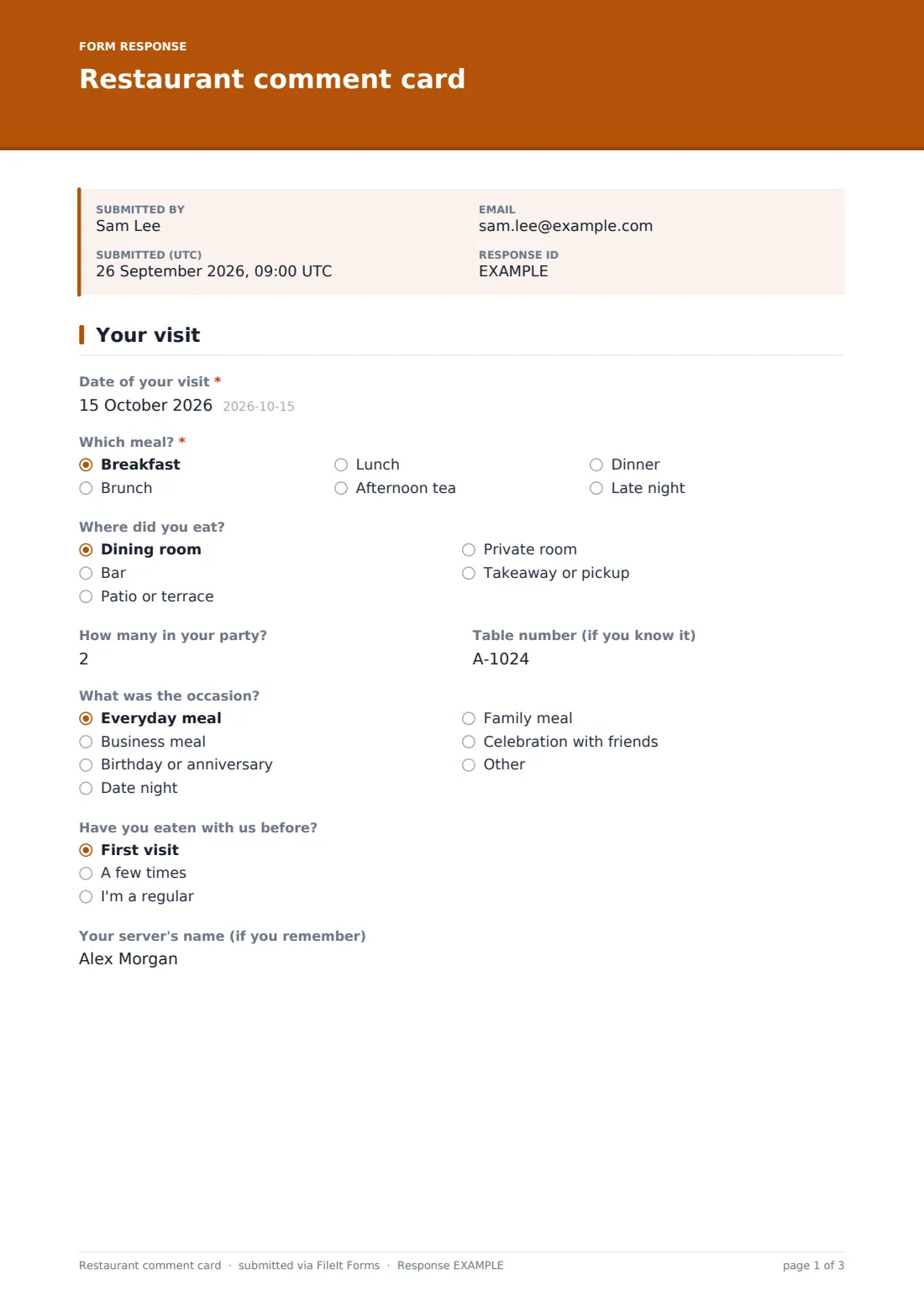
1 Your visit
- Date of your visit*
- Which meal?* Breakfast · Brunch · Lunch · Afternoon tea · Dinner · Late night
- Where did you eat? Dining room · Bar · Patio or terrace · Private room · Takeaway or pickup
- How many in your party?
- Table number (if you know it)
- What was the occasion? Everyday meal · Business meal · Birthday or anniversary · Date night · Family meal · Celebration with friends · Other
- Have you eaten with us before? First visit · A few times · I'm a regular
- Your server's name (if you remember)
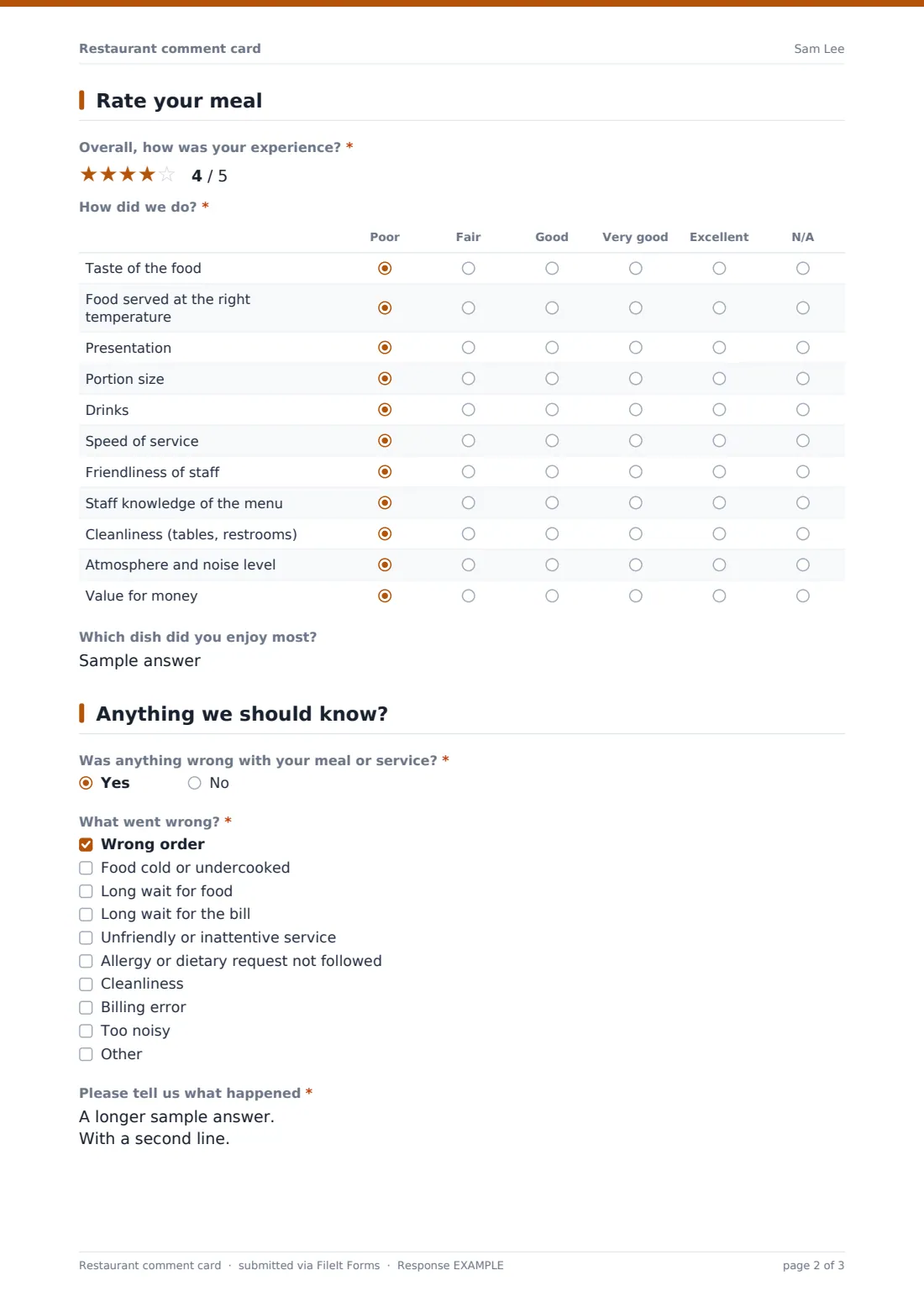
2 Rate your meal
- Overall, how was your experience?*
- How did we do?* Poor · Fair · Good · Very good · Excellent · N/A
- Which dish did you enjoy most?
3 Anything we should know?
- Was anything wrong with your meal or service?*
- What went wrong?* asked only when it applies Wrong order · Food cold or undercooked · Long wait for food · Long wait for the bill · Unfriendly or inattentive service · Allergy or dietary request not followed · Cleanliness · Billing error · Too noisy
- Please tell us what happened* asked only when it applies
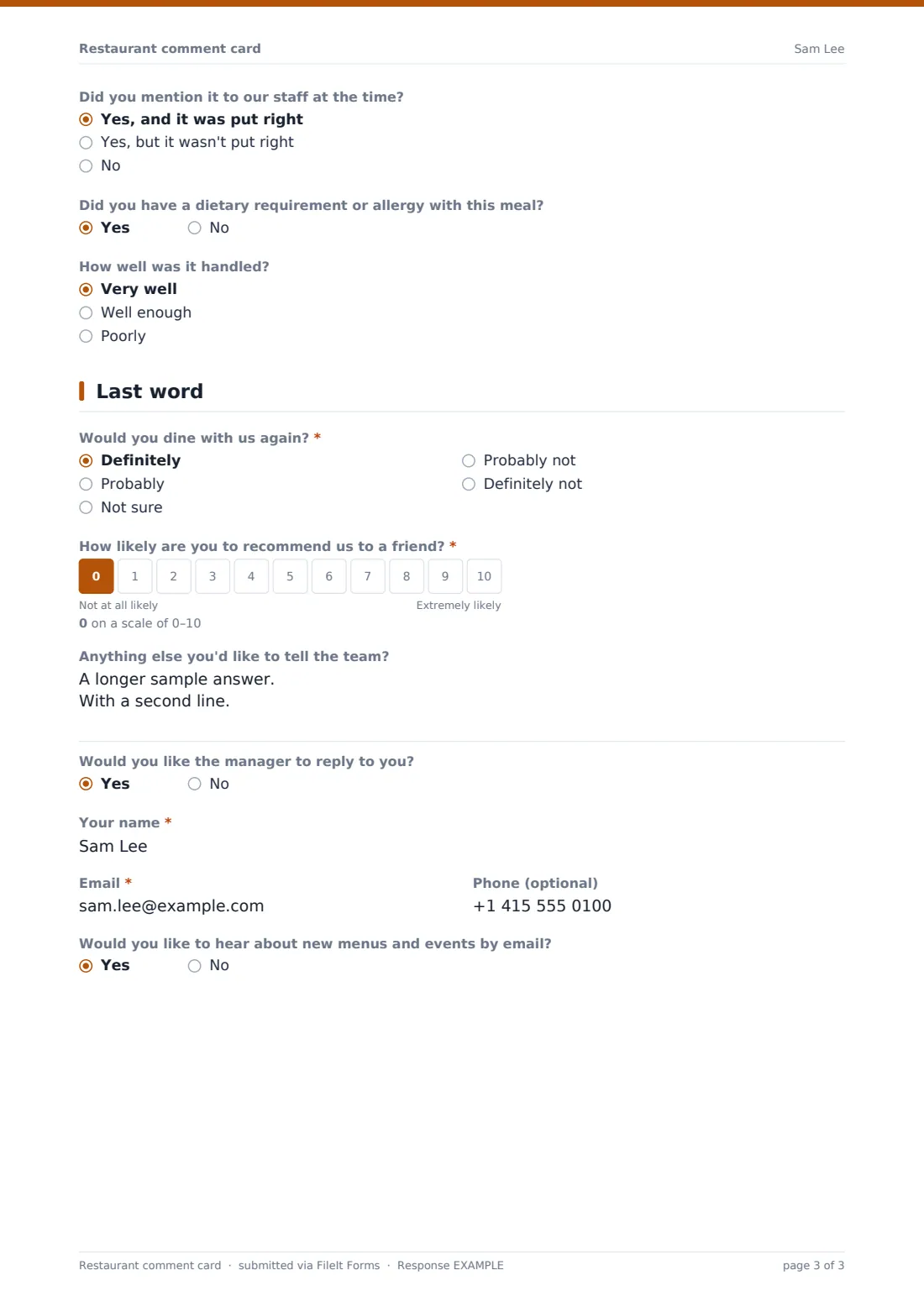
- Did you mention it to our staff at the time? asked only when it applies Yes, and it was put right · Yes, but it wasn't put right · No
- Did you have a dietary requirement or allergy with this meal?
- How well was it handled? asked only when it applies Very well · Well enough · Poorly
4 Last word
- Would you dine with us again?* Definitely · Probably · Not sure · Probably not · Definitely not
- How likely are you to recommend us to a friend?*
- Anything else you'd like to tell the team?
- Would you like the manager to reply to you?
- Your name* asked only when it applies
- Email* asked only when it applies
- Phone (optional) asked only when it applies
- Would you like to hear about new menus and events by email? asked only when it applies
The restaurant comment card form, page by page
1 Your visit
The guest gives the date of the visit and picks the meal (breakfast through late night), where they ate (dining room, bar, patio, private room or takeaway), party size, table number, the occasion and whether it was their first visit. An optional field asks for the server's name so thanks or coaching reaches the right person.
2 Rate your meal
A required five-star overall rating is followed by a grid rating eleven things from Poor to Excellent (or N/A): taste, temperature, presentation, portion size, drinks, speed of service, friendliness, menu knowledge, cleanliness, atmosphere and noise, and value for money. A short field asks which dish they enjoyed most.
3 Anything we should know?
One required yes/no asks whether anything was wrong. Answering yes opens a checklist of common problems (wrong order, cold food, long waits, inattentive service, an allergy request not followed, cleanliness, billing, noise), a required description, and whether they mentioned it to staff and it was put right. A separate question asks whether they had a dietary requirement and, if so, how well it was handled.
4 Last word
Guests say whether they'd dine again, give a 0–10 likelihood to recommend, and add any other comments. If they'd like the manager to reply, name, email and an optional phone number appear, along with a yes/no for hearing about new menus and events.
Make the template yours
- Edit the meal and seating options to match your service — for example remove breakfast or add a chef's counter
- Swap rows in the rating grid, such as adding wine list or kids' menu
- Put your own restaurant name and tone in the cover text
- Add NotifyEmails so the general manager and head chef both get each card
- Print the public link as a QR code on table tents, receipts and delivery bags
- Create a copy per location so each site's cards file into its own vault folder
Tips for a better restaurant comment card form
- Place the QR code where guests look when they're done — the bill folder works better than the menu
- Reply quickly to anyone who reported a problem and asked for contact; it's the best chance to win them back
- Share the week's best comments with the whole team, and mention servers by name
- Read the allergy and dietary answers separately from general complaints
- Watch the value-for-money row after price changes
- Keep the card short — resist adding more required questions
Every response becomes a PDF in your vault
Each card is saved as a PDF titled with the visit date in the vault folder you choose, and you get an email notification. Guests don't receive a copy by default, which suits a quick comment card.
The Responses table lets you filter by meal, seating or problem type, open individual cards, and export everything to CSV to track average ratings and the recommend score over time.
- Start from this template. It opens in the FileIt Forms designer — change any question, add pages, set the rules for when questions appear.
- Share it. Turn on a public link, or send it to people by email, each with their own link. They don’t need a FileIt account.
- Get the answers as PDFs. Each response is saved as a PDF in the vault folder you choose, with uploaded files attached — and listed in a Responses table you can export to CSV.
Restaurant comment card form: frequently asked questions
Is this restaurant comment card template free?
Yes. It's a starter template in the FileIt Forms app, and every question can be edited.
Do guests need an account or an app?
No. They open the link or scan a QR code and fill it in on their phone's browser.
Can guests stay anonymous?
Yes. Name, email and phone only appear if a guest asks the manager to reply.
Can I use one form for several locations?
You can, but many owners duplicate the form per site so each location's cards file separately and the team sees its own results.
Does it post reviews to Google or other review sites?
No. Responses stay private in your FileIt account.
How do I follow up on a complaint?
If the guest asked for a reply, their contact details are on the response. Open it from the notification email and reply directly.