What is the company vehicle driver authorization form template?
Handing someone the keys to a company car or van means trusting that they hold the right licence, that it's still valid, and that nothing in their driving history or health would make it unsafe. Many organisations check this once, informally, and then never again — until an accident or an insurer's question reveals that nobody had a copy of the licence on file.
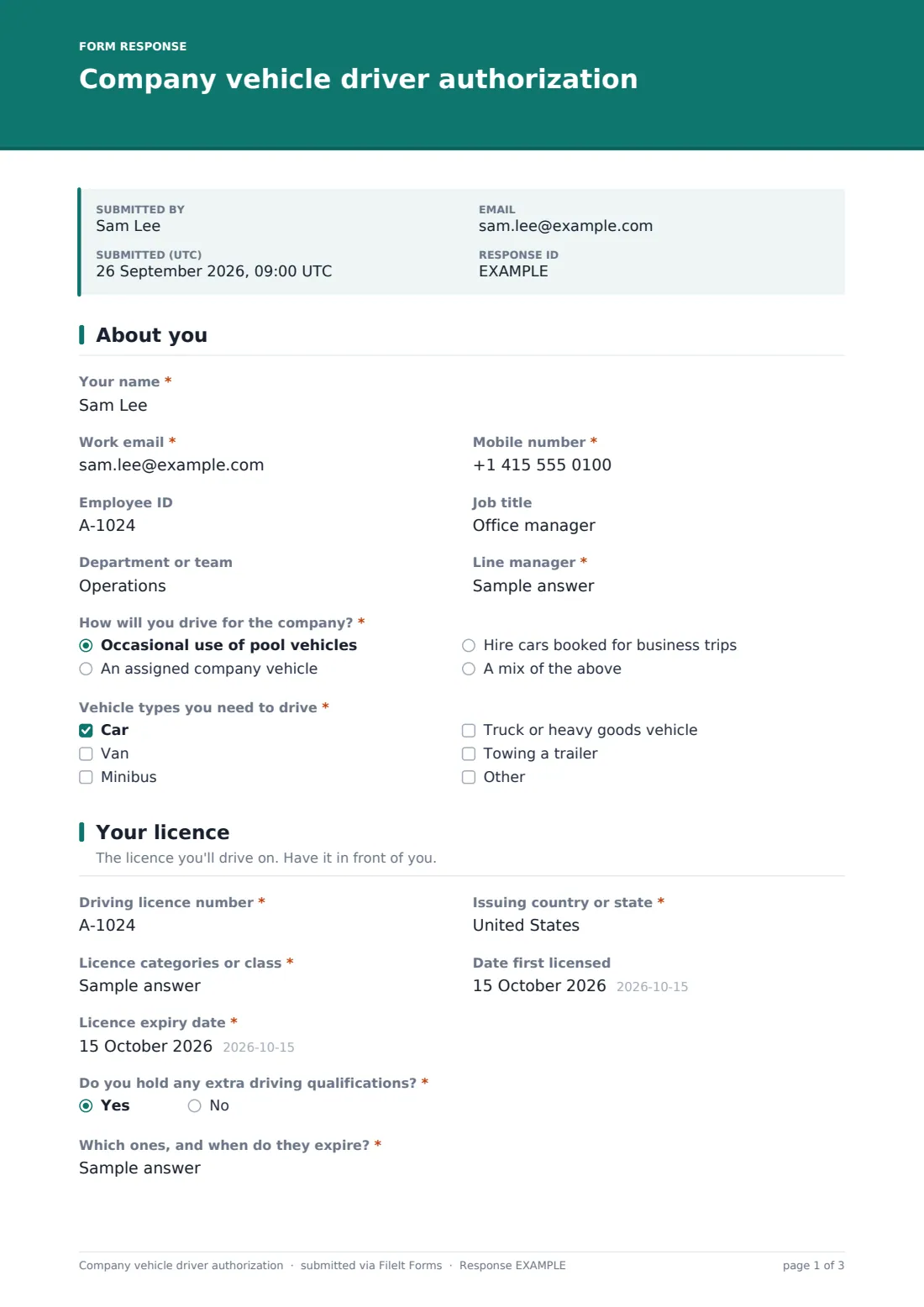
This company vehicle driver authorization form gathers everything a fleet manager or HR team needs in one pass: who the driver is and which vehicles they'll use, the licence number, categories and expiry date with a photo of the licence itself, any penalty points, accidents or suspensions, and a short fitness-to-drive declaration. It finishes with the driver agreeing to your vehicle policy and signing.
Each submission is saved as a signed PDF in your FileIt vault with the licence photo attached, giving you a clear record of who is authorised to drive, on what licence, and when that licence runs out.
- Best for
- Employers with pool cars, assigned vehicles, vans or hire cars used for business
- Filled in by
- Employees who need to drive for work, before their first trip
- Time to complete
- About 5-7 minutes with the licence to hand
- Includes
- Licence photo upload, follow-up questions for points, accidents and suspensions, and a signature
Who uses a company vehicle driver authorization form?
- A company with a small pool of cars that staff book for client visits
- A trades or delivery business registering new van drivers before their first shift
- An organisation re-authorising all drivers once a year alongside a licence check
- A charity whose volunteers or staff drive a minibus for outings
- A sales team with assigned company cars that needs a signed policy acknowledgement from each driver
- An HR team replacing a paper driver declaration kept in personnel files
Questions on this company vehicle driver authorization form
32 questions over 4 pages · includes signature, file upload, conditional questions, multiple pages, consent checkbox.
1 About you
- Your name*
- Work email*
- Mobile number*
- Employee ID
- Job title
- Department or team
- Line manager*
- How will you drive for the company?* Occasional use of pool vehicles · An assigned company vehicle · Hire cars booked for business trips · A mix of the above
- Registration of your assigned vehicle asked only when it applies
- Vehicle types you need to drive* Car · Van · Minibus · Truck or heavy goods vehicle · Towing a trailer
2 Your licence
- Driving licence number*
- Issuing country or state*
- Licence categories or class*
- Date first licensed
- Licence expiry date*
- Do you hold any extra driving qualifications?*
- Which ones, and when do they expire?* asked only when it applies
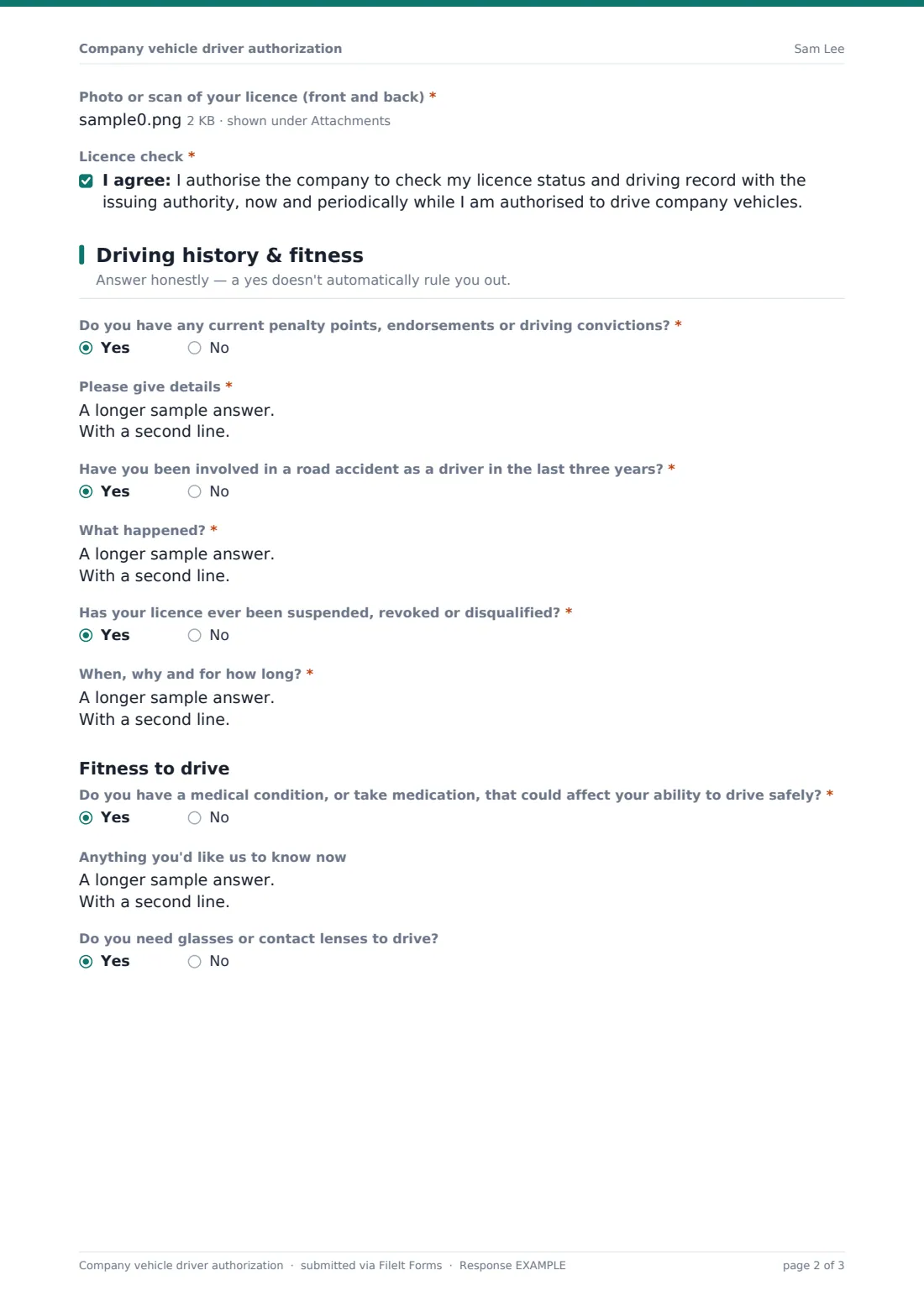
- Photo or scan of your licence (front and back)*
- Licence check*
3 Driving history & fitness
- Do you have any current penalty points, endorsements or driving convictions?*
- Please give details* asked only when it applies
- Have you been involved in a road accident as a driver in the last three years?*
- What happened?* asked only when it applies
- Has your licence ever been suspended, revoked or disqualified?*
- When, why and for how long?* asked only when it applies
- Do you have a medical condition, or take medication, that could affect your ability to drive safely?*
- Anything you'd like us to know now asked only when it applies
- Do you need glasses or contact lenses to drive?
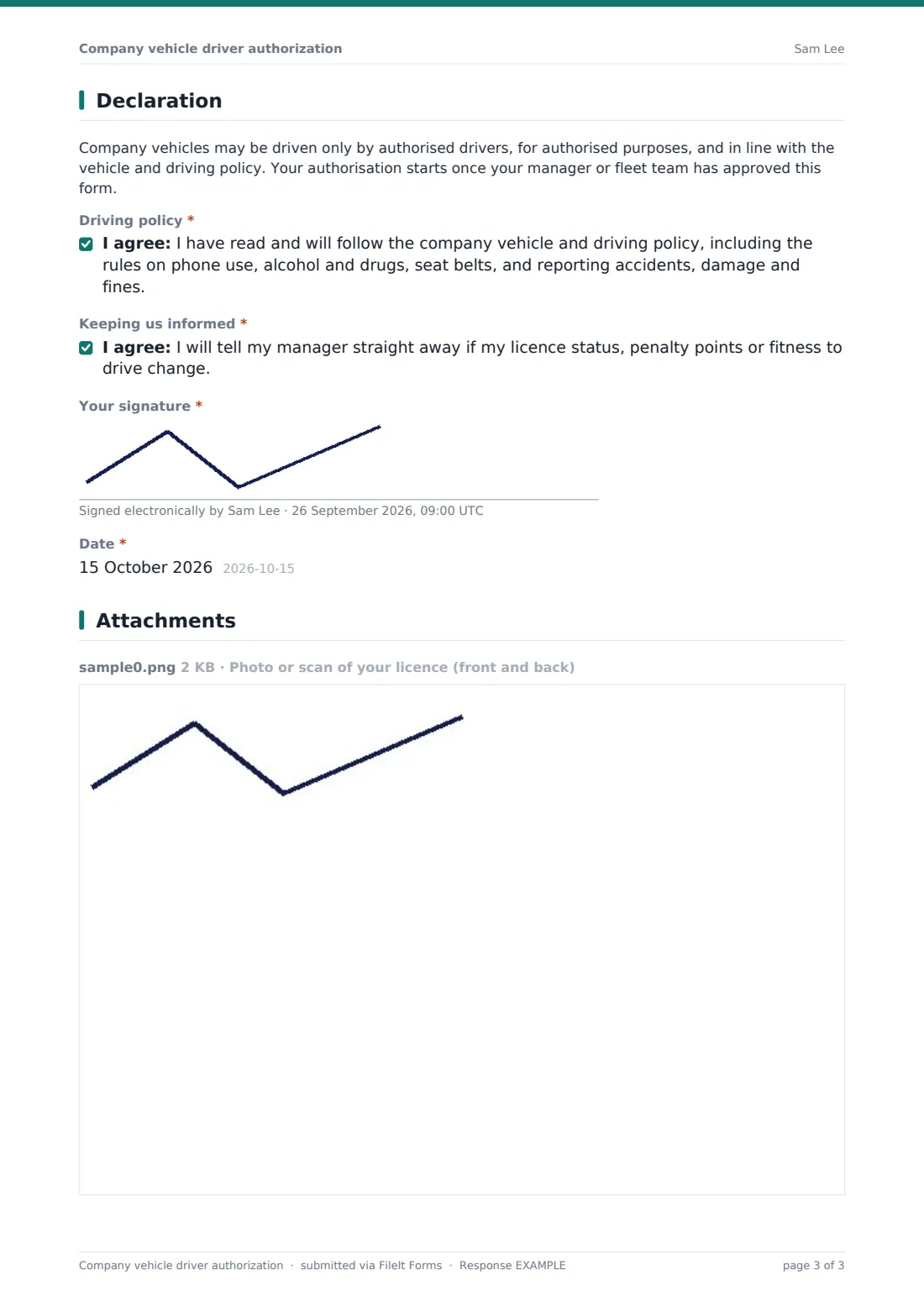
4 Declaration
- Driving policy*
- Keeping us informed*
- Your signature*
- Date*
The company vehicle driver authorization form, page by page
1 About you
The driver gives their name as it appears on the licence, a work email and mobile number, employee ID, job title, department and line manager. They then say how they'll drive for the company — occasional pool vehicles, an assigned vehicle, hire cars on business trips, or a mix. Choosing an assigned vehicle reveals a box for its registration.
A required Vehicle types question (car, van, minibus, truck or heavy goods vehicle, towing a trailer, or something else) tells you straight away whether the licence categories on the next page actually cover what they'll be driving.
2 Your licence
This page records the Driving licence number, Issuing country or state, Licence categories or class, Date first licensed and Licence expiry date. A yes/no question asks about extra driving qualifications such as a commercial licence or professional driver certificate, and a yes asks which ones and when they expire.
The driver uploads a photo or scan of the front and back of the licence, and agrees to a statement authorising the company to check their licence status and driving record with the issuing authority, now and periodically.
3 Driving history & fitness
Three required questions cover current penalty points or driving convictions, road accidents as a driver in the last three years, and any past suspension or disqualification. Each yes opens a details box, so a clean record takes seconds and anything that needs a closer look arrives with the facts attached.
A short Fitness to drive section asks whether a medical condition or medication could affect safe driving — without asking the driver to name it, since HR or occupational health can follow up privately — plus whether they need glasses or contact lenses to drive.
4 Declaration
A short note explains that authorisation starts only once the form has been approved. The driver then agrees to follow your vehicle and driving policy, including phone use, alcohol and drugs, seat belts and reporting accidents, damage and fines, and promises to tell their manager if their licence, points or fitness to drive change. They sign and date the form to finish.
Make the template yours
- Replace the policy wording with the exact name of your own vehicle or fleet policy, and link to it in the declaration's help text
- Change the three-year accident window to match what your insurer asks about
- Add a question for grey-fleet use if staff also drive their own cars on business, with insurance and MOT or inspection details
- Remove vehicle types you don't operate, or add specialist ones such as a minibus with a passenger count
- Route submissions to a Drivers folder in your vault so every licence copy sits in one place
- Send personal links to each driver when it's time for the annual re-authorisation
Tips for a better company vehicle driver authorization form
- Note each driver's licence expiry date somewhere you'll see it — an authorisation is only as current as the licence behind it
- Check that the licence categories actually cover the vehicle types the driver ticked, especially for vans, minibuses and trailers
- Handle answers about medical conditions with the same confidentiality as other health information and limit who can open these PDFs
- Re-run the form periodically rather than relying on a one-off check at hiring
- Make sure drivers can read the full vehicle policy before they're asked to agree to it
- Ask your insurer what driver information they expect you to hold, and adjust the questions to match
Every response becomes a PDF in your vault
When a driver submits the form, FileIt saves it as a PDF in your vault with their signature and the licence photo attached. With owner notifications on, the fleet manager or HR contact is emailed straight away so they can review the answers and approve the driver.
The Responses table lists every driver who has registered, and you can export it to a CSV to build or update a driver register. Because each PDF keeps the licence number, categories and expiry date together, checking who is authorised — and whose licence is due to run out — doesn't mean hunting through email attachments.
- Start from this template. It opens in the FileIt Forms designer — change any question, add pages, set the rules for when questions appear.
- Share it. Turn on a public link, or send it to people by email, each with their own link. They don’t need a FileIt account.
- Get the answers as PDFs. Each response is saved as a PDF in the vault folder you choose, with uploaded files attached — and listed in a Responses table you can export to CSV.
Company vehicle driver authorization form: frequently asked questions
Is this company vehicle driver authorization form free?
Yes. It's one of the starter templates in the FileIt Forms app, and you can edit every question, the policy wording and the declaration to suit your organisation.
Does FileIt check the driving licence with the licensing authority?
No. The form records the driver's consent to a licence check, but FileIt doesn't contact any licensing authority. Your fleet or HR team carries out the check through whatever service you normally use.
Do drivers need a FileIt account to fill it in?
No. Anyone with the link can complete and sign the form without creating an account.
Why doesn't the form ask drivers to name their medical condition?
Health details are sensitive, so the form only asks whether something could affect safe driving and leaves space for anything the driver chooses to share. You can follow up privately if the answer is yes.
Can we use it for annual re-authorisation?
Yes. Send each driver a personal link when their review is due; every submission is saved as a new dated PDF, so you keep a history of past declarations.
Can drivers upload both sides of their licence?
Yes, the licence upload accepts up to two files in PDF, JPG, PNG or HEIC format.
Does submitting the form authorise the employee to drive?
Not on its own. The form tells drivers that authorisation starts once it has been approved, so your team stays in control of who is cleared to drive.