What is Form DE 34?
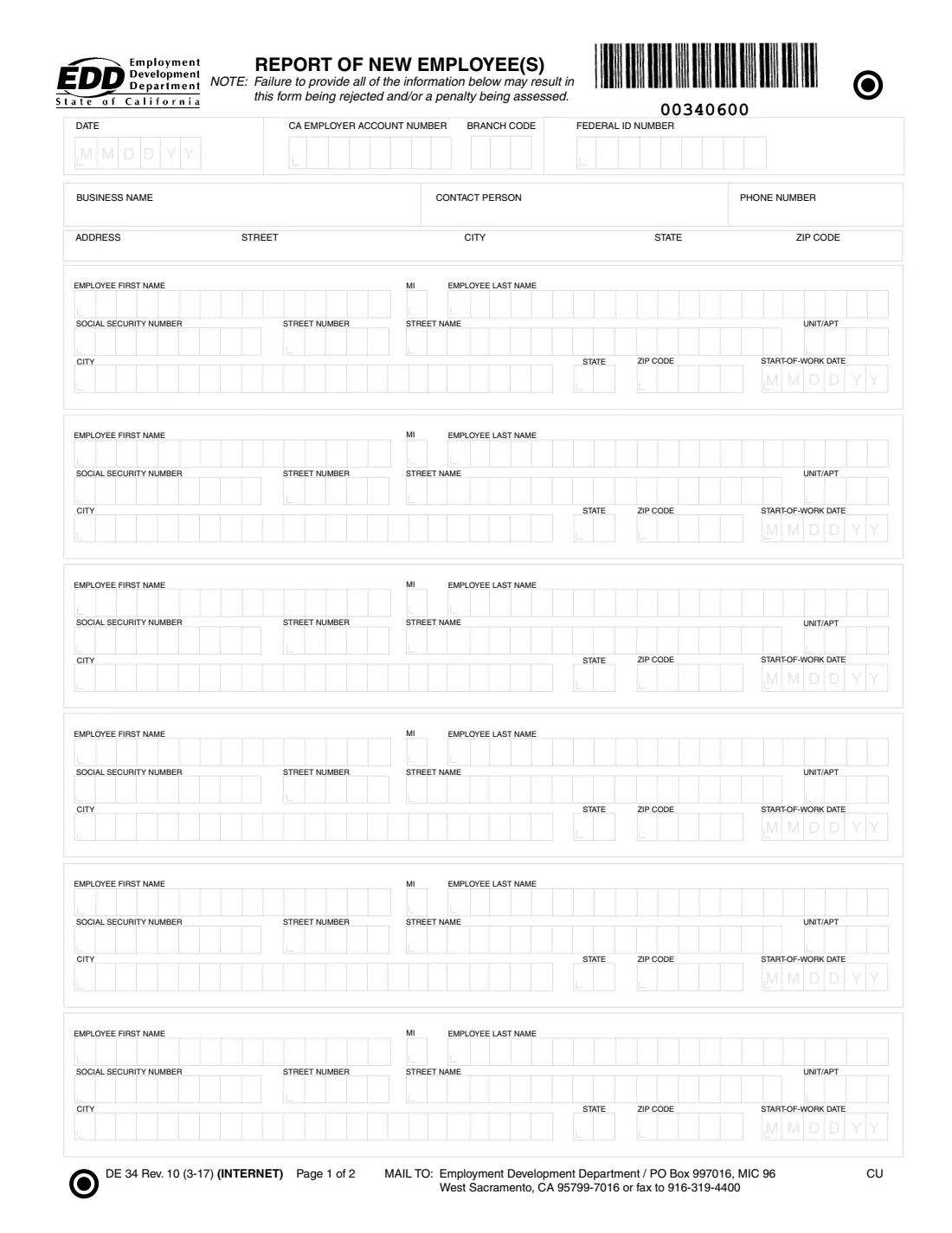
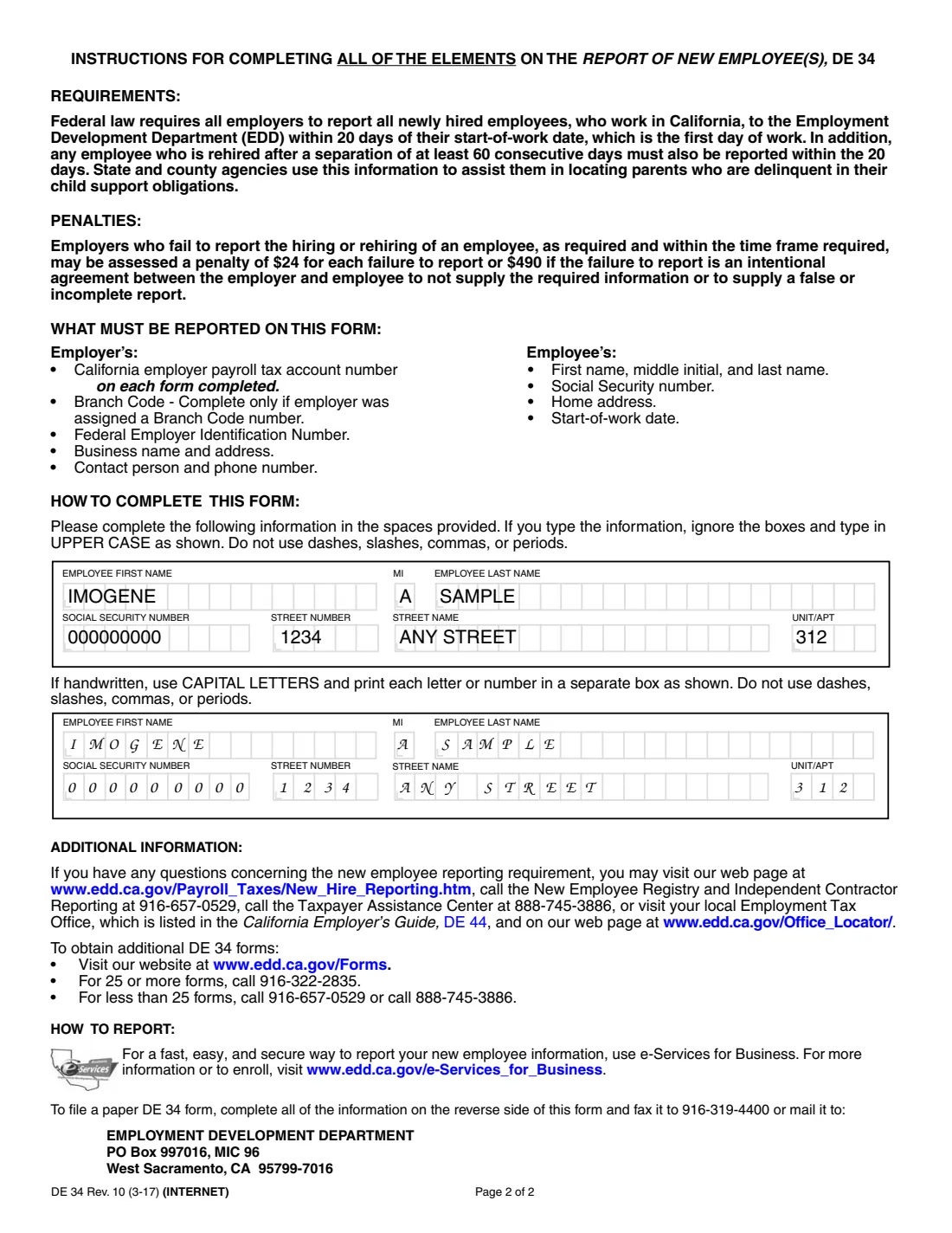
Form DE 34, the Report of New Employee(s), is California's paper new-hire report. The form's instructions explain that federal law requires every employer to report each newly hired employee who works in California to the Employment Development Department (EDD) within 20 days of the start-of-work date, which is the first day of work. An employee rehired after a separation of at least 60 consecutive days must be reported the same way. State and county agencies use the information to help locate parents who are delinquent in their child support obligations.
One DE 34 holds your employer details (California employer payroll tax account number, branch code if you have one, federal EIN, business name, contact person, phone and address) and up to six employees, each with their name, Social Security number, home address and start-of-work date. The EDD reads the form by machine, so the instructions ask for typed entries in UPPER CASE with no dashes, slashes, commas or periods. The current edition is DE 34 Rev. 10 (3-17).
FileIt lets you fill the DE 34 in a guided form and prints your answers into the EDD's own PDF in the format the EDD asks for: capitals, digits only, and six-digit MMDDYY dates. The finished form is saved in your vault. FileIt never submits it: you fax or mail it to the EDD yourself, or report online through EDD e-Services for Business.
- Who fills it
- California employers (or their payroll staff) hiring or rehiring employees who work in California.
- Given to
- The EDD: fax to 916-319-4400, or mail to Employment Development Department, PO Box 997016, MIC 96, West Sacramento, CA 95799-7016.
- When
- Within 20 days of each employee's start-of-work date (first day of work).
- Signatures
- None. The form has no signature line.
- Edition
- DE 34 Rev. 10 (3-17)
- Agency
- California Employment Development Department (EDD)
Who needs to fill out Form DE 34?
- Any employer with a newly hired employee who works in California.
- Employers rehiring someone after a separation of at least 60 consecutive days.
- Small businesses and household employers who prefer a paper report to EDD e-Services for Business.
- Payroll staff reporting several new hires at once — the form takes up to six.
When to use Form DE 34
- Within 20 days of a new employee's first day of work in California.
- Within 20 days of rehiring someone who had been separated for at least 60 consecutive days.
- When you report on paper by fax or mail rather than through e-Services for Business.
- Not for independent contractors: those are reported on a separate EDD form, the DE 542.
What you need before you start
- Your California employer payroll tax account number (8 digits) and branch code, if the EDD assigned you one.
- Your federal employer identification number (EIN).
- Your business name, address, and a contact person with a phone number.
- For each employee: first name, middle initial, last name and Social Security number.
- Each employee's home address: street number, street name, unit or apartment, city, state and ZIP code.
- Each employee's start-of-work date (their first day of work).
What’s on Form DE 34
The 2017 edition has 2 pages. FileIt asks for it in 7 parts:
- EmployerEmployer
- New employeeEmployer
- New employee 2Employer
- New employee 3Employer
- New employee 4Employer
- New employee 5Employer
- New employee 6Employer
How to fill out Form DE 34, step by step
1 Employer information
At the top, enter the date, your California employer payroll tax account number, your branch code (only if the EDD assigned one) and your federal ID number. Then add your business name, contact person, phone number and business address. The instructions say to include your account number on each form you complete.
2 Employee name and Social Security number
For each new employee, enter the first name, middle initial and last name, and the nine-digit Social Security number. Typed entries go in UPPER CASE without dashes, so FileIt prints 123-45-6789 as 123456789.
3 Employee home address
Enter the street number, street name and unit or apartment in their own boxes, then the city, two-letter state and ZIP code. This is the employee's home address, not the work site.
4 Start-of-work date
The start-of-work date is the first day the employee actually worked. It prints as six digits, MMDDYY — for example 091426 for September 14, 2026. The 20-day reporting deadline counts from this date.
5 More than one employee
Each form has room for six employees. FileIt shows the first one and lets you switch on the others. For more than six, fill another DE 34.
Common mistakes to avoid
- Reporting late. The instructions warn of a penalty of $24 for each failure to report within the time required, or $490 if the failure is an intentional agreement between employer and employee not to report or to file a false or incomplete report.
- Forgetting rehires who were away for at least 60 consecutive days — they must be reported too.
- Leaving out required information. The form warns that an incomplete report may be rejected or penalized.
- Typing dashes, slashes, commas or periods in the boxes, which the EDD asks you to leave out.
- Putting independent contractors on the DE 34 instead of the separate DE 542.
- Writing the work address instead of the employee's home address.
After you fill it out
Fax the form to 916-319-4400, or mail it to Employment Development Department, PO Box 997016, MIC 96, West Sacramento, CA 95799-7016. The EDD also accepts new-hire reports through e-Services for Business.
Keep a copy with your payroll records. FileIt saves the finished PDF in your vault, so you can show when and what you reported.
Questions: the EDD's New Employee Registry and Independent Contractor Reporting line is 916-657-0529, and the Taxpayer Assistance Center is 888-745-3886 (both printed on the form).
Fill out Form DE 34 online with FileIt
- Pick the person. Choose someone from People and FileIt fills in their name, date of birth, address and other details it already knows.
- Answer plain-language questions. One part of the form at a time, with the official help text beside each question — 74 fields in all. Your answers save as you go.
- Check the live preview. Watch your answers land on the real California Employment Development Department (EDD) form, and let FileIt do any worksheet arithmetic.
- Generate the official PDF. FileIt prints your answers into the agency’s own PDF and files it in that person’s folder in your vault.
FileIt fills the form — it never files or submits anything for you. Deliver the finished form to whoever asked for it, the way the form’s instructions say.
Start Form DE 34 now — it’s freeForm DE 34: frequently asked questions
What is the DE 34?
It is California's Report of New Employee(s), the EDD form employers use to report new hires and rehires who work in California.
How soon do I have to report a new hire in California?
Within 20 days of the employee's start-of-work date, which the form defines as the first day of work.
Do I report rehired employees?
Yes, if the employee was separated for at least 60 consecutive days before being rehired.
How many employees fit on one DE 34?
Six. Use another form for more.
Can I report new hires online instead?
Yes. The form recommends EDD e-Services for Business as the fast, secure way to report. The paper DE 34 can be faxed or mailed.
What is the penalty for not reporting?
The form states $24 for each failure to report on time, or $490 if the failure results from an intentional agreement between employer and employee.
Does FileIt send the DE 34 to the EDD?
No. FileIt fills the EDD's official PDF and saves it in your vault. You fax or mail it yourself.
Official sources
- Blank form (PDF), published by California Employment Development Department (EDD): https://edd.ca.gov/siteassets/files/pdf_pub_ctr/de34.pdf
- Official instructions and guidance: https://edd.ca.gov/en/payroll_taxes/new_hire_reporting/
- Edition shown on this page: DE 34 Rev. 10 (3-17) (INTERNET) (checked 2026-09-28).
FileIt is not affiliated with or endorsed by California Employment Development Department (EDD) or any government. This page explains the form in general terms and is not legal, tax or immigration advice. Always read the official instructions, and check that you are using the edition the recipient accepts. Page last reviewed 2026-09-28.